SohailS
Members
-
Joined
-
Last visited
-
I have a failed drive I dont actually know why its got an x and says contents are emulated. I have plenty of space on it and wondered if i can remove it all together? whats the best process for this? how would the data be moved to the other drives as it shows as desabled?
-
I am trying to get invoiceninja working with my reverse proxy NPM. i created a cname in cloudflare and a proxy host in NPM but it wont work has anyone got this working?
-
from what i understand all i need to do is delete my original installation and keep the config file upon loading the new template the config file will be adjusted automatically?
-
I'm trying to enable iommu in this board the asus wrx80e-sage what are those settings? You say there are a few?
-
Thanks for the info yes I have the HikVision I was wondering what is this for? output_args: record: preset-record-generic-audio-aac I now have it working with ffmpeg encoding my stream to aac
-
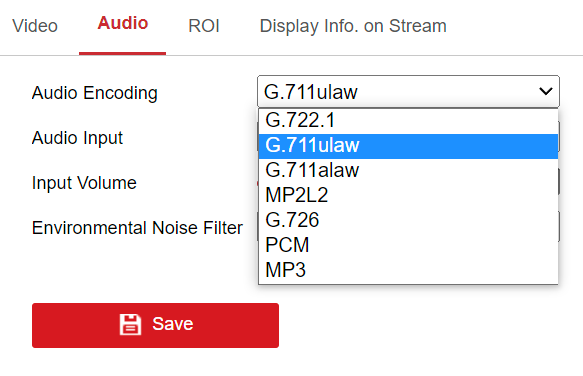
I am trying to get audio working in the latest release. my camera does not support AAC which is the best option to choose?
-
I have just recently upgraded my board to this one and the links above no longer work are was hoping that someone could tell me what the 6 pin ATX12V_1 is for?
-
Sorry to dig this up but wanted to say that im using the same motherboard the Asus X99-WS/IPMI and adding pcie_aspm=off worked for me. but im curious to know what the error is? i checked in my BIOS and ASPM is already off
-
Thanks for digging this out it worked
-
Thanks I will do so
-
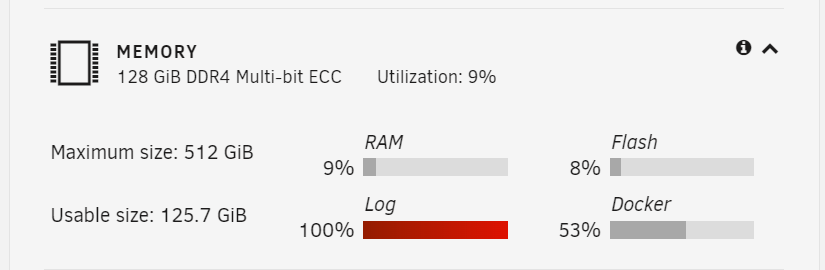
I have upgraded my servers Motherboard, CPU and RAM. when i booted back up everything appears to be working fine. however I have noticed my logs are full what can be causing this? jarvis-diagnostics-20230311-2307.zip
-
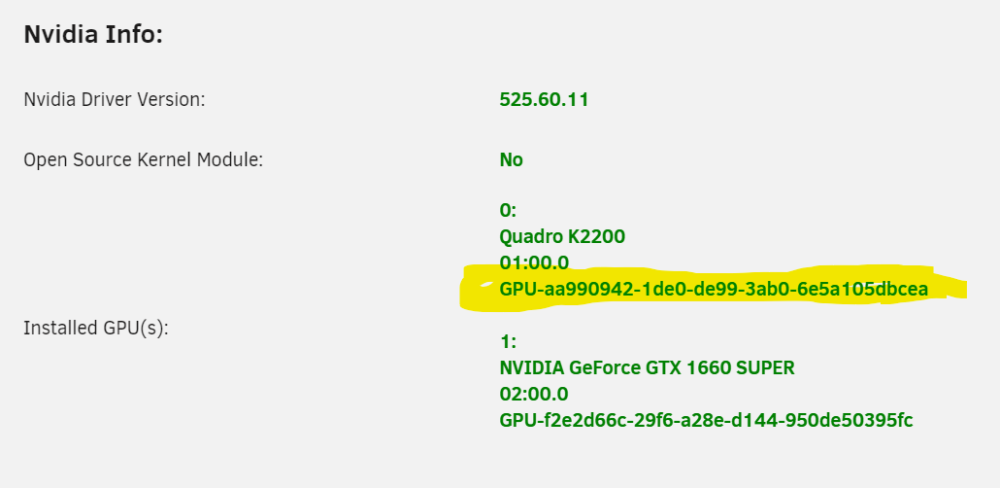
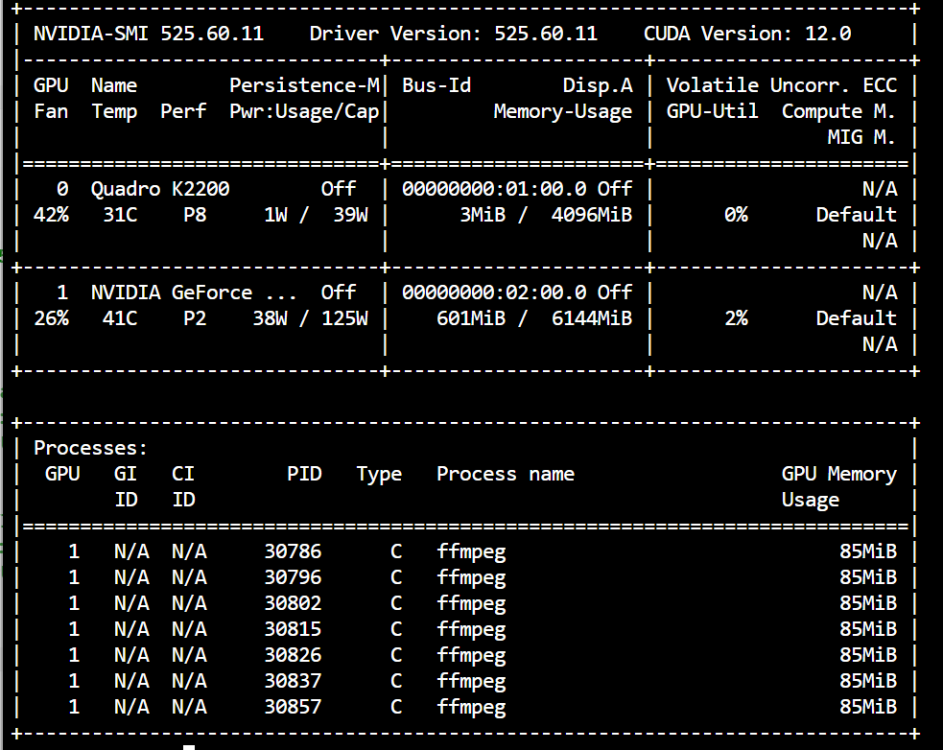
so after getting everything up and running I have added another GPU into my server to use with a VM. so i have changed the config of my docker I have added the below and then the following two parameters I have added the correct ID for the GPU but for some reason its using the other GPU what have i done wrong?


-
in that case mine is the same about 20% cpu makes me happy to know its all working correctly
-
Thanks for the info suppose something is better then nothing I have a coral for my detection so i guess its the best it will get
-
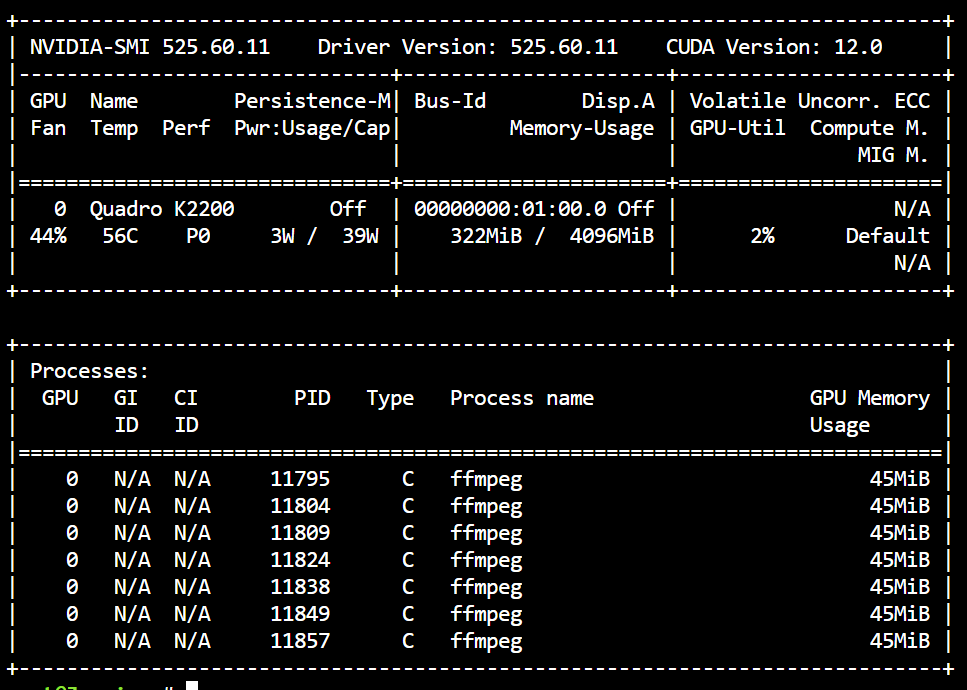
you are right i was looking in the container. looking at unraid it is using it I think i was expecting it to stop using CPU but for some reason its still using CPU too.