





BrazMan
Members
-
Joined
-
Last visited
Everything posted by BrazMan
-
Hello Everyone! First I would like to thank @Anne for the post! By mistake I had deleted 4TB of data from my 10TB HDD. I am runnung a scan right now! Hopefully I will be able to recover as I turned off the server just after this "mess". I am using Recovery Explorer Standard Version: 10.16 on windows 11 Pro 25H2. The HDD that I am trying to recover is formated in xfs. I followed the steps (still running) but I have some questions: The "spare" HDD that you have copied the recovered files from the original disk was in NTFS file system? I am using the windows version to recover. The software has a trial version. Could you be able to do the recover using trial or had to buy the software? I think UFS Explorer is from the same company. It has a PRODUCT COMPARISON in their page. I will update as soon as it finishes. 10 hours left. I am looking forward to see the results! Once again Thank you @Anne and everyone that share all the experiences. Take care! Braz.
-
Thank you @JorgeB It works disabiling "Host access to custom networks" You save me! Regards, Braz
-
Hi @JorgeB I have checked and confirm as you said that when the array is stopped it shows the server on windows network but after start the array it disappears.
-
Hi @JorgeB Sorry to take so long t reply! I am not 100% sure but i think no. I will Check.
-
Greetings from Brazil! Recentely i have upgraded my server to version 7.01 and when the O.S. rebooted i was unable to see my unraid server listed in the windows 11 network. If i use "\\server-ip\shared-folder" i am able to connect to the share. This "behavior" is also on version 7.01. Is there a "fix" to show the server again in the windows 11 version 24H2. Thank you for all support! Braz,

-
Hello @ConnerVT Thank you for the support. I have tried this but did not work. I decided to re-install the docker. Wish you happy holidays! Braz.
-
Hi All First i would like to wish you all Happy Holidays! Here is the issue: I don´t know when this behavior start but now when I try to play any file on my PMS using the local webui I have sound and subs but the screen (movie / tv shows) "plays" black screen. This only happens when I play the file on webui... All other players are fine. I am running latest version 1.41.3.9314. Is the any tweak to fix this? Thank you for ALL help! Braz.
-
Hi! Everyone I am running version 6.12.11 running on CPU Intel i7 11700K on a Asus motherboard and a nvidia Quadro P2000. My question is: Is there a way to enable the 2 GPUs? - iGPU UHD Graphics 750 to passtru to vm´s and P2000 for plex? If it´s possible is there any tutorial that i can follow? Thanks for any help! Braz.
-
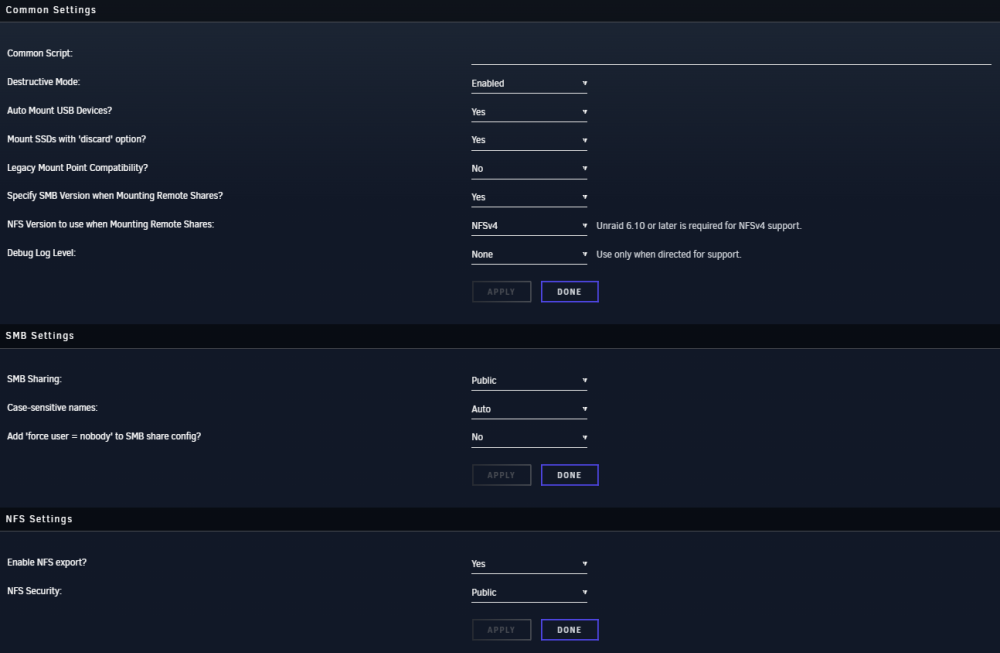
Hi @dlandon THX again for the support! After reboot it takes about 2 minutes to mount but it worked. I am posting the setup now on both servers. Thank you very much! Take care! Braz.
-
After Reboot automount was unable to mount my share Here the diagnostics. Running unraid 6.11.5. u-rjo21-diagnostics-20230501-2132.zip


-
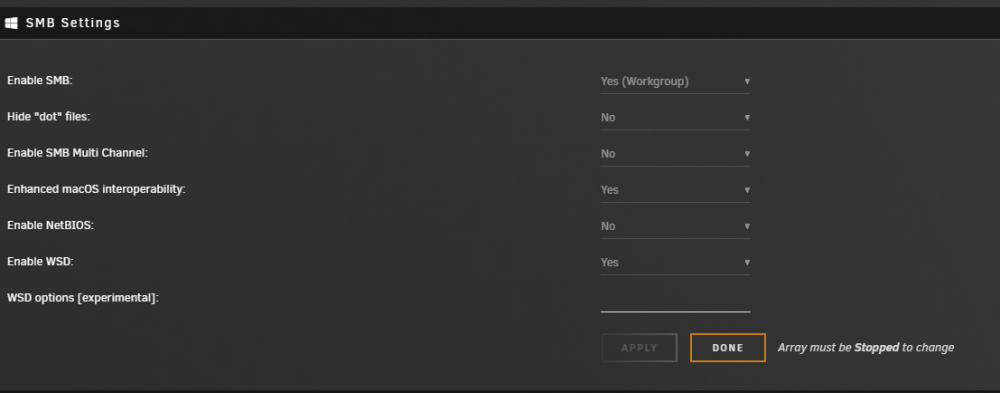
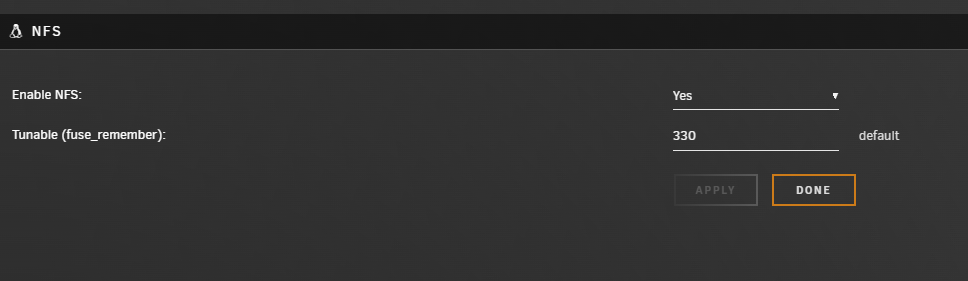
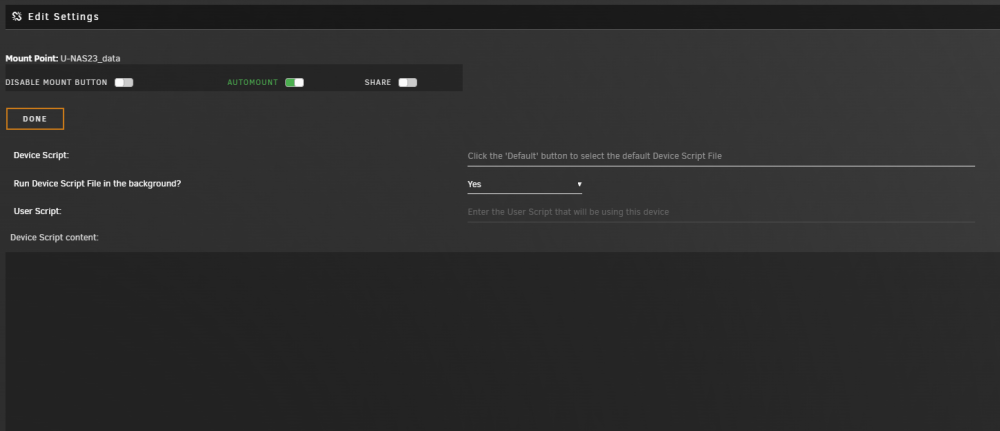
Hi @dlandon Thanks again for the support! I turn off the UD debugging. I will share the prints i have in my system. Surprisingly the last time i reboot the system all goes well. I do not if takes some time for unraid "find" the other PC in my network. I will monitor this and keep all logs if happens again, i will post. Thanks! Braz.
-
Hi! THX for your help! See attached.u-rjo21-diagnostics-20230427-0758.zipu-rjo21-diagnostics-20230429-0323.zipu-rjo21-diagnostics-20230429-0323.zip
-
Hi Everyone! Here is the scenario: I have 2 unraid servers ("main" and "NAS") running ver 6.11.5 with the latest UD plugin. The share "data" was created on both servers and set as public. The SMB and NFS are enable on both servers and it is able to see and mount the share. The problem is that after enable the automount button the share does not load when any of the systems reboot. The mount button freeze (do no respond) and i am forced to remake the whole share. I have already changed all setting in UD but with no sucess ): The use for this shared folder is because i do not have more space in my main server cage and just have build another one as a "NAS" system. The main goal is to have access to all files in "data" folder in "NAS" from my "main" Unraid server. Can somebody please help me to solve this issue? Thanks everyone for the attetion! Braz.
-
Thank you @Frank1940 it is always good to learn something. I appreciatte your explanation THX, Leo.
-
Thank you @ChatNoir for the explanation. So i will shuck the external drives and buy a new case with more drive bays
-
Thank you, @Frank1940 and @trurl for your help! This first part I understand. What does it mean? Thank you very much! Leo.
-
Hi All! Before i start with my question here my server: MB: Asus B450m Gaming CPU: AMD Ryzen 5 2600 APU: Gigabyte GTX 1050-Ti Memory: Crucial 4x 8GB 2666 MHZ (dual channel) Cache: SSD Samsung EVO 500 GB Parity: 1x WD40EFRX (4TB) Array: 3x WD40EZRZ (4TB) + 1x ST3000DM008 I have 02 USB 3.0 4TB Seagate that i want to add to this array. Why do i need to shuck them? also i don´t have free bays in my case so is there any technical reason that can´t i just plug in the usb port and add to the array? Or should i buy a new case with more bays and shuck those external drives? Thank you! Leo.
-
Well first i got the one from Plex.inc and to be honest i did not see a lot of options to change so i installed as it is (default) after a long time trying different approaches i realize that i must chamge some settings when install the docker... after doing this everything works as a charm. I am a windows guy that is trying to learn something new. For sure the problem was me... and i thank you for the support. I am very excited about this opportunity that i can finally will be able to have a dedicated plex server without using the windows OS. For sure i will post more doubts and i am sure that you and all other folks will be here to help everyone that needs. Once more, Thank you! Leo.
-
Hi! Thank you @ChatNoir and @Squid for the help!!! After some time i see that i was not using the best plex docker. i re-install (plex linuxserver version) and could manage as you described. it´s working now! Regards, Leo.
-
Hi Everyone! Here is the scenario: I already have unraid system up and running to be mainly my plex server. My array is 06x 4TB disks + 01 4 TB for parity. Now i am low with space and i have a 10 TB external drive attached in another windows PC in my network. Is there a way to create a shared folder in the 10 TB and map this share to the plex media folder in unraid? How can i do this? I just to want that unraid / plex "get" those files in the Windows PC where 10 TB external drive is attached. Thank you for the help! Leo.




