





alitech
Members
-
Joined
-
Last visited
Everything posted by alitech
-
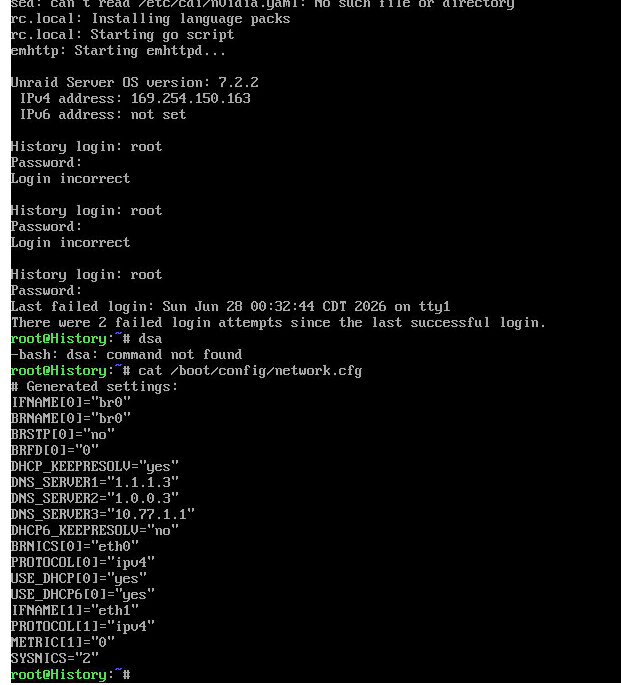
I have been fumbling around with your instructions not knowing exactly what I am doing but here is a screenshotI am unable to access the server after a power outage. The server seems to be setting an IP address that cannot be accessed. I have attached a screenshot here, I am baffled, i just looked up how to check network config. Any ideas on what could be the cause and if there are any commands I should run to set this back to normal?
 Can anyone help with this? I can see this error However the GPU is available and is shown in the system devices. I am not sure how this can be fixed? Any help much appreciated. I tried downloading the 580 drivers but I get an error unable to download. I am stuck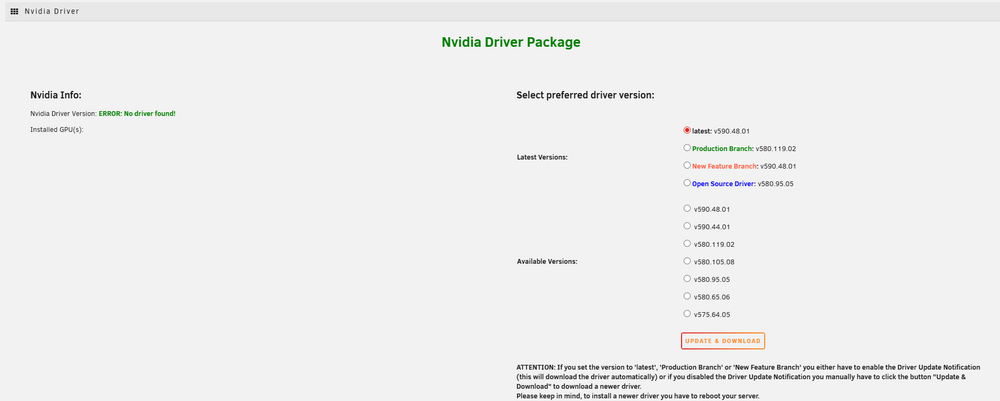
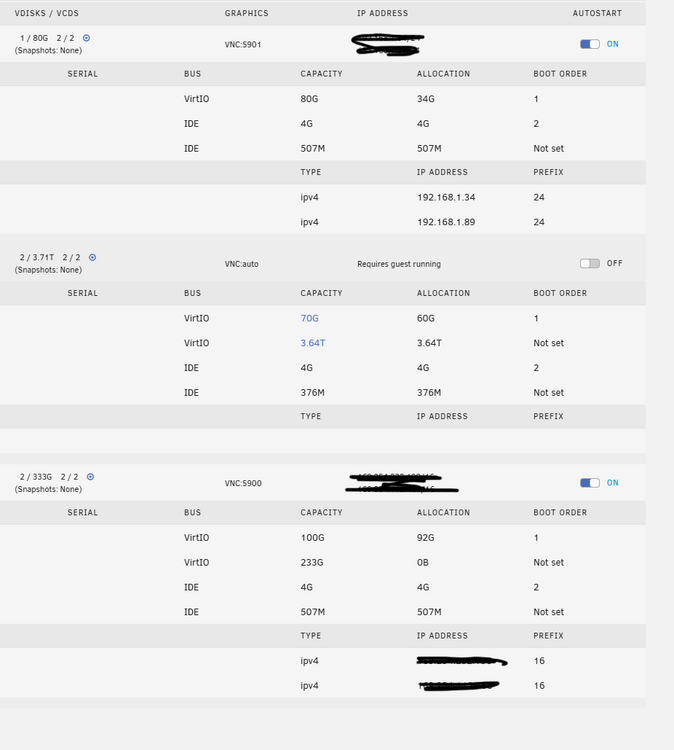
 Hi all In an effort to make my server more efficient and the cache running only for move tasks to array, I would like to move all of my VMs and Dockers to a new pool that I have created with a 2TB SSD. This should clear up my cache to just do cache tasks as it fills up very quickly and halts the system. By following some videos from Spaceinvader, I have been able to create a new SSD pool for VMS and Docker however I am unable to find a tutorial on how to move the VMs on to the new SSD pool that i have created. there seems to be nothing out there showing a step by step and I am not an expert with Unraid and fear messing things up royally. I think there are scripts to use for this purpose? I dont know how to do scripts yet Is there a step by step guide on how to do this? I am on 7.1.2. Second thing: I have created another pool with a 10TB drive to be used for Data for my VMs. I do not want to use the Array to store data from the VMs as the disks will continually be running. I would like to share the 10TB drive across about 3 VMs that will have a dedicated portion / partition of the 10TB drive. Like each vm will have about 3TB each to use from this 10TB drive. I would like to get a tutorial on how to do that also. Can someone help?I have checked the vdisk allocation on the VMs, they are maximum of 230GB however the cache is always filled up to 50% which is 500GB as it is a 1TB NVME drive. Trying to figure out what else the cache is using.
 I was able to stop the array manually and then rebooted the machine. So far the parity check has not initiated i will monitor for a few more hours to see if it starts by itself. Last check was 5 days ago when i last rebooted.Thank you for that. I will keep checking to see if there is anything else on the cache that takes so much space. its a 1TB drive. For the rest of my issues in the first post, any help on those please?Yes I understand that, however the CACHE--> ARRAY config Does that look ok for everything?Thank you for your reply. Would you like me to run this command on terminal? Perhaps this configuration is wrong?
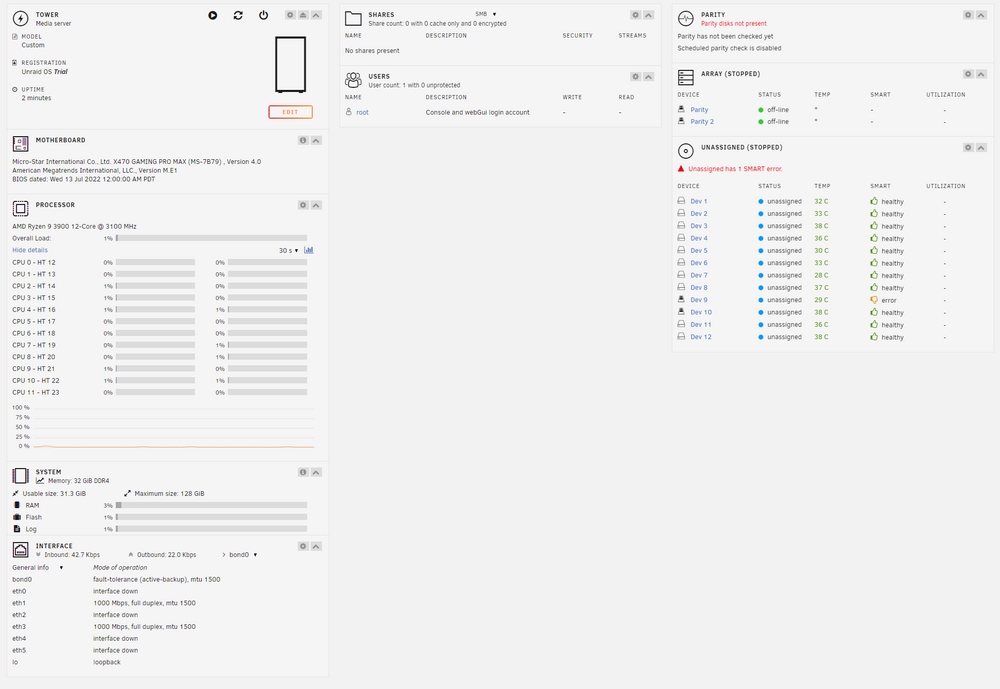
 Is there a reason why the Cache is stuck at 50% usage then? Is there anything else I should be fixing there? I understand that the VMs will be using some of the cache but not that much.Absolutely, the logging was already on. I manually run the mover and attaching the diag file again. Thank you for your support history-diagnostics-20250517-0333.zipHello folks, I am hoping to get some help here as I am a bit stuck with how to fix some of the issues that are happening after I upgraded the system hardware. 1. My dockers are not starting automatically after reboot, despite being set to AUTO 2. One of the dockers (custom icons) does not even want to start even if I manually start it 3. Every reboot seems to trigger the parity check to start 4. My Cache drive is not moving data every night at 3AM which it has been set at, manually moving does not do anything, just refreshes the page its currently stuck at 44%. I am getting errors that the drive is full when I try to move large data from my windows machine to unraid because the cache fills up, when I manually delete the files in windows, the cache seems to remove those files, but never goes beneath 44%. 5. I have 2 10GB Nics in the new mobo but I see both a 1GB and 10GB connected and it says bonded, however the transfer speeds are just 1GB. I only have 10GB connected. to one of the ports 6. I am attaching diagnostics data for you to explore. Please let me know how to fix these? history-diagnostics-20250516-1728.zipThanks for your reply. Do you know if Hive can run in a VM?upYes already done that however that is not the question. I am trying to learn from people's experiences here.I am building an offsite server which I will back up my existing unraid on to. it may take a number of days to back up to this offsite server and I have the almost free electric bill. I am going to have a lot of downtime on the server once its all backed up and just doing the small updates etc. I am thinking about putting it to work and do some nicehash mining on it with a Radeon or Nividia GPU. There are some old GPUs which are still profitable believe it or not. Has anyone tried this? What is the best way to go about it? Any dockers you are aware of that can fully utilize the GPU 100% all the time? I may also need to overclock the GPU somehow, which is why I ask if there is an easy way to handle all that over in a docker etc. I still want to be able to access the unraid box remotely while its mining though, so I am not going to tax the CPU so it can be left alone to deal with the unraid server itself, it will be an i5 something something. Please share thoughts. Feel free to discourage this idea if you like, I am open to all ideas, feedback. We are all here to learn.@JorgeB I appreciate your patience. If you look at my next video, I am stuck and I need some guidance. I wish someone could do this for me over a zoom call so it can all be done correctly. https://www.loom.com/share/70e73c8b6c3d4381b932b09abc93b2d2?sid=5347d94b-98b2-4ec4-b046-b22c58f2c83aHere is a loom video of the issues I am seeing https://www.loom.com/share/7ddba8b382fb4c4197e44d890c9ca958?sid=2b2373f9-8e6f-4ffd-b52d-8619f146edeeThanks for your patience. Do you mean I should restore these files on to the new USB from the old USB?I set the root passwd as before and activated a trial So now I have to figure out how to get everything back as it was. There were loads of config changes.
 Can you please tell me if I should go ahead and create a usb flash drive with the latest release or do it with the same release as the one I had which is 6.12.8? I want to ensure everything works of course. Also I cannot find the older version 6.12.8 anywhere ti download alsoI have some bespoke settings that I would have had on my config which will be hard or near impossible to recreate as I did then 2 years go on my server and have no idea how to do them again. Do hou guys think I could ask lime to help me recreate my flash backup files? They server seems to boot, shows that it's booted, can ping it just can't access gui. I am sure it's all there once I am logged in. Just a few things to fix on the backup drive I am hoping. Im really getting tired of unraid now, can't deal with this flash drive failing every few months, constant nightmare babysitting the thing all the time. I really wish it was simpler than this. I am now really stuck, all my data is inaccessible and I'm kinda freaking out on how to get it back. I'm sure some of you have felt this way when things fail. I oit a lot of work into into this build, my hardware is bespoke, as you can see my first few posts I built the machine from scratch.The problem is that the flash drive died which is why I had to go and download the backup and create the backup drive. I have no way of getting the old flash drive to work, I tried accessing it on a windows machine and its asking it to format it. No idea how I can get my full backup now. I thought I was doing the right thing by backing it up to the servers. I am not sure why the backup is half baked. Its all very annoying and I am at a loss. If there is a way to manually recreate the flash drive by putting in the correct files manually, I am happy to try that. The new flash drive I am sure will need the key ported over, but I cant even get to the GUI to do that. Thank you for your help.Thank you for your reply. I could not download the same version 6.12.8 so I copied over the go file from 6.12.13 and put it into the config folder. Same issue again, I am unable to access the GUI locally. Attaching diagnostics again. tower-diagnostics-20241004-0012.zip


