





odiby
Members
-
Joined
-
Last visited
-
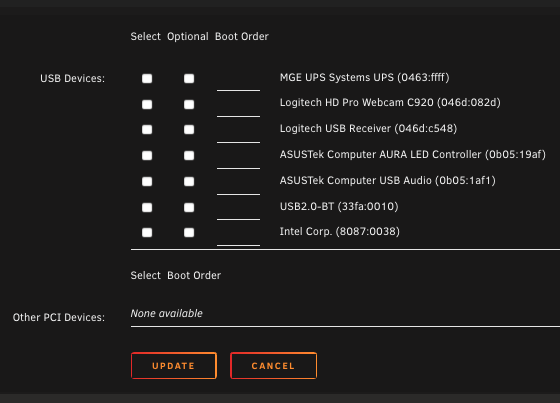
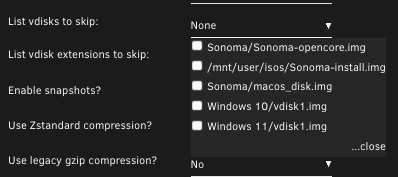
thank you for your reply, I appreciate it. What are the prerequisites for displaying the hard disk at the bottom? Nothing is displayed here. exclude that "fake vdisk" does not work either, because it is not displayed in the settings
-
Thanks. The VM is configured like so so yes there is a passthrough disk. But the vm itself is on a vdisk i would like to backup of course.

-
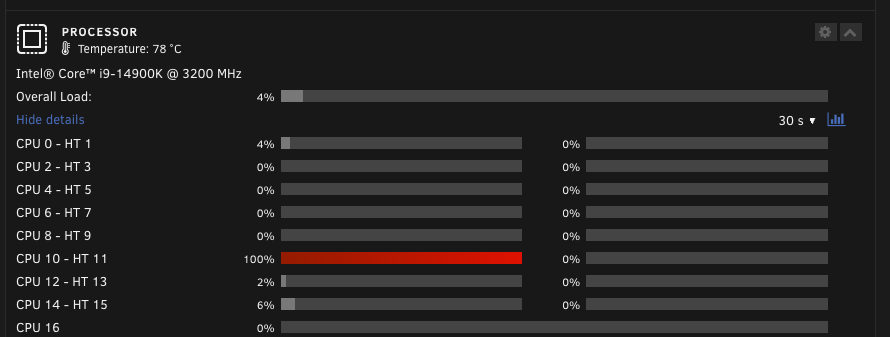
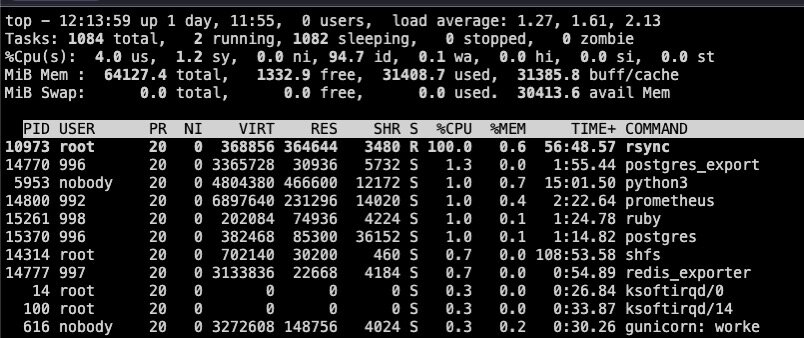
I do have an “empty vdisk_path” problem. I get the following mails and rsync is running like crazy. I think there is a connection, but I'm not even sure ... Event: Unraid Status Subject: unRAID VM Backup script Description: empty vdisk_path on Windows 11 Importance: warning 2024-10-14 02:38:41 warning: There's an empty vdisk_path on Windows 11. This is mainly caused by an empty cdrom file path. skipping vdisk. and the second mail that comes hours later Event: Unraid Status Subject: unRAID VM Backup script Description: empty vdisk_path on Windows 11 Importance: warning 2024-10-14 08:14:25 warning: There's an empty vdisk_path on Windows 11. This is mainly caused by an empty cdrom file path. skipping vdisk. i have checked all settings and i can not find any empty path. I just wanted to say: apart from that, the plugin seems to work for me. Backups are created. However, I have not checked whether these can also be restored.
-
I thought I had configured the vm incorrectly, which is why I got the message. that's why I am posting in this thread. As the backup plugin seems to work like intended. I thought it might be due to the fact that or how I have integrated the nvme to the windows 11 vm. just for your info. that is how I configured the backup plugin with the backup results below
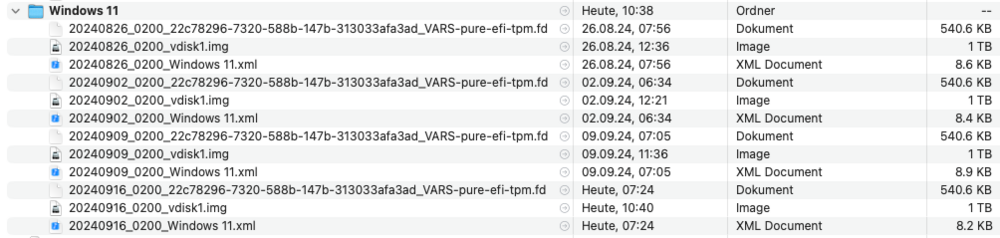
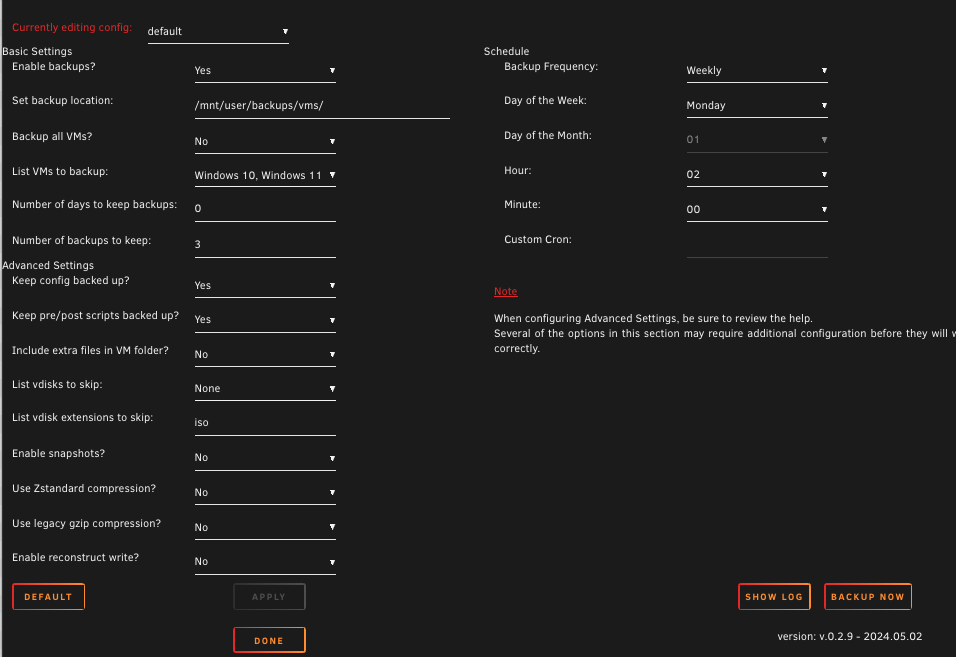
-
I get the following mail from the backup script. I can not find any empty path in my configuration. can anyone help me to understand what is happening here. Event: Unraid Status Subject: unRAID VM Backup script Description: empty vdisk_path on Windows 11 Importance: warning 2024-09-16 07:24:45 warning: There's an empty vdisk_path on Windows 11. This is mainly caused by an empty cdrom file path. skipping vdisk. <?xml version='1.0' encoding='UTF-8'?> <domain type='kvm'> <name>Windows 11</name> <uuid>22c78296-7320-588b-147b-313033afa3ad</uuid> <description>Gaming</description> <metadata> <vmtemplate xmlns="unraid" name="Windows 11" icon="windows.png" os="windowstpm"/> </metadata> <memory unit='KiB'>16777216</memory> <currentMemory unit='KiB'>16777216</currentMemory> <memoryBacking> <source type='memfd'/> <access mode='shared'/> </memoryBacking> <vcpu placement='static'>16</vcpu> <cputune> <vcpupin vcpu='0' cpuset='2'/> <vcpupin vcpu='1' cpuset='3'/> <vcpupin vcpu='2' cpuset='4'/> <vcpupin vcpu='3' cpuset='5'/> <vcpupin vcpu='4' cpuset='6'/> <vcpupin vcpu='5' cpuset='7'/> <vcpupin vcpu='6' cpuset='8'/> <vcpupin vcpu='7' cpuset='9'/> <vcpupin vcpu='8' cpuset='16'/> <vcpupin vcpu='9' cpuset='17'/> <vcpupin vcpu='10' cpuset='18'/> <vcpupin vcpu='11' cpuset='19'/> <vcpupin vcpu='12' cpuset='28'/> <vcpupin vcpu='13' cpuset='29'/> <vcpupin vcpu='14' cpuset='30'/> <vcpupin vcpu='15' cpuset='31'/> </cputune> <os> <type arch='x86_64' machine='pc-q35-7.2'>hvm</type> <loader readonly='yes' type='pflash'>/usr/share/qemu/ovmf-x64/OVMF_CODE-pure-efi-tpm.fd</loader> <nvram>/etc/libvirt/qemu/nvram/22c78296-7320-588b-147b-313033afa3ad_VARS-pure-efi-tpm.fd</nvram> </os> <features> <acpi/> <apic/> <hyperv mode='custom'> <relaxed state='on'/> <vapic state='on'/> <spinlocks state='on' retries='8191'/> <vendor_id state='on' value='none'/> </hyperv> </features> <cpu mode='host-passthrough' check='none' migratable='on'> <topology sockets='1' dies='1' cores='8' threads='2'/> <cache mode='passthrough'/> </cpu> <clock offset='localtime'> <timer name='hypervclock' present='yes'/> <timer name='hpet' present='no'/> </clock> <on_poweroff>destroy</on_poweroff> <on_reboot>restart</on_reboot> <on_crash>restart</on_crash> <devices> <emulator>/usr/local/sbin/qemu</emulator> <disk type='file' device='disk'> <driver name='qemu' type='raw' cache='writeback'/> <source file='/mnt/user/domains/Windows 11/vdisk1.img'/> <target dev='hdc' bus='virtio'/> <serial>vdisk1</serial> <boot order='1'/> <address type='pci' domain='0x0000' bus='0x02' slot='0x00' function='0x0'/> </disk> <disk type='block' device='disk'> <driver name='qemu' type='raw' cache='writeback'/> <source dev='/dev/disk/by-id/nvme-WD_BLACK_SN850X_2000GB_23133X800215'/> <target dev='hdd' bus='virtio'/> <serial>vdisk2</serial> <address type='pci' domain='0x0000' bus='0x04' slot='0x00' function='0x0'/> </disk> <disk type='file' device='cdrom'> <driver name='qemu' type='raw'/> <source file='/mnt/user/isos/virtio-win-0.1.248-1.iso'/> <target dev='hdb' bus='sata'/> <readonly/> <address type='drive' controller='0' bus='0' target='0' unit='1'/> </disk> <controller type='pci' index='0' model='pcie-root'/> <controller type='pci' index='1' model='pcie-root-port'> <model name='pcie-root-port'/> <target chassis='1' port='0x10'/> <address type='pci' domain='0x0000' bus='0x00' slot='0x02' function='0x0' multifunction='on'/> </controller> <controller type='pci' index='2' model='pcie-root-port'> <model name='pcie-root-port'/> <target chassis='2' port='0x11'/> <address type='pci' domain='0x0000' bus='0x00' slot='0x02' function='0x1'/> </controller> <controller type='pci' index='3' model='pcie-root-port'> <model name='pcie-root-port'/> <target chassis='3' port='0x12'/> <address type='pci' domain='0x0000' bus='0x00' slot='0x02' function='0x2'/> </controller> <controller type='pci' index='4' model='pcie-root-port'> <model name='pcie-root-port'/> <target chassis='4' port='0x13'/> <address type='pci' domain='0x0000' bus='0x00' slot='0x02' function='0x3'/> </controller> <controller type='pci' index='5' model='pcie-root-port'> <model name='pcie-root-port'/> <target chassis='5' port='0x14'/> <address type='pci' domain='0x0000' bus='0x00' slot='0x02' function='0x4'/> </controller> <controller type='pci' index='6' model='pcie-root-port'> <model name='pcie-root-port'/> <target chassis='6' port='0x15'/> <address type='pci' domain='0x0000' bus='0x00' slot='0x02' function='0x5'/> </controller> <controller type='virtio-serial' index='0'> <address type='pci' domain='0x0000' bus='0x03' slot='0x00' function='0x0'/> </controller> <controller type='sata' index='0'> <address type='pci' domain='0x0000' bus='0x00' slot='0x1f' function='0x2'/> </controller> <controller type='usb' index='0' model='qemu-xhci' ports='15'> <address type='pci' domain='0x0000' bus='0x00' slot='0x07' function='0x0'/> </controller> <interface type='direct' trustGuestRxFilters='yes'> <mac address='52:54:00:ac:5d:d5'/> <source dev='vhost0.108' mode='bridge'/> <model type='virtio-net'/> <address type='pci' domain='0x0000' bus='0x01' slot='0x00' function='0x0'/> </interface> <serial type='pty'> <target type='isa-serial' port='0'> <model name='isa-serial'/> </target> </serial> <console type='pty'> <target type='serial' port='0'/> </console> <channel type='unix'> <target type='virtio' name='org.qemu.guest_agent.0'/> <address type='virtio-serial' controller='0' bus='0' port='1'/> </channel> <input type='tablet' bus='usb'> <address type='usb' bus='0' port='1'/> </input> <input type='mouse' bus='ps2'/> <input type='keyboard' bus='ps2'/> <tpm model='tpm-tis'> <backend type='emulator' version='2.0' persistent_state='yes'/> </tpm> <graphics type='vnc' port='-1' autoport='yes' websocket='-1' listen='0.0.0.0' keymap='de'> <listen type='address' address='0.0.0.0'/> </graphics> <audio id='1' type='none'/> <video> <model type='qxl' ram='65536' vram='65536' vgamem='16384' heads='1' primary='yes'/> <address type='pci' domain='0x0000' bus='0x00' slot='0x01' function='0x0'/> </video> <hostdev mode='subsystem' type='pci' managed='yes'> <driver name='vfio'/> <source> <address domain='0x0000' bus='0x01' slot='0x00' function='0x0'/> </source> <address type='pci' domain='0x0000' bus='0x05' slot='0x00' function='0x0'/> </hostdev> <hostdev mode='subsystem' type='pci' managed='yes'> <driver name='vfio'/> <source> <address domain='0x0000' bus='0x01' slot='0x00' function='0x1'/> </source> <address type='pci' domain='0x0000' bus='0x06' slot='0x00' function='0x0'/> </hostdev> <memballoon model='none'/> </devices> </domain>

-
Hallo, da ich noch eine alte UniFi USG mit dem Cloud Key Gen2 Plus nutze und ich dort zumindest über die UI kein WireGuard aufsetzen bzw. nutzen kann, wollte ich die von Unraid gebotene Funktion nutzen. Meine Unraid installation läuft schon seit Jahren und ich bin mir ehrlich gesagt nicht sicher ob ich vielleicht irgendwann mal was daran "kaputt" gemacht hab. Jedenfalls, toggelt jeder Button in der WireGuard UI einfach nur die Ansicht. Egal was ich an Werten eingebe, weder lässt sich der VPN-Dienst starten noch kann ich einen "Peer" oder Tunnel hinzufügen 🤷🏻♂️ Vielleicht kann mir hier jemand helfen!? Besten Dank, Grüße Unraid V 6.12.8
-
Hi, I just played around a bit with zep. I would like to test this a bit deeper/longer with other services like n8n. so it would be nice if i could put it on my unraid server. I have no idea on how to write a template and i did not have portainer installed. I guess the AI topic is interesting for others too so i hope someone can write us a template? use case for example: - Monitor a folder for new Documents to read and process the new files with n8n - put them in a db like zep - ask (n8n with the Chatbot node) for informations from your own documents - via iOS shortcuts and the webhook trigger a siri integration would be possible for example thanks in advance and have a nice day
-
I did not 😅 do you have more information about why intel is more suitable? thx
-
Unfortunately, I can't answer any of your questions. I am in a similar situation myself. My unraid server ([email protected], 16GiB DDR3, 34TB array (+2x10TB parity, 2x500GB cache) has been running for many many years now. Apart from being a bit overloaded, last week the power supply failed (no UPS will help). I do have installed 91 Docker containers (I like to experiment). There are "only" 33 containers running, but they are in daily use. 1 small Windows VM is always running (running software for CNC, laser and 3D printer) If I want to start Gitlab (in the Docker container) I have to turn off the VM. This is annoying. In short, a new one is needed. Since I, as a MacBook user, also like to play games, this should also happen in a VM in the future. I would also like to experiment with AI, which requires a fast graphics card with a lot of memory. So I'm also playing with the idea of using an AMD 7900 or 7950x. Just because it already has a graphics unit. You lack that in the predecessor (5950x). Why, may I ask, are you using an Nvidia and not an AMD graphics card? I've seen that they are more interesting in terms of price. Sorry, it's been a while since I've dealt with hardware. So I have no idea ... My old system pulls (in idle -> container and VM is on, but it is not actively worked with it) about 200-240Watt. That's quite a lot over the year. The question I ask myself in addition, what about the power consumption. According to various online calculators I would need about 1200Watt power supply (7950x + RX6950XT + 32 or even 64 Ram + LSI controller, 7 HDD, 2 SSD, ....). What happens to the graphics card when it is assigned to a VM and you turn off the VM. Does the graphics card then no longer need power. I realize that the new system draws significantly more power during a game than my old system. But if I don't have the gaming VM running, it would be nice if the new system would draw less or at least similar amount of power. If not, I would prefer a power saving build and buy a Playstation + Switch 😅
-
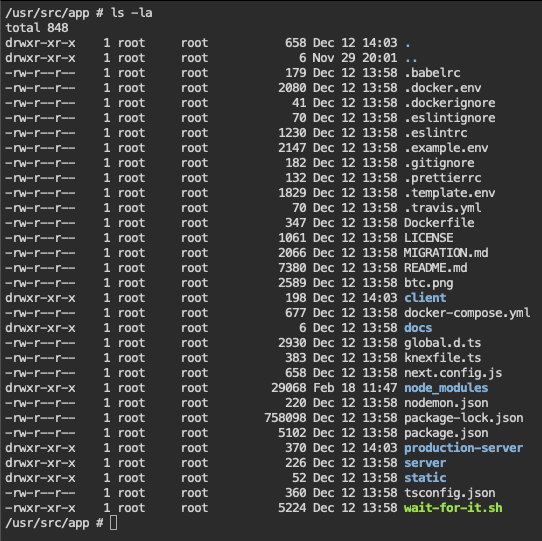
sorry, did forget to mention that I checkt that already too. I guess it is either saved to a db or a config file. I also checked some of the config files from within the container via console I probably would have already tried to remove the container and start over again but if it is stored to a db that would help neither. I also just noticed that if a try to access the container over the "ip:port" than I get instant redirected to "https://http//kutt.mydoma.in"

-
awesome work Thank you. I would like to use kutt. unfortunately I filled the domain field in the template initial with the Protokoll `https://kutt.mydoma.in/` I already did change it to just `kutt.mydoma.in` but still, if I start the webui (from unraid) the browser try to open `https://https//kutt.mydoma.in` How can I change this? I couldn't find a entry in the postgresql database. Where is this info stored? Does anybody do have a valid config for use with the swag container (Nginx config)?
-
OK 😅 even if I would understand what a Replica Set is and why I would need it ... as long as the server does not start, I guess i have no chance to do what ever needs to be done as mentioned here. So for now, I will stick to the version 4.4.3

-
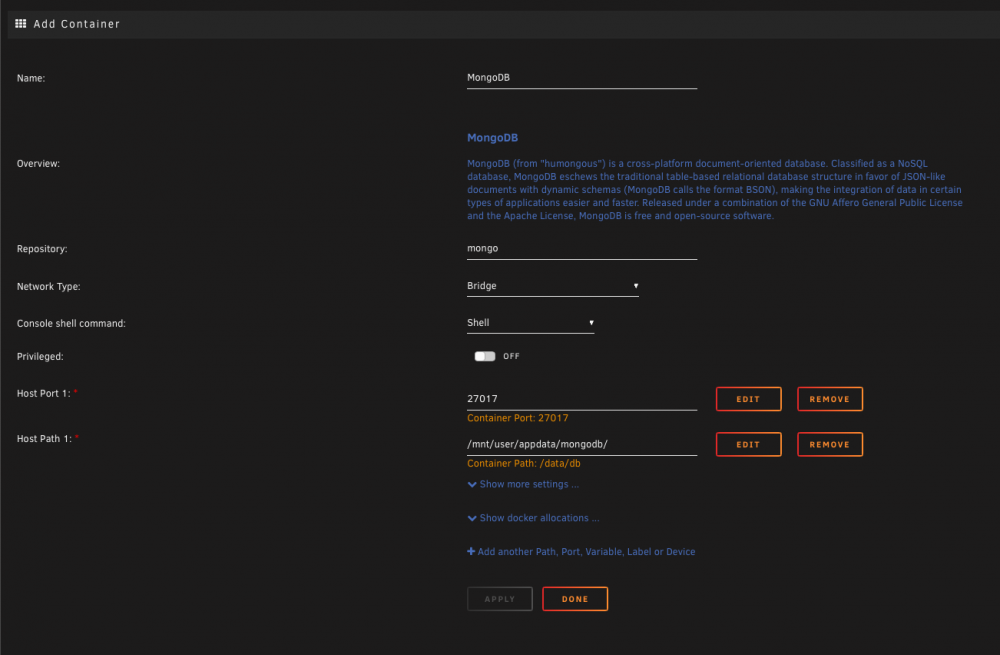
Hi, I just updates to the latest version, all settings to default. Now the container does not start anymore. The log shows the message: BadValue: security.keyFile is required when authorization is enabled with replica sets try 'mongod --help' for more information How can I fix this. thx
-
not at the moment 😅 I really need that thing up and running as I use it for production. You know "never touch a running system" 😛 unless you have time left to fix it up which i (sadly) don’t have at the moment. maybe i try one of the prebuilt images. I really appreciate your affort 👍🏻 thank you
-
yes I am still on the stable 6.8.3 Wow, unbelievable how impudent some are. i just want to get rid of the extra raspberry pi where octoprint is running. To achieve this i need the ffmpeg package as suggested here. But I guess I can live with the extra pi until there is a official solution! thanks anyway. But allow me one more question. are there downsides installing a custom kernel? i mean, can break something (when upgrading unraid for example)



