





Yang0hui
Members
-
Joined
-
Last visited
Everything posted by Yang0hui
-
唉,大家都一样,若是知道有问题我也买4060了
-
对的,如果不直通,也只能用开源驱动,我的5060都躺了一个多月了,就算不是unriad其他系统直通50系也还是麻烦点,目前不知是否跟内核有关系。看隔壁pve的直通50也有相关贴,但是他们的内核版本比我们的高
-
我是发帖的主人,我虽然能直通,也可以跑甜甜圈,但是还是不稳定,还有有几率会死机。感觉要等官方unraid去解决这个问题。
-
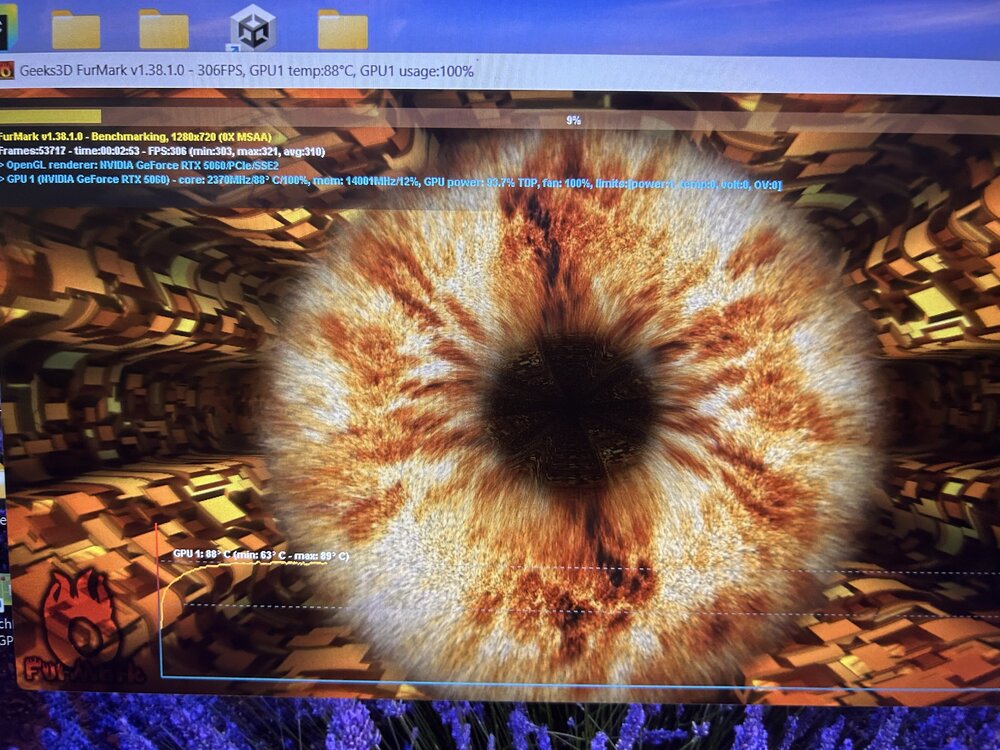
According to this guy's suggestion, I successfully passed through the GPU and got the VM up and running. Not sure if Unraid will officially provide a perfect solution to this issue
-
I still have my RTX 5060 here. I'm planning to build a temporary Ubuntu system using a 12th or 13th gen i3 for now, and once Unraid resolves the issue, I'll reinstall the GPU and switch back to it.
-
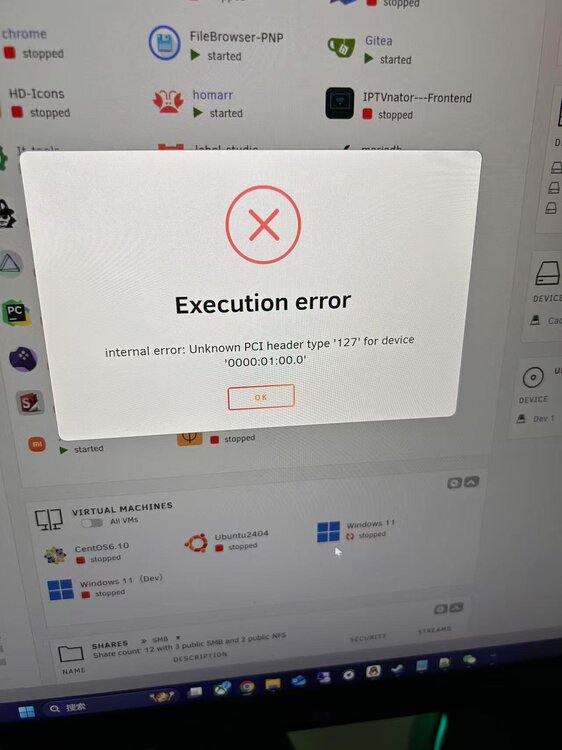
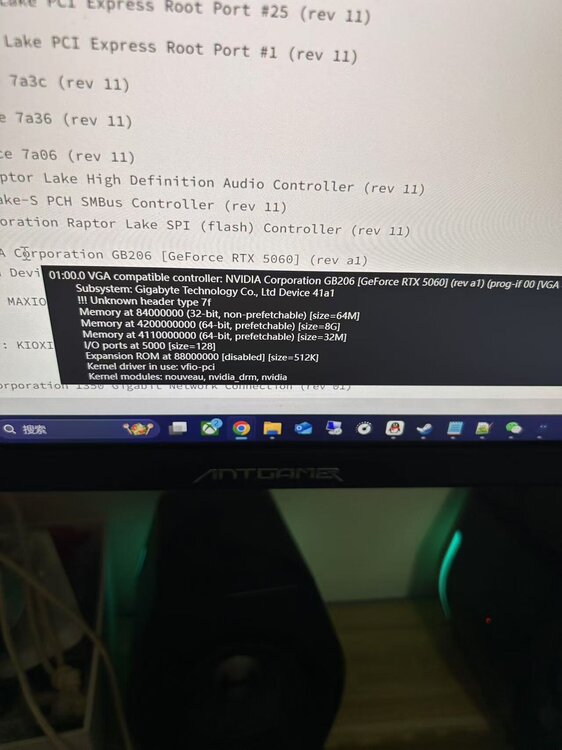
My RTX 5060 has a similar issue—the log shows it getting stuck in D3 state, and the VM also fails to pass through properly. When I start the VM, it reports an error: "Unknown PCI header type '127'". My Unraid is already on the latest version, and the BIOS is up to date as well. I borrowed my friend's RTX 4060 to test, and without making any changes to the configuration, everything worked perfectly with no errors. I've already posted about this issue elsewhere, but haven't received any replies, so I'm sharing it here since it seems more active.
-
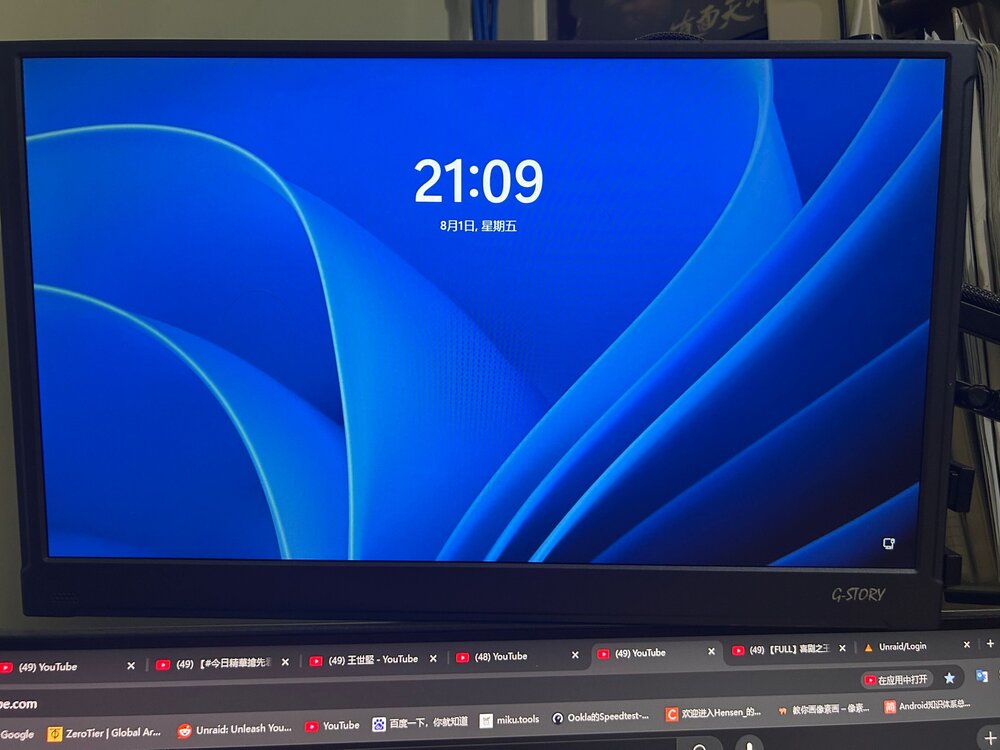
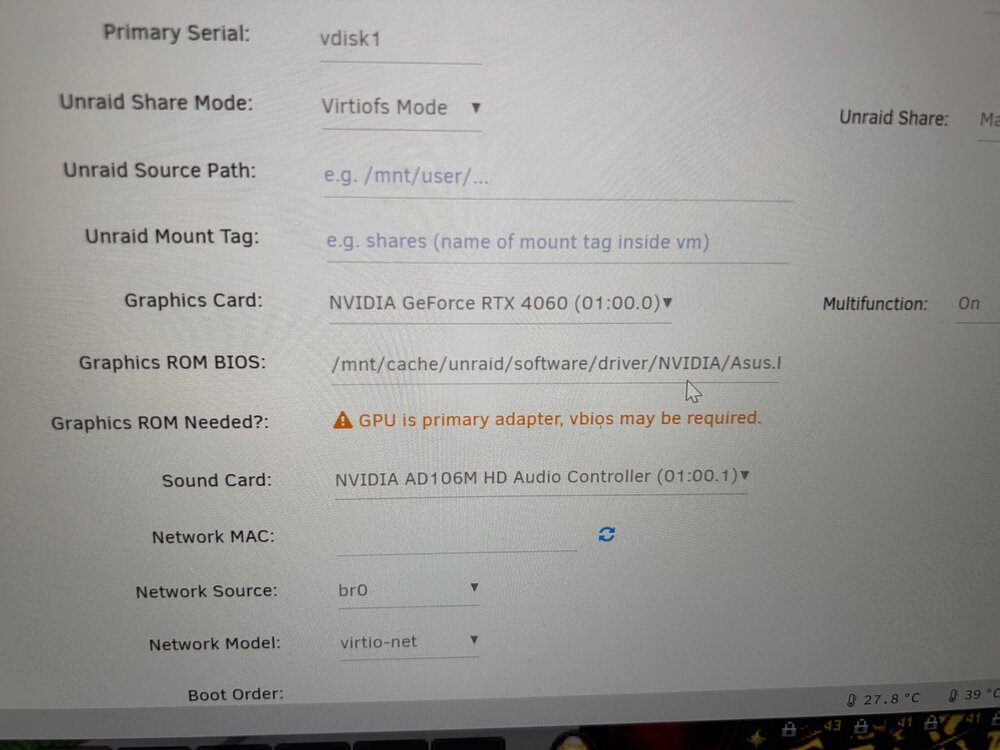
Today I got an RTX 4060, and passthrough is working normally. Are there any Unraid experts here? Why can't the 5060 passthrough? I'm willing to provide any necessary clues to resolve this issue. The GPU is brand new, and I don’t want it to go to waste.
-
Please see diagnostics attached Thank you for your help 🙏 unraid-diagnostics-20250728-2028.zip
-
I recently replaced my GT 1030 with an RTX 5060 and now GPU passthrough fails — the VM won't even start. With the GT 1030, passthrough worked fine even without binding the GPU to VFIO (it passed through successfully regardless). However, with the RTX 5060, it simply doesn't work. I've double- and triple-checked my configuration, and when I swap back to the GT 1030, everything works normally again. Has anyone successfully passed through an RTX 5060 in Unraid? I'm wondering if there are known compatibility issues or special steps required for this card. I've already tried: Double-checking BIOS settings (Above 4G Decoding, SR-IOV, etc.) Ensuring IOMMU groups are properly set up Updating Unraid to the latest stable version
-
我先回个贴,我暂时的解决方案是,进到bois把usb3.0的第二号通道禁用。已经运行一个多星期,你们试试卸载connect 看看能不能解决这个问题
-
I think I've resolved the issue for now. I disabled USB 3.0 in the motherboard BIOS, restarted into Unraid, and there are no more error messages in the logs. The webUI is also no longer lagging. I tested the motherboard's coin battery as well, and it seems to be working normally. This issue feels quite strange, as I’ve never encountered anything like it before.
-
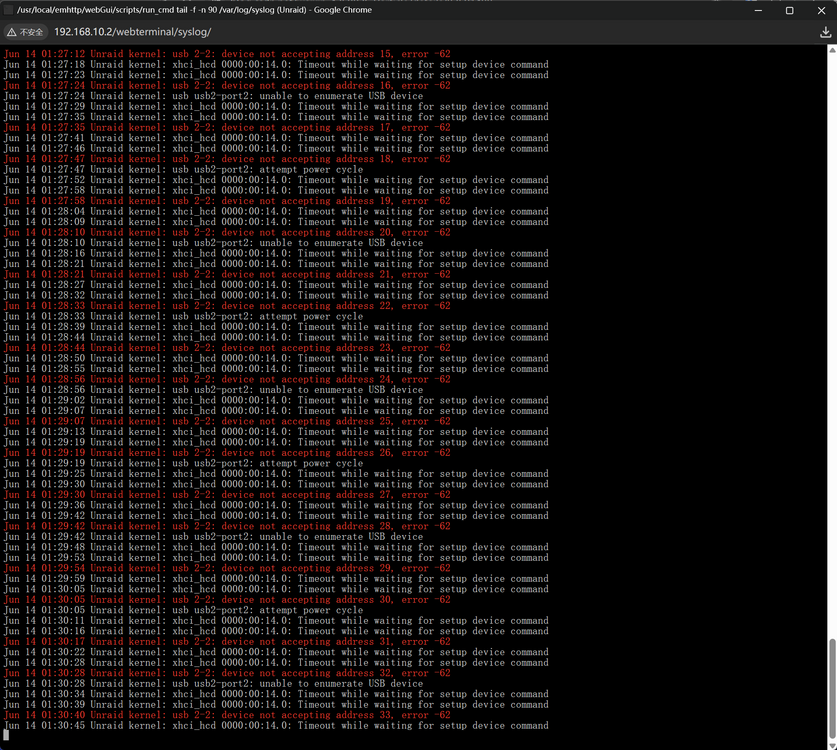
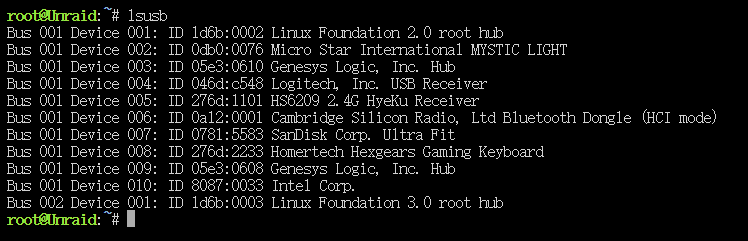
Help: USB errors causing WebUI lag – CMOS reset no longer works, BIOS time keeps changing After clearing the CMOS used to fix the issue, but now it no longer helps. I've also noticed that the BIOS time is not matching the actual time. I tried manually correcting it, but as soon as I boot into Unraid and then go back into BIOS, the time is off again. Whenever this issue occurs, the WebUI becomes very sluggish and unresponsive. Additionally, I don't know what device "usb2-2" refers to. I’ve already unplugged all USB devices from the system. Does anyone have any idea what might be causing these USB errors and the time drift? Any help would be greatly appreciated!
-
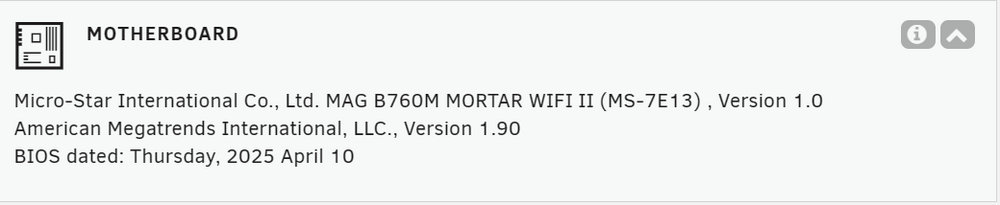
Hello, the problem is still occurring. Whenever this USB error log appears, my WebUI becomes very laggy. I restarted and entered BIOS, and found that the system time is indeed different from the actual time. How can I resolve this issue? Also, I don't know what the device "usb2-2" is — could it be the PCI wireless network card on the motherboard? My motherboard model is MSI MAG B760M MORTAR WIFI DDR5.
-
I checked the timestamps in the logs, and the server time was correct. The same issue occurred again yesterday — the WebUI was very sluggish. This time, I took screenshots of the logs, and the error messages were the same as before. Instead of clearing the CMOS this time, I unplugged the power cord and removed all USB devices. After waiting for about three minutes, I powered it back on, and everything worked fine again. I’ve read some articles suggesting that this might be related to USB power delivery — since my Unraid system isn’t running 24/7, there might still be residual power supplied to the USB ports when it’s shut down. While this hasn’t been an issue before, I’m wondering if it could be related to a kernel update or bug?
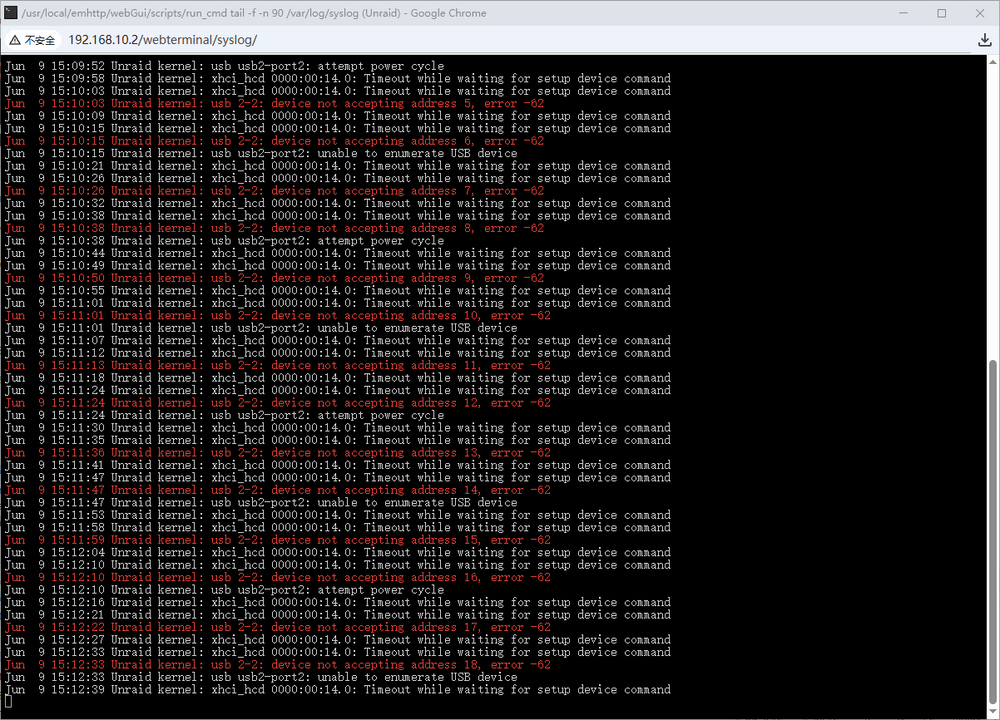
-
如题,今天发现进webui 主界面的docker和vm卡很久才出来,网页一直转圈圈,卡很久才出来,单独点击docker或者vm也是一样,像断了网一样或者延迟很高,第一时间感觉是U盘坏了,因为之前也试过,但回家后立刻换了备用U盘上去,发现一样的情况。然后我不启动序列,就没卡了,排查了很久,没找到问题,我无意间看到卡webui可能跟内存有关系,我果断只用一条去试,还是一样,没办法了,我就试着清除CMOS了,然后启动后我发现 不卡了,非常丝滑。真的很奇葩啊。
-
最近发现网络唤醒,经常无法引导启动unraid。经常性的开机黑屏后,按重启才能启动。网上的基本都是因为UEFI或者快速启动导致的,也和我这个很像,但这些以前都没出现过,所以大概率和我bois设置没关系,我也排查了bois的版本。硬件我一个一个拆试,都没解决。最后打算备份一下U盘,居然打不开U盘,最后才知道原来U盘有问题,唉~我是万万没想到是U盘的问题。害人啊 三更半夜排查人都疯了。我这里坏的是闪迪的酷豆32G的,因为以前玩开心版的时候也是用闪迪酷豆16G一直都没出现问题。看了一下购买时间才用了一年半就嗝屁了,现在已经寄回送个新的过来了。但我还是决定换一个吧,现在换了官方最推荐的三星Bar Plus,测试了多次启动再也没黑屏进不去系统了。还是吐槽一下,现在U盘最低容量起步64G了,想买个16的都难,64G做unraid引导盘好像太浪费了
-
首先说一下我自己的配置和使用场景,配置是13600t,64G D5,4个机械,2个M2,1张4口千兆卡,还有一张1030显卡。自从升级到这个配置之后,我的unraid就已经不是7*24了,待机一天都要1.5,1.6度的电。本来就拉紧阶梯二的电费了,如果7*24,估计就会超,整体电费会上涨不少。所以我一般都是使用的时候远程启动,不用的时候就会关。但更新6.12但不知是哪个版本的时候,有时候启动会进不去webui。我也没太在意,很概率的问题,比较小的概率启动进不去,然后当升到6.12.12之后,这个概率就很大了。找了英文中文论讨,很多方法都试过了,也不行,然后我更新了主板bois,再升级了6.12.13就几乎百分百有问题了。然后机缘巧合之下,我把vfio-pci.cfg(里面是IOMMU 直通的设备ID)删除了(整个文件)。居然就能成功,再追查之下,我最后把显卡ID(手动在文件里面删)删除之后。居然就没有再启动时候进不去webui了。🤔非常奇葩。虽然我是删除了vfio-pci.cfg的显卡组id,但不影响直通,新建vm依旧能选直通的显卡,旧的vm显卡直通依旧是能使用。分享一下我的问题,如果你们遇到类似的,试试我这个方法。
-
找到组织了,我是AX211网卡一样的情况,wifi没问题,就是蓝牙直通打上驱动错误代码10





