






Keek Uras
Members
-
Joined
-
Last visited
-
Thank you for the reply. I figured it out. It was a power issue to our house that was triggering the graceful shutdown from battery backup. Thanks!
-
Hello. Yesterday, Unraid shut down without warning. Last night, it did so again. I can't seem to figure out why this started out of the blue. There have been absolutely no hardware changes and the only software changes were an update to the Filezilla and Heimdal docker containers from Community Apps. I've attached diags in case anyone can help me find the culprit. Thanks so much in advance! repository-diagnostics-20260531-0645.zip
-
My apologies. I didn't know I had to change the preferred version in the docker settings and it would update. It is fixed, thank you!
-
Hi. I was trying to follow the above advice for the Terraria docker since I updated the Steam game to 1.4.5, but this doesn't seem to apply to the Terraria server. There's no steamapps directory inside appdata/Terraria. Any suggestions?
-
Thank you for the suggestion, but it didn't work for me either. I finally ended up switching to jlesage/makemkv, and it's working fine.
-
The one provided by the WebGUI link on the docker: http://172.16.0.250:6085/vnc.html?resize=remote&host=172.16.0.250&port=6085&autoconnect=1

-
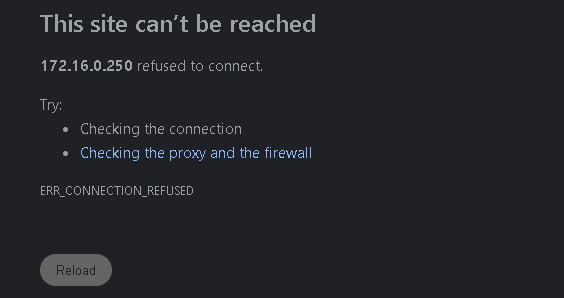
Hello, I am no longer able to get the GUI to load for MakeMKV. I've removed and readded the docker several times. I have a license that I paid for, but I can't enter it without the GUI (to my knowledge). Here is what my running log shows: vncext: VNC extension running! vncext: Listening for VNC connections on all interface(s), port 5900 vncext: created VNC server for screen 0 2025-12-27 15:25:47,241 DEBG 'start' stderr output: The XKEYBOARD keymap compiler (xkbcomp) reports: > Warning: Could not resolve keysym XF86OK > Warning: Could not resolve keysym XF86GoTo > Warning: Could not resolve keysym XF86VendorLogo > Warning: Could not resolve keysym XF86MediaSelectProgramGuide > Warning: Could not resolve keysym XF86MediaSelectProgramGuide > Warning: Could not resolve keysym XF86MediaSelectHome > Warning: Could not resolve keysym XF86MediaLanguageMenu > Warning: Could not resolve keysym XF86MediaTitleMenu > Warning: Could not resolve keysym XF86AudioChannelMode > Warning: Could not resolve keysym XF86MediaSelectPC 2025-12-27 15:25:47,241 DEBG 'start' stderr output: > Warning: Could not resolve keysym XF86MediaSelectTV > Warning: Could not resolve keysym XF86MediaSelectCable > Warning: Could not resolve keysym XF86MediaSelectVCR > Warning: Could not resolve keysym XF86MediaSelectVCRPlus > Warning: Could not resolve keysym XF86MediaSelectSatellite > Warning: Could not resolve keysym XF86MediaSelectCD > Warning: Could not resolve keysym XF86MediaSelectTape > Warning: Could not resolve keysym XF86MediaSelectRadio > Warning: Could not resolve keysym XF86MediaSelectTuner > Warning: Could not resolve keysym XF86MediaPlayer > Warning: Could not resolve keysym XF86MediaSelectTeletext > Warning: Could not resolve keysym XF86MediaSelectAuxiliary > Warning: Could not resolve keysym XF86MediaPlaySlow > Warning: Could not resolve keysym XF86NumberEntryMode > Warning: Could not resolve keysym XF86RefreshRateToggle > Warning: Could not resolve keysym XF86Accessibility > Warning: Could not resolve keysym XF86DoNotDisturb 2025-12-27 15:25:47,242 DEBG 'start' stderr output: Errors from xkbcomp are not fatal to the X server 2025-12-27 15:25:47,247 DEBG 'start' stderr output: [mi] mieq: warning: overriding existing handler (nil) with 0x55b1ec4e16e0 for event 2 [mi] mieq: warning: overriding existing handler (nil) with 0x55b1ec4e16e0 for event 3 2025-12-27 15:25:47,307 DEBG 'start' stderr output: WebSocket server settings: 2025-12-27 15:25:47,308 DEBG 'start' stderr output: - Listen on :6080 - Web server. Web root: /usr/share/webapps/novnc 2025-12-27 15:25:47,311 DEBG 'start' stderr output: - SSL/TLS support - proxying from :6080 to localhost:5900 2025-12-27 15:25:48,034 DEBG 'start' stderr output: ERROR: openbox-xdg-autostart requires PyXDG to be installed 2025-12-27 15:25:50,836 DEBG 'start' stdout output: [info] tint2 not running 2025-12-27 15:25:50,852 DEBG 'start' stderr output: tint2: Using glib slice allocator (default). Run tint2 with environment variable G_SLICE=always-malloc in case of strange behavior or crashes 2025-12-27 15:25:50,854 DEBG 'start' stderr output: tint2: xRandr: Found crtc's: 1 tint2: xRandr: Linking output VNC-0 with crtc 0, resolution 1024x768, DPI 96 2025-12-27 15:25:50,855 DEBG 'start' stderr output: tint2: No XSETTINGS manager, tint2 uses config option 'launcher_icon_theme'. tint2: Loading config file: /home/nobody/.config/tint2/theme/tint2rc 2025-12-27 15:25:50,856 DEBG 'start' stderr output: tint2: real transparency on... depth: 32 2025-12-27 15:25:50,857 DEBG 'start' stderr output: tint2: panel items: TSC tint2: Systray composited rendering on tint2: nb monitors 1, nb monitors used 1, nb desktops 4 tint2: panel 1 uses scale 1 2025-12-27 15:25:50,882 DEBG 'start' stderr output: tint2: Kernel uevent interface initialized... 2025-12-27 15:25:50,888 DEBG 'start' stderr output: tint2: systray window 8388621 2025-12-27 15:25:50,889 DEBG 'start' stderr output: tint2: systray started When I choose WebGUI: Any thoughts? Let me know if more info or logs are needed. Thanks!
-
My issue is resolved as well. Thank you so much!
-
Thank you! :)
-
Checking in. Still having the same issue.
-
After this latest update, Nicotine will not stay in running state. After it is rebooted at night, it stops. I can start it but when I refresh the page, it's stopped again. The only way I can find to fix is uninstall and reinstall the docker each day. The logs provide nothing useful. Any suggestions? Thanks!
-
nvm, it took a moment but finally loaded. Thanks!
-
Thank you for the response. Unfortunately, restarting the container has the same result.
-
Good morning. After the last update, my Nicotine web gui is blank. text error warn system array login Created by... ___. .__ .__ \_ |__ |__| ____ | |__ ____ ___ ___ | __ \| |/ \| | \_/ __ \\ \/ / | \_\ \ | | \ Y \ ___/ > < |___ /__|___| /___| /\___ >__/\_ \ \/ \/ \/ \/ \/ https://hub.docker.com/u/binhex/ 2025-06-17 06:56:57.539461 [info] Host is running unRAID 2025-06-17 06:56:57.551951 [info] System information: Linux b29e2e5d3409 6.6.68-Unraid #1 SMP PREEMPT_DYNAMIC Tue Dec 31 13:42:37 PST 2024 x86_64 GNU/Linux 2025-06-17 06:56:57.564573 [info] Image tags: BASE_RELEASE_TAG=2025061403,INT_RELEASE_TAG=2025061403,IMAGE_RELEASE_TAG=test 2025-06-17 06:56:57.606006 [info] PUID defined as '99' 2025-06-17 06:57:00.193162 [info] PGID defined as '100' 2025-06-17 06:57:03.515244 [info] UMASK defined as '000' 2025-06-17 06:57:03.532906 [info] Permissions already set for '/config' 2025-06-17 06:57:03.649172 [info] Deleting files in /tmp (non recursive)... 2025-06-17 06:57:03.683852 [info] WEBPAGE_TITLE defined as 'Nicotine+' 2025-06-17 06:57:03.704411 [info] ENABLE_STARTUP_SCRIPTS defined as 'no' [WARN] 2025-06-17 06:57:03 :: '/home/nobody' path already exists, renaming... [WARN] 2025-06-17 06:57:03 :: '/config/home' path already exists, skipping copy [WARN] 2025-06-17 06:57:03 :: Creating '-s' from '/config/home' to '/home/nobody'... 2025-06-17 06:57:05.372993 [info] Starting Supervisor... /usr/lib/python3.13/site-packages/supervisor/options.py:13: UserWarning: pkg_resources is deprecated as an API. See https://setuptools.pypa.io/en/latest/pkg_resources.html. The pkg_resources package is slated for removal as early as 2025-11-30. Refrain from using this package or pin to Setuptools<81. import pkg_resources 2025-06-17 06:57:10,112 INFO Included extra file "/etc/supervisor/conf.d/novnc.conf" during parsing 2025-06-17 06:57:10,112 INFO Set uid to user 0 succeeded 2025-06-17 06:57:10,195 INFO RPC interface 'supervisor' initialized 2025-06-17 06:57:10,195 CRIT Server 'unix_http_server' running without any HTTP authentication checking 2025-06-17 06:57:10,195 INFO supervisord started with pid 7 2025-06-17 06:57:11,197 INFO spawned: 'start' with pid 90 2025-06-17 06:57:11,197 INFO reaped unknown pid 8 (exit status 0) 2025-06-17 06:57:11,353 DEBG 'start' stdout output: [info] Self-signed certificate already exists, skipping generation... [info] Using self-signed certificate for websockify... 2025-06-17 06:57:11,353 INFO success: start entered RUNNING state, process has stayed up for > than 0 seconds (startsecs) 2025-06-17 06:57:12,237 DEBG 'start' stderr output: _XSERVTransmkdir: ERROR: euid != 0,directory /tmp/.X11-unix will not be created. 2025-06-17 06:57:12,237 DEBG 'start' stderr output: Xvnc TigerVNC 1.13.1 - built May 25 2024 17:13:24 Copyright (C) 1999-2022 TigerVNC Team and many others (see README.rst) See https://www.tigervnc.org for information on TigerVNC. Underlying X server release 12101013 2025-06-17 06:57:12,237 DEBG 'start' stderr output: Tue Jun 17 06:57:12 2025 vncext: VNC extension running! 2025-06-17 06:57:12,237 DEBG 'start' stderr output: vncext: Listening for VNC connections on all interface(s), port 5900 2025-06-17 06:57:12,237 DEBG 'start' stderr output: vncext: created VNC server for screen 0 2025-06-17 06:57:12,472 DEBG 'start' stderr output: The XKEYBOARD keymap compiler (xkbcomp) reports: > Warning: Could not resolve keysym XF86RefreshRateToggle > Warning: Could not resolve keysym XF86Accessibility > Warning: Could not resolve keysym XF86DoNotDisturb 2025-06-17 06:57:12,473 DEBG 'start' stderr output: Errors from xkbcomp are not fatal to the X server 2025-06-17 06:57:12,474 DEBG 'start' stderr output: [mi] mieq: warning: overriding existing handler (nil) with 0x55a7d6dd36e0 for event 2 [mi] mieq: warning: overriding existing handler (nil) with 0x55a7d6dd36e0 for event 3 2025-06-17 06:57:12,621 DEBG 'start' stderr output: ERROR: openbox-xdg-autostart requires PyXDG to be installed 2025-06-17 06:57:12,623 DEBG 'start' stderr output: WebSocket server settings: 2025-06-17 06:57:12,623 DEBG 'start' stderr output: - Listen on :6080 - Web server. Web root: /usr/share/webapps/novnc 2025-06-17 06:57:12,623 DEBG 'start' stderr output: - SSL/TLS support 2025-06-17 06:57:12,623 DEBG 'start' stderr output: - proxying from :6080 to localhost:5900 2025-06-17 06:57:15,388 DEBG 'start' stdout output: [INFO] Downloading portset.sh from Github to '/usr/local/bin/portset.sh'... 2025-06-17 06:57:15,436 DEBG 'start' stdout output: [INFO] Download attempt 1/10... 2025-06-17 06:57:15,643 DEBG 'start' stdout output: [info] tint2 not running 2025-06-17 06:57:16,142 DEBG 'start' stderr output: tint2: Using glib slice allocator (default). Run tint2 with environment variable G_SLICE=always-malloc in case of strange behavior or crashes 2025-06-17 06:57:16,143 DEBG 'start' stderr output: tint2: xRandr: Found crtc's: 1 tint2: xRandr: Linking output VNC-0 with crtc 0, resolution 1024x768, DPI 96 2025-06-17 06:57:16,143 DEBG 'start' stderr output: tint2: No XSETTINGS manager, tint2 uses config option 'launcher_icon_theme'. tint2: Loading config file: /home/nobody/.config/tint2/theme/tint2rc 2025-06-17 06:57:16,144 DEBG 'start' stderr output: tint2: real transparency on... depth: 32 2025-06-17 06:57:16,160 DEBG 'start' stderr output: tint2: panel items: TSC tint2: Systray composited rendering on tint2: nb monitors 1, nb monitors used 1, nb desktops 4 tint2: panel 1 uses scale 1 2025-06-17 06:57:16,193 DEBG 'start' stderr output: tint2: Kernel uevent interface initialized... 2025-06-17 06:57:16,214 DEBG 'start' stderr output: tint2: systray window 8388621 tint2: systray started 2025-06-17 06:57:16,584 DEBG 'start' stdout output: [INFO] Download complete. Executing portset.sh with arguments provided... 2025-06-17 06:57:16,596 DEBG 'start' stdout output: [INFO] No application name specified via argument '-an|--application-name' or environment variable 'APPLICATION_NAME', showing help... 2025-06-17 06:57:16,603 DEBG 'start' stdout output: Description: A simple bash script to monitor the VPN incoming port from gluetun and configure a predefined list of applications. portset.sh 1.0.0 - Created by binhex. Syntax: ./portset.sh [options] [command and arguments] Where: -an or --application-name <name> Define the name of the application to configure for incoming port. No default. -qcf or --qbittorrent-config-filepath <path> Define the file path to the qBittorrent configuration file. Defaults to '/config/qBittorrent/config/qBittorrent.conf'. -qwp or --qbittorrent-webui-port <port> Define the web UI port for qBittorrent. Defaults to '8080'. -qba or --qbittorrent-bind-adapter <yes|no> Define whether to bind qBittorrent to the gluetun network interface. Defaults to 'yes'. -gcsp or --gluetun-control-server-port <port> Define the Gluetun Control Server port. Defaults to '8000'. -cip or --configure-incoming-port <yes|no> Define whether to enable VPN port monitoring and application configuration. Defaults to 'yes'. -pd or --poll-delay <seconds> Define the polling delay in seconds between incoming port checks. Defaults to '10'. --debug Define whether debug mode is enabled. Defautlts to not set. -h or --help Displays this text. Notes: - Any additional arguments provided after the options will be passed to the specified application. Environment Variables: APPLICATION_NAME Set the name of the application to configure with the VPN incoming port. QBITTORRENT_CONFIG_FILEPATH Set the file path to the qBittorrent configuration file. QBITTORRENT_WEBUI_PORT Set the web UI port for qBittorrent. QBITTORRENT_BIND_ADAPTER Set to the name of the application to configure with the VPN incoming port. GLUETUN_CONTROL_SERVER_PORT Set the port for the Gluetun Control Server. CONFIGURE_INCOMING_PORT Set to 'yes' to enable VPN port monitoring and application configuration. POLL_DELAY Set the polling delay in seconds between incoming port checks. DEBUG Set to 'yes' to enable debug mode. Notes: - Command line arguments take precedence over environment variables. Examples: Monitor VPN port and configure Nicotine+: ./portset.sh /usr/bin/nicotine Monitor VPN port with custom settings: ./portset.sh --gluetun-control-server-port 9000 --poll-delay 5 /usr/bin/qbittorrent Simply execute a command without VPN monitoring: ./portset.sh /usr/bin/some-application --some-flag Manually executing the script for debug: CONFIGURE_INCOMING_PORT=yes APPLICATION_NAME=nicotineplus ./portset.sh --debug /usr/bin/nicotine 2025-06-17 06:57:16,603 DEBG 'start' stdout output: [INFO] Configuration of VPN incoming port is enabled, starting incoming port watchdog... 2025-06-17 06:57:16,606 DEBG 'start' stdout output: [ERROR] Unable to connect to gluetun Control Server at 'http://127.0.0.1:8000/v1', are you running this container in the gluetun containers network?, exiting... 2025-06-17 06:58:48,816 DEBG 'start' stderr output: 172.16.0.134 - - [17/Jun/2025 06:58:48] code 404, message File not found 2025-06-17 06:58:48,850 DEBG 'start' stderr output: 172.16.0.134 - - [17/Jun/2025 06:58:48] code 404, message File not found 2025-06-17 06:58:48,885 DEBG 'start' stderr output: 172.16.0.134 - - [17/Jun/2025 06:58:48] 172.16.0.134: Plain non-SSL (ws://) WebSocket connection 172.16.0.134 - - [17/Jun/2025 06:58:48] 172.16.0.134: Path: '/websockify' 2025-06-17 06:58:48,885 DEBG 'start' stderr output: 172.16.0.134 - - [17/Jun/2025 06:58:48] connecting to: localhost:5900 2025-06-17 06:58:48,947 DEBG 'start' stderr output: Tue Jun 17 06:58:48 2025 Connections: accepted: 127.0.0.1::55564 2025-06-17 06:58:48,974 DEBG 'start' stderr output: SConnection: Client needs protocol version 3.8 2025-06-17 06:58:48,975 DEBG 'start' stderr output: SConnection: Client requests security type None(1) 2025-06-17 06:58:48,977 DEBG 'start' stderr output: VNCSConnST: Server default pixel format depth 24 (32bpp) little-endian rgb888 2025-06-17 06:58:48,986 DEBG 'start' stderr output: VNCSConnST: Client pixel format depth 24 (32bpp) little-endian bgr888 2025-06-17 06:58:48,998 DEBG 'start' stderr output: /usr/src/debug/tint2/tint2/src/util/signals.c 160: triggering tint2 restart, reason: configuration change in the root window ComparingUpdateTracker: 0 pixels in / 0 pixels out ComparingUpdateTracker: (1:-nan ratio) 2025-06-17 06:58:49,011 DEBG 'start' stderr output: tint2: /usr/src/debug/tint2/tint2/src/main.c 786: restarting tint2... 2025-06-17 06:58:49,012 DEBG 'start' stderr output: tint2: xRandr: Found crtc's: 1 tint2: xRandr: Linking output VNC-0 with crtc 0, resolution 2539x1244, DPI 96 tint2: No XSETTINGS manager, tint2 uses config option 'launcher_icon_theme'. tint2: Loading config file: /home/nobody/.config/tint2/theme/tint2rc 2025-06-17 06:58:49,012 DEBG 'start' stderr output: tint2: real transparency on... depth: 32 2025-06-17 06:58:49,012 DEBG 'start' stderr output: tint2: panel items: TSC tint2: Systray composited rendering on tint2: nb monitors 1, nb monitors used 1, nb desktops 4 tint2: panel 1 uses scale 1 2025-06-17 06:58:49,013 DEBG 'start' stderr output: tint2: Kernel uevent interface initialized... tint2: systray window 8388621 I've removed and reinstalled the docker with the same result. Any help would be appreciated. Thanks!
-
Changed it to SMB share and it worked.




