




-
Das war also mein DNS-Server. Ich nutze AdGuard in meinem Netzwerk, und durch die Änderung des DNS-Servers konnten die Spieldateien heruntergeladen werden. Das Problem hängt aber möglicherweise eher mit Unraid zusammen. Um die Autorisierung zu speichern, muss eine „machine-id“-Datei gelesen werden. Ich habe sie auf dem USB-Stick im Ordner boot/config gefunden. Ich habe die Vorlage angepasst, aber der Server erkennt sie aus irgendeinem Grund nicht. Hier ist die entsprechende Zeile im Docker-Container: -v '/boot/config/machine-id':'/etc/machine-id':'ro' Hier ist die Fehlermeldung, die ich erhalte, dass die Datei /boot/config/machine-id nicht gefunden werden kann: auth persistence Encrypted [2026/01/15 21:31:57 INFO] [CommandManager] Console executed command: auth persistence Encrypted > [2026/01/15 21:31:57 WARN] [HardwareUtil] Failed to get Hardware UUID java.lang.RuntimeException: Failed to get hardware UUID for Linux - all methods failed at com.hypixel.hytale.common.util.HardwareUtil.lambda$static$2(HardwareUtil.java:114) at com.hypixel.hytale.function.supplier.CachedSupplier.get(CachedSupplier.java:22) at com.hypixel.hytale.common.util.HardwareUtil.getUUID(HardwareUtil.java:163) at com.hypixel.hytale.server.core.auth.EncryptedAuthCredentialStore.deriveKey(EncryptedAuthCredentialStore.java:83) at com.hypixel.hytale.server.core.auth.EncryptedAuthCredentialStore.<init>(EncryptedAuthCredentialStore.java:72) at com.hypixel.hytale.server.core.auth.EncryptedAuthCredentialStoreProvider.createStore(EncryptedAuthCredentialStoreProvider.java:34) at com.hypixel.hytale.server.core.auth.ServerAuthManager.swapCredentialStoreProvider(ServerAuthManager.java:436) at com.hypixel.hytale.server.core.command.commands.server.auth.AuthPersistenceCommand$SetPersistenceVariant.executeSync(AuthPersistenceCommand.java:91) at com.hypixel.hytale.server.core.command.system.basecommands.CommandBase.execute(CommandBase.java:48) at com.hypixel.hytale.server.core.command.system.AbstractCommand.acceptCall0(AbstractCommand.java:758) at com.hypixel.hytale.server.core.command.system.AbstractCommand.checkForExecutingSubcommands(AbstractCommand.java:817) at com.hypixel.hytale.server.core.command.system.AbstractCommand.acceptCall0(AbstractCommand.java:677) at com.hypixel.hytale.server.core.command.system.AbstractCommand.checkForExecutingSubcommands(AbstractCommand.java:803) at com.hypixel.hytale.server.core.command.system.AbstractCommand.acceptCall0(AbstractCommand.java:677) at com.hypixel.hytale.server.core.command.system.AbstractCommand.acceptCall(AbstractCommand.java:656) at com.hypixel.hytale.server.core.command.system.CommandManager.runCommand(CommandManager.java:279) at com.hypixel.hytale.server.core.command.system.CommandManager.lambda$handleCommand$0(CommandManager.java:254) at java.base/java.util.concurrent.ForkJoinTask$RunnableExecuteAction.compute(Unknown Source) at java.base/java.util.concurrent.ForkJoinTask$RunnableExecuteAction.compute(Unknown Source) at java.base/java.util.concurrent.ForkJoinTask$InterruptibleTask.exec(Unknown Source) at java.base/java.util.concurrent.ForkJoinTask.doExec(Unknown Source) at java.base/java.util.concurrent.ForkJoinPool$WorkQueue.topLevelExec(Unknown Source) at java.base/java.util.concurrent.ForkJoinPool.runWorker(Unknown Source) at java.base/java.util.concurrent.ForkJoinWorkerThread.run(Unknown Source) [2026/01/15 21:31:57 WARN] [EncryptedAuthCredentialStore] Cannot derive encryption key - encrypted storage will not persist credentials Wie können wir erreichen, dass dies dauerhaft ist?
-
Ich öffnete die Eingabeaufforderung und gab Folgendes ein: root@XXXXXXX:~# docker run -it deinfreu/hytale-server:experimental SECTION: Audit Suite \033[2mSystem debug skipped (DEBUG=FALSE)\033[0m \033[2mProduction audit skipped (PROD=FALSE)\033[0m SECTION: Hytale Downloader Hytale Server Binary Check... [ WARN ] ⚠ ↳ Note: HytaleServer.jar not found at /home/container/game/Server/HytaleServer.jar. ↳ Suggestion: Initializing first-time installation/extraction... Download Status... [ WARN ] ⚠ ↳ Note: No update package found. Running downloader... Please visit the following URL to authenticate: https://oauth.accounts.hytale.com/oauth2/device/verify?user_code=XXXXXXX Or visit the following URL and enter the code: https://oauth.accounts.hytale.com/oauth2/device/verify Authorization code: XXXXXXX Ich autorisiere den Vorgang, und sobald ich fertig bin, tritt derselbe Fehler auf und ich gelange zurück zur Unraid-Eingabeaufforderung. 2026/01/15 19:56:33 error fetching manifest: could not get signed URL for manifest: could not get signed URL: Get "https://account-data.hytale.com/game-assets/version/release.json": context deadline exceeded
-
Entschuldigung, ich spreche nur Englisch. So sieht meine Vorlage aus. Ich habe ein Problem: Die Spieldateien werden nicht heruntergeladen. 2026/01/15 11:37:31 error fetching manifest: could not get signed URL for manifest: could not get signed URL: Get "https://account-data.hytale.com/game-assets/version/release.json": context deadline exceeded 2026/01/15 11:40:29 deprecated: golang.org/x/oauth2: Transport.CancelRequest no longer does anything; use contexts 2026/01/15 11:40:29 error fetching manifest: could not get signed URL for manifest: could not get signed URL: Get "https://account-data.hytale.com/game-assets/version/release.json": context deadline exceeded (Client.Timeout exceeded while awaiting headers) 2026/01/15 11:45:04 error fetching manifest: could not get signed URL for manifest: could not get signed URL: Get "https://account-data.hytale.com/game-assets/version/release.json": context deadline exceeded (Client.Timeout exceeded while awaiting headers) 2026/01/15 11:47:08 error fetching manifest: could not get signed URL for manifest: could not get signed URL: Get "https://account-data.hytale.com/game-assets/version/release.json": context deadline exceeded So ist meine Vorlage konfiguriert: docker run -d --name='hytale-server' --net='bridge' --pids-limit 2048 -e TZ="America/Chicago" -e HOST_OS="Unraid" -e HOST_HOSTNAME="XXXXXXX" -e HOST_CONTAINERNAME="hytale-server" -e 'SERVER_IP'='0.0.0.0' -e 'SERVER_PORT'='5520' -e 'PROD'='FALSE' -e 'DEBUG'='FALSE' -l net.unraid.docker.managed=dockerman -l net.unraid.docker.icon='https://logos.fandom.com/wiki/File:Hytale_(Icon).png' -p '5520:5520/udp' -v '/mnt/user/appdata/hytale-server/':'/home/container':'rw' -v '/etc/machine-id':'/etc/machine-id':'ro' 'deinfreu/hytale-server:experimental'
-
Idk what you guys did, but I was finally able to re-add my server to my account as of the update earlier this week. I haven't been able to since this problem happened as of the end of August.
-
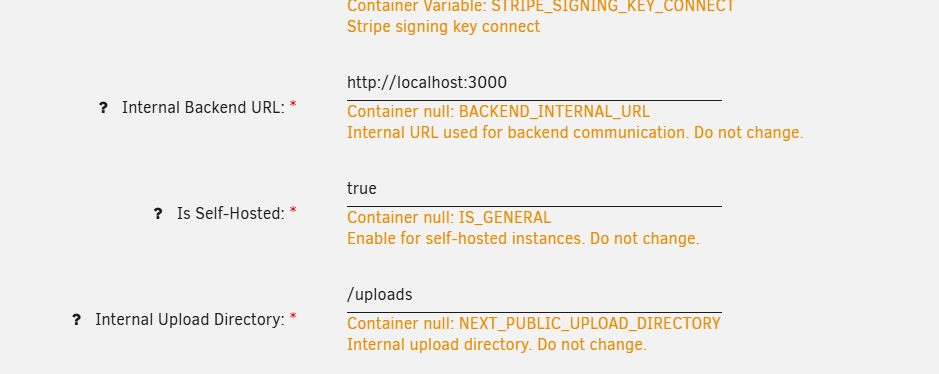
Greetings, Just wanted to let you know about your docker template for Postiz. I got this app working last week and I ran into some things that might help others who want to get this app working in Unraid. First off, these three variables in the template are not working and I needed to recreate them myself: Then these two variables seem to be required to get the app working properly: This one is for specifying if you are using HTTP or HTTPS to connect to the app. It has something to do with configuring secure cookies. And this one the developer just says is required, if it's not there you can't log in to a user: Hope this helps. Not sure about fixing the broken variables, I've never looked at templets so I don't know how to fix it.


-
I'm not sure if the VM was actually starting. From what I could tell, the services were just stuck in a loop erroring out on the cfg files for the shares stopping and starting over and over again. I got things working last night, I ended up starting with a fresh drive download and just rebuilt the server using that. The dockers I was most concerned about all fired up as soon as I recreated the array. While setting up my appdata backup plugin, I realized that it was also saving the flash every day and k+mmmmmmept copies for the last couple days. Man that would have saved me a lot of work if I had realized that! I could have went back another day to a known good backup. In any case, I've think I've figured out a solution.
-
My UPS failed early this morning. Since then I've been getting corrupted USB drive errors. I have tried buying a new drive and restoring a backup of the USB that's on Unraid Connect. Wiping the drive and downloading a fresh drive image using the USB Creator Tool then deleting the config file that gets made and replacing it with a copy from the Unraid Connect backup. Still keeps throwing error. I've attached my diagnostics as when I try to submit a troubleshooting ticket nothing happens when I press the submit button. Any help would be appreciated. hphomelab-diagnostics-20240603-2011.zip
-
Anyone get one of these LOM cards working? I just popped one in and plugged in a DAC cable and it doesn't light up the port at all. UPDATE: Nevermind. I don't know why it wasn't working before but now it is without having to do any configuration.
-
So I thought mine was messed up too cause it wasn't showing up in the community list. Once I read here that it could take a few minutes cause there's so many servers. I opened up the game and spammed the "Display next 200 results" button a couple times then searched again. I noticed the list of servers growing so I hit it a couple more times and there my server showed up. So nothing appears to be broken guys. (Well except direct connecting via IP when there's a password set but that's a known issue on the dev's side.) There's just ALOT of servers getting spun up by the community.

View in the app
A better way to browse. Learn more.

