





Doowle
Members
-
Joined
-
Last visited
Everything posted by Doowle
-
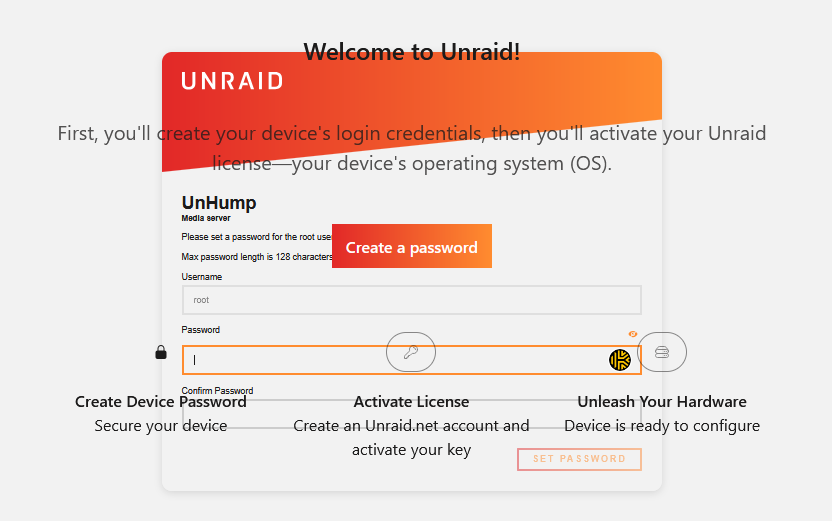
My Unraid went unresponsive, my VM's are working and I can SSH into the server. This happened before, I SSH into server and had to perform a forced reboot. Now the same has happaned and I can get to the login (on http) only but it;s asking me to set the root password. Therefore two questions; 1) Thoughts on what to do / check? 2) What can I do before I reboot to capture anything of use (or shall I just do diagnostics)? TIA D
-
That's my Home Assistant device - why is it doing that...
-
I am hoping that they are here. unhump-diagnostics-20250409-1125.zip
-
When I have it the past, they get put back so I'm leaving it alone...
-
Hi, Had this happen again today, diagnostics attached from after I reset the gui to get access. Thanks, J unhump-diagnostics-20250407-1130.zip
-
Much like this guy, I'm experiencing the unresponsive GUI, I don't think mine does this daily but it's happened today and a few times before. Some times a GUI restart has fixed this, other times it requires a reboot. Diagnostics attached, syslog server wasn't enabled but it is now. I've also got files on the array and the cache, this isn't something I've done and it keeps putting them back even for the shares set as cache only. Thanks, D unhump-diagnostics-20250324-0942.zip
-
Hello, Just updated CA and now I'm getting this message when searching for an app, it appears to operate normally when just browsing. Something really wrong went on during getCategoriesPresent Thanks, J CA-Logging-20250111-2130.zip
-
Hello, starting today I get this message. Starting server Unsupported Java detected (66.0). Only up to Java 21 is supported. Just after updating to Unraid 6.12.9 I have another docker running minecraft and that one is fine, just one of them Any guidance available? J
-
Maybe It's a sequence or not TailScale, I may keep adding them for a bit. J
-
TailScale Plugin is back on and everything works so not sure that was my issue...
-
Funny, I had that one on as well... I'll put it back on and see what happens.
-
Thanks, I got bored and removed a ton and it's working now Putting them back, one by one. Do I need to tell anyone, once I've identifed the PlugIn? J
-
Yeah works that way, so it's a plugin then! Any way to identify which, or do I have to remove one at a time until it works? Thanks J
-
Hi, Recently my GUI stops responding then I start the array, up to that point it operates fine. If I disable VM's, no change, disable Dockers and the GUI is fine. However all dockers are operating normally. Diagnostics attached. Thanks Jonathan unhump-diagnostics-20231015-1237.zip
-
FWIW, my mad and dumb approach seemed to work. thank you for putting me on the right track. J
-
Not my best decision... Hard Powering now.
-
I did a stupid / bad thing. I just removed the system and domain folders in /mnt/user, thinking they didn't need to be there (there was a docker.img) there. Now it won't shut the array down! Sep 11 19:39:47 unhump root: rmdir: failed to remove '/mnt/user': Device or resource busy Sep 11 19:39:47 unhump emhttpd: shcmd (3085): exit status: 1 Sep 11 19:39:47 unhump emhttpd: shcmd (3087): /usr/local/sbin/update_cron Sep 11 19:39:47 unhump emhttpd: Retry unmounting user share(s)... Sep 11 19:39:52 unhump emhttpd: shcmd (3088): /usr/sbin/zfs unmount -a Sep 11 19:39:52 unhump emhttpd: shcmd (3089): umount /mnt/user Sep 11 19:39:52 unhump root: umount: /mnt/user: target is busy. Sep 11 19:39:52 unhump emhttpd: shcmd (3089): exit status: 32 Sep 11 19:39:52 unhump emhttpd: shcmd (3090): rmdir /mnt/user Been doing that for a while, I'm nipping out. If it's not stopped by the time I am back, what to do.. D
-
No custom scripts. If one exists in the array, would that stop it moving to the array?
-
I've done some research on this but I can't see anything to help me. Each time my array restarts I loose all my dockers, if I add them back they work fine with persistant data / config. I'm sure this is me, something I've done, I just can't see what. Thanks you in advance. Doowle unhump-diagnostics-20230911-1837.zip
-
Hi, Sorry I've been quiet - started a new job and had some other issues with Unraid that I needed to focus on. One of my drives got corrupted, i suspect the kernal panics may have caused an issue here - dunno. Syslog server wasn't setup properly so I've done it again and this time it's working. J
-
Sorry assumed that was in the diag files, my location is set to custom so I need to fix that and way again. My bad... J
-
Hi, Happened again, I have syslog server enabled and I'm running 6.11.1. TIA. J unhump-diagnostics-20221013-1018.zip
-
Awesome advice thank you, I've done that and now we wait. Do you think I should update to 6.11.1 or leave it alone? J
-
As the title suggests, I've had two kernal panics since upgrading to 6.11.0. Is anyone able to help me understand why, I've attached my logs. I don't think I'm doing anything unusual, I'm running this one a Dell R520. Thank you, Jonathan unhump-diagnostics-20221009-1830.zip
-
Hi, Is anyone able to offer some explaination on why this has started to happen? Been faultess for ages and then in the last week I've had two kernal panics, never happened before. I've just started to replace my disks, this happened once during a preclear and once during a rebuild. I'm sure it's something I've done... TIA J unhump-diagnostics-20211004-1156.zip
