






CGRFC1872
Members
-
Joined
-
Last visited
Everything posted by CGRFC1872
-
Definetely not got any exposed ports. But i do have a firefox auto refresh lol i honestly have no clue why it done this then. it updated to v510.39.01 but that wasnt the issue. The CA Autoupdate plugin was causing most of the webui not to work so i had to boot into safemode and remove what i thought was the problem (CA auto Update and nvidia driver) the nvidia driver wasnt the issue just auto update as when i reisntalled server went back into same state. but since that i couldnt get the gpu to show on latest nvidia driver. i will try updating driver
-
Looking at it yes, that was me. My server managment computer is 10.20.1.3 on the local network and i was just smashing f5
-
Server isnt in a DMZ, the login attempts might have been me as i was constantly spamming it very scared it had just broken. I've not changed anything in the bios since i got the server in 2017 its litreally been since last night its had this issue after i updated due to getting a message saying there was a new nvidia driver
-
Downgrading the driver worked? The gpu now displays in the nvidia driver plugin i've attatched the diagnostics also from just now and this morning before i had uninstalled the auto update plugin which i realised was causing the issue. Hopefully these will help. homesrv-diagnostics-20220122-0622.zip homesrv-diagnostics-20220122-0830.zip
.thumb.png.64b06d67d0148b818b5b25e7d19a67f6.png)
-
Coming right up. Just rebooting the server after downgrading the driver to see if that makes any difference
-
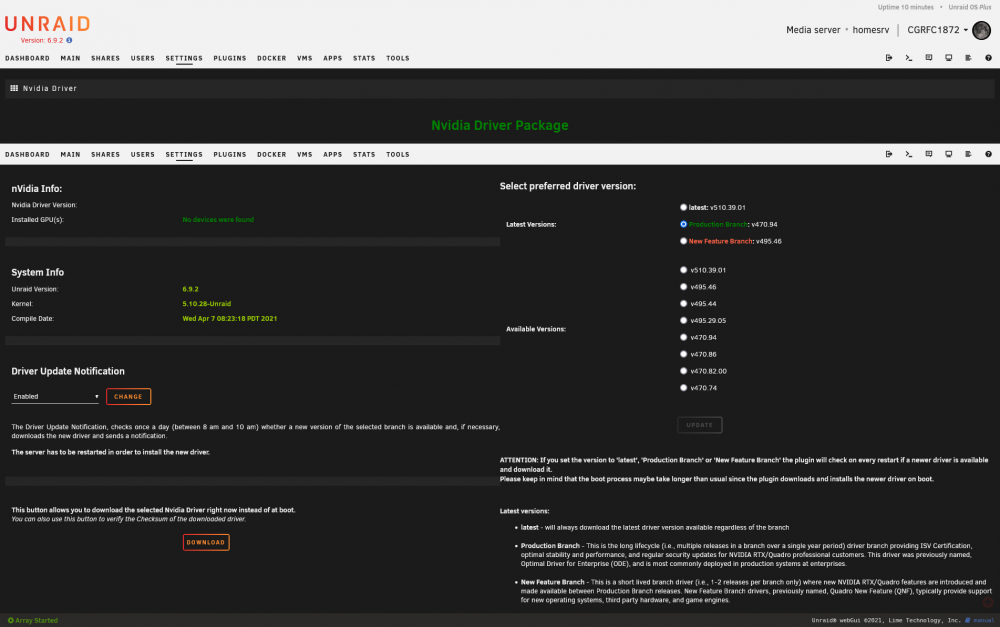
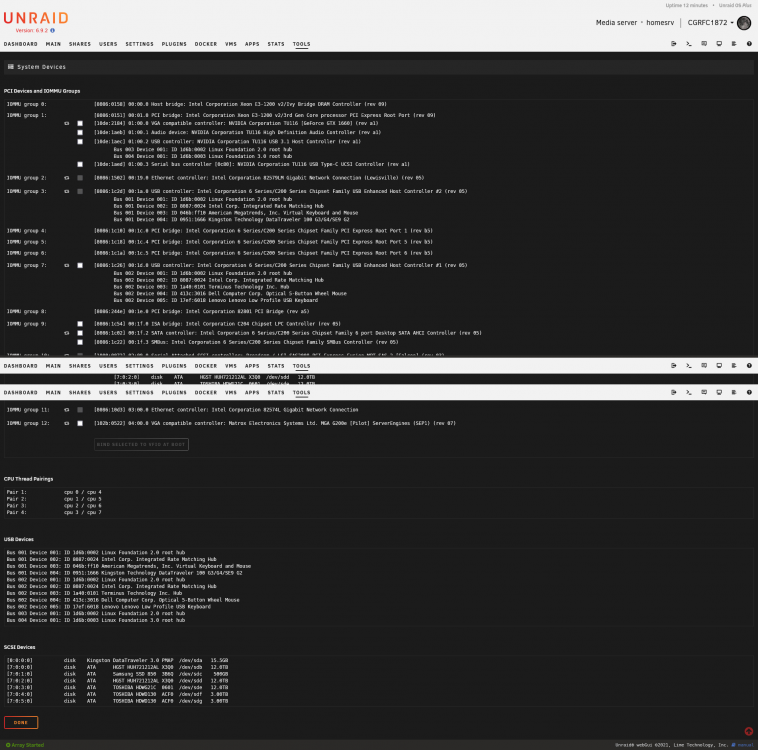
Hello, My gpu is no longer showing in my nvidia driver after having to reinstall it after uninstalling all plugins. As seen below it shows in the syste devices (at the top (GTX 1660)) But it doesnt appear to show up in the unraid driver. I have plenty of storage on my usb so find this a little strange and i always disable my ad block (unraid uses a different dns server anyway) but now when i go onto the nvidia driver plugin page it just has this. I've tried multiple reboots but nothing seems to solve it
-
What sort of speeds are people able to achieve with PIA on this?
-
does anyone else keep getting this error Traceback (most recent call last): File "/usr/local/lib/python3.9/site-packages/aiohttp/web_protocol.py", line 314, in data_received messages, upgraded, tail = self._request_parser.feed_data(data) File "aiohttp/_http_parser.pyx", line 546, in aiohttp._http_parser.HttpParser.feed_data aiohttp.http_exceptions.BadStatusLine: 400, message="Bad status line 'invalid HTTP method'"
-
Hey Docker Noob Here i need some help setting up this docker on my unraid server or if someone could make a template i would be externally greatful https://hub.docker.com/r/kemptech/clm callum
-
when i did the sudo one didnt work but in unraid terminal worked a treat thank you very very much
-
its okay, it probably would be better to open up an unraid terminal tbh seem s a little easier i will try it now
-
im getting this error now

-
Ah, that explains it, thank you for the very quick support and keep up the good work as i use alot of it
-
i opened up the docker container terminal, i can connect to the server i entered 'exec -u minecraft -ti MinecraftBasicServer screen -xS Minecraft' minus the marks
-
Hello, i cannot get into the terminal for the minecraft basic server i tried the command you said but its not working

.png.7113d597f6909945df9aa765e0126aba.png)



