





Rysz
Community Developer
-
Joined
Everything posted by Rysz
-
Good idea - BUT beware the typo 🙂: return gmdate("H:i:s" ,$t ) ;
-
To follow up on the second question, my latest version offers three branches to choose from (on 6.10+): default (recent master) release (2.8.0 stable) legacy (2.7.4. stable) So @ich777 choosing the "release" branch you could now theoretically stay on the year-old stable release 2.8.0 until the next stable release 2.8.1 is integrated into the "release" branch (when it becomes available). But I strongly recommend everyone else without UPS problems to stay on default (recent master) for the latest NUT bugfixes and UPS compatibility features unless you know what you are doing, what to expect from the switch and/or are desperate to get your non-functional UPS working by attempting an older version of NUT. PHP8 warnings have since also been fixed, thanks to @Squid and @SimonF.
-
@Squid That's interesting, thanks, will have to be the same on @SimonF's fork because those files are 99% unchanged from his version. I'll get to fixing those PHP8 warnings right away - cheers.
-
I think this is a mistake, if you uninstall it and reinstall it from Community Applications it shouldn't throw that alert anymore - in any case, you don't need to uninstall the plugin unless you're actually having problems on your server that you can't backtrace to anything else.
-
I've never seen such an alert, besides the plugin is compatible with all UNRAID versions 6.1+. Are you sure you are using either SimonF's NUT plugin or mine (Rysz/desertwitch)? What UNRAID version are you on and where did you see this alert?
-
Can you post the NUT diagnost ics file at a moment when this problem happens? Go to NUT settings and below the data table there's "Save Diagnost ics". It's possible your UPS cuts off the values when there's too little power being drawn so calculation fails.
-
Thanks for the additional information, I'll take another look at the NUT backend code in question and will give it some more thought - I'll report back here as soon as I can. 😊
-
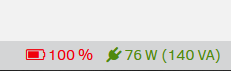
Sorry this is not really a bug but what your UPS actually reports, so it's probably always float-charging... so maybe that status is not so wrong here. Most users want to know when their UPS is charging, so I can't just override because battery is at 100%. But don't worry about the replacement notification icon, because that always takes priority over any other battery status, so you will see it and get the notification even if it is charging the battery at the same time - see example here: The VA should display correctly with the latest update, please try it and report back here.

-
I just updated my post, I found out what is happening with the VA value - I'll update this with the next version, but this should've been the same in Simon's version because that code wasn't changed. Is there anything regarding the connection in the logs? I can't read the WinNUT logs so no clue what's happening there. Did this also happen with Simon's version before? If not, probably best to switch back if your UPS plays more nicely with the older NUT backend.
-
The errors in the logs on the first screenshot are normal because the NUT driver either isn't able to read all values it expects from your UPS - seems your UPS doesn't support all those values the NUT driver is attempting to read - or USB connection wasn't 100% established yet at that point. Second screenshot is not an error but NUT diagnostic messages checking if another process is already running before starting up. Footer seems to be using value from ups.realpower correctly (305W), and 400VA is probably accounting for ups.power in combination with the power factor - but I'll check the code when I get home. EDIT: Okay I found what you mean, it's currently approximating the VA value by calculating it with the total nominal power and the current load. But it should use the ups.power value when it's available, I'll update this in the next version. This is already an "issue" in the older version and I didn't write that code, so might take me a while to update it.
-
My version will follow the master branch more closely in general, with extensive testing and consideration by me before updating (so no blind pushing). It's designed to provide an alternative to Simon's plugin which users can choose to remain on if they feel it works well for them. I feel both the description in combination with the changelog would allow any more interested users to make a sufficently informed choice (probably more so than with many other plugins on CA). In general though, from my impression following the more than cautious NUT development these past months, users will likely not even notice a change in the backend unless they were having problems which suddenly become resolved - hence me not going further into detail on this in the description. If Simon should decide to deprecate his version, which is entirely his decision, I'll consider providing a legacy branch for users wishing to remain on the older "stables". Until then, they can choose from the multiple versions available as with most other popular plugins on CA. No offense intended and none taken from my side as well. 🙂
-
I literally described my vision for my "flavour" of the project above, nobody is forcing anyone to use it over Simon's version and it's his decision how he'll proceed with his fork. What's your end game with these questions, did I miss something on my end here? I'm just trying to offer users an alternative.
-
I'm in contact with Simon regarding the future of his plugin, right now mine's just "my alternative" with a more up to date backend (built from a recent master branch state), some bugfixes and a re-factored code base, which users can choose to use if they wish - just like Plex has different versions for example. For a full list of changes, basically anything in the changelog from 26/07/2023 onwards is different in my version - probably best to just compare or test it out. Seeing as NUT is a continuous integration project with a very irregular "stable" release schedule (sometimes spanning many months to more than a year), I feel it's currently best to offer users the latest updates from the master branch as opposed to updating the backend not once in more than a year (last "stable" was back in 05/2022 and tons of quality of life changes have been made since then). Users can always choose to stay on a version they feel well with, but I feel it'd be unfair to not offer the latest updates which might offer fixes for users with game-stopper type problems. I've been following the NUT development very closely and it's very reasonable and careful in nature, so I feel things are very unlikely to just "break" between any such backend updates. I might offer both a stable and developmental branch to choose from in the future, but not at the moment as I feel 2.8.0 "stable" is just too ancient compatibility-wise at this point and 2.8.1 is already on the horizon.
-
Make note of your configuration, uninstall the "old" plugin, install the "new" plugin. 🙂
-
It's an alternative version with a different (newer) NUT backend and a few minor bugfixes, you can choose which one to use, but don't install two at the same time - I'll clarify this better in the application description.
-
Yes, I've sent you a PR a couple of days ago with both SSL1/SSL3 packages: https://github.com/SimonFair/NUT-unRAID/pull/19
-
Hey - thanks for testing and writing here! 🙂 You need to remove the ; and space at the beginning of the line, that's only for commenting in the configuration files. So for your share to become enabled the share section needs to look like this: ; START OF DEFINE USER SHARES HERE SECTION [share] path = /mnt/user/DerperThought time machine = no ; END OF DEFINE USER SHARES HERE SECTION The above example would create a share called share linking to /mnt/user/DerperThought You could also (probably easier) name the share DerperThought too, then it'd look like this: ; START OF DEFINE USER SHARES HERE SECTION [DerperThought] path = /mnt/user/DerperThought time machine = no ; END OF DEFINE USER SHARES HERE SECTION Please let me know if it works now, you'll need to restart AFP or better your array for the changes to become active.
-
You made two admin users with differing rights... that makes no sense. Also you shouldn't use existing user account names (like root) for all this, better do it like this: upsd.users [admin] password=adminpass actions=set actions=fsd instcmds=all [monuser] password=monpass upsmon master [slaveuser] password=slavepass upsmon slave upsmon.conf MONITOR [email protected] 1 monuser monpass master SHUTDOWNCMD "/sbin/poweroff" POWERDOWNFLAG /etc/nut/no_killpower NOTIFYFLAG ONBATT SYSLOG+EXEC NOTIFYFLAG ONLINE SYSLOG+EXEC NOTIFYCMD "/usr/sbin/nut-notify" NOTIFYFLAG REPLBATT SYSLOG+EXEC and on WinNUT (in this example) you'll use username slaveuser and password slavepass. You can change the passwords, of course, but I'd keep the usernames simple like that. These are fictional users, they have nothing to do with your user accounts on UNRAID. monuser = only the device the UPS is connected to (UNRAID) slaveuser = all devices that should also shutdown (over network)
-
netatalk - AFP for UNRAID (6.10.0 - ) A plugin that integrates the legacy AFP file sharing protocol into newer UNRAID versions. The Apple Filing Protocol (AFP), formerly AppleTalk Filing Protocol, is a proprietary network protocol, and part of the Apple File Service (AFS), that offers file services for macOS, classic Mac OS, and Apple IIs. In OS X 10.8 Mountain Lion and earlier, AFP was the primary protocol for file services. Netatalk is a freely-available Open Source AFP fileserver, this plugin provides an integration of such a server into UNRAID. How does it work? After installation AFP is disabled by default and waiting for your configuration. All necessary steps to configure and use the plugin are explained in the GUI (Settings ➔ AFP).
-
Can you post your configuration (black out the passwords), the log you appended earlier makes me think it's a configuration issue. Access denied is usually due insufficient user permissions (misconfiguration) or wrong passwords.
-
Well, it follows your folder structure - so you can organize it as you want. For example it could be like this: = Holidays === Holidays in Spain ===== 2023 (photos in this folder) ===== 2022 (photos in this folder) === Holidays in Italy (photos in this folder) = House Renovation === New Pool (photos in this folder) So anything is possible if you organize it by folders 😋
-
How old is the UPS battery? It sounds like the battery is dying and the UPS battery can't handle your configured settings anymore before going into a LOWBATT state (which always triggers an immediate shutdown sequence). You can test this by putting the following setting with a lower "battery low" value (= from what battery percentage the UPS considers a LOWBATT state) in your ups.conf, but make sure to put it on line 15 or lower to not get overwritten: override.battery.charge.low = 10 If the shutdown is now happening later than before, it's your battery. If it doesn't change anything, try these settings (also put in ups.conf starting from line 15) ignorelb override.battery.charge.low = 10
-
Touché 🙃, but mine do at least offer the benefit of more than a year's worth of additional compatibility changes and bugfixes, so that's something I can live with considering the immense benefit for the end users. If we're custom building packages now, which you all seemed to advocate for, I'd at least build them offering the latest changes and keep them up to date as much as possible.
-
PiGallery2
-
https://github.com/networkupstools/nut/milestone/8 I think it's mostly continuous integration rather than following a regular schedule for official releases, probably best to build from the master branch every now and then.



