aetek5
Members
-
Joined
-
Last visited
Everything posted by aetek5
-
Thank you ljm42. I set the network type to ipvlan and report if this fixed the issue.
-
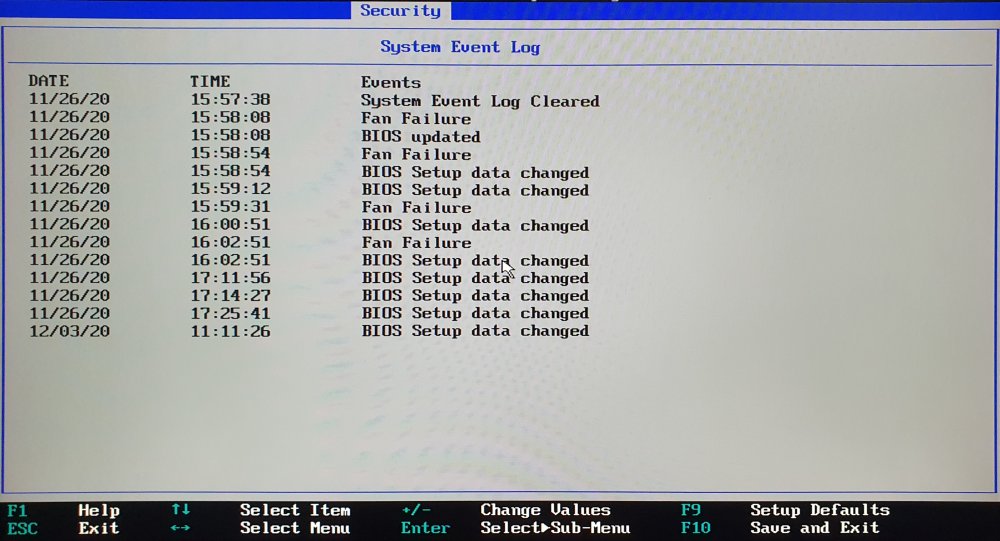
Hi, I upgraded my Unraid server to Version: 6.12.2. Before the upgrade my server ran with no issues several months. Now after updating to Version: 6.12.2 I had three crashes within a week. Hardware: LENOVO ThinkServer TS140 Intel® Xeon® CPU E3-1225 v3 @ 3.20GHz 16 GiB DDR3 Single-bit ECC Samsung_SSD_860_EVO_500GB 2X WDC_WD101EMAZ Thanks for Squid, he suggested that I look at the bios system log and mirror the syslog to the flash. Also he mentioned that it could be normal behavior of the ECC memory. I don't know what to do in that particular case so I tried reseating the memory for the beginning. I attached the diagnostics, the syslog from the flash and a picture from the bios system logs. Thanks for any help. syslog_flash_mirror.txt ts140-diagnostics-20230713-2036.zip
-
Thank you for the advice. I enabled syslog server mirror to flash and will create the thread. I will look into the event log in the bios but it didn't shut down. Server was still running but not interactable. But maybe the bios will have more info. Thank you so much.
-
Hi, I experience a weird behavior that after the update, my server disappears from the network. Like in my router I can't find my server connected to the network. I hooked the server to a monitor and keyboard but I only get a black screen and have to hard shutdown the server to reboot it. Anyone experience this behavior? ts140-diagnostics-20230709-1435.zip
-
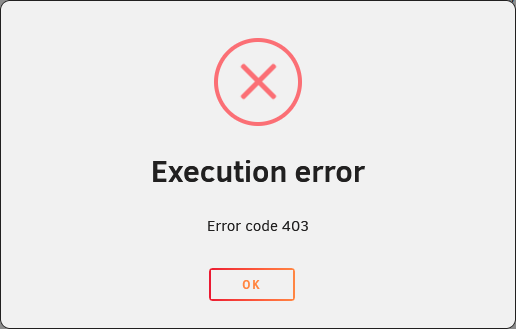
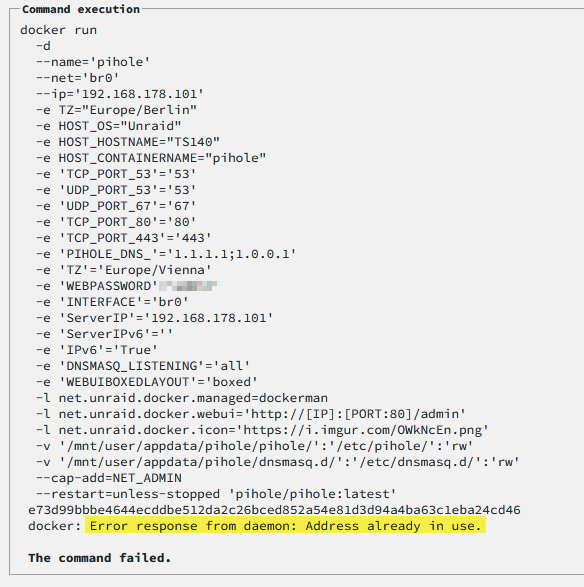
Hi, lately I have issues with this docker image. Everytime I restart my Server, the docker image doesn't restart. When I try starting it I get this error message: I found the issue that when I try to restart this docker image with the static IP address I gave it before I restart my server, it now tells me that this IP is already in use, even though it is assigned to this docker container and no other docker container is using this address or port: When I change the IP just by 1, everything works again until I need to restart the server again. Then I need to add again 1 to the end to the IP. I checked my router if it assigned the ip to any other devices but can confirm that 192.168.178.101 is only used by this docker container and nothing else. I even removed it from my router as I thought that the DHCP is causing the issue, but I don't think so. Is there a possibility to check which IPs Unraid is already using for the custom network or even clear the IP Pool or something? As it is quite a hassle to always need to update the IP and change all the DNS settings. Thanks a lot.
-
Yeah I see my fault. I just asked a friend to try and he said he could join with no issues. I feel quite stupid now. Sorry for the inconvenience. Thank you so much for your work and thanks for your help.
-
Ah okay got it. Now I know what you mean. So right now, the steamAPI is picking up my Server with the Success Message I posted in my first Comment. So that would tell me that the port forwarding should be working without issues. But when trying to connect with my public ip and the port, I get the error messages mentioned. Okay I will try this and see if it works. Again thank you so much for your time and help.
-
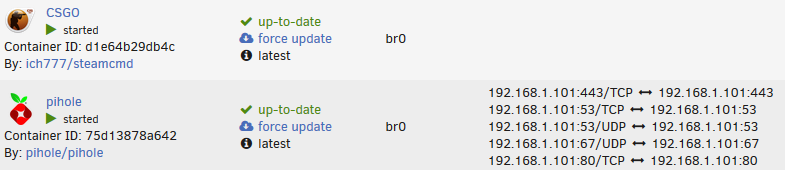
Oh okay, that makes sense. I added the Server via the local IP and it is now showing in my favorites. Awesome, thanks. Wait so the reason why it is showing for pihole is because those ports are exposed? What about the Port 27015 for the CSGO container? But how should my friends join the server if there is no public IP? Like it is so weird that the Steam API is returning a success message with the right IP and the Server showing. When they try to connect they only get the Message "Retrying public(XX.XXX.XX.XX:27015) ..." Besides Portforwarding, do I need to check something else? Thanks a lot for your help.
-
Hello, I am currently trying to setup a csgo server but I have currently issues and the search function couldn't help me to resolve the issue. I installed the csgo docker and entered all the game_params I wanted and the first thing I noticed that my log doesn't get to the point of showing the public ip: My startup Parameters are as follows: +game_type 0 -usercon -net_port_try 1 +game_mode 0 +mapgroup mg_active +map de_dust2 +sv_setsteamaccount 65DAB752xxxxxxxxxxxxxxxxxxxxxxxx +hostname "CSGO Server" +sv_lan 0 +sv_password "XXX" +rcon_password "XXX" When I am looking in the community browser, the server is not showing up in the LAN tab. Funny enough when I connect via the connect command to the unraid ip and the game_port, I can connect to the server. I entered the port forwarding in the router, but friends can not connect to the server. I tried https://api.steampowered.com/ISteamApps/GetServersAtAddress/v0001?addr=<MYIP>&format=json and get following results: { "response": { "success": true, "servers": [ { "addr": "XX.XXX.XX.XX:27015", "gmsindex": -1, "appid": 730, "gamedir": "csgo", "region": -1, "secure": true, "lan": false, "gameport": 27015, "specport": 0 } ] } } So the port forwarding should work fine. Am I missing something? Also weird enough, I am currently using Bridge Mode because when using custom mode and entering a static IP, the Docker Container doesn't show the custom ip: But it is still reachable via the connect command with the static ip. Sorry, I am all new to unraid and docker and couldn't find anything via google to help with those issues. Thank all of you for any help.