




-
That did end up working. I was not able to restore some of the data due to permissions issues but this was data that was just backups from other locations. Thanks for the help hopefully that won't happen again.
-
So with the drive mounted in read-only I figured out I can actually get to the files just not through the UnRaid GUI. I have moved all the files off the drive now. I will be replacing this drive. Hopefully it works this time.
-
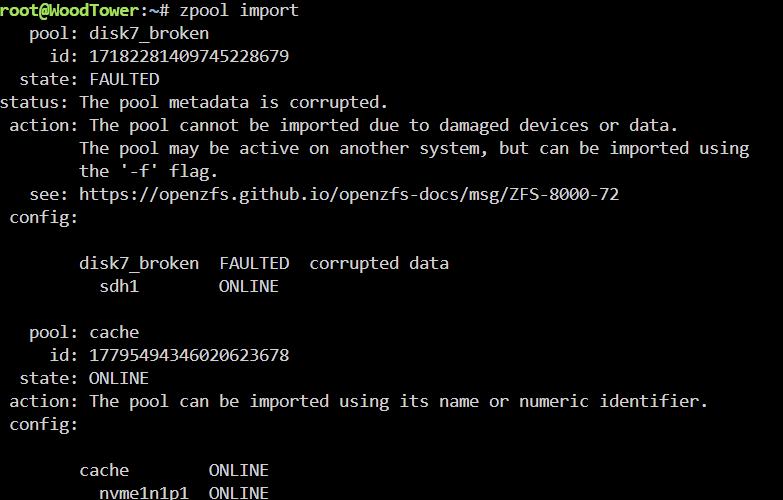
With the disk7_broken pool mounted as read only I am able to start the array. However now it shows disk 7 as being the wrong or no file system and it wants me format the drive. I cannot access any data on the drive. Is the data on the drive gone? How did this happen with a parity drive?
-
@JorgeB
-
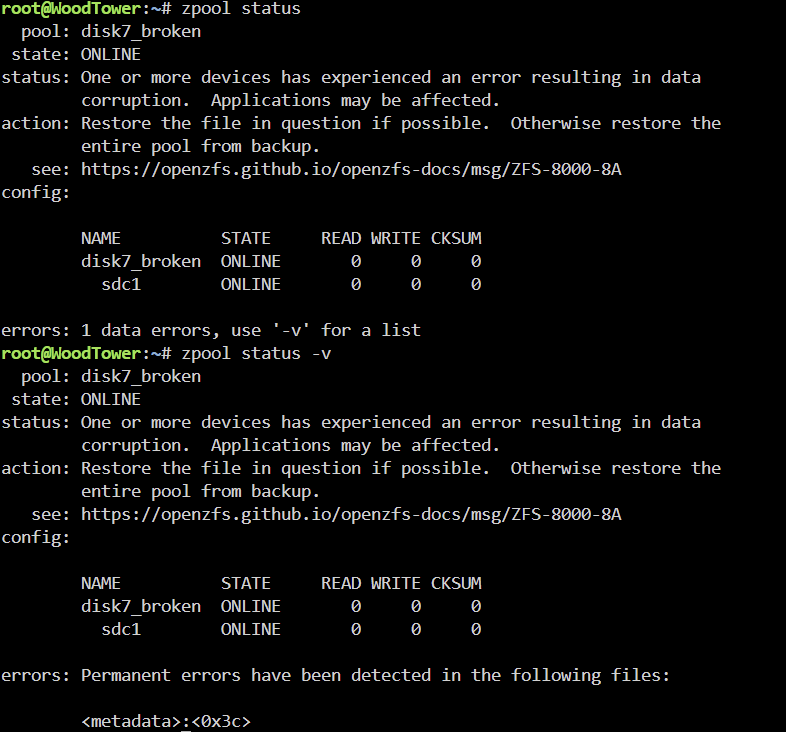
Here is what is shows. I had renamed the share on the drive at one point when I was trying to mount it outside the array. Thank you for responding to my question!
-
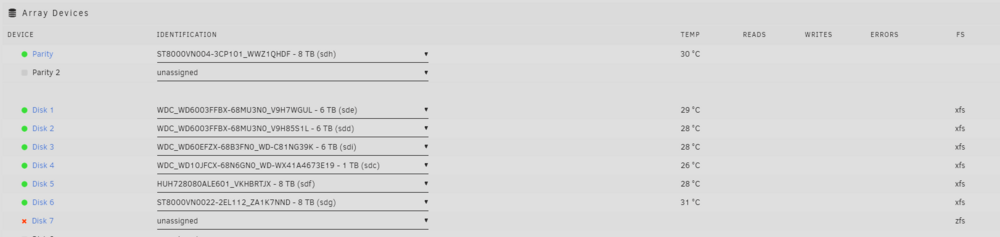
I had an unclean shutdown event that resulted in one of the disks in my array showing as offline following a reboot. It was the one disk in my array that was a ZFS disk that I use for saving cache drive snapshots to the array. This has happened before and doing the trick of starting the array with no drive in the pool slot and then stopping the array and re-adding the drive allows for a rebuild of the array. This time the array hangs starting "disk 7 experienced an uncorrectable I/O error." This causes the array to hang at "mounting disks" and not progress further with the rebuild. All the other disks are mounted and I can access the files. This happens even with the disk physically removed from the server. I cannot even start the array to get data off the emulated disk. I do not understand what is happening. I cannot get the array to rebuild my disk 7 now. Is this a ZFS issue? I have attached my diagnostic file.. If anyone can help. Otherwise, I am going to have to nuke this config and remake the array and probably lose the data on that one disk. Thanks anyone for any help. This is the first time I have encountered something that I cannot figure out on my own regarding UnRaid... woodtower-diagnostics-20250214-1630.zip



-
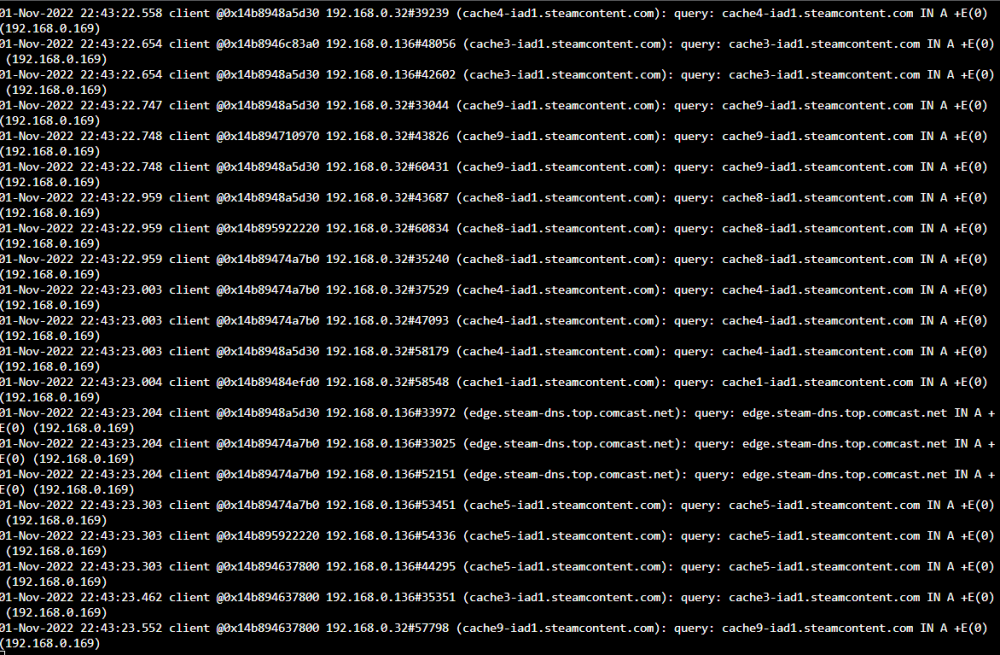
@Josh.5 I am still having this issue. It seems to cache some things and not others. Steam will not cache at all anymore and hasn't since Unraid 6.9 or so. What it does cache is often very slow. My cache is located on an array of 3 Sata SSDs in raid 0 if that matters. In the meantime I may look for other options as this container has really helped my data usage in the past. <3
-
I have been using this container for a long time and recently steam has stopped caching. Other services are working as normal but anything downloaded through steam is not caching for any computer on my network. Can anyone else verify if this is just me or is the container having an issue? Did Valve change how the steam client works again? thanks
-
I want to add. CPU transcoding is working fine. GPU encoding on the node and server container is broken. I have not changed anything. It just won't work. At least it is still working on windows. lol.
-
So after fixing the port assignment issue in the container template I cannot get GPU encoding to work on either the internal node or the tdarr_node container. Did something else change here that we need to know about? I haven't changed any of the settings besides transferring them to the tdarr_server node since yesterday and now only CPU encoding on the internal node is working. I tested the old tdarr_node install as well and GPU transcoding is not working there anymore either.
-
Wanted to add I have two of the samsung 980 nvme SSDs in an NVME pool on an asus hyper m.2 card and am running the current RC2. The 980s read 84C for 30 minutes then go back to normal. The other two NVME drives on the card are usually at 25-35C even under load. This was never a problem in the several previous versions of unraid. Hopefully this error is fixed in the future.
-
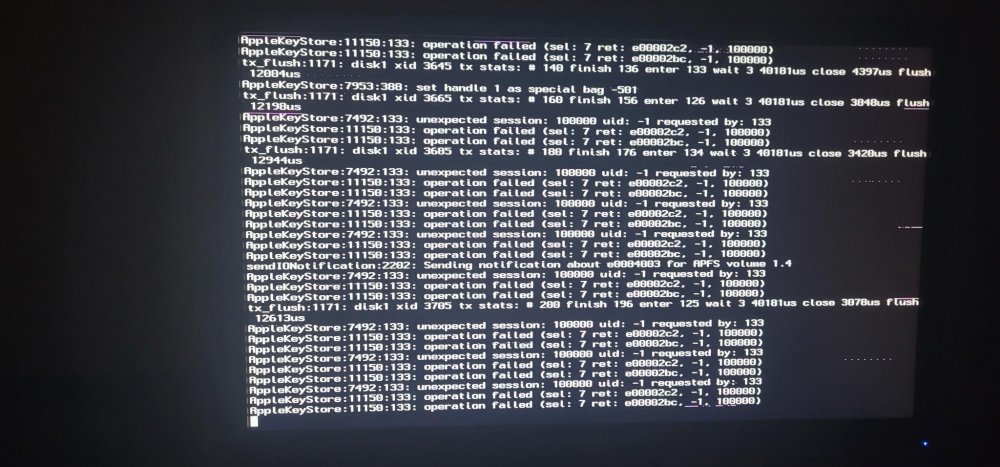
I am hoping to find a little help here after spending the last few days troubleshooting my MacOS VM. I am unable to get it to boot reliably after passing through a Radeon pro wx4100. I am using either virt-manager or XML editing to add the gpu to the VM and have them stubbed in unraid. Currently the VM is displaying a wall of text on the monitor I have hooked up to it directly, and I am able to connect to it using NoMachine but it is only the Apple logo and a progress bar that is frozen. I have attached the XML for the gpu passthrough and another XML for the no gpu config, that boots almost instantly to the MacOS desktop. I am also passing through the vbios for the gpu that I dumped using SpaceInvaderOne's tutorial. If I do not pass the vbios through I get no display at all. I have updated the bootloader as well, doing my current install following this guide: https://pastebin.com/RtgNHqac I followed this guide very closely, but I added the GPU after doing all the opencore updating of the bootloader as I have been dealing with this GPU issues for a bout a week. If anyone can tell me what I am missing, I'd be incredibly grateful. wx4100MacOSNoBoot.txt This is the working XML file I have that does not have GPU passthrough. XML BACKUPSMacOS NO GPU.txt

View in the app
A better way to browse. Learn more.



