





jay010101
Members
-
Joined
-
Last visited
Everything posted by jay010101
-
Found my Unraid server today with all CPUs pegged. Looks like the process had been going for a while (Screenshot). From the Unraid command line it looks like Unassigned Devices was port scanning on port 445. the 20.220 was an old VLAN I had setup but not currently in use and not an active interface on my Pfsense gateway. I went into Unraid and removed the VLAN. Seems like odd behavior. Maybe it was stuck because it couldn't reach that 20 network. Looked for that script as well under BIN but found nothing. Why would unassigned devices do this?

-
This seems like a basic question. I've seen a lot of examples of guys doing a wireguard site to site connection then using RSYNC via SSH to backup data to a remote Unraid server. Wireguard is an encrypted tunnel. I don't see a reason to use SSH at all. Am I missing something? example setup with SSH..... https://www.spxlabs.com/blog/2020/10/2/unraid-to-remote-unraid-backup-server-with-wireguard-and-rsync
-
Figured it out. I have been running plex on vlan for the last year or more but apparently something changed or that was an issue. Changed it back to host and now it works.
-
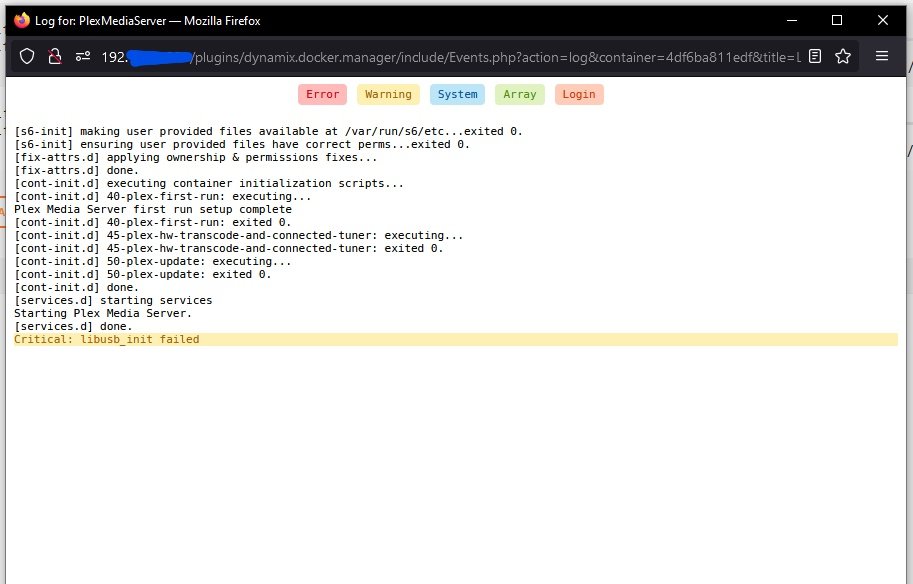
I do see this error in the Plex logs....
-
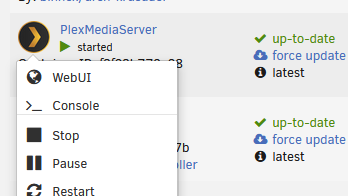
left click the docker image and select. This has worked in the past. then it takes you to the site and you click "Your Media". This was never there before. Normally it would just show a icon for my Plex server and I would select it. Now it says "Get Plex Media Server"
-
not sure why it says "Get Plex Media Server" when that'sa the docker I'm running. I believe I'm using the Official Container.
-
Anyone having issues with the Plex Media Server? I logged in and all it says is add your media, then it says Get Plex Media Server. Kind of funny but the Media Server is what i'm running. Trying to google but not finding this.That's awesome! I'll give it a try. I didn't notice this until a recent plex update. Thought it was fixed.Only have 3 dockers: plex, unifi and binhex-krusader. The reason I think its plex is that if I stop the container the writes go to something small0-100KB/s. with Plex running i'm getting spikes of 500 KB/s and in iotop seeing [loops2] writes on the top of the list. Similar problem as in the past. I believe plex was the issue last time, or its docker in general. maybe i should up grade to the latest version . I'm on the stable branch right now 6.9.2
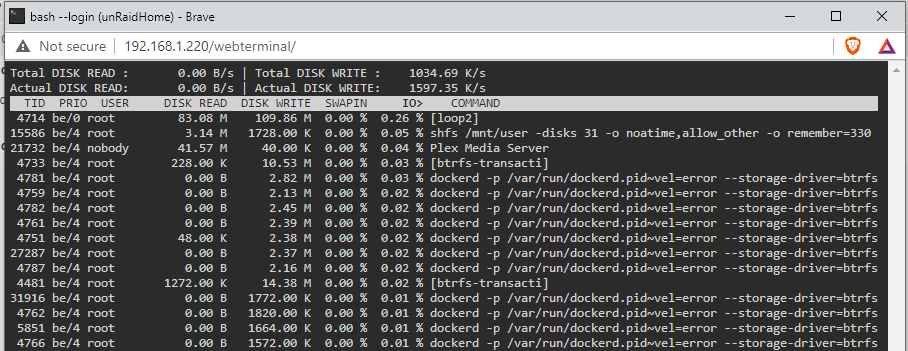 Anyone see this happening again? I looks like plex is continuously writing to the cache.This guy was great. Older thread but maybe it will help someone looking later. https://www.ebay.com/usr/theartofserver6.9 no issues hereIHey guys. I had this issue and moved to the newest beta and it was fixed. You can also use the below command but its not persistant after boot. mount -o remount -o space_cache=v2 /mnt/cache I hope this helpsI've read some more and have a better understanding why this is happening. I looked at the APP for Turbo Write Schedule and that looks interesting. But as the Mover is doing its work at midnight on this might not be an issue for me. Its only when I'm doing an intentional move that it becomes an issue. Thanks for the reply. JaySame thing here. Writes to the cache as full speed (max spinning drive speed reads). Then when I hit the Mover button (below image) I only get 25MB/s. is this normal? the system isn't doing anything else such as a parity check. though the parity drive is active.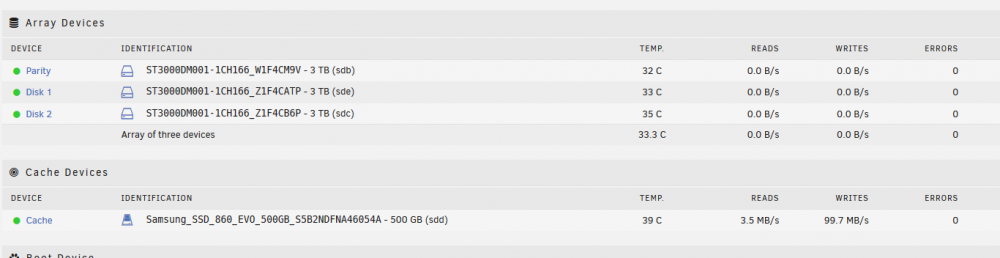
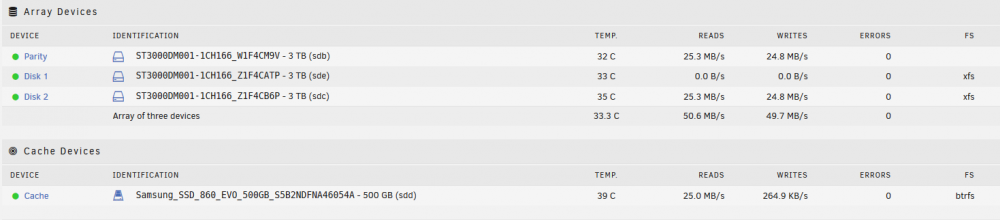 Sorry. Read to many posts and I’m “loop”y right now. see what I did there....I'm having the same issue as well. Was researching and posted to the below linked topic. I'm going to remove that docker and try a different Plex Docker Image. I add the repository which I think is directly from plex (https://github.com/plexinc/pms-docker). I originally thought it was a brtfs issue with the cache but it doesn't seem to be the problem... ? Any solutions on your end? https://forums.unraid.net/topic/98114-new-cache-pool-ssd-default-format-to-btrfs-i-want-xfs/?tab=comments#comment-929089The fix above worked great for me. Thank you for the post. I'm not sure if I did something wrong in the setup of the container? I looks like the Controller gave the wrong IP to the AP. It had my container IP 172.x.x.x not the correct 192.168.x.x of the unRaid server. Should the Unifi container be a Bridge or a Host under Network? EDIT: I was poking around the Unifi software and saw the below settings for "overide inform host" is this related? (see below image)
 I believe if you add the CA cert to the root CA store the browser will see it as a trusted CA. I did this on Pfsense and its still functioning in firefox. I've linked the walk-through below. That one was easier as you make a CA in Pfsense then exported the root CA cert and imported it into the firefox trusted CAs. https://www.ceos3c.com/pfsense/pfsense-generate-ssl-certificate-https-pfsense/I'm trying to add the unraid self-signed certs to firefox in the Certificate Manager and push all webui logins to https. I've found the SSL cert in the Flash Drive but its in PEM format. I'm still learning in this area. I thought I was looking for the CA cert to put into Firefox. The PEM format has both the private and public key. I think the browser only needs the public key part to verify the server SSL cert? I don't need to use my own certs but would like to add the CA cert to my browser so it recognizes my server page. where do i find the unraid CA cert or can I modify the PEM file? Couldn't find a prior post on this. Thanks for any help





