





Niklas
Members
-
Joined
-
Working now in 7.4.0-rc.1 with the new update. Thanks!
-
Nice, ok. This is what ai and I did to make it work for now. Run once manually after reboot or at first array start via user scripts. Edit: Script removed as FCP has been updated and working now. :)
-
Will this plugin work in 7.4.0 stable? It’s currently broken in the betas. I miss it.
-
Not good https://product.unraid.net/p/7-4-b2-file-moves-across-shares-pools-delete-files-in-unraid-7-4-beta-2
-
Looking good here. Only plugin related problems like the missing icon for Apprise notification (open() "/usr/local/emhttp/plugins/dynamix/icons/apprisenotificationagent.png" failed (2: No such file or directory)" and fix common problems not working. Btw, the blog post link gives 404. Missing a zero.
-
I think it checks for updates for all the plugins at the same time now. So it will be faster.
-
I never post diagnostics in the open, will they only be available to devs?
-
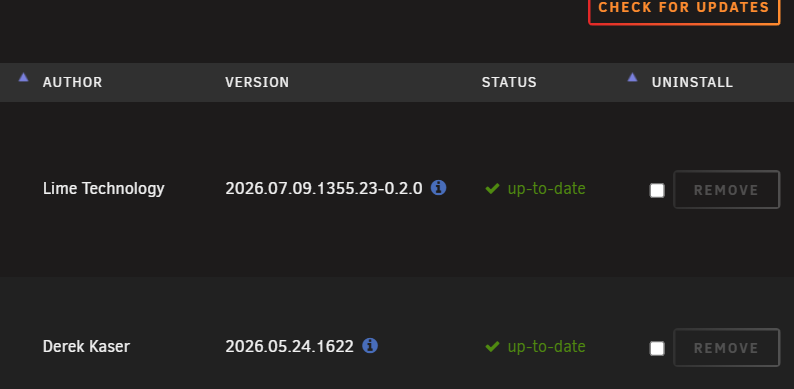
I sort my plugin page by status. It does not move the ones with updates available to the top when the update check completes. I need to scroll down to find if there is any updates or click "STATUS" twice to move them to the top after the check is done. No Power Button-setting and fix common problems doesn't work. Other than that its working fine. Edit This error when going to notification settings (Apprise plugin installed). nginx: 2026/08/18 04:34:47 [error] 3365734#3365734: *127646 open() "/usr/local/emhttp/plugins/dynamix/icons/apprisenotificationagent.png" failed (2: No such file or directory) while sending to client, client: 192.168...
-
Maybe the goal is to be able to dismiss the window and the update will continue in the background?
-
I don't have that "Power Button"-tab. Too old machine? ;) Pressing once does the clean power off at least.
-
Your logs fills with the question.png missing bug I just mentioned in this thread. Temp fix in my post. Yes, the HDCP log line also happens but not as big of a problem.
-
The missing question.png bugfix takes too long to be released. ;) @flurec Known bug in Unraid. We need to wait for it to be fixed in 7.3.3. Reboot will fix it until next time you delete containers using the question.png default icon. You can install the PR with the bugfix from here if you don't wan't to wait: https://github.com/unraid/webgui/pull/2693#issuecomment-5072886036
-
It works great but you have to install it manually via Plugins - the tab "Install Plugin". Paste https://raw.githubusercontent.com/dlandon/file.activity-next/master/file.activity-next.plg In fix common problems, press ignore for it when it complains.
-
FWIW, I modded my bios to add ReBar and the mb is ~14 years old (Ivy Bridge CPU, Z77 chipset era). ;) But I'm on A380 and i915 (mostly transcoding and immich machine learning). https://github.com/xCuri0/ReBARUEFI Found it already done for my mb there but made som more mods before flashing it.
-
Yes. It has been reported before to occur in mainly Chromium based browsers. I use Brave Origin with Shield disabled for Unraid.

