Kulisch
Members
-
Joined
-
Last visited
Everything posted by Kulisch
-
Thanks for the reply. Then I take back the GPU from passtrough again, hoping that no crash happens and I can get the informotions locally. Assuming the RAM would fill up, would a RAM expansion be enough? I had planned to go from 32 GB to 64 anyway.
-
Yesterday I made a memtest which passed. I'm running out of ideas. Does anyone have any suggestions what I could do? Because unfortunately this can not stay like this. I depend on the VMs and it is among other things the reason why I use Unraid at all.
-
1. I installed the RC2 to test if there are still the same problems. After 18 Days and 5 hours uptime I started a Windows 11 and a Kali VM which I started installing (Stopped at user creation). Just to check if the problem appears again. I lost my RDP Session, tried to ping, nothing happened. This freeze happened after 20 - 30 minutes. 2. i checked the Syslog and it increased a little bit. 42.5 mb... Jul 27 08:06:18 unRAID kernel: vfio-pci 0000:0a:00.0: BAR 3: can't reserve [mem 0xe0000000-0xe1ffffff 64bit pref] Jul 27 08:06:18 unRAID kernel: vfio-pci 0000:0a:00.0: BAR 3: can't reserve [mem 0xe0000000-0xe1ffffff 64bit pref] Jul 27 08:06:18 unRAID kernel: vfio-pci 0000:0a:00.0: BAR 3: can't reserve [mem 0xe0000000-0xe1ffffff 64bit pref] Jul 27 08:06:18 unRAID kernel: vfio-pci 0000:0a:00.0: BAR 3: can't reserve [mem 0xe0000000-0xe1ffffff 64bit pref] Jul 27 08:06:18 unRAID kernel: vfio-pci 0000:0a:00.0: BAR 3: can't reserve [mem 0xe0000000-0xe1ffffff 64bit pref] Jul 27 08:06:18 unRAID kernel: vfio-pci 0000:0a:00.0: BAR 3: can't reserve [mem 0xe0000000-0xe1ffffff 64bit pref] This line shows 364433 times up. I removed these lines and replaced it with --- syslog-edit.log unraid-diagnostics-20220824-0756.zip
-
Großartig. Müssen nach einspielen des Updates Anpassungen am Bios gemacht werden? (C-States z.B.)
-
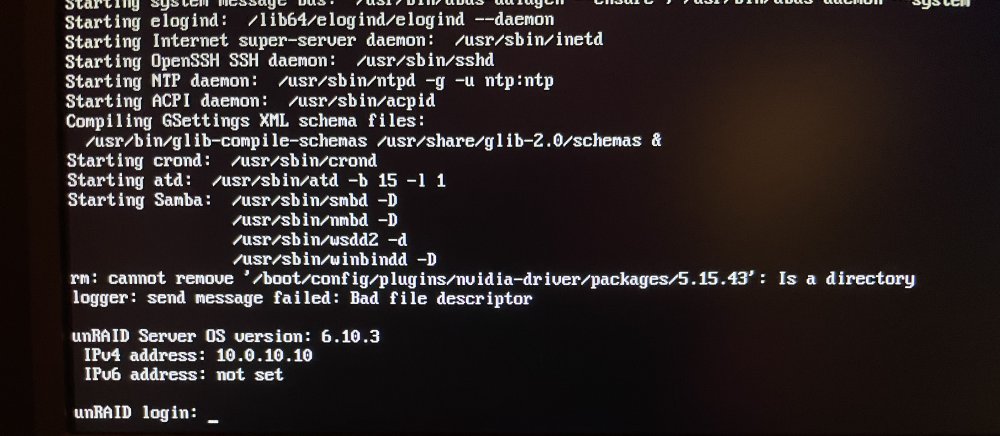
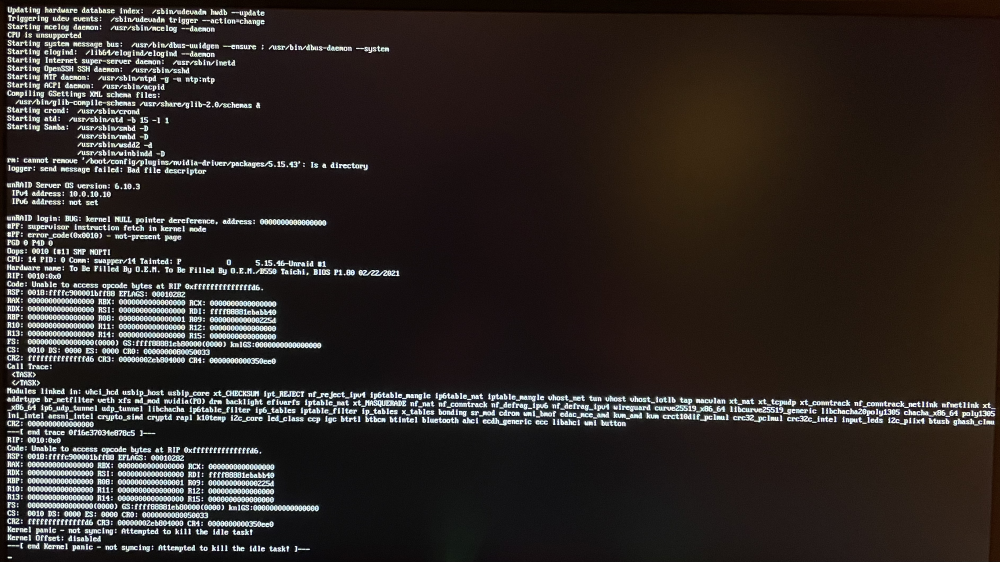
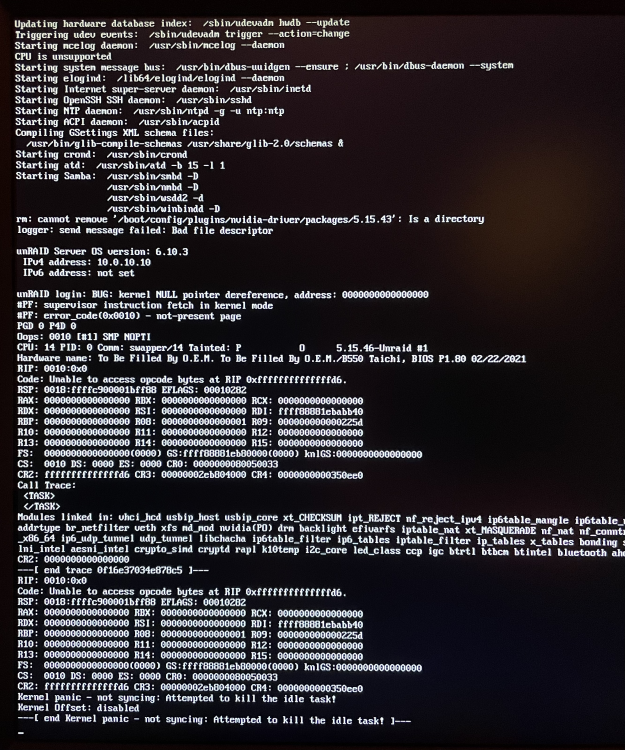
So I updated to 6.10.3 again, took the IOMMU Groups back to Unraid, started a VM without any connected hardware device and it froze again. After checking the monitor I saw a Kernel Panic happened. So I couldn't check the diagnostics or "disk free" (df -h). Edit: Forgot to give you the diagnostics and logs after reboot. server-syslogusb-syslogunraid-diagnostics-20220726-0759.zip After starting Unraid, this messages showed up:
-
Ok, I will try that in the next days. Trank you Gesendet von iPhone mit Tapatalk
-
I could. I would have to remove the GPU and the USB controller from the passthrough, but that should not affect the error pattern. After all, it affected the VMs with and without passthrough. Should I check something specific or should I just see if the system reacts at all when "freezing".
-
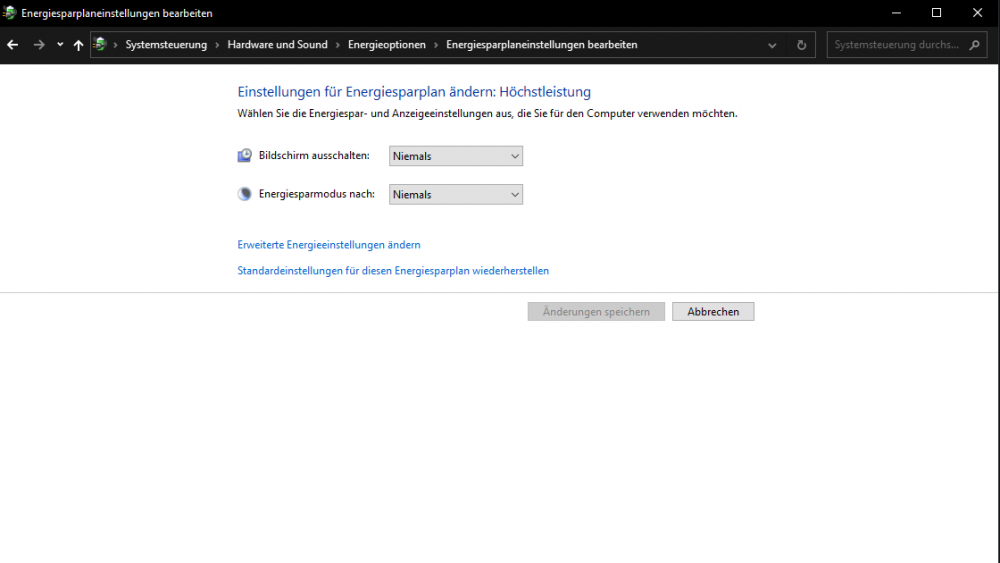
Update: After the revert to 6.10.2 the Windows 10 and 11 machines are freezing after 1 hour. Not Unraid anymore. 👍 The Kali machine (without GUI) is online over 4 hours and nothing special is going wrong. So I consider the Guest OS makes the trouble. Do I have to check the "Energy saving" options from Windows? (Both options are on "never") Yes both of them. But there are not used for the VM in that case. Mouse and keyboard are passthrough(ed?) with the USB Controller. Monitor is connected with the only GPU which is also passthrough(ed?).
-
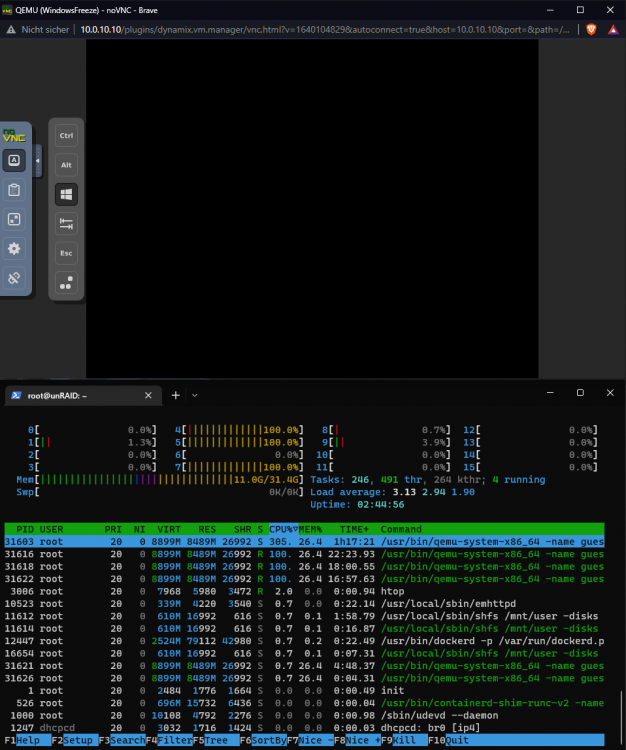
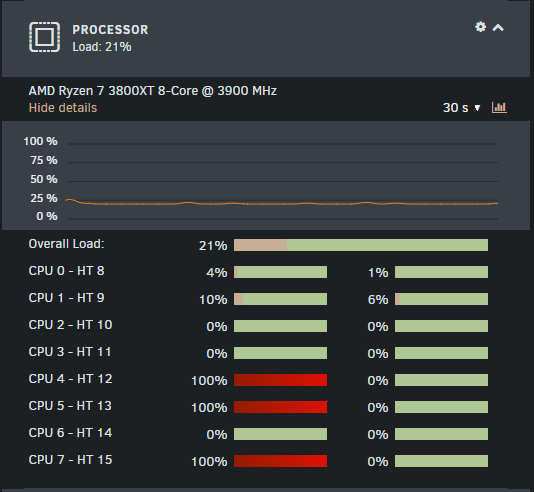
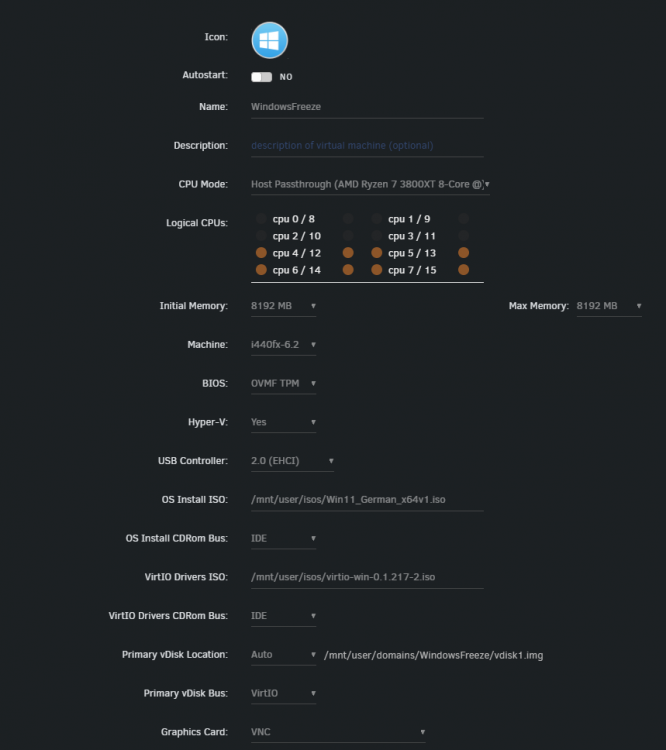
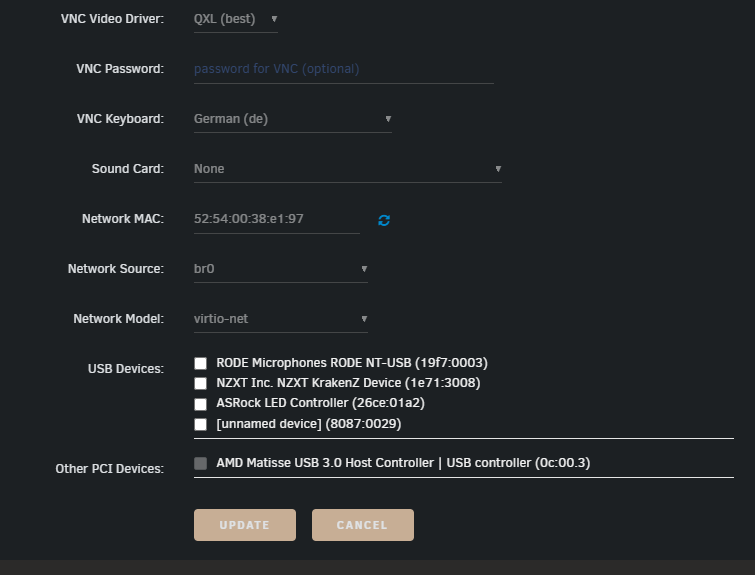
I checked the settings and changed from "Auto" to "typical current idle". After using a VM for several hours, unraid "freezes" again. Reverted to BIOS Update from 2.0 to 1.8 because I know that this Version worked proberly. Of course I checked the BIOS Settings after Downgrade and made the ryzen specific changes. Now I reverted Unraid 6.10.3 to 6.10.2. This time I see the VM (newly created Windows 11, nothing changed but windows updates) is not responsive after est. 2 hours idling. Settings VM: Now I'm pretty sure, that this problem does only occurs using a VM. Unraid was running for 3 days without using a VM and nothing bad happened. Every time I start a machine, after 1 or 2 hours the server is not responsive. Just pingable. unraid-diagnostics-20220722-1002.zipusb-syslogserver-syslog
-
I didnt know that this is such a thing. I thought that mailports are open for everyone. Glad to read, that one Issue is found and solved. Thank you for sharing your expirience. Hope your ISP opens that port that you can use the mailserver.
-
In this case, they could help because this is a strange behavior and not a initial setup missunderstanding (as i see). Wish you good luck. 👍
-
Very strange... I can't explain how and why this happens... I wish I had something to help you... I'm very sorry that my suggestions didn't help.
-
Do you have a direct connection to the mail server or is something between? Intrusion Prevention System (IPS), Proxy, Firewall? Make sure everything between is not blocking any SMTP requests. DNS works, so there is no problem. Open the docker console of DMS and list all accounts by using setup email list If there are your accounts you created, then change the password in 123456 setup email update [email protected] 123456 setup email update [email protected] 123456 Or create a new account. setup email add [email protected] 123456 And configure DKIM (change 'domain') setup.sh config dkim keysize 2048 domain 'domain.com' If nothing works, try stop the container, clean the whole paths from DMS in appdata (make sure to backup files you want to keep) and recreate (not restarting) the container by changing something in docker template (add a space or something like that) and apply. Try to connect with the new credentials or the new account you have created.
-
After 19 hours it happened again, while using Remote Desktop. This time another VM (Win 11). Used it for 1 hour (Not passtroughing anything) and it froze at 11:18. This time, system is completely frozen. Trying to access over SSH and HTTP give me timeout responses. unraid-diagnostics-20220715-1144.zipserver-syslogusb-syslog Is it possible to enable and save debug logs of a VM? Or other advices? Because I dont remember having a frozen system without running a VM.
-
Thank you. There you go: unraid-diagnostics-20220702-1242.zipusb-syslogremote-syslog
-
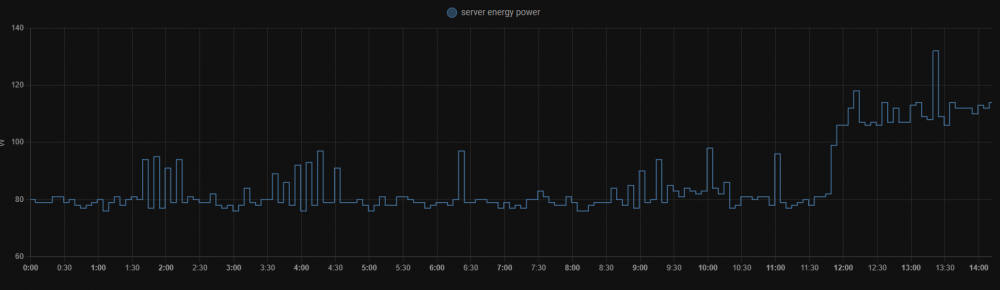
Hello everyone, my Unraid server is not accessible. (SSH, WebUI, Docker, VM,...) But there is no timeout, no drop, no block, nothing. SSH (no connection reset) and HTTP requests (Just blank, no error code) taking forever without any response. Only pinging the server is possible. This happens randomly. (uptime: 2 days, 4 days, 10 days) I can see that the server has a peak at power consumption in that time it happened. It "frozen" at 13:25 - 13:30 It is an AMD Ryzen 7 3800X build, so I did some UEFI settings like deactivating C-States, VFIO-Passthrough, B550 Taichi, BIOS Update Ver 2.0, no Memory Overclock (default 2133 MHZ, 2 x 16 GB). Maybe I'm missing something... Im having the feeling that this happens randomly during using a VM (Windows with GPU Passthrough). I do not remember any scenario where this happened and the VM was not started. I dont have a second GPU or a APU. Syslog to USB is activated and I can provide the logs after I restart the server. But before I do this, is there anything I should try before shutting down the server by pushing the button or cutting off the power? Thank you in advance
-
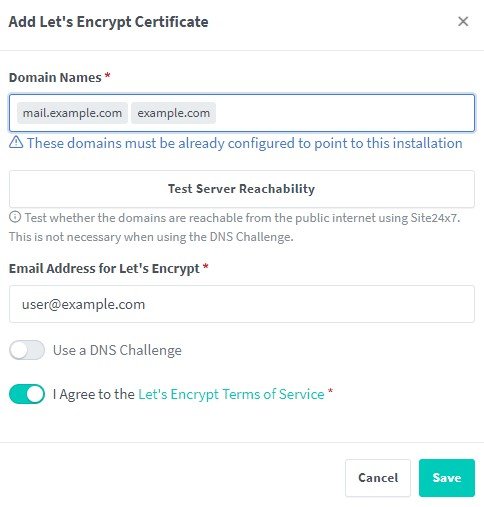
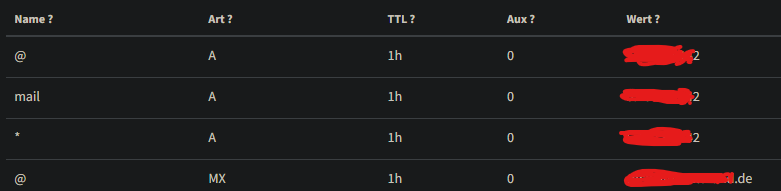
At first, sorry for the late response. As far as I know, the mailserver checks the certificates everytime. So it's necessary to have one certificate for every sub/domain which are configured. Depends what you want. If your mailserver should have the name mail.domain.com you need following: Name Rec TTL Aux Value @ A 1h 0 123.123.123.123 (Public IP) mail A 1h 0 123.123.123.123 (Public IP) @ MX 1h 0 domain.com If you want webmail.domain.com instead of mail.domain.com or something else, you can change it as you wish. You will need the certificates for mail.domain.com and domain.com in this case. (change the --hostname mail.domain.com in advanced view too) I guess you mean by npm the nginx proxy manager. If yes, I refer to the earlier posts here in the topic where the nginx proxy manager is used to obtain certificates. I hope you don't make the same mistake and forward all the traffic for SMTP, IMAP and so on to the proxy. The ports must be forwarded to the mail server directly. i don't use the Nginx Proxy Manager, so I can't give you a detailed instruction how to get the certs and configure it. Im using Swag to obtain Letsencrypt certs. Please read the previous posts here and maybe you find a solution. Obtaining (Letsencrypt) certs: Configure certs for the mailserver:
-
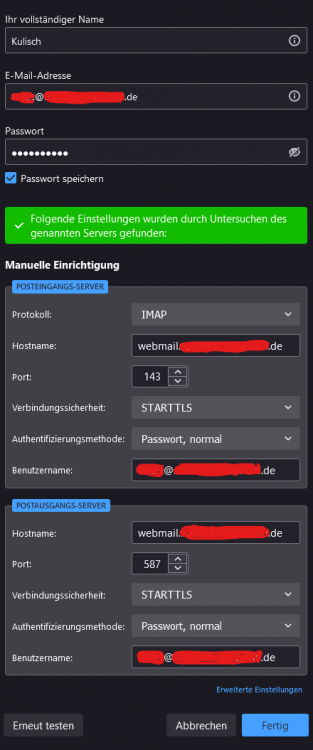
If you try to send the mail. Does the warning appear in Thunderbird or Docker logs? If there is a certificate error, maybe you dont have one for the tld (domain.com). I had also an error. After creating a certificate for domain.com and reconfigure the account in thunderbird, the problem didnt appear again. Certs for the subdomain (webmail.domain.com, mail.* smtp.* imap.*) were already there. If this dont work... What does the mailserver shows in the docker logs after sending the mail? Does it find the cert files? Which configuration did you use for "Key_Path" (ENV) "Cert_Path" (ENV) and "Mount SSL Path:" (Docker Mount). Can you find the cert files inside the container? Note: Recently I bought a new domain for the mailserver and I configured it like this. The censored A records are public IP adresses (example: 123.123.123.123) and the MX record has the TLD. (example: domain.com). NOT mail.domain.com. I'm not creating DNS entries very often but this setup works for me. I have following domain certs: domain.com, webmail.domain.com, smtp.domain.com, mail.domain.com, imap.domain.com After trying to send some mails, some providers (GMail in my case) started whining that I didnt configured DKIM so I created that. setup.sh config dkim keysize 2048 domain 'domain.com' After that, sending and recieving was no problem anymore. And check the following: --hostname mail.domain.com ..."Extra Parameters" in "Advanced View". I hope this informations helps.
-
Before you start, I hope you have Fail2Ban deactivated in the environment variables to make sure you dont get banned after some "failed" login attempts. The question is how you login. Do you use the username (<- wrong) and password or [email protected] (<- right) with password you set up. You can create a test account and delete it. Try something like [email protected] with password 123456. If that works just check the differences between your account name and password complexity (special characters, numeric- alpha numeric and whatsoever). Which commands did you used for the setup and configuration.
-
Ah I see... yeah that makes sense. Of course, I just wanted to understand. Thanks for educating and supporting. 👍
-
In my case, there is no /dev/<device> that I can use, but I created one by adding a udev rule. /etc/udev/rules.d/10-local.rules ACTION=="add", ATTRS{idVendor}=="04b8", ATTRS{idProduct}=="0131", SYMLINK+="scan0" After re-plug or restarting the device, /dev/scan0 will appear which I can passtrough to the LXC container. To make this persistent after a reboot, I had to create a user script that will be executed after starting the array. /mnt/cache/lxc/Container/config ... #USB Pass lxc.cgroup2.devices.allow = c 189:* rwm lxc.mount.entry = /dev/scan0 dev/bus/usb/001/010 none bind,optional,create=file Note: The reason why I use dev/bus/usb/001/010 instead of dev/scan0 is because xsane (document scanning software) does not consider the path /dev/ directly. Read it? Yes. Read it correctly? No... So that was my bad. I changed the SMB Settings before, but that's all. Why is the path /mnt/user/... not allowed to be used? Is there a feature of Unraid that breaks the functionality of LXC in this case?
-
Not the default path /mnt/user/lxc/ exactly, but something in the /mnt/user/ path. Can't remember. It's only a scanner, not a all-in-one printer. But yeah I will check that later. Thank you. 👍
-
About the passwd and su problem... I solved this issue by changing the path where the lxc files are stored. Changed it to the mentioned path /mnt/cache/lxc/ and now everything works as expected. Now I have another question: I'm trying to mount a document scanner (Epson Perfection v30), but some informations are changing after unplug and replug the device. root@unraid:/ lsusb Bus 001 Device 009 <scanner> After unplug and replug: root@unraid:/ lsusb Bus 001 Device 010 <scanner> /mnt/cache/lxc/<container>/config #USB Pass lxc.cgroup.devices.allow = c 189:* rwm lxc.mount.entry = /dev/bus/usb/001/011 dev/bus/usb/001/011 none bind,optional,create=file My solution is to edit the config file manually every time. Is there simple solution to automount my scanner to an LXC container? Or do I have to make a script that detects the scanner and edits the file? I don't want to passtrough the whole BUS folder.
-
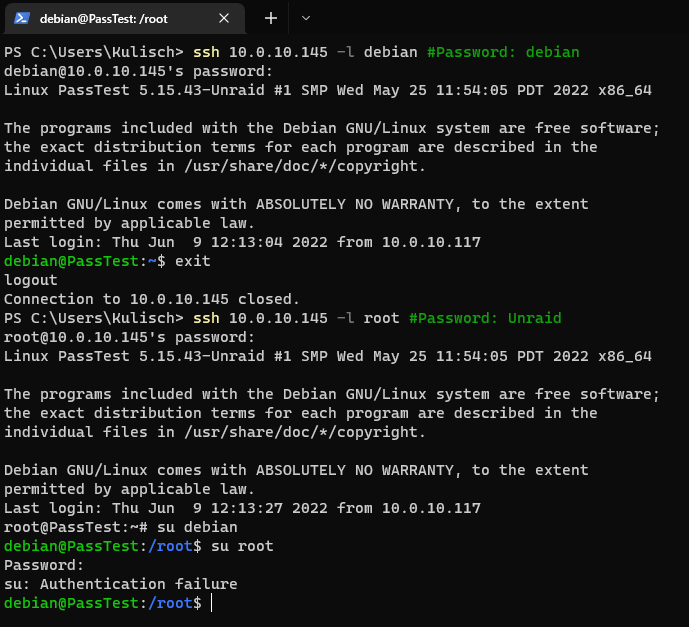
Ok, ssh to the VNCContainer works but su does not... I can't explain why... So if no one else is expiriencing this issues, than that is fine. I will try this in the future again but for now I leave that, because I dont know what exactly is the problem in this case. But thank you very much for your time and trying find a solution.
-
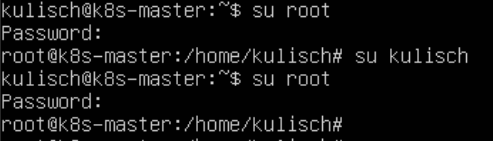
Honestly... im thinking in the same way,... I wish I could show you in plaintext what I'm typing, but I dont know how. I want to show you that this is not an layer 8 problem, because I'm starting to feel ridiculous. I wanted to make sure that I typed the password correctly, because like you said... maybe the Keyboard Layout is wrong. But thats not the case. If this helps, I can change my Layout with dpkg-reconfigure, but this shouldn't effect this in any way. Switching user multiple times to another user doesn't make much sense, that is correct but it works on every other VM, Machine,... thats only for testing purposes to troubleshoot. kulisch -> root -> kulisch -> root (works on my testmachine too) If there is no solution for this, I will uninstall this plugin and come back later, hoping that is problem gets solved by... I dont know some random patch or something.