





abc123
Members
-
Joined
-
Last visited
Everything posted by abc123
-
I would love to see Kubernetes support via k3s, enabling helm support. I could then get all my docker containers setup done via helm and have a GitHub repo to maintain this as a backup.
-
For me (unraid 6.9.0) on System Devices page I check the NVMe drive i want to passthrough: Then on my VM: My VM is running so it is Greyed out but normally blue. I also have this set for Primary vDisk location This method keeps unraid from mounting the drive at all



-
I disabled 4G Decoding and am still receiving Installed GPU(s): Failed to initialize NVML: Unknown Error None of my graphics cards are in the `VFIO-PCI CFG`, this error shows before i even boot into my VM, when my VM is powered down it is showing my 1080ti. Here is my System Devices with 1660 Super: [10de:21c4] 10:00.0 VGA compatible controller: NVIDIA Corporation TU116 [GeForce GTX 1660 SUPER] (rev a1) NVM i accidentally had picked the USB part of the 1660 super to VFIO binding...which is why it wasn't able to see the card correctly..

-
i'm getting: Installed GPU(s):Failed to initialize NVML: Unknown Error Hardware: ASROCK X570 TAICHI 5950X 1080 TI (used for video passthrough to VM) 1660 Super (used for video passthrough to docker container [plex]) Let me know if you need to know anything else, I don't know unraid well enough to just know what log to grab Solution: Double check VFIO binding make sure you aren't selecting even part of the card...i had the usb controller selected which stopped the driver from loading.
-
Anyone else have weird performance in Windows 10 Pro in a VM? I am having a laggy mouse/slow performance at startup of the VM then after ~5 minutes everything works lovely (some minor glitches while gaming). I'd love any guesses on what might be causing this.
-
If i have a 5950x it looks like there are two 8 core CCXs, but i don't know what that means for my CPU pinning, i'd love assistance.
-
Actually looks like i'm getting the following error: 2021-02-23T19:11:11.085025Z qemu-system-x86_64: -device vfio-pci,host=0000:09:00.0,id=hostdev0,bus=pci.0,addr=0x5,romfile=/mnt/cache/appdata/EVGA.GTX1080Ti.11264.170301.rom: Failed to mmap 0000:09:00.0 BAR 3. Performance may be slow When attempting to use the video card
-
I readded the GPU passthrough and Sound passthrough that goes with it, I added a Graphics ROM BIOS...and Unraid didn't crash! I can't see my windows machine either plugged into the monitor or via RDP...but I can probably work more on this now.
-
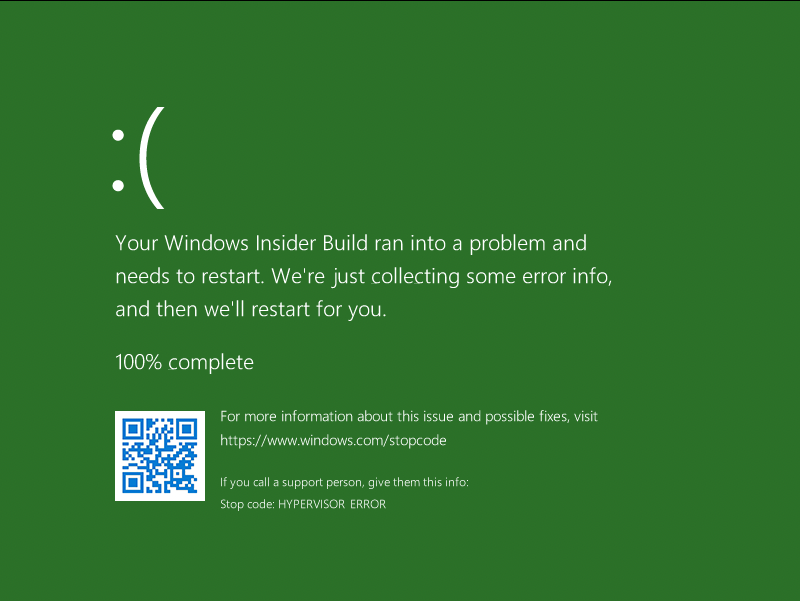
Hey manHands! thanks so much for the reply. I am on unRaid 6.8.3, I haven't tried without GPU passthrough but can attempt that now. Attempt without GPU passthrough, it appears to of started and not killed my unRaid!!! OMG this is the closest to anything i've come. What would you like me to try next?
-
I'm attempting to create a Windows 10 VM (it used to be a bare metal windows machine). I followed some of Space Invader's videos, but whenever I start the VM I see some CPU spikes and then a crash of the whole unraid system. The hardware is: AMD Ryzen 5950X GIGABYTE X570 AORUS ELITE AMD X570 ATX Motherboard G.SKILL TridentZ RGB Series 32GB (2 x 16GB) 288-Pin DDR4 SDRAM DDR4 3200 (PC4 25600) Nvidia GeForce 1080 Ti IOMMU groups: IOMMU group 0: [1022:1482] 00:01.0 Host bridge: Advanced Micro Devices, Inc. [AMD] Starship/Matisse PCIe Dummy Host Bridge IOMMU group 1: [1022:1483] 00:01.1 PCI bridge: Advanced Micro Devices, Inc. [AMD] Starship/Matisse GPP Bridge IOMMU group 2: [1022:1483] 00:01.2 PCI bridge: Advanced Micro Devices, Inc. [AMD] Starship/Matisse GPP Bridge IOMMU group 3: [1022:1482] 00:02.0 Host bridge: Advanced Micro Devices, Inc. [AMD] Starship/Matisse PCIe Dummy Host Bridge IOMMU group 4: [1022:1482] 00:03.0 Host bridge: Advanced Micro Devices, Inc. [AMD] Starship/Matisse PCIe Dummy Host Bridge IOMMU group 5: [1022:1483] 00:03.1 PCI bridge: Advanced Micro Devices, Inc. [AMD] Starship/Matisse GPP Bridge IOMMU group 6: [1022:1482] 00:04.0 Host bridge: Advanced Micro Devices, Inc. [AMD] Starship/Matisse PCIe Dummy Host Bridge IOMMU group 7: [1022:1482] 00:05.0 Host bridge: Advanced Micro Devices, Inc. [AMD] Starship/Matisse PCIe Dummy Host Bridge IOMMU group 8: [1022:1482] 00:07.0 Host bridge: Advanced Micro Devices, Inc. [AMD] Starship/Matisse PCIe Dummy Host Bridge IOMMU group 9: [1022:1484] 00:07.1 PCI bridge: Advanced Micro Devices, Inc. [AMD] Starship/Matisse Internal PCIe GPP Bridge 0 to bus[E:B] IOMMU group 10: [1022:1482] 00:08.0 Host bridge: Advanced Micro Devices, Inc. [AMD] Starship/Matisse PCIe Dummy Host Bridge IOMMU group 11: [1022:1484] 00:08.1 PCI bridge: Advanced Micro Devices, Inc. [AMD] Starship/Matisse Internal PCIe GPP Bridge 0 to bus[E:B] IOMMU group 12: [1022:790b] 00:14.0 SMBus: Advanced Micro Devices, Inc. [AMD] FCH SMBus Controller (rev 61) [1022:790e] 00:14.3 ISA bridge: Advanced Micro Devices, Inc. [AMD] FCH LPC Bridge (rev 51) IOMMU group 13: [1022:1440] 00:18.0 Host bridge: Advanced Micro Devices, Inc. [AMD] Matisse Device 24: Function 0 [1022:1441] 00:18.1 Host bridge: Advanced Micro Devices, Inc. [AMD] Matisse Device 24: Function 1 [1022:1442] 00:18.2 Host bridge: Advanced Micro Devices, Inc. [AMD] Matisse Device 24: Function 2 [1022:1443] 00:18.3 Host bridge: Advanced Micro Devices, Inc. [AMD] Matisse Device 24: Function 3 [1022:1444] 00:18.4 Host bridge: Advanced Micro Devices, Inc. [AMD] Matisse Device 24: Function 4 [1022:1445] 00:18.5 Host bridge: Advanced Micro Devices, Inc. [AMD] Matisse Device 24: Function 5 [1022:1446] 00:18.6 Host bridge: Advanced Micro Devices, Inc. [AMD] Matisse Device 24: Function 6 [1022:1447] 00:18.7 Host bridge: Advanced Micro Devices, Inc. [AMD] Matisse Device 24: Function 7 IOMMU group 14: [144d:a808] 01:00.0 Non-Volatile memory controller: Samsung Electronics Co Ltd NVMe SSD Controller SM981/PM981/PM983 IOMMU group 15: [1022:57ad] 02:00.0 PCI bridge: Advanced Micro Devices, Inc. [AMD] Matisse Switch Upstream IOMMU group 16: [1022:57a3] 03:02.0 PCI bridge: Advanced Micro Devices, Inc. [AMD] Matisse PCIe GPP Bridge IOMMU group 17: [1022:57a3] 03:04.0 PCI bridge: Advanced Micro Devices, Inc. [AMD] Matisse PCIe GPP Bridge IOMMU group 18: [1022:57a4] 03:08.0 PCI bridge: Advanced Micro Devices, Inc. [AMD] Matisse PCIe GPP Bridge [1022:1485] 06:00.0 Non-Essential Instrumentation [1300]: Advanced Micro Devices, Inc. [AMD] Starship/Matisse Reserved SPP [1022:149c] 06:00.1 USB controller: Advanced Micro Devices, Inc. [AMD] Matisse USB 3.0 Host Controller [1022:149c] 06:00.3 USB controller: Advanced Micro Devices, Inc. [AMD] Matisse USB 3.0 Host Controller IOMMU group 19: [1022:57a4] 03:09.0 PCI bridge: Advanced Micro Devices, Inc. [AMD] Matisse PCIe GPP Bridge [1022:7901] 07:00.0 SATA controller: Advanced Micro Devices, Inc. [AMD] FCH SATA Controller [AHCI mode] (rev 51) IOMMU group 20: [1022:57a4] 03:0a.0 PCI bridge: Advanced Micro Devices, Inc. [AMD] Matisse PCIe GPP Bridge [1022:7901] 08:00.0 SATA controller: Advanced Micro Devices, Inc. [AMD] FCH SATA Controller [AHCI mode] (rev 51) IOMMU group 21: [10de:21c4] 04:00.0 VGA compatible controller: NVIDIA Corporation TU116 [GeForce GTX 1660 SUPER] (rev a1) [10de:1aeb] 04:00.1 Audio device: NVIDIA Corporation TU116 High Definition Audio Controller (rev a1) [10de:1aec] 04:00.2 USB controller: NVIDIA Corporation Device 1aec (rev a1) [10de:1aed] 04:00.3 Serial bus controller [0c80]: NVIDIA Corporation TU116 [GeForce GTX 1650 SUPER] (rev a1) IOMMU group 22: [8086:1539] 05:00.0 Ethernet controller: Intel Corporation I211 Gigabit Network Connection (rev 03) IOMMU group 23: [10de:1b06] 09:00.0 VGA compatible controller: NVIDIA Corporation GP102 [GeForce GTX 1080 Ti] (rev a1) [10de:10ef] 09:00.1 Audio device: NVIDIA Corporation GP102 HDMI Audio Controller (rev a1) IOMMU group 24: [1022:148a] 0a:00.0 Non-Essential Instrumentation [1300]: Advanced Micro Devices, Inc. [AMD] Starship/Matisse PCIe Dummy Function IOMMU group 25: [1022:1485] 0b:00.0 Non-Essential Instrumentation [1300]: Advanced Micro Devices, Inc. [AMD] Starship/Matisse Reserved SPP IOMMU group 26: [1022:1486] 0b:00.1 Encryption controller: Advanced Micro Devices, Inc. [AMD] Starship/Matisse Cryptographic Coprocessor PSPCPP IOMMU group 27: [1022:149c] 0b:00.3 USB controller: Advanced Micro Devices, Inc. [AMD] Matisse USB 3.0 Host Controller IOMMU group 28: [1022:1487] 0b:00.4 Audio device: Advanced Micro Devices, Inc. [AMD] Starship/Matisse HD Audio Controller VM XML <?xml version='1.0' encoding='UTF-8'?> <domain type='kvm'> <name>Windows 10 Dual Boot</name> <uuid>03c00218-044d-050f-bc06-ed0700080009</uuid> <metadata> <vmtemplate xmlns="unraid" name="Windows 10" icon="windows.png" os="windows10"/> </metadata> <memory unit='KiB'>33554432</memory> <currentMemory unit='KiB'>33554432</currentMemory> <memoryBacking> <nosharepages/> </memoryBacking> <vcpu placement='static'>16</vcpu> <cputune> <vcpupin vcpu='0' cpuset='8'/> <vcpupin vcpu='1' cpuset='24'/> <vcpupin vcpu='2' cpuset='9'/> <vcpupin vcpu='3' cpuset='25'/> <vcpupin vcpu='4' cpuset='10'/> <vcpupin vcpu='5' cpuset='26'/> <vcpupin vcpu='6' cpuset='11'/> <vcpupin vcpu='7' cpuset='27'/> <vcpupin vcpu='8' cpuset='12'/> <vcpupin vcpu='9' cpuset='28'/> <vcpupin vcpu='10' cpuset='13'/> <vcpupin vcpu='11' cpuset='29'/> <vcpupin vcpu='12' cpuset='14'/> <vcpupin vcpu='13' cpuset='30'/> <vcpupin vcpu='14' cpuset='15'/> <vcpupin vcpu='15' cpuset='31'/> </cputune> <os> <type arch='x86_64' machine='pc-i440fx-4.2'>hvm</type> <loader readonly='yes' type='pflash'>/usr/share/qemu/ovmf-x64/OVMF_CODE-pure-efi.fd</loader> <nvram>/etc/libvirt/qemu/nvram/03c00218-044d-050f-bc06-ed0700080009_VARS-pure-efi.fd</nvram> <boot dev='hd'/> </os> <features> <acpi/> <apic/> <hyperv> <relaxed state='on'/> <vapic state='on'/> <spinlocks state='on' retries='8191'/> <vendor_id state='on' value='none'/> </hyperv> </features> <cpu mode='host-passthrough' check='none'> <topology sockets='1' cores='8' threads='2'/> <cache mode='passthrough'/> <feature policy='require' name='topoext'/> </cpu> <clock offset='localtime'> <timer name='hypervclock' present='yes'/> <timer name='hpet' present='no'/> </clock> <on_poweroff>destroy</on_poweroff> <on_reboot>restart</on_reboot> <on_crash>restart</on_crash> <devices> <emulator>/usr/local/sbin/qemu</emulator> <controller type='virtio-serial' index='0'> <address type='pci' domain='0x0000' bus='0x00' slot='0x03' function='0x0'/> </controller> <controller type='pci' index='0' model='pci-root'/> <controller type='usb' index='0' model='qemu-xhci' ports='15'> <address type='pci' domain='0x0000' bus='0x00' slot='0x07' function='0x0'/> </controller> <interface type='bridge'> <mac address='52:54:00:8f:7d:9a'/> <source bridge='br0'/> <model type='virtio'/> <address type='pci' domain='0x0000' bus='0x00' slot='0x02' function='0x0'/> </interface> <serial type='pty'> <target type='isa-serial' port='0'> <model name='isa-serial'/> </target> </serial> <console type='pty'> <target type='serial' port='0'/> </console> <channel type='unix'> <target type='virtio' name='org.qemu.guest_agent.0'/> <address type='virtio-serial' controller='0' bus='0' port='1'/> </channel> <input type='mouse' bus='ps2'/> <input type='keyboard' bus='ps2'/> <hostdev mode='subsystem' type='pci' managed='yes'> <driver name='vfio'/> <source> <address domain='0x0000' bus='0x09' slot='0x00' function='0x0'/> </source> <address type='pci' domain='0x0000' bus='0x00' slot='0x04' function='0x0'/> </hostdev> <hostdev mode='subsystem' type='pci' managed='yes'> <driver name='vfio'/> <source> <address domain='0x0000' bus='0x0b' slot='0x00' function='0x4'/> </source> <address type='pci' domain='0x0000' bus='0x00' slot='0x05' function='0x0'/> </hostdev> <hostdev mode='subsystem' type='pci' managed='yes'> <driver name='vfio'/> <source> <address domain='0x0000' bus='0x01' slot='0x00' function='0x0'/> </source> <address type='pci' domain='0x0000' bus='0x00' slot='0x06' function='0x0'/> </hostdev> <hostdev mode='subsystem' type='usb' managed='no'> <source> <vendor id='0x045e'/> <product id='0x02e3'/> </source> <address type='usb' bus='0' port='1'/> </hostdev> <hostdev mode='subsystem' type='usb' managed='no'> <source> <vendor id='0x1b1c'/> <product id='0x0c22'/> </source> <address type='usb' bus='0' port='2'/> </hostdev> <memballoon model='none'/> </devices> </domain> I've tried with and without this boot option kernel /bzimage append initrd=/bzroot vfio-pci.ids=144d:a808,10de:1b06,1022:1487




