





flamegrilled
Members
-
Joined
-
Last visited
-
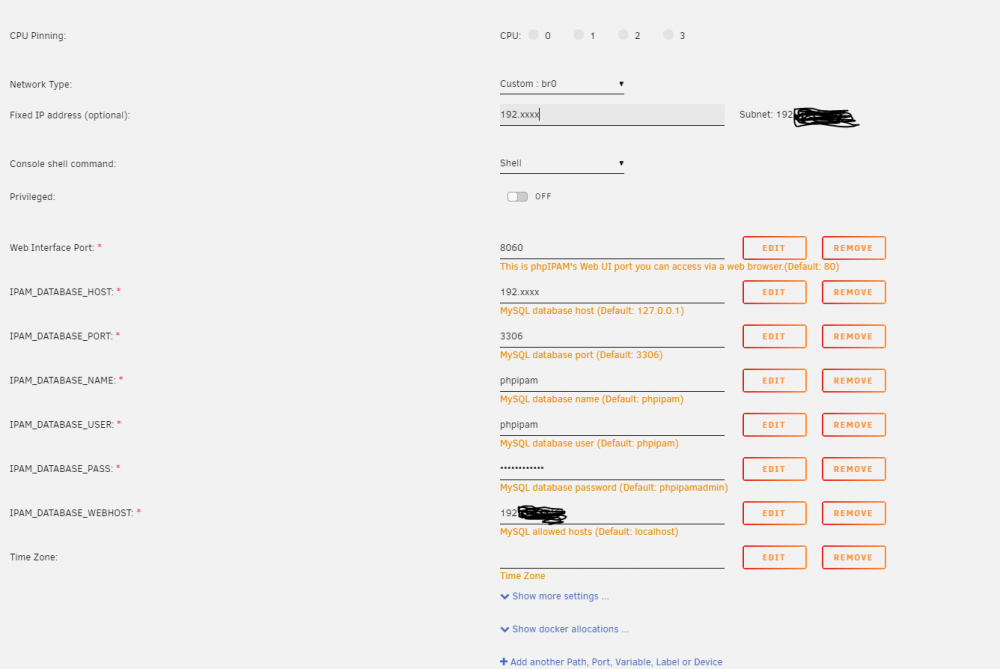
Any idea as to why this will not see the mariadb whether on bridged or custom br networks? Has anyone got the PHPIPAM to work in a container? Edit : Got it t work: https://github.com/phpipam/phpipam/issues/1549 I added the IP of the IPAMwww container to the permission on the database phpipam on Mariadb as in the above explanation ( mysql> grant ALL on phpipam.* to 'phpipamadmin'@'127.0.0.1' identified by 'adminpass'; Query OK, 0 rows affected (0.00 sec) ) I did this i.e not selecting the 3 options and clicked on 2.) Open web, select automatic as usual, but click on advanced and uncheck all three options: Drop exisitng database - Drop existing database if it exists Create database - Create new database Create permissions - Set permissions to tables The reply was 'database dropped'. I continued with the new automatic install which completed the install of ipam-www. Both Mariadb and IPAMwww are custom networks
-
usb2: usb to ethernet devices in a vm running opensense This is the log entry: -device usb-host,hostbus=1,hostaddr=3,id=hostdev0,bus=usb.0,port=1 \ -device usb-host,hostbus=2,hostaddr=6,id=hostdev1,bus=usb.0,port=2 \ -device usb-host,hostbus=2,hostaddr=7,id=hostdev2,bus=usb.0,port=3 \ The is the xml portion : <hostdev mode='subsystem' type='usb' managed='no'> <source> <vendor id='0x07a6'/> <product id='0x8515'/> <address bus='1' device='3'/> </source> <address type='usb' bus='0' port='1'/> </hostdev> <hostdev mode='subsystem' type='usb' managed='no'> <source> <vendor id='0x07a6'/> <product id='0x8515'/> <address bus='2' device='6'/> </source> <address type='usb' bus='0' port='2'/> </hostdev> <hostdev mode='subsystem' type='usb' managed='no'> <source> <vendor id='0x07a6'/> <product id='0x8515'/> <address bus='2' device='7'/> </source> <address type='usb' bus='0' port='3'/> </hostdev> The vm runs normally on a manual config and I see all 3 usb devices in opensense. root@Tower:/etc/udev/rules.d# cat 99-usb-rules.rules SUBSYSTEM=="usb", ATTRS{idVendor}=="07a6", ATTRS{idProduct}=="8515", ATTRS{serial}=="0001", SYMLINK+="ADMtek, Inc. AN8515 Ethernet" root@Tower:/boot/config/rules.d# cat 99-usb-rules.rules SUBSYSTEM=="usb", ATTRS{idVendor}=="07a6", ATTRS{idProduct}=="8515", ATTRS{serial}=="0001", SYMLINK+="ADMtek, Inc. AN8515 Ethernet" The go file : #!/bin/bash # Start the Management Utility /usr/local/sbin/emhttp & cp /boot/config/rules.d/99-usb-rules.rules /etc/udev/rules.d/99-usb-rules.rules chmod 644 /etc/udev/rules.d/99-usb-rules.rules udevadm trigger --attr-match=subsystem=tty Cannot get a persistent link to usb devices after a vm shutdown and startup. Got it working : The word symlink did not cross my mind... Had to read this : http://hintshop.ludvig.co.nz/show/persistent-names-usb-serial-devices/ a few times to figure I had to do this : renamed 99-usb-rules.rules to 99-usb-serial.rules and changed this : SUBSYSTEM=="usb", ATTRS{idVendor}=="07a6", ATTRS{idProduct}=="8515", ATTRS{serial}=="0001", SYMLINK+="ADMtek, Inc. AN8515 Ethernet" to this : root@Tower:/boot/config/rules.d# cat 99-usb-serial.rules SUBSYSTEM=="usb", ATTRS{idVendor}=="07a6", ATTRS{idProduct}=="8515", ATTRS{serial}=="0001", SYMLINK+="ADMtek0" SUBSYSTEM=="usb", ATTRS{idVendor}=="07a6", ATTRS{idProduct}=="8515", ATTRS{serial}=="0001", SYMLINK+="ADMtek1" SUBSYSTEM=="usb", ATTRS{idVendor}=="07a6", ATTRS{idProduct}=="8515", ATTRS{serial}=="0001", SYMLINK+="ADMtek2" Now have to figure out which one comes first in order to get the ethernet to be in the right order i.e. WAN,LAN,OPT1 Not solved : Usb to mac address issue need to resolve : https://github.com/eborisch/ethname
-
Thank you .That's it. Added the sha2 formatted password to the docker config and it worked.
-
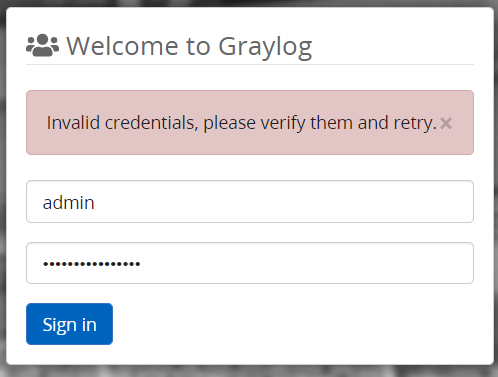
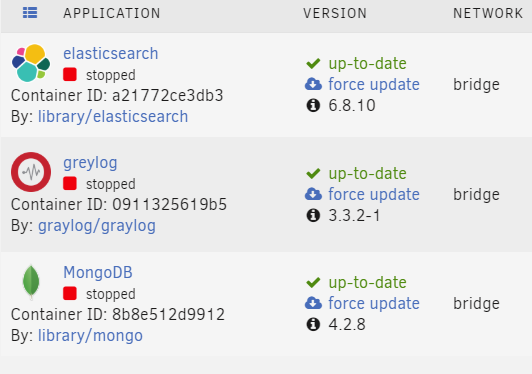
Hi , I cannot login.Change passwords and added to the Graylog.conf file.Any clues as to why.Is the password (which is more 16 char) the issue?Pics show containers off atm. Thanks Got it working by changing password. Modifying timezone.Going to reinstall again to confirm install.
-
I installed unbalance plugin .I get nothing on http://IP:6237/
-
plugin: bad file MD5: /boot/config/plugins/unbalance/unbalance-1.2.11.tgz
-
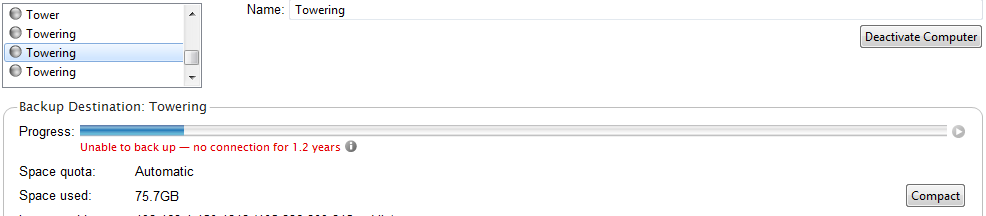
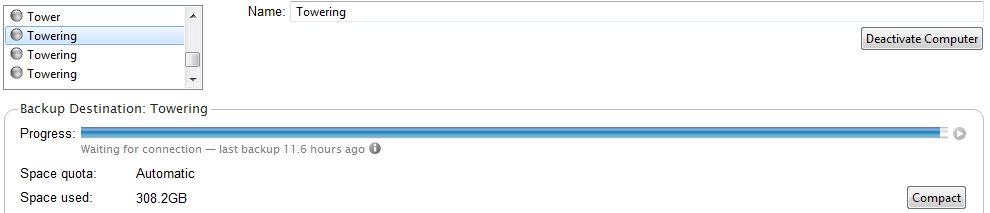
I think I started by using the default /data in the crashplan container setup as my backup destination which with the v5 plugin was just marked as /mnt/user/m. I did miss the crashplan destination adopt option in the gui.So this would have eliminated the collection of "towers" in destinations I assume. I have attached the current setup from my Laptop to Tower or in this case Towering.I chose the only green online "towering" machine on the laptop as it connected I assume after changing the destination path in the gui on the docker crashplan desktop. When I clicked on the backup option on the laptop backup it immediately showed size and it was pretty much the same size and when I looked at the restore tab I could see the previous backed up content. I love the new docker setup and the elimination of the ssh tunnel. Thanks Gents for all the advice.


-
Gizmotoy how do you go back to history? I have two tower destinations which are marked as "offline" in the restore tab in the new crashplan container. I have had to start backups all over in the past.I do not want to do it a third time.I can see my backup destination files on the tower. What config is crashplan looking for? If I restore my old v5.5 unraid flash on a vm,can I restore my crashplan plugin config?What should the path be?
-
I have moved from a crashplan plg installation on UNRAID v5.5 with install path /mnt/cache/crashplan and backup path /user/m the same into a crashplan container in docker and cannot see any restores from destination being Tower.Does crashplan.plg install to another path that I have missed in moving to dockers?

