





Trinistan
Members
-
Joined
-
Last visited
Everything posted by Trinistan
-
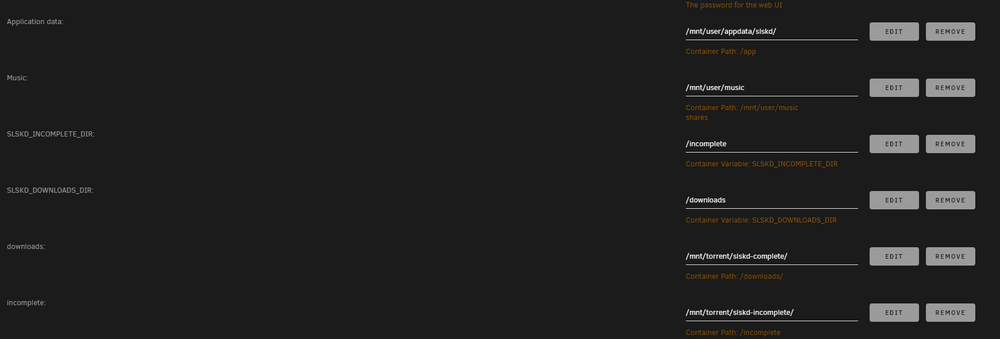
I tried adding another mount point to Lidarr adjusted that mount point in the soularr config download_dir = /slskd/slskd-complete here is the slskd template in unraid slskd.yml directories: incomplete: /incomplete/ downloads: /downloads/ It doesn't appear Lidarr sees the downloads still. Let me know if you have time to troubleshoot with me. Thanks again.

-
Thanks for the response, yeah I went through the soularr readme several times. I do have trash guide set up, I did add the extra mounts and DOWNLOADS_DIR to my slskd template. I will read up on the discussion. Let me take a few more stabs at it, then it may be helpful to go through my settings with a fine tooth comb if you don't mind. I appreciate your time on this and the help you're providing.
-
@JPDVM2014 I've set up my template just like that, I still don't see albums being added and transferred in Lidarr. Anything else I need to try?
-
@JPDVM2014 didn't seem to fix it. I've let 3 albums complete so far. Edit: I found this error in the logs of soularr PermissionError: [Errno 13] Permission denied: '01 Wrong Side Of The Street.flac' [ERROR|soularr|L690] 2025-01-03T18:46:36-0500: Fatal error! Exiting... 03/01/2025 18:46:36 - Waiting for 300 seconds before checking again...
-
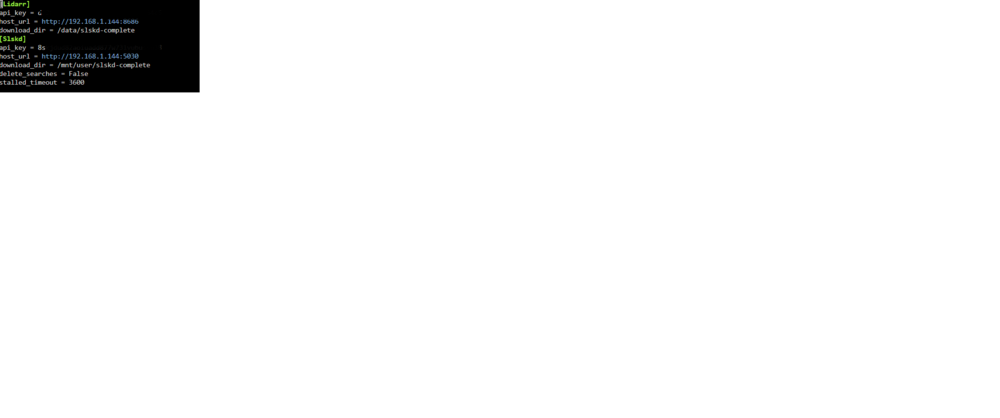
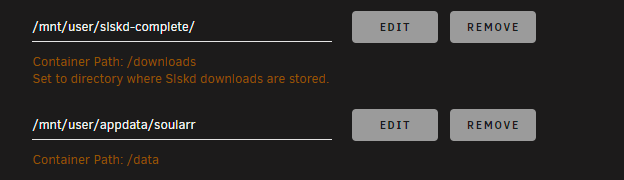
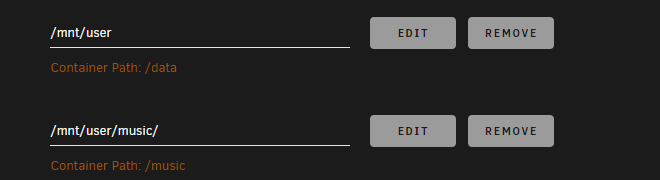
Soularr help needed, I've installed Soularr, I got it to sync up with Lidarr just fine and download files. But Lidarr doesn't seem to be picking up on the files. I'm not sure what I'm doing wrong here. Let me know what info you need. Running this on Unraid config file for slskd - directory path Soularr template Lidarr template config for soularr

-
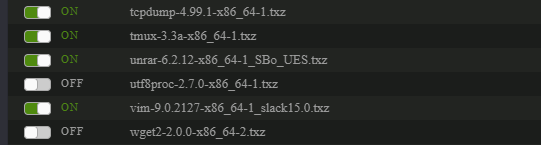
This is all I have installed via nerd tools

-
gdb gdb: error while loading shared libraries: libdebuginfod.so.1: cannot open shared object file: No such file or directory
-
ls -la /boot/config/plugins/cache-mover total 30196 drwx------ 2 root root 4096 Dec 20 16:25 ./ drwx------ 51 root root 12288 Dec 20 16:23 ../ -rw------- 1 root root 11780 Dec 20 16:23 cache-mover-2024.12.20-x86_64.txz -rw------- 1 root root 689 Dec 20 16:25 cachemoversettings -rw------- 1 root root 8184 Dec 20 16:23 fdclose.txz -rw------- 1 root root 5361144 Dec 20 16:23 gdb-15.2-x86_64-1.txz -rw------- 1 root root 25515432 Dec 20 16:23 python3-3.11.10-x86_64-1.txz I reinstalled the plugin but I'm still getting the same message.
-
Can I recommend a switch to turn off disk monitoring? or a cronjob to set so I can disable monitoring during specific times? The reason, when I'm running tdarr it triggers cache mover to add those files to the cache drive. Also, What does this mean? Unable to find gdb, check readme
-
Getting an error when attempting to backup my appdata. ab.log included. ab.log
-
I'm having trouble updating this, doesn't appear to take. I then removed the plugin and added it back, but it doesn't show up in the plugins section. Edit: error I'm getting when trying to install plugin: bad file MD5: /boot/config/plugins/page.notes/page.notes-2023.02.16-x86_64-1.txz Executing hook script: post_plugin_checks




