XCrownedClownsX
Members
-
Joined
-
Last visited
Everything posted by XCrownedClownsX
-
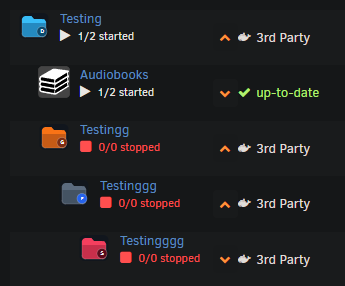
Thanks, that really means a lot! — especially coming from someone who helped shape the original plugin design. And yes, custom CSS is still something I want to support. I know a lot of users have put time into tweaking the look and feel, so the goal is not to make anyone start over. If you’re using a CSS file in /boot/config/plugins/folder.view/styles/, That’s exactly the kind of customization path I’d like to keep working on where possible. Depending on UI changes, some older selectors may need small adjustments, but I do want to preserve that flexibility. I also have a pretty major update in the works that will add nested folder support, along with more bug fixes and general improvements. Here is a little peek ;) A mini guide for custom styling is a great idea too, and I agree it would be helpful. Thanks again — both for the kind words and for helping lay the groundwork for the original plugin.
-
FolderView Plus Update: Major Feature, UX, Compatibility, and Safety Pass (v2026.03.10.11)Since the original post, FolderView Plus has had a large overhaul focused on reliability, migration, and day-to-day usability on real Unraid systems. Important: Conflicting Plugin Runtime Protection- FolderView Plus now actively detects Folder View 3 and Folder View 2 runtime conflicts. - If a conflict is detected, FolderView Plus enters safe mode: - settings stay available - Docker/VM/Dashboard runtime injection is paused (to prevent collisions) - A clear banner explains what to remove and how to recover - After removing the conflicting plugin and reloading, FolderView Plus resumes normal runtime behavior. Migration + Legacy Compatibility (Permanent)- Full compatibility retained for imports from: - folder.view3 - folder.view2 - Legacy label keys and legacy config paths are still supported. - Legacy import fixtures/contracts are now part of validation guards to prevent regressions. Import/Export Overhaul- Export files are pretty-formatted (readable JSON, not one-line blobs). - Import flow now includes: - preview + diff table - operation selection (create/update/delete) - modes: Merge / Replace / Skip existing - optional dry-run (not forced by default) - automatic pre-import safety backup - compact progress UI for long imports - new trust metadata in preview: - Validated schema - Legacy compatibility - Validation warning Settings + UX Improvements- Cleaner Basic vs Advanced workflow. - Setup Wizard significantly expanded (guided/expert flows, presets, review/summary improvements). - Better table controls: status/health/updates columns, filters, compact chips, copy-id action, improved pin behavior. - Improved no-data/fresh-install behavior (no more blank settings page). - Multiple alignment/spacing/overflow fixes across Docker/VM/settings screens. Icons + Customization- Built-in icon picker improvements. - Third-party icon library browsing support. - Direct custom icon upload support (to plugin custom icons folder). - Per-folder status color customization (started/paused/stopped). Security + Reliability Hardening- Stronger request guard coverage on mutating endpoints. - Improved sanitization and safe external-link handling. - Safer runtime behavior and defensive conflict handling. - Better diagnostics/support bundle flow. Performance + Validation Pipeline- Advanced settings data now lazy-loaded for faster first render. - Expanded browser smoke coverage (Chromium + Firefox + WebKit). - CI/release guards extended (legacy support guard, API contract checks, i18n/theme/perf/repro checks, install smoke, release validation). If anyone tests this on a fresh install, legacy migration, or mixed plugin history, feedback is welcome in this thread.
-
If anyone wants more customization and quality-of-life options, you can also check out my feature-enhanced version: FolderView Plus. FolderView Plus builds on the same FolderView concept and adds things like: - Improved import/export workflows (with preview + safer merge behavior) - Automatic backup/restore options - Expanded rules and assignment tooling - Enhanced status/health visibility and UI polish - Mobile/touch support and broader browser compatibility - Ongoing regression/security guardrails and active maintenance Support / discussion thread:
-
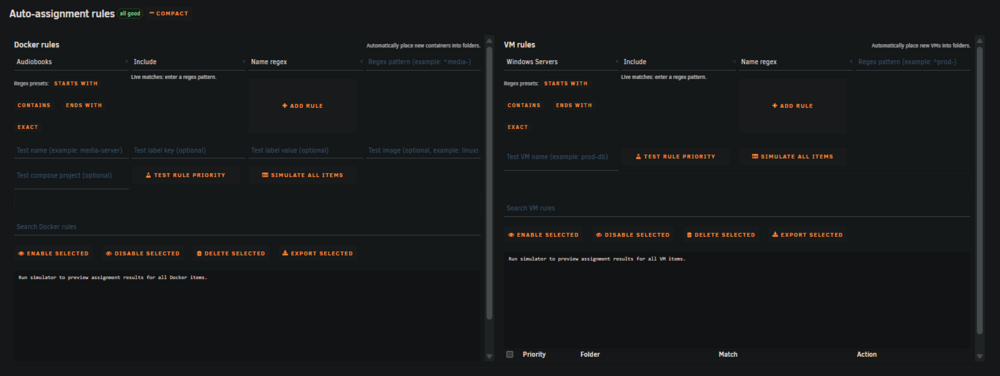
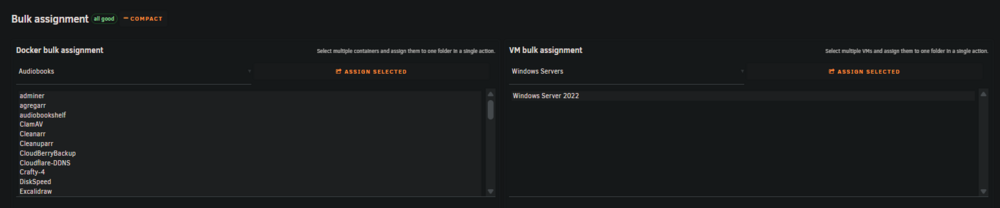
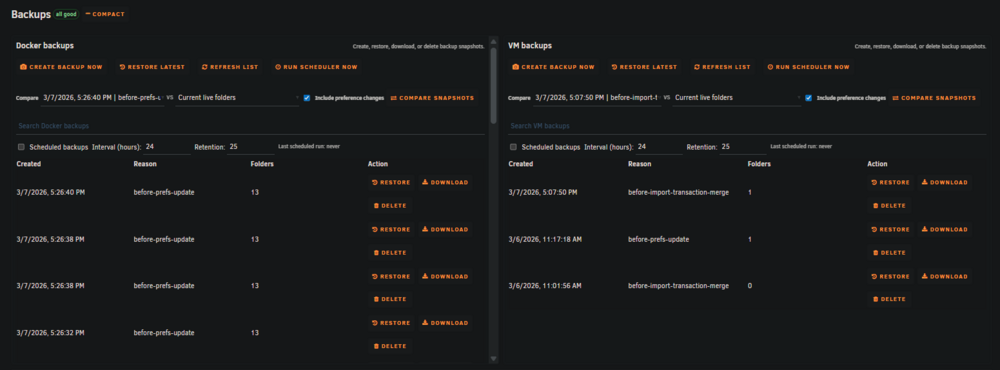
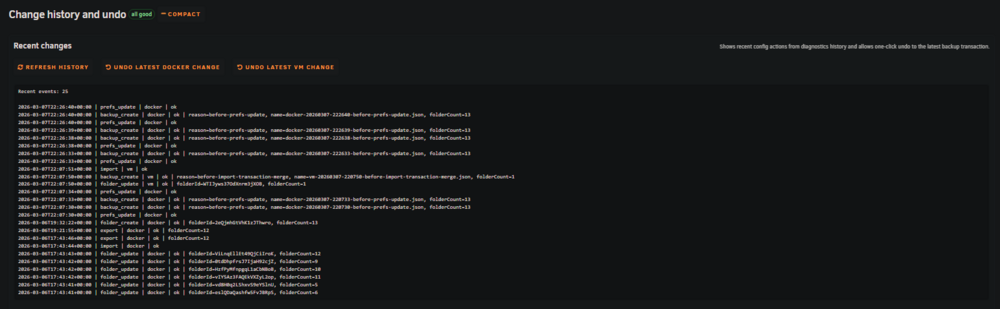
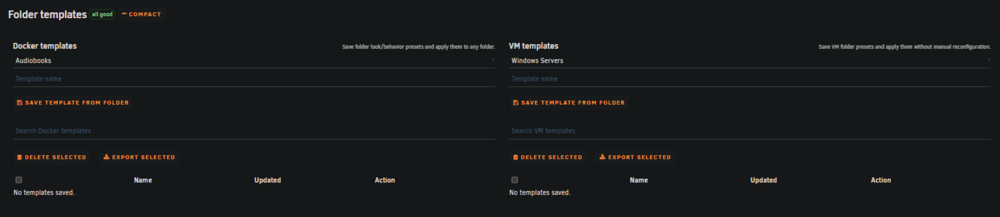
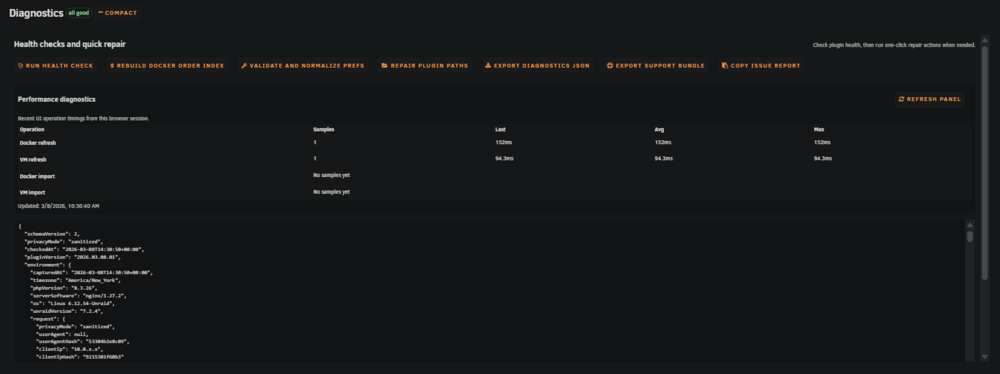
FolderView PlusFolderView Plus is an actively maintained Unraid plugin that builds on the folder.view3 foundation and focuses on improved usability, stronger safeguards, expanded controls, and long-term maintainability for Docker and VM folder management. This thread is for support, testing feedback, and release updates. Visual OverviewDocker Folders Settings VisualSetup Wizard Basic View - Docker Basic View - VMs Advanced SectionsAutomation Recovery Operations Diagnostics What FolderView Plus AddsGuided setup wizard with Basic and Advanced paths. Cleaner and more consistent settings UX across Docker and VM management. Expanded folder controls, ordering, pinning, and action handling. Better status/health presentation with clearer at-a-glance folder state. Rule-based auto-assignment improvements for Docker and VMs. Improved icon workflows: Built-in icon picker Third-party icon library support Custom icon upload support Stronger import and recovery workflows with clearer user feedback. Import, Export, and Recovery Quality ImprovementsImport modes: Replace, Merge, Skip Existing. Import preview before apply with operation planning. Dry-run support in safety workflows where applicable. Automatic pre-import backup behavior. Restore and rollback-aware flows for safer recovery. Legacy compatibility handling for older folder view export formats. Cleaner JSON export/diagnostics structure for easier support and bug triage. Security and Safety HardeningRequest guard protections on mutating endpoints. Request-token handling for protected operations. Centralized response helpers for safer API consistency. Icon upload hardening and validation improvements. SVG sanitization protections for uploaded assets. Upload safety controls (rate/limit protections). Safer external link behavior (noopener noreferrer protections). Release validation checks that block unsafe or incomplete builds. Reliability and Performance WorkOngoing regression coverage for core plugin flows. Additional checks around import, ordering, layout, wizard behavior, and updates. Runtime guards to prevent previously fixed issues from returning. Performance improvements for larger Docker/VM libraries. Better refresh/update behavior and operation progress handling. Improved diagnostics data for support and troubleshooting. Mobile and Browser SupportDedicated mobile/touch support improvements in settings and management flows. Responsive behavior improvements in key dialogs and controls. Regression checks to keep mobile compatibility intact as features grow. Cross-browser compatibility improvements for major modern browsers. NotesCA listing is currently pending review/submission workflow. Until listed in CA, install/update via the .plg URL above. If update cache delays detection, install once from a commit-specific raw URL, then switch back to main. InstallGitHub: https://github.com/alexphillips-dev/FolderView-Plus Install URL (.plg): https://raw.githubusercontent.com/alexphillips-dev/FolderView-Plus/main/folderview.plus.plg Releases: https://github.com/alexphillips-dev/FolderView-Plus/releases Migration from folder.view3 / folder.view2Export Docker and VM folder configs from your current plugin. Install FolderView Plus from the install URL. Import and review the preview/plan. Apply and verify in Docker and VM tabs. Support / Issues / RequestsFor the fastest triage and tracking, please use the GitHub issue forms: Bug report form: https://github.com/alexphillips-dev/FolderView-Plus/issues/new/choose Feature request form: https://github.com/alexphillips-dev/FolderView-Plus/issues/new/choose All issue forms: https://github.com/alexphillips-dev/FolderView-Plus/issues/new/choose GitHub forms are preferred over forum replies because they capture required diagnostics, reproduce steps, and environment details in a structured way. CreditsBase architecture inspiration: https://github.com/chodeus/folder.view3 Included icon pack sources: https://github.com/sameerasw/folder-icons https://github.com/hernandito/unRAID-Docker-Folder-Animated-Icons---Alternate-Colors




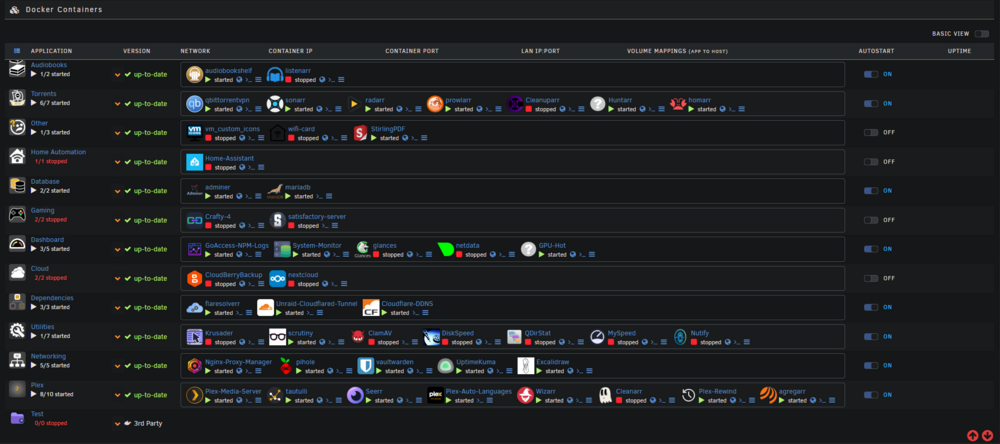
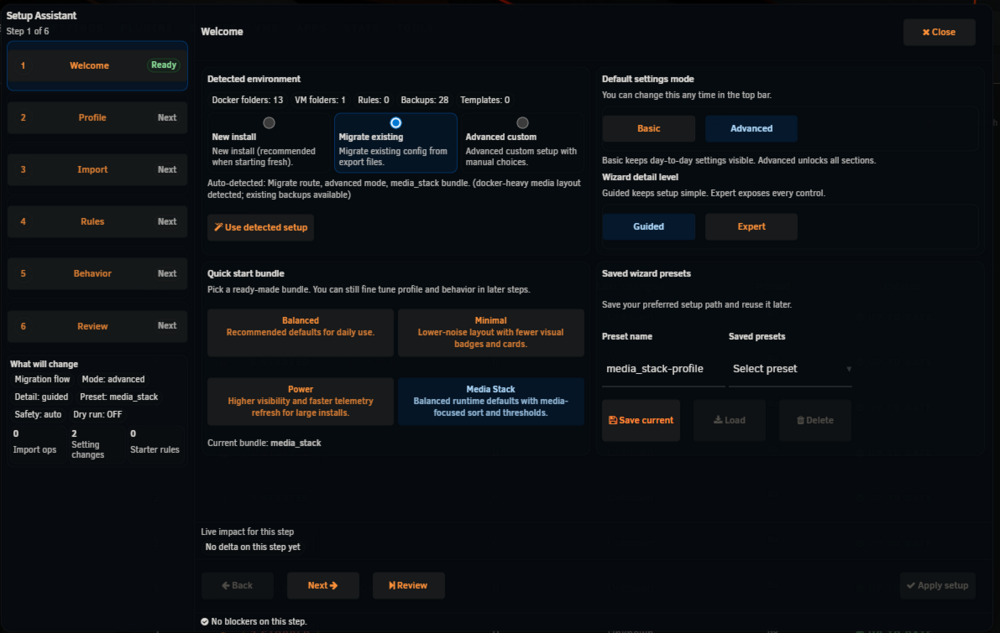
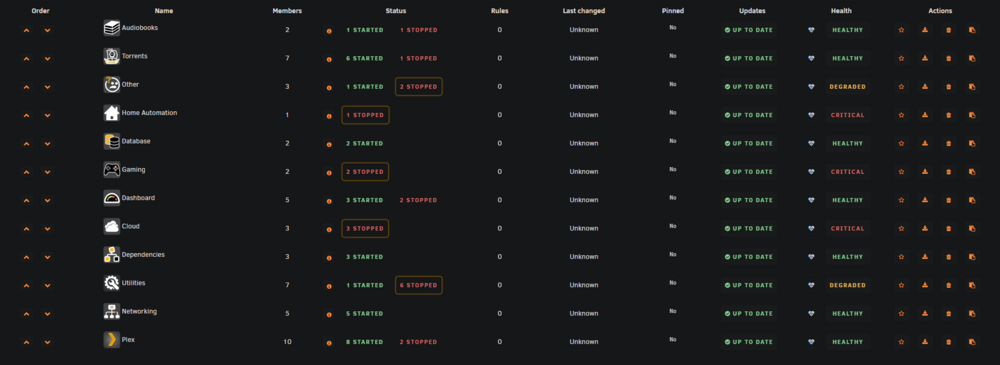
-
I just updated my qbittorrent docker on Unraid and now it wont start.
-
How do I go about fixing this?
-
total 99M -rw-r--r-- 1 root root 85 Apr 9 04:40 apcupsd.events -rw-r--r-- 1 root root 193 Apr 9 04:40 apcupsd.events.1 -rw-r--r-- 1 root root 1.1K Apr 2 04:40 apcupsd.events.2 -rw------- 1 root root 0 Nov 20 16:25 btmp -rw-r--r-- 1 root root 0 Apr 28 2021 cron -rw-r--r-- 1 root root 0 Apr 28 2021 debug -rw-r--r-- 1 root root 81K Mar 26 13:42 dmesg -rw-r--r-- 1 root root 79K Apr 11 05:01 docker.log -rw-r--r-- 1 root root 0 Feb 13 2021 faillog -rw-r--r-- 1 root root 3.1M Apr 3 06:00 file.activity.log -rw-r--r-- 1 root root 0 Apr 7 2000 lastlog drwxr-xr-x 4 root root 180 Apr 9 04:40 libvirt/ -rw-r--r-- 1 root root 0 Apr 28 2021 maillog -rw-r--r-- 1 root root 0 Mar 26 13:42 mcelog -rw-r--r-- 1 root root 0 Apr 28 2021 messages drwxr-xr-x 2 root root 40 Aug 10 2022 nfsd/ drwxr-x--- 2 nobody root 60 Mar 26 13:43 nginx/ lrwxrwxrwx 1 root root 24 Nov 20 16:24 packages -> ../lib/pkgtools/packages/ drwxr-xr-x 5 root root 100 Mar 26 13:42 pkgtools/ drwxr-xr-x 2 root root 760 Apr 11 13:05 plugins/ drwxr-xr-x 2 root root 60 Mar 26 13:42 preclear/ drwxr-xr-x 2 root root 40 Apr 10 12:21 pwfail/ lrwxrwxrwx 1 root root 25 Nov 20 16:26 removed_packages -> pkgtools/removed_packages/ lrwxrwxrwx 1 root root 24 Nov 20 16:26 removed_scripts -> pkgtools/removed_scripts/ lrwxrwxrwx 1 root root 34 Mar 26 13:42 removed_uninstall_scripts -> pkgtools/removed_uninstall_scripts/ drwxr-xr-x 3 root root 340 Mar 26 13:42 samba/ lrwxrwxrwx 1 root root 23 Nov 20 16:24 scripts -> ../lib/pkgtools/scripts/ -rw-r--r-- 1 root root 0 Apr 28 2021 secure lrwxrwxrwx 1 root root 21 Nov 20 16:24 setup -> ../lib/pkgtools/setup/ -rw-r--r-- 1 root root 95M Apr 11 13:30 snmpd.log -rw-r--r-- 1 root root 0 Apr 28 2021 spooler drwxr-xr-x 3 root root 60 Sep 27 2022 swtpm/ -rw-r--r-- 1 root root 538K Apr 11 13:07 syslog drwxr-xr-x 2 root root 60 Mar 26 13:43 unraid-api/ -rw-r--r-- 1 root root 0 Mar 26 13:42 vfio-pci -rw-rw-r-- 1 root utmp 6.8K Mar 26 13:42 wtmp
-
Not sure when this started happening but my /var/log is filling up quite quickly and the only way to fix is to restart the server. I did extend the log size from the default 128 MB to 512 MB but it still keeps filling up. unraid-server-diagnostics-20230411-1308.zip
-
Not sure, the modpack specifically requires 17 and nothing past it. When i try to use 18 it doesnt run.
-
I dont see an option to use java version 17. The "latest" variable downloads java 18. Is there a way around this or a way to specify it through craft 4?
-
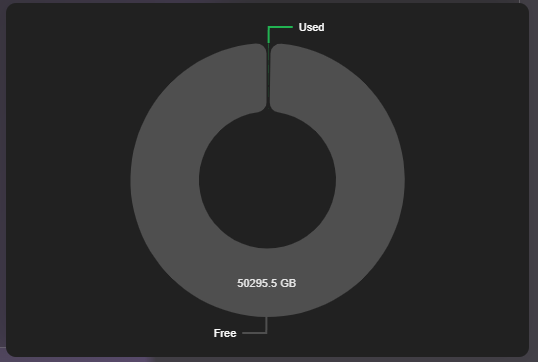
I'm having an issue after installing where it doesn't read the used space properly.