





Evidenz
Members
-
Joined
-
Last visited
Everything posted by Evidenz
-
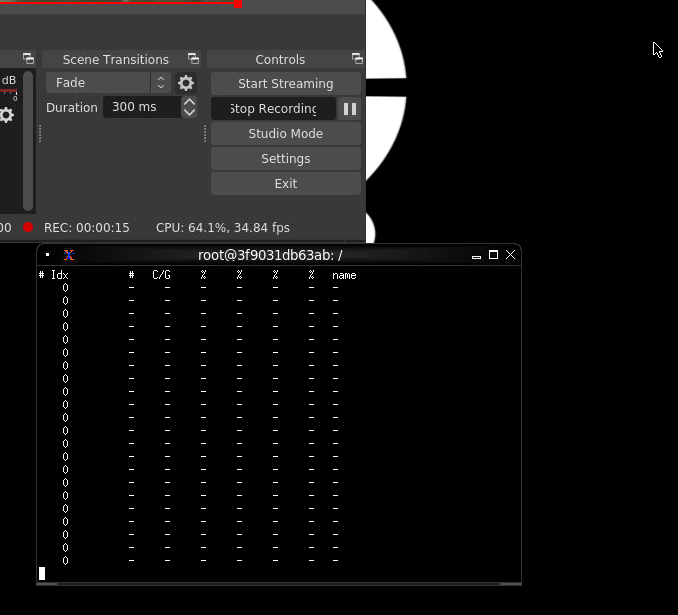
For some reason I got it working that via "nvidia-smi pmon" I get the report back that OBS is using my GPU. The encoding is just something between 2-7% though. That translates also in my FPS the recoding happens. I play on 60 FPS, output is 60 FPS but the recording depends on the container . If I fully load all CPUs then it even drops down to 4 FPS recoded up to 40 FPS. This feels like the GPU is not really used?
-
I am running GTX 1080. I tried all different versions. Currently it is the newest one but I could switch back to an old one again and test.
-
Yes, just kind of a habit for IDs in general.
-
Yes, same settings as with Plex container and there the GPU is used.

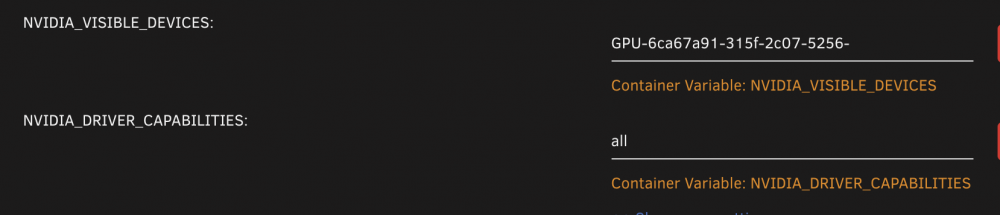
-
Unfortunately, the settings do not really change the situation for me
-
You are right. NDI basically only captures what you can see on your screen and sends it over to a receiving end (the docker). There the whole work needs to be done to transform the data into a stream / media file.
-
@patrickstigler yes, the streaming works, I also get the input from my gaming PC - that's not the problem for me. My problem is that the container does not really utilize the GPU. When I stream or record the CPU usage goes up, the GPU usage sticks at around 1%-2%. And I can see it as well in the recording performance.
-
No worries. On my PC itself the whole NVENC works just fine. Do you have any starting point for me how I could troubleshoot it to check for the issue within the container/with the driver?
-
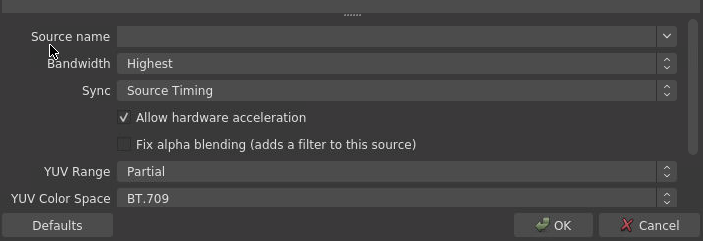
Alright, seems strange that it does show the possibility to use hardware encoding but does end up with the CPU. GTX 1080 Plex is running as well but it is not trans coding. I tried also with Plex container off. One thing I was missing was the hardware acceleration on the NDI source but even with this option enabled only the CPU is used.
-
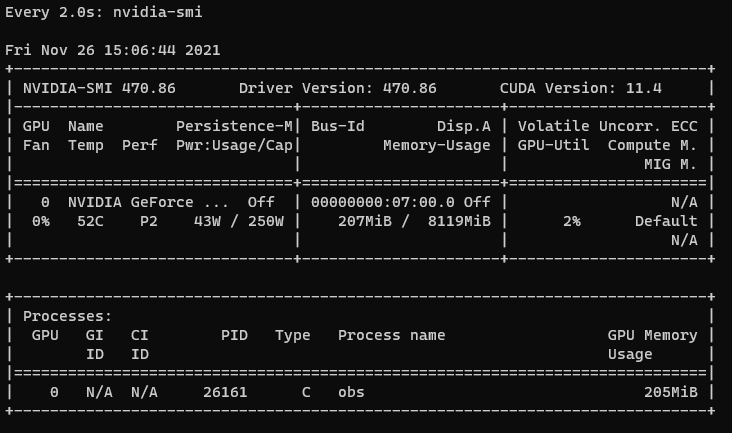
Perhaps I miss something but it seems that the recording does not really uses the GPU? I have everything set - same as for Plex for the Docker run statements. But the GPU is barely in use. The settings are just an example. I have tried a lot of different settings. The output from my main computer is 1080p 60FPS. On the Docker I reach only max 40FPS recording.
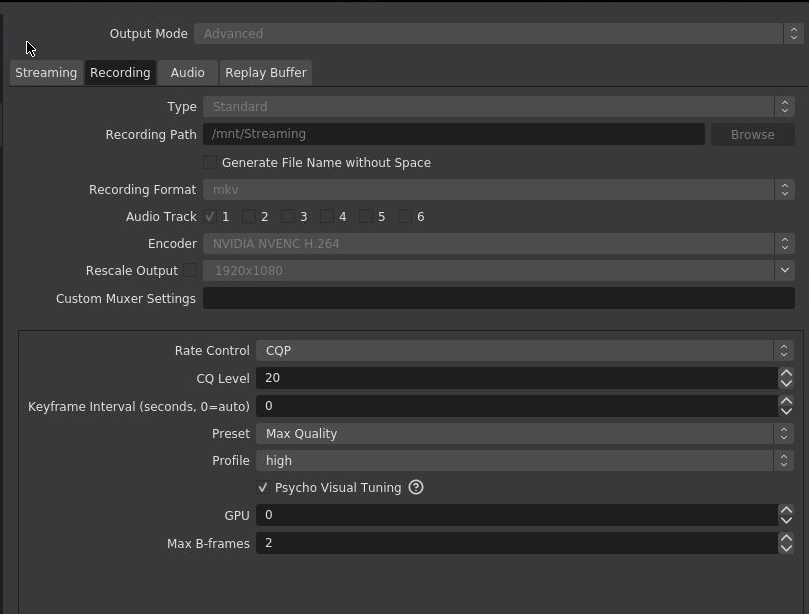
-
I am currently fighting with the situation that I have multiple docker containers which I would like to open with simple hostnames. The current setup is: I have a local domain, for simplicity purpose I will call it LOCALDOMAIN Unraid is reachable via unraid.LOCALDOMAIN from my internal network pfSense is running on dedicated hardware, DHCP & DNS services are used Docker container is started with the extra parameter --hostname dockername.unraid.LOCALDOMAIN Container webGUI is reachable via TCP port 80 Container is set to have a fixed IP address on my local network pfSense is configured to link the docker FQDN to the container's fixed IP address When I lookup the FQDN I also get back the correct IP address. However, when I try to access the FQDN I am simply redirected to my unraid webGUI (sure it also runs on TCP port 80). As long as I directly open the IP address everything is fine. I would like to get the solution working that rather opening my unraid FQDN + specific ports, I will be able to open my Docker containers via dedicated FQDNs. I am pretty sure that I am overseeing some basic routing/network fact that actually prevents what I want but as said, I am for sure just blind to it.
-
For some reason the linkace image is not running properly. I get it up and running to the point where it tries to connect to the included DB but cannot reach it.
-
Awesome project! Perhaps I am a bit blind but how do I add additional users? I do not have the "+ Add" option here.



