D.Romeleitis
Members
-
Joined
-
Last visited
Everything posted by D.Romeleitis
-
Uninstalling Docker Folder solved the issue on my side. Thank you very much. 👍😊
-
Workaround is OK, but it should work in the GUI again. Updated to 6.12.4 and the problem still exists...
-
Hi, since updating to 6.12.3 I can't start docker container via UI. The Start/Stop Button can be pressed, but nothing happens. Other Buttons like Update, Logs etc. are working. With Version 6.12.2 I hadn't these problems. Any idea? Kind regards, Daniel
-
Hi, I read a lot in the other threads, but no possible solution worked for my Windowssystem and I haven't found anything my my other machines. With 6.10.3 everything was fine. Like I read the kernel support of SMB1 was deleted. Actual situation: With share set to "Private" I can't access the shares. Error message "You don't have access rights" or "The local device name is used. Connection can't be established". It doesn't matter which setting I use on WIndows in security options -> LAN Manager authentication level. I tried everything. Error messages are different then, but no access. With Android I am using Total Commander. In the settings it doesn't matter if I am using SMB1, 2 or 3. I get "Access denied". Same for my Multi Function Printer where I can scan directly to a SMB share... When I change to "Secure" I get back access, but even if my user is set to "read/write" I only have read access. Please find a solution in Unraid itself (Patch/Setting) so that I can use my devices again. Kind regards, Daniel
-
That didn't work for me. Still can't connect. I have the same problem with Android mobile in Total Commander. And there is SMB2 or SMB3 selected...
-
But this will fix only the issues from Windows. And I have at least 6 PCs here (wife, children...) + Android Mobiles + Raspberry etc. There must be a way to change something on Unraid server side. With 6.10.3 there was no issue...
-
I still can only access SMB shares when I set them to Security=Secure. If I set it to Security=Private I can't access them anymore. With 6.10.3 there was no issue with this setting. In SMB Settings Netbios is activated. Added min protocol = SMB2 to Samba Extra Configuration. Any idea what I have to change to move back to Security=Private? Update : Found the next issue. With this setting I have read rights but no write rights... My User is set to read/write. Windows message : You need permissions to perform the operation. You must get the required permissions from "UNRAID-SERVER\nobody" to make changes to this file So I have to switch back to "Private"
-
Opened one under https://forums.unraid.net/bug-reports/stable-releases/6102-massive-performance-issues-no-array-access-no-dockers-r1961/
-
Hello, since 6.10-RC3 I have problems. With the stable version it is still the same : Sytem is up, Array is started. No network access to array possible. Dockers are not coming up. The GUI seems very slow (especially when there are network checks on it) Diagnostics can't be created (not via webUI or terminal on server). Terminal window over webUI shows "502 bad gateway". More informations can be found here : https://forums.unraid.net/topic/124129-massive-performance-issues-since-610-rc3/ Please help... Kind regards, Daniel
-
Because of rumors in the family I went back to 6.10-RC2. Everything is running smooth as before. Dockers are up. GUI is running smooth. Please try to find a solution. As it is now I can't ever upgrade to newer versions... Something must have change from 6.10-RC2 to 6.10-RC3. I reported it : https://forums.unraid.net/bug-reports/prereleases/unraid-os-version-6100-rc3-available-r1760/page/7/?tab=comments#comment-17701 Attached the diagnostics (which also are no problem on that version): unraid-server-diagnostics-20220529-1438.zip
-
System is running in safe mode since yesterday. GUI is responding better than in normal mode, but e.g. on Tools -> Update OS the Status of versions remains in "checking". Docker tab is not showing anything. Dockers in main page shows that all dockers are stopped. Array is started, but not reachable over network. I don't think that there is an issue with the NVMe. It is running normal with version 9.10-RC2 and below.
-
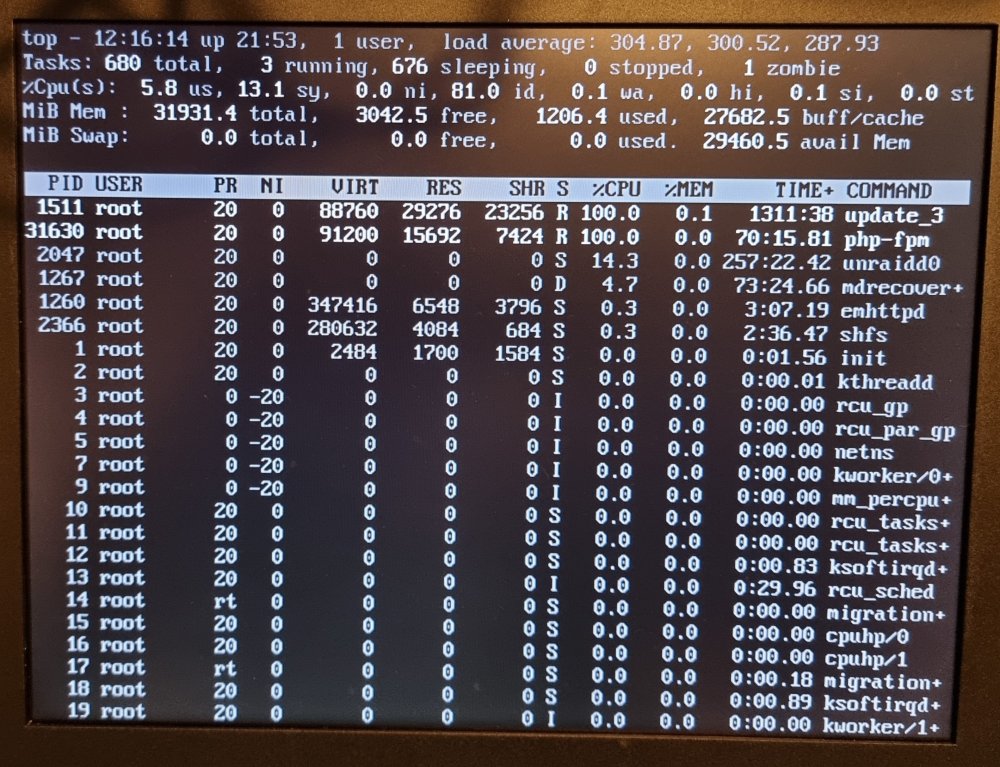
Result of top command...
-
Does anybody have an idea? The system is useless at the moment. Dockers are not starting. GUI is completely unstable/not performant/not reachable. The Array is not reachable. I only see the option to go back to 9.10-RC2, but then can't ever update the system anymore...
-
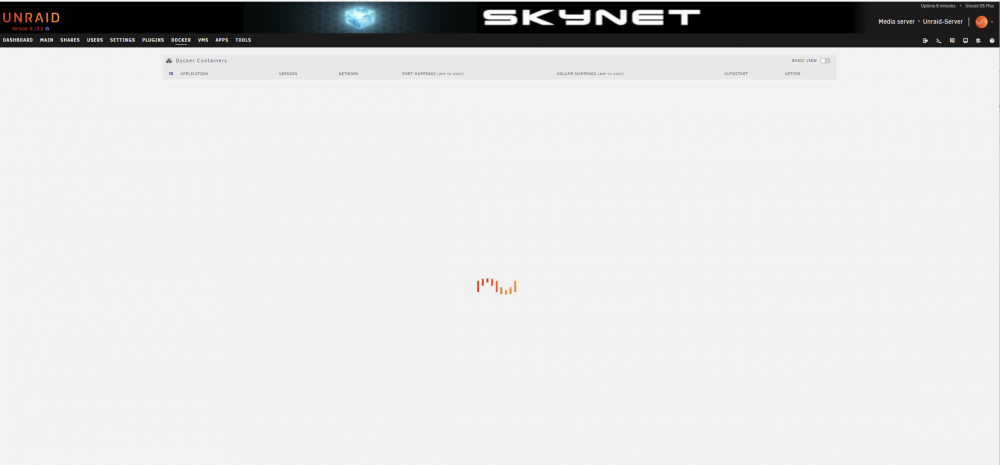
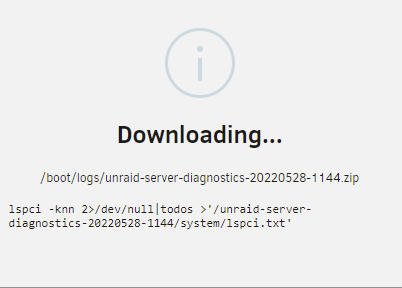
Before the restart I was able to copy syslog.txt directly on servers terminal. Now I restarted in Safe mode. Even there I get a "502 Bad Gateway" when I try to start a terminal window in the Web UI. I started the array. GUI is more performant than before. The docker tab is still very slow showing the containers... I have this window since minutes : syslog.txt I tried to get the diagnostic information, but still the same window like before...
-
I wasn't able to start terminal because of "502 Bad Gateway" SSH on Windows Commandline is giving only "connect to host 192.168.0.5 port 22: Connection refused. Now I get "500 Internal Server Error" on GUI. I will now try to restart Unraid without plugins.
-
One hour later the downloading diagnostics popup still haven't changed. Worst thing : I can't even access my shares from other computers... That is really terrible...
-
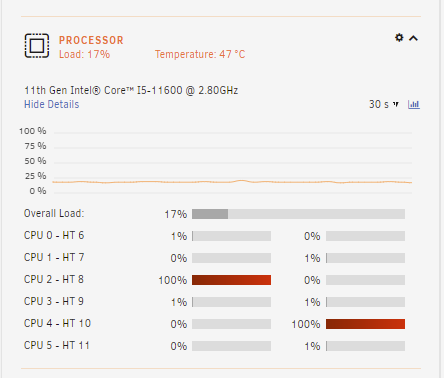
20 Minutes now. Still : From all dockers only AdGuard-Home seems to be started. All others are still stopped. The server is started 50 minutes after the update to Version 6.10.2. Processor usage is higher than 6.10-rc2. There I had under 10%. Now 2 cores are continuesly at 100%:
-
Diagnostics is running since 10 minutes. Still waiting. During that time I found another issue. Tried to open console to get sytem information. But console window has the error : 502 Bad Gateway
-
Hello, on my Unraid server everything was working fine when I used version 6.10-RC2 or lower. Since RC3 the whole GUI is running slow. First I thought it will be fixed with next RC or the stable. Today I gave Version 6.10.2 a try. But still the same. The GUI is very slow. Docker containers starts only partially and slow. When I downgrade to 6.10-RC2 everything is back at the old speed. Any idea? What was changed? Hardware : Gigabyte W480M VISION W 11th Gen Intel® Core™ I5-11600 @ 2.80GHz 32 GB RAM Cache : WD Black SN750 NVMe SSD Parity : Seagate EXOS 18TB Data : 1 x Seagate EXOS 18TB, 5 x Seagate Ironwolf 8 TB Installed Plugins : CA Backup / Restore Appdata CA Config Editor Community Applications disklocation Docker Folder Dynamix Active Streams Dynamix Auto Fan Control Dynamix Cache Directories Dynamix Date Time Dynamix Local Master Dynamix S3 Sleep Dynamix Schedules Dynamix SSD TRIM Dynamix System Information Dynamix System Statistics Dynamix System Temperature File Activity GPU Statistics GUI Search Intel GPU TOP Intel GVT-g Libvirt Hotplug USB My Servers Nerd Tools Open Files Parity Check Tuning Theme Engine Tips and Tweaks Unassigned Devices Unassigned Devices Plus Unassigned Devices Preclear unBALANCE unraid.usbip USBIP Gui User Scripts VM Backup Docker container with autostart : AdGuard-Home diskover Docker-WebUI duplicati EmbyServer JDownloader2 paperless-ng PhotoPrism Photoview elasticsearch mariadb mysql redis Kind regards, Daniel
-
Ich dachte auch erst, dass ich eine Win 10 VM benötige, aber fast alles ist in Docker Images einfacher und vor allem ressourcenschonender aufgehoben. Kein Stress mehr mit Updates und wenn alle Stricke reißen wird der Container und seine App Daten gelöscht und neu gemacht... Was ich noch suche ist eine Bilderverwaltungssoftware, ähnlich wie Qumagie. Aber PhotoView oder PhotoPrism scheinen sich so langsam in die Richtung zu entwickeln.
-
Hallo, Ich habe das Gigabyte W480M VISION Board mit 32 GB DDR4 Speicher, Intel 11600, 5x Seagate Ironwolf 8 TB Festplatten, 1TB WD Black 750 NVME für Docker Images und als Cache und einer 250GB SSD, die ich noch über hatte, als Zwischenspeicher für den JDownloader. Ich bin echt happy mit dem System. Vor allem mit den Möglichkeiten, die einem Docker bietet. Wo ich noch etwas verzweifel ist z. B. bei der Nutzung der IGPU in Docker. Das will mir bei tdarr nicht gelingen... Viele Grüße, Daniel
-
ich777 made some tests on my Unraid Server. There seems to be some problems in the official emby docker. With jellyfish the hardware transcoding is working without problems. I will rise a ticket in the emby forum hoping that they will fix it in one of the next updates...
-
I did it this way... At the moment jellyfin from your repo is indexing my media. I started a movie in jellyfin. Same result as in emby. No reaction on the Dashboard...
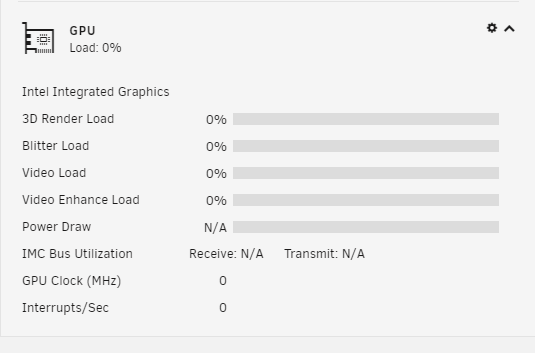
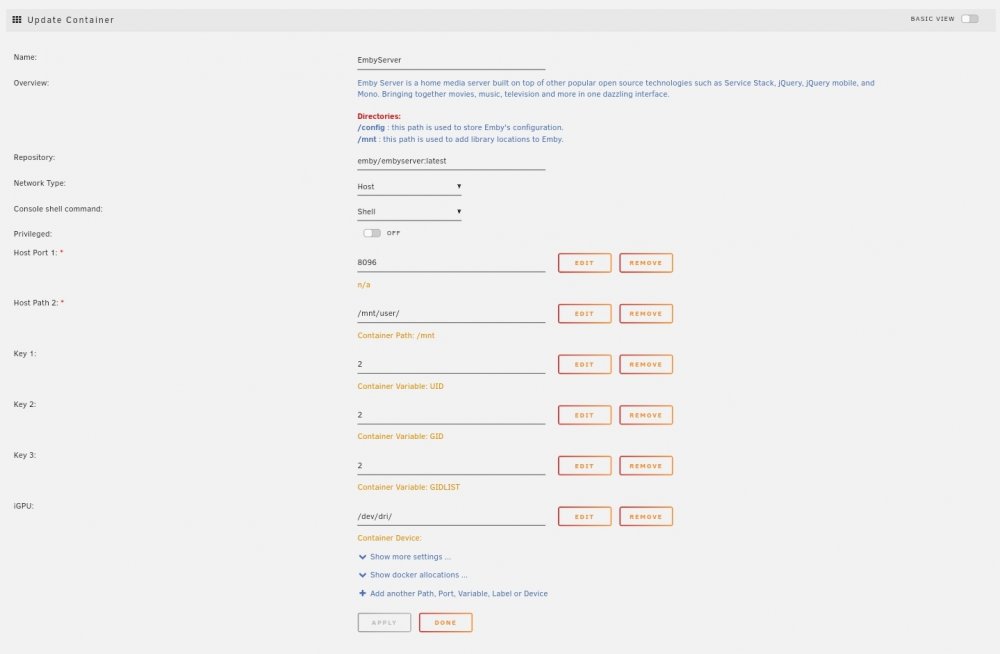 This isn't an emby error. I don't see any information about the iGPU on the Dashboard.