




Skip to content
View in the app

A better way to browse. Learn more.

Unraid

A full-screen app on your home screen with push notifications, badges and more.

To install this app on iOS and iPadOS
  1. Tap the Share icon in Safari
  2. Scroll the menu and tap Add to Home Screen.
  3. Tap Add in the top-right corner.
To install this app on Android
  1. Tap the 3-dot menu (⋮) in the top-right corner of the browser.
  2. Tap Add to Home screen or Install app.
  3. Confirm by tapping Install.

okkies

Members
  • Joined

  • Last visited

Everything posted by okkies

  1. I got TPM and secure boot working trough this guide https://www.linkedin.com/pulse/swtpm-unraid-zoltan-repasi/
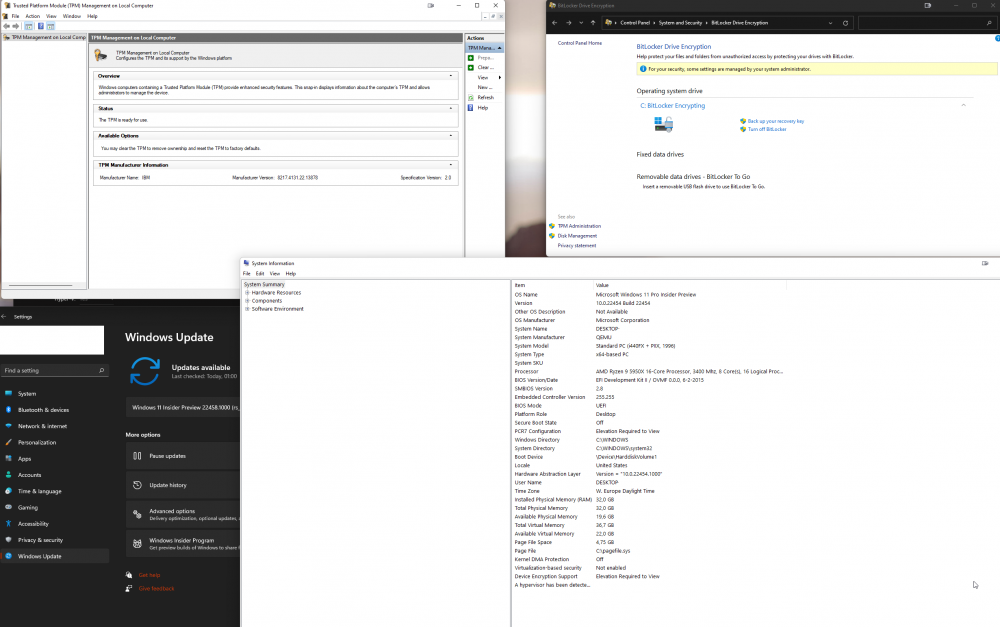
  2. you forgot to forward your soundcard in the gpu on this screenshot atleast
  3. ok, i got some zigbee2mqtt usb sticks forwarded to my Home-assistant VM. How do i start. what i want to do is, start a userscript. (stopping VM-A, and starting VM-B with a delay) from a zigbee button.... How en where do i start ?
  4. love your videos. and but cringe at your jokes :P In case i didnt fuck up my first impression to much. i would really love to see the nicehash OS or Nicehash logo added to the icons. tnx in advance


Account

Navigation

Search

Search

Configure browser push notifications

Chrome (Android)
  1. Tap the lock icon next to the address bar.
  2. Tap Permissions → Notifications.
  3. Adjust your preference.
Chrome (Desktop)
  1. Click the padlock icon in the address bar.
  2. Select Site settings.
  3. Find Notifications and adjust your preference.