






Bengon
Members
-
Joined
-
Last visited
-
Ich schreibe es weil ich auch diese Problem hatte und in Foren diese Vorschläge gesehen hatte und seitdem mir der Zugriff zur WebUi nicht mehr verhindert wird.
-
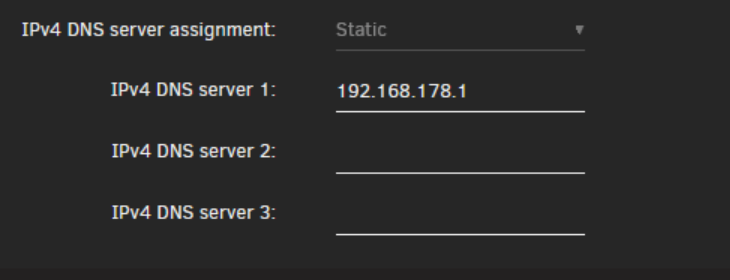
Kannst ja mal so etwas wie 9.9.9.9 oder Google 8.8.8.8 testen
-
Ich meinte das hier,weil ich früher das Problem mit der WebUi auch hatte.
-
Ich habe das gleiche Problem zeitweise, aber immer nur mit 2-4 Einträgen in FB, wobei immer ein neuer MAC generiert wird. Aber meine Oberfläche bleibt immer erreichbar. Seit dem ich Unraid (seit Version 6.xx) beobachte ich das . Hast du ein MB mit mehr als einem NIC ? Mein MB hat 2 Nic´s , und einer ist deaktiviert,aber ich habe so das Gefühl das Unraid den trotzdem erkennt und eine Adresse zuteilen will. Hatte mal testweise ein MB mit nur einem NIC getestet,und da war das Problem nicht. Was Unraid nicht, mag ist das die FB als DNS Server arbeitet. Da solltest du evtl. mal einen öffentlichen eintragen. Das wurde auch schon öfters in Foren diskutiert wurde weil der Zugriff zur Weboberfläche nicht funktionierte
-
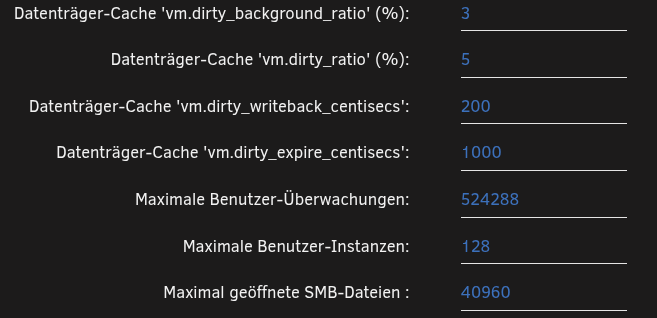
Bei mir steht das Gleiche
-
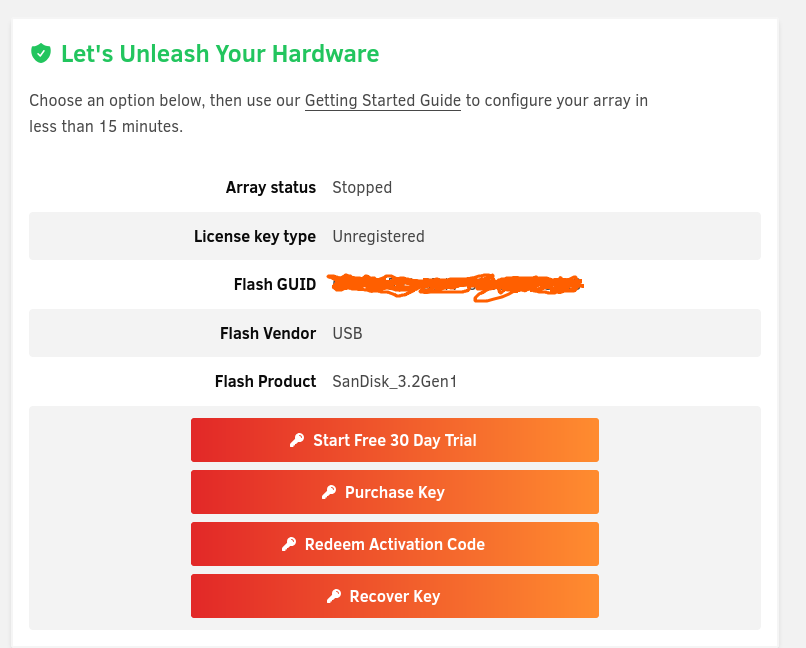
Testweise die neueste Version unter Fedora manuell geflasht. SanDisk Ultra Flair USB 3.0 Flash-Laufwerk 16 GB
-
Bin gerade auf den Artikel gestoßen der auch oben verlinkt ist.: Der DNS-Cookie-Fehler deutet vielmehr auf ein Name-Resolution-Fehler hin. Ein Eintrag im nextcloud-Bugtracker deutet darauf hin, dass es sich auf ein geändertes Verhalten von neueren curl / c-ares – Versionen zurückführen lässt, die bei DNS-Anfragen DNS-Cookies benutzen, aber vom Resolver ein falsches Cookie zurückbekommen. In Kombination mit einer älteren Fritzbox mit Vodafone-Firmware, die DNS-Cookies fälschlicherweise cached führt das zu dem Fehler. In meinem Fall tritt das Problem nur sporadisch auf. Solange Vodafone keine neue Fritzbox-Version ausliefert kann man sich auch damit behelfen, in Unraid einen Thirdparty-DNS-Resolver einzutragen, z.B. den von dismail.de. Für mich klingt das so als wenn das Problem auch in der FB liegen könnte wegen gespeicherter Cookies (vielleicht nicht nur in denen von Vodafone). FB schon mal neu gestartet um irgendwelch Cache-Daten evtl zu löschen,oder vielleicht gibt es auch ein Update ? Oder mal einen ganz anderen DNS Resolver in Unraid getestet ? Oder meinen vorangegangenen Tip...... Internet von einer ganz anderen Quelle beziehen um die Fritzbox zu umgehen
-
Hast du es über die GUI versucht,also Monitor und Tastatur direkt am Server ?
-
Hast du auch den GUI Modus getestet ? Sonst zurück auf 6.12 Für den Fall das es ein internes Netzwerkproblem hast hab ich noch eine wilde Variante zum testen..... Wlan Stick in den Server und IP auf DHCP und das Internet z.B über Hotspot Handy beziehen . So umgehst du deinen Router
-
Hast du das Netzwerk mal zurückgesetzt ?
-
Oder mal im Gui-Modus versucht ?
-
moin,schade das noch nichts funktioniert hat. Da ich das Problem kenne bin ich mir zu 99% sicher das es mit dem Netzwerk zu tun hat. Lösch mal die Netzwer.cfg auf dem Stick damit sich Unraid nach dem Neustart eine neue konfiguriert. Sieh mal unten in der Routingtabelle nach da sind Metric's mit einem Wert angegeben den ich so nicht kenne,das sieht komisch aus. Aber nach einem cfg Reset würden die Werte auch neu generiert. Evtl. mal im Net suchen,da ist es ganz gut erklärt
-
Auch mal über einen Anderen Browser oder PC versucht? Da habe ich schon die dollsten Sachen erlebt,hatte auch mal die Probleme mit der WebUi, auch kann man mal die Netzwerk.cfg löschen.
-
Da kommt deine IP rein die du für den Server hast,aber ändern geht ja nur wenn Dockerdienst beendet ist ist. Hängt aber von deinem Router ab welche frei ist und du vergeben kannst. Kannst ja die nehmen die du immer hattest
-
Kannst du noch downgraden ?


