





clevoir
Members
-
Joined
-
Last visited
Everything posted by clevoir
-
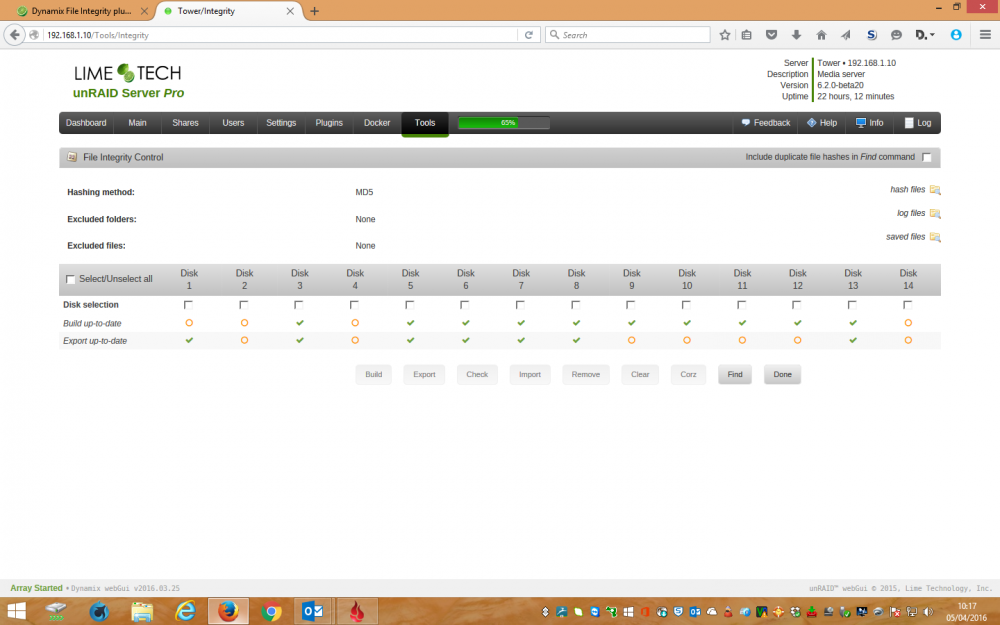
Just for more information, I have now revcieved a notication that Disks 2 & 14 need to be built and exported, from your earlier post I understand that messages shouldn't be sent about build after the intial build has been carried out. However I assume this message was issued as I have turned off the ceration / verification of hash file? Event: Dynamix file integrity daily update Subject: Notice [TOWER] - Disk 2, Disk 4, Disk 14 needs Build & Export updating Description: 19 new files without hash value Importance: normal
-
I have now copied 6 test files, totaling 8Gb, to a test folder under the MP3 share. I have not recieved any error reports regarding these files since disabling creation and verification of files. On coming back to my server, I had noticed more error messages regarding another share - this is before I disabled creation / verification of files An example is:- stat: cannot stat ' /mnt/disk2/Hi Def 2/The Big Bang Theory/Series 6/mymovies.ing : No such file or directory /bin/md5sum: ' /mnt/disk2/Hi Def 2 /The Big Bang Theory/Series 6/mymovies.ign' : No such file or directory On looking at The Big Bang Theory / Series 6 folder I don't have a mymovies.ign file? Just to confirm I am running version 2016.04.02
-
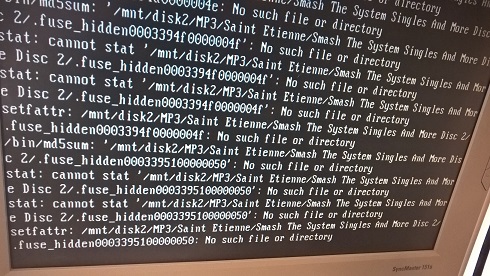
I have just saved some files to a share named MP3 on disk 2, and have just recieved the attached messages regarding setfattr Are these messages related to this plugin?
-
Thank you for your explanation, I'll probably carry out the tasks on a weekly basis from now on.
-
I have setup the following disk verfication tasks:- Task 1 - Disk 1 & 2 Task 2 - Disk 3 & 4 Task 3 - Disk 5 & 6 Task 4 - Disk 7 & 8 Task 5 - Disk 9 & 10 Task 6 - Disk 11 & 12 Task 7 - Disk 13 & 14 I have set the tasks to run @ 00:00 on the 3rd day every month. However on checking this morning I only have emails stating that Task 5 has started and completed? I have not had a parity check running at the same time, which could have paused the tasks I have checked the file integrity control and file integrity settings tabs and can not see anything obvious to indicate when only one task run, or if any tasks are running at the moment? On checking syslog only instructions for Disks 9 & 10 were issued? Apr 3 00:00:07 Tower bunker: Verify task for disk10 started, total files size 747 GB Apr 3 00:00:09 Tower bunker: Verify task for disk9 started, total files size 1.67 TB
-
Now many hours later, I have just found that build for Disk 4 is now showing up to date again?
-
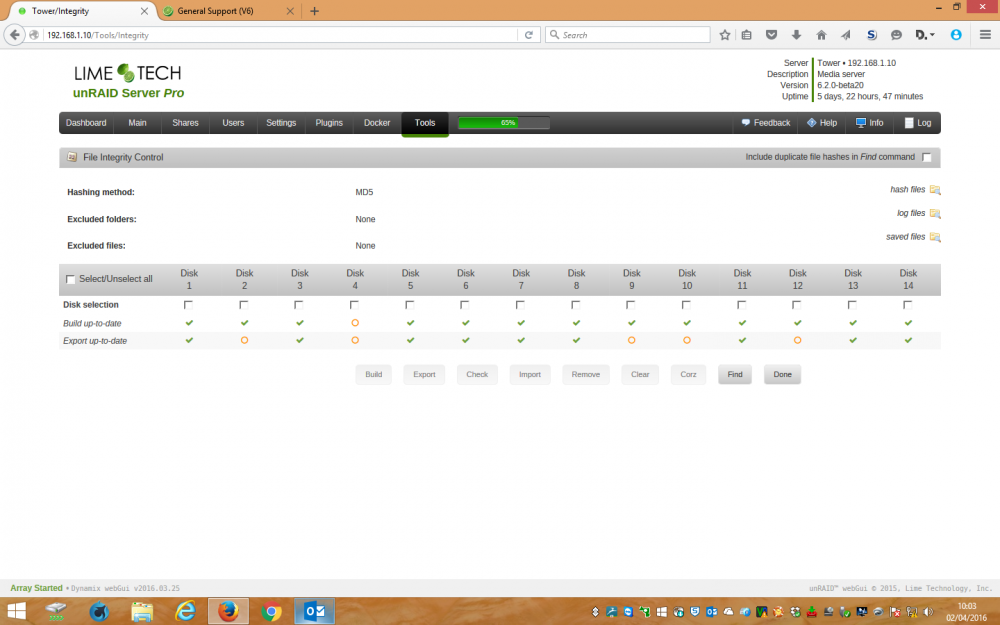
Bonienl, further to my recent post about the plugin showing that build is out of date on occassion to certain disks, despite me carrying out the initial build, please see attached screenshot. I have updated the plugin to the latest version, and on checking have found that disk 4 is showing that build is out of date?
-
Thanks for the explanation, I didn't realise that Export was optional I have carried out an intial build for each disk, but thereafter on a couple of occassions I have noticed that the build is out of date?
-
I am after some advice, I previously used the other integrity plugin which was configured to create seperate MD5 files / ammend them on file changes. This worked automatically, but I was concerned that it was no longer supported, so changed to this plugin instead I have built and exported alll discs, and the plugin as far as I can see is working OK. However I have noticed that occassionally some disks are indicating that their build / export or build & export status are not up to date. In these cases I have run the build / export tasks manually. I have set the plugin to monitor files, and thought that build & export functions (after the initial build / export) would be carried out automatically?
-
Deleting dynamix-2016.01.22.tar.gz from /boot/config/plugins/dynnamix worked for me too Thanks
-
I have just updated to the lastest version of the Dynamix plugin, now I can't access the array. It still works OK but on trying to access the GUI using the array's IP address, the browswe reports 404 file not found I am running 6.1.7 Help! I do have a backup of the flash drive taken before I updatd the plugin that I could always copy back to the flash drive, but I am concerned that it might happen again should to try to update the plugin
-
I currently have 14 disks + Parity disk + cache disk 15 disks (14 data + parity) are installed in 3 5*3 Icydock enclosures and the cache disk is internal to the server I have just purchased and precleared a new hard disk to allow me to change the whole array to XFS, at the moment the extra disk is loose wired to the motherboard I have worked out a plan to copy data between disks, but realise that this is going to leave me with 16 disks when complete, when I can only house 15 disks When I get the very last disk, does this have to be part of the array, as I will be formatting it completely with XFS? Can I avoid installing the last disk? Also I am confused about the folowing items:- 9 - If there are any comparison failures, stop here and ask for help 10 - Now is the good time to move the files in the "t" directory to the root on [dest]. I do this with cut and paste from Windows explorer. 11 - Stop the array (no need to delete anything from the [source]) At point 9 I have source and destination desks with the same data on. Shouldn't the files on the source disk be deleted before files are moved from the t directory to root on the destination disk, otherwise I am going to have 2 disks with the same data, which I guess will confused UnRaid?

