





clevoir
Members
-
Joined
-
Last visited
Everything posted by clevoir
-
Extended SMART test for Parity completed with no errors I have now replaced Disk 7 and rebuilding the array tower-smart-20260513-1539.zip
-
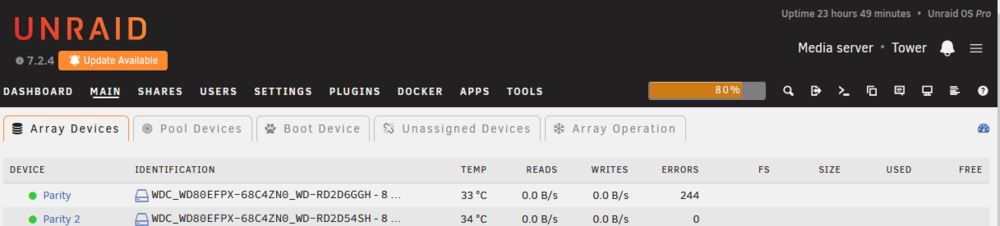
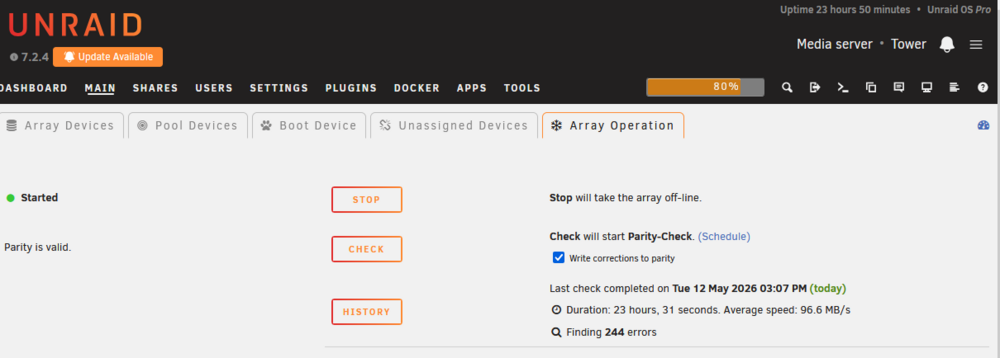
Disk 8 has rebuilt OK, but it reports Data-Rebuild finished with 244 errors. However parity is valid Do you recommend any steps before I replace failed disk 7 with a new disk I have suspicions that I started to have problems with disks 7 and 8 following a power cut, although I have a UPS I've already replace one controller card with a spare that I had laying around, but I have now ordered 3 new LIS9207 controller cards to be sure as they are cheap to buy. tower-diagnostics-20260512-1444.zip
-
I've now moved disk 8 onto a new controller and checked wiring, it's down rebuilding. Fingers crossed!
-
This is the latest diagnostics, shall I power down / check cabling / move disk to new controller and then try and start the rebuild again? tower-diagnostics-20260511-1305.zip
-
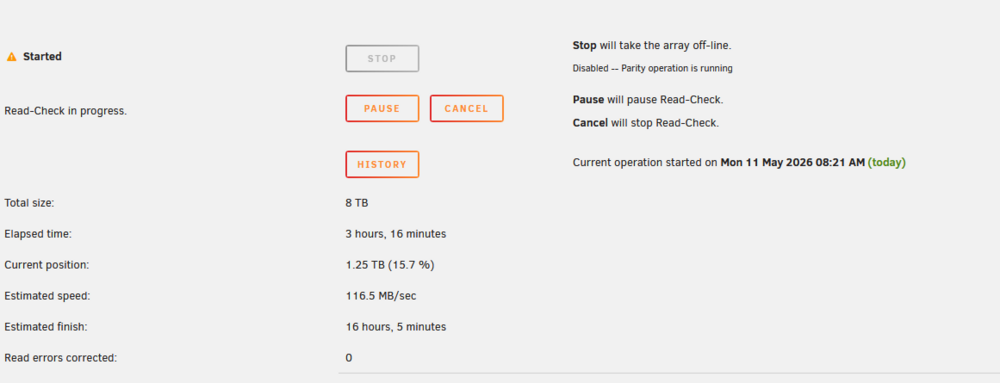
After restarting rebuild i have noticed that it has logged 54 faults. I thought that I'd resumed the rebuild after the faults were logged, but i have noticed it is doing a read check instead? Shall I let this complete, or power down / check data & power leads + move disk to another controller?

-
The rebuild is thankfully still ongoing, if it fails again I'll check power / data wiring and move the disk to another controller. Should it rebuild OK I guess that can do the same. I thought that I would add the new disks one at a time in case of problems.
-
I have now swapped out Disk 8, and started an array rebuild However the rebuild has paused after 12 mins, see attached diagnostics? I've just resumed the rebuild I have a spare controller card that I could swap out with the once that serves this disk tower-diagnostics-20260511-0717.zip
-
The failed disks are shown as unassigned devices, and are available to preclear, I can't understand why I couldn't reassign them back to the array? I've been running Unraid since V3 and have not seen the behavior before. I am looking to replace them them to the new drives once the preclear has passed, and carry out testing on the failed ones Nothing has changed on the backplanes, disks / cabling hasn't been touched. Failed disks are showing that they have power to them.

-
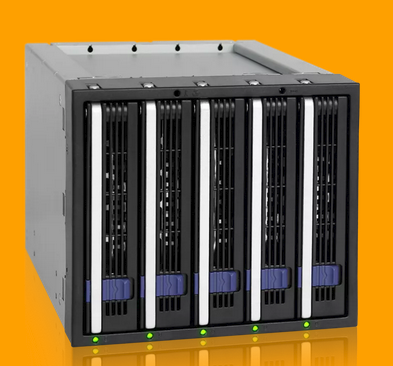
All disks are in a number of 5 to 3 IcyDock backplanes New disks are have just started Preclear Post Read which is going to take 10 hours
-
Sorry perhaps wrong choice of words, I stopped the array and I tried to reassign the previously failed disks 7 & 8 back into their original allocations They were selectable, but as soon as I selected them, the array reported the disk allocation unassigned If the original disks are going to cause a problem I may just hold out until the new disks have finished their preclear. I was just trying to seek some reassurance by having one or both the original disks working again, before they were replaced by the new disks
-
Both existing disks tested OK with a long SMART test, however I have stopped the array and tried to add one of them. It's listed but when I select it as an array disk, it's immediate changed to not assigned. I have tried with the other disk and this has the same effect? I have cleared both disks, and both are available to to preclear. I am thinking about preclearing the Disk 8 (4TB) to see if it will then let me add it to the array. In the meantime i am preclearing the 2 new 8TB drives, which looks like it's going to take a total of 50 hours Please find attached diagnostics tower-diagnostics-20260510-1052.zip
-
I am doing extended test now, and I intend to preclear the new disks before use which is going to take some hours If failed disks test OK, I guess I could rebuild the array with them or at least one of them, and if rebuild is OK I can replace them with the new disks later at leisure? I am just concerned about the amount of time it's going to preclear the new disks and then rebuild the array, and worry if I have another another fault as I will have no parity protection. I guess it's going to safer to rebuild the array with one disk at a time rather than 2?
-
Thanks for the reply, I've got some new 8TB hard drives being delivered today I'll swap them out with failed ones, then do some testing on the old ones. ,
-
Please find attached diagnostics tower-diagnostics-20260509-1148.zip
-
The array won't let me run any self-tests, if I click on either sefl-test nothing happens?
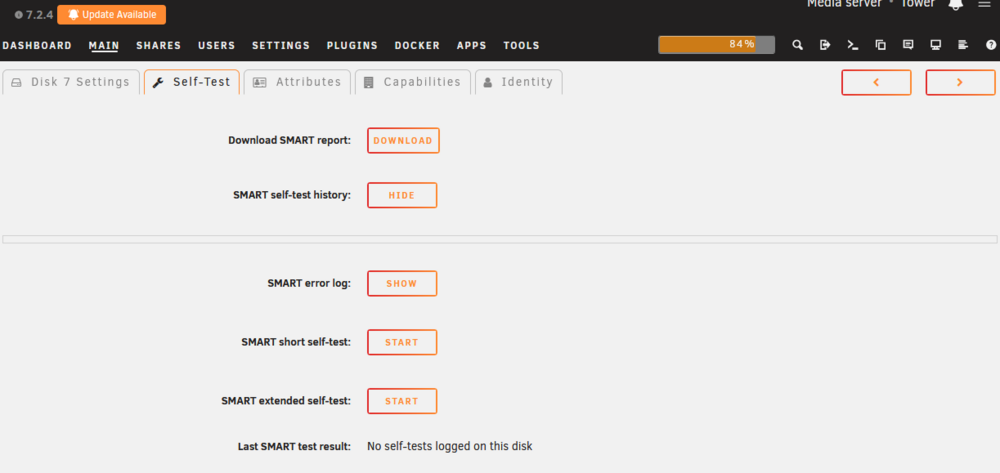
-
I've bitten the bullet and bought 2 8TB new hard drives as I could do with some more capacity I see that the hard drives failed after a power failure, I've seen this before and then bought a UPS with AVR, so disappointed a power failure has caused drives to fail?
-
I have woke this morning and have found that 2 disks have failed in my array, Disk7 and 8 I'm running 7.2.4, what is my best course of action? Where 1 disk has failed before, I've restarted the array with out it, rebuilt the array, then added it back in and then rebuilt array again. I guess I could do this one disk at a time but I am worried as I I'll have no parity protection See attached syslog tower-syslog-20260509-0831.zip
-
With the latest image I can now connect to AirVPN using OpenVPN and download at normal speeds again. Thank you!
-
I spoke too soon I can search in Sonarr / Radarr and download, but speeds are terrible, I am using AirVPN and can only download at 800kbs at most? I've tried other locations but all have the same effect'?
-
I found out that my issues were down to Privoxy, I have set PRIVOXY to no and have set all containers not to use Privoxy too. Now I can download using SabNZBVPN OK and Sonarr / Radarr / Lidarr can all search too. If I turn PIVOXY on again, Sonarr / Radarr / Lidarr can't search for files?
-
Please can someone help with my query
-
I can establish a VPN connection using AirVPN, but Sabnzbvpn can't connect to any usenet servers? I have set NAMES SERVERS to 8.8.8.8 and 1.1.1.1 Sonaar & Radarr can't download search items either. I am seeing this in the log file INFO::[_cplogging:213] [12/Oct/2025:11:57:36] ENGINE Client ('127.0.0.1', 34844) lost — peer dropped the TLS connection suddenly, during handshake: (8, '[SSL: UNEXPECTED_EOF_WHILE_READING] EOF occurred in violation of protocol (_ssl.c:1032)') I've tried 4 different VPN servers with the same effect Please see attached files, I have read the Q&A's but can't see any that can help me. If I turn off the VPN connection, sabnzbvpn works OK I'd be grateful for some assistance sabnzbd.txt supervisord.txt AirVPN_Netherlands_TCP-443-Entry3.ovpn
-
I am new user to Jellyfin, I have set up the server app and installed media player in a client PC. I am finding both the server app and the media player very slow to populate the main page, sometimes taking 5 mins. I have also seen CPU usage spike to 100% whilst this happens. This is after the media libraries have been 100% populated. Is this related to lack to server resources, I am running Intel® Xeon® CPU E3-1230 V2 @ 3.30GHz and 16GB RAM? However I am able to view most of my media inc 4K films without transcoding.
-
If I disable the VPN connection, I can access SABnzbVPN again?
-
I can't access SABnzbVPN, but it works fine in Lidarr? I get this when I try and test Test was aborted due to an error: Unable to connect to SABnzbd, HTTP request failed: [503:ServiceUnavailable] [GET] at [http://192.168.1.10:8080/api?mode=get_config&apikey=d13a732039250f1d334faa02338c95ed&output=json] I get the same result in Radarr too?


