





clevoir
Members
-
Joined
-
Last visited
Everything posted by clevoir
-
Sorry I have created 2 posts for my problems! On this one, disk 12 failed and you advised to try new power / SATA cables Disk 12 was rebuilt OK with a new disk + new power cables, but in the rebuild Parity 2 disk failed I have rebuilt Parity 2 but now disk 12 has failed again. So disk 12 keeps getting failed despite the disk being replaced / new power cables being installed. Disk 12 is served from a HBA with a 4 way SATA cable, and all other disks are OK though. Does this suggest that the cable is faulty or perhaps a port on the HBA is faulty. Just need some advise where to start next
-
Rebuilt Parity 2 OK, and on reboot an unclean shutdown was detected!!! So now carrying out another 26 hour parity check. I'll then have to try and tackle disk 12 again, the disk has been replaced and power / SATA cables checked Disk 12 was OK a while but failed again. It's connected to a HBA using a 4 x SATA cable Shall I replace cable or try a spare HBA?
-
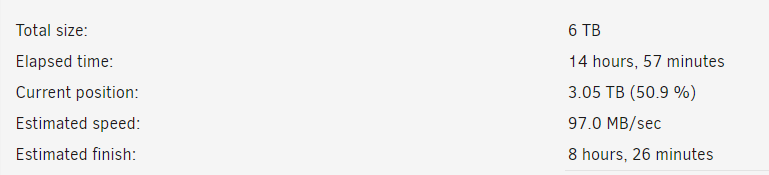
I am running 6.20 and disk 12 failed, this was replaced OK but in doing so Parity 2 was excluded. I have omitted Parity 2 from the array, added it back and left it rebuilding. It has got this point but progress has stopped being updated, however data is still being written to the Parity 2 drive Also I have found that Disk 2 has dropped from the array again! I assume that the safest option is to see if the rebuild of Parity 2 finishes, and then tackle Disk 12 again? Please see atached diagnostic file tower-diagnostics-20230629-1014.zip

-
I stopped the array, deleted Disk 12 from the array and restarted OK I then shutdown to try Disk 12 with different power / sata cables, but on stopping the server was hanging on unmounting disks and kept trying on an endless loop I therefore had to reboot with the GUI, but on reboot it was reported that it was an unclean shutdown!!! So now doing a 6TB parity check before I can try to power down the array again to try disk 12 See attached diagnostic tower-diagnostics-20230626-1630.zip
-
I am running 6.12.0 and wanted to update 6.12.1, however my USB stick was too small @ 2GB Transfer license to new 32GB USB stick OK and rebooted Then found Disk 12 missing, disabled disk from array and it rebooted OK. Stopped array and Disk 12 can't be found. Powered down and checked all data and power connections as OK, but Unraid still can't see it. Purchased replacement disk and Unraid see it, but is very slow to start and mount disks When Unraid has started. it can see the new disk but disables it? I would be grateful of any help, see attached diagnostic file I wonder if it hardware related, but the server has run for years until now??? tower-diagnostics-20230626-1446.zip

-
This fix it for me I should have done a forum search first!
-
Yes I have tried Firefox and Chrome, both have the info missing
-
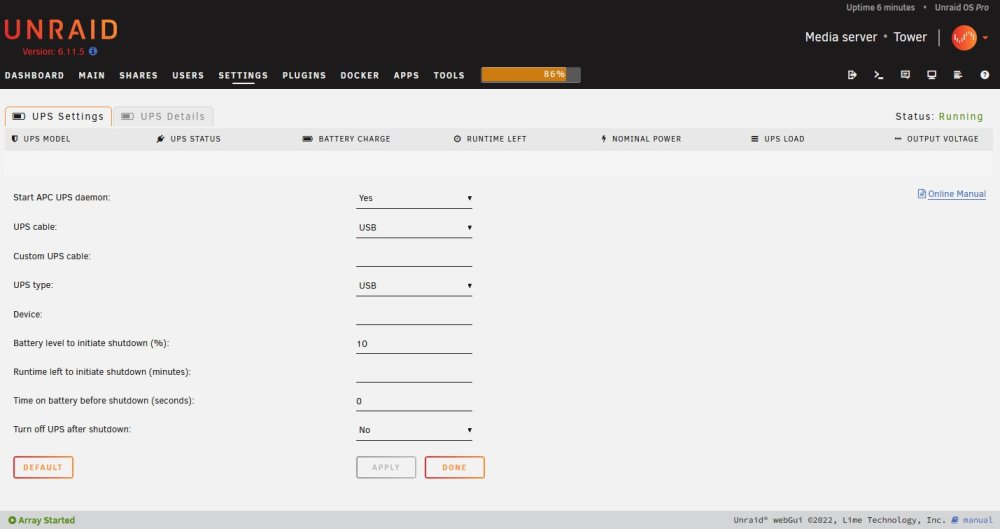
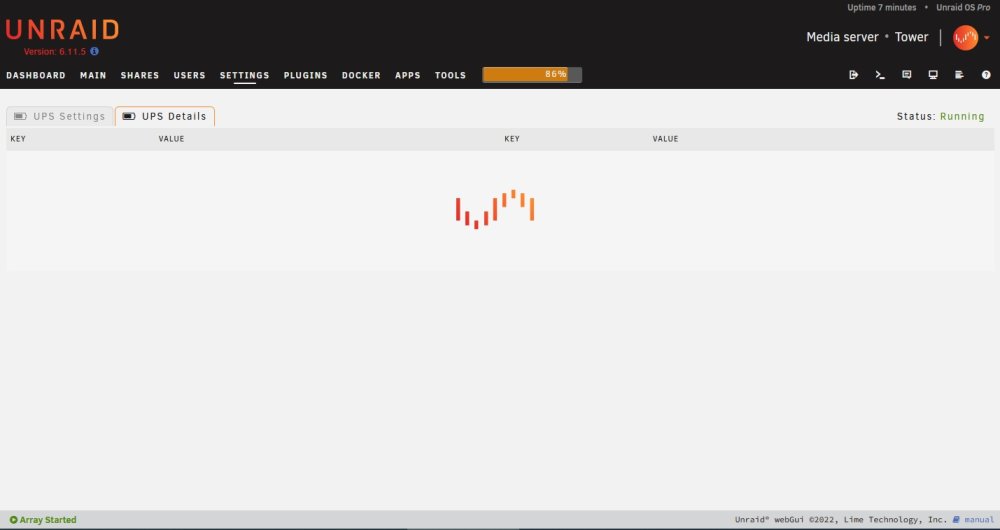
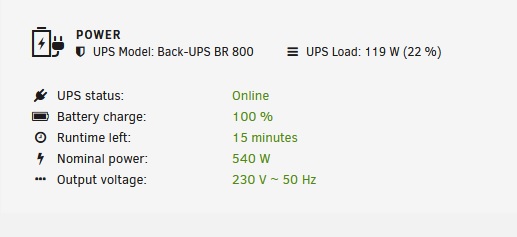
I have 2 Unraid Servers running 6.11.5, both with identical APC UPS's Battery information is being reported OK on the dashboard tab, however no information is being reported on the UPS Settings and UPS Details tabs?
-
Since updating to the 6.10 versions I seem to be having problems with a number of dockers Sabnzbvpn won't work with the VPN enabled and Radaar, Sonaar & Lidarr keep reporting that indexers are going offline. Plus they loose communication with Sabnzbvpn too. I have reverted back to 6.9.2 and updated the dockers to their latest version, but this has had no effect. I did note on the 6.10 series that I was not able to update any dockers? I appreciate that there are potential data corruption issues with the 6/10 series, however I thought that my hardware was not affected? I am beginning to wonder if on docker.img file has been corrupted, and would welcome any help. If so I guess I delete the docker.img file and then have to download and set the dockers from scratch? tower-diagnostics-20220625-1535.zip
-
I have tried that but the new version of Unraid is not listed?

-
I am running 6.92.2 on 2 servers and neither have advised that an update is available. If I try and update manually I keep getting this message

-
And certainly using Windows I can't account for the space used, I appreciate that there maybe unseen non Windows info too.

-
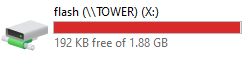
This is what I see in Windows
-
I am running out of space on my 2GB flash drive, and don't know what to prune Or am I better off migrating to a larger flash drive instead, as I have had this one for some years? I would be grateful for any advice, please see attached diagnostic file tower-diagnostics-20220421-1935.zip
-
Are people just experiencing problems with PIA and not AirVPN too? Since the update last week I have not been able to access the GUI, but found the container was showing as orphaned? Reinstalled new version, but could not establish a VPN connection + Sonar and Radar can't see index sites either. I have ended up having to restore my app data to a previous version, so assume now running older version of SabnzbVPN. But it's working.
-
I am running the Binhex Sabnzbd docker, and now want to install SabnzbVPN instead ( I am new to dockers!) I have installed SabnzbdVPN, and it won't start, I understand as it is using the same port mappings as the Sabnzbd docker? I have uninstallled and reinstalled SabnzbdVPN using different port mappings, but it still will not start? Am I best to uninstall the Sabnzbd docker and just install the SabnzbdVPN docker instead? Also am I correct in assuming that a openvpn folder will automatically be created in the config directory for me to copy my ovpn file into? The instructions on Github are not clear and mention DulugeVPN instead?
-
Thanks for your reply, sorry I guess I was being lazy and the 76 pages put me off I have now found and read the specific info to DELL PERC 310 cards, and it appears that there is no great difference between DELL and LSI firmware
-
I have just bought some DELL PERC H310 cards which are in the post to me. Rather than flash to LSI firmware as detailed on this site, will UNRAID run OK if I flash to DELL firmware as detailed on the following site instead? http://www.vladan.fr/flash-dell-perc-h310-with-it-firmware/
-
I now think this is UnRaid problem has Windows Explorer is hanging on 2 network PC's on trying to access shares on the array. As no plugins are running I am sure that this can't be a problem with this plug. I also recall reading another post about problems with GUi hanging in b20 / b21. I'll have to do some more testing
-
I have now rebooted the array manually, and found that although Terracopy had reported the first batch of files had moved OK to the share, they were in fact missing. I have therefore tried to move the files again to the share, and Terracopy & Winows Explorer hang again. On checking the log, the following entries were shown regarding the plugin after the array had rebooted. Looking back I should have got a diagnostics log instead Apr 9 17:07:32 Tower emhttp: shcmd (122): /usr/local/emhttp/plugins/dynamix.docker.manager/scripts/dockerupdate.php |& logger Apr 9 17:07:45 Tower root: Updating templates... Updating info... Done. Apr 9 17:07:45 Tower emhttp: nothing to sync On stopping the array, the GUI hung again and I had to do another manual reboot. Each manual reboot does not trigger a parity check though? I have now started the array in safe mode without any plugins, and I am able to move the same batches of files OK without Terracopy / Windows Explorer hanging. I appreciate that I have the cache directories plugin installed, which would kick in after a reboot. However when I attempted to add the first batch of files, this was some 6 hours after I rebooted the array and as such don't think this is connected.
-
I have now added around 12 files to a share, which moved OK, and then tried to add around another 12 files to the same share, Terracopy crashes in doing so I have closed Terracopy using Task Manager and found that Windows Explorer has crashed too On trying to stop the array, the GUI does not refresh and therefore I am unable to stop or reboot the array. I was expriencing the same behaviour using b21 using the plugin, and though that I would try and go back to b19 to determine if it is a problem with the Unraid or the plugin. After adding the first batch of files I looked at the processor load, which was running @ 45% and I did not recieve any further messages on the monitor which I have attached to the array. I am able to ping the array OK, but it appears that the GUI has hung. I honest don't know if this is a plugin or unraid problem, but I was able to alter / add files OK before reinstalling the plugin.
-
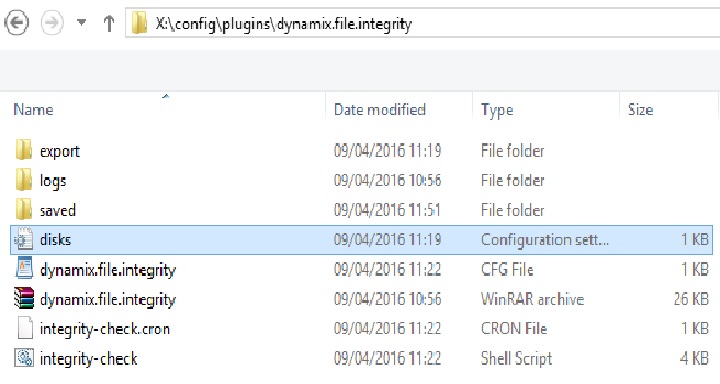
I have now taken my Unraid array (6.2b19) back to the basic install I have installed the latest version of the plugin, build & exported all drives, and set it automatically monitor new / changed files. I have also added the cache directories plugin + Plex docker. Everything appears to be working on OK, but I have two entries shown on a monitor attached to the array which read:- grep: /boot/config/plugins/dynamix.file.integrity/disks.ini: No such file or directory However on checking the contents of the flash drive in Windows, the disks.ini file exists?
-
Thanks I understand your point I was copying from a monitor attached to the array, it appears that I made some typo's
-
Thanks for your testing and reply I have 28.5TB of files spread over 14 disks, 99% of these are static files, with new files being added at small intervals e.g. new music / films & TV series. The first error was caused by me adding 128 small MP3 files, and I think the second bythe plugin doing something in the background The plugin really does what I want, which is to spot silent corruption in the background and I am very keen to pursue it's use Would a solution be to carry out the initial build one disk at a time, leaving a suitable period, perhaps a day in between disks to ensure that all files are hashed?
-
bonienl have you had a chance to investigate the issue which I highlighted, I see that an updated version is now availible?


