mmagl
Members
-
Joined
-
Last visited
Everything posted by mmagl
-
Me either, which is why I immediately assumed a hardware issue, but it's the only time the corruption occurs and that's after swapping in (verified) working parts. Not saying there's something wrong with the plugin b/c it's been working without a hiccup on my other two servers for a couple of months, but there's something finicky with this particular server that only occurs when the mover is invoked with that plugin active. The only real difference between the other two servers and this one is an Nvidia GPU, to the extent that could be relevant. FTR, I tested it more this morning and the same corruption returned immediately upon invoking the mover with the plugin active. Removed the plugin, and it went back to working again without corruption. No idea what's causing it, and doesn't make sense to me, but it's working reliably now so I'll leave it alone unless/until that changes.
-
I can't be certain, but I think it's the new Mover Tuning plugin, at least on my media server. It's perfectly fine on my backup server. I ended up temporarily cannibalizing the backup server which has nearly identical parts by swapping them out one at a time. First the CPU, then HBA, then expander. I tested after each swap and it still corrupted each time. Not much left to swap out at this point and I really didn't want to mess with the motherboard or PSU due to the time involved, so I started looking at the software and taking note of when the corruption started and when it occurs. It started when I upgraded to Unraid 7 rc 1. So I downgraded to Beta 4. That didn't help, still corrupted. I tried rsync via CLI. Still corrupted almost immediately. I started using only the GUI rsync. That went well with no immediate corruption. I invoked the mover and it immediately corrupted. So, I removed the mover tuning plugin... and now it's copying fine via GUI rsync and the mover doesn't immediately cause corruption. Time will tell, but so far so good after a few rounds of heavy copying followed by successful moving.
-
No luck on singling out RAM. I ran each individual DIMM separately and in different slots and got the same corruption as soon as any file transfers began. Unless the DIMM slots are toast, it doesn't appear to be a memory issue. I don't see any physical issues in the slots or on the board. Could it be a bad disk despite no SMART errors dragging the rest down? Going to remove some drives and continue testing. New diags attached for perusal. c-3po-diagnostics-20241216-1023.zip
-
Yes. Fixed numerous times without issue but kept corrupting. I'll try running with individual dimms and see how it goes. Thanks!
-
Having an issue with constant xfs corruption throughout the array. Memtest didn't find any errors after 7+ passes. SMART all looks fine despite some disks having been disabled. I swapped almost every sata/sas cable with new ones and made sure all data and power connections are firmly seated, along with firmly seated HBA. System is only pulling a max of about 225watts on a Seasonic 650W so I don't believe it's a power issue. Second system with more drives runs fine on the same PSU. At this point I'm thinking it's an HBA or SAS expander issue (again, same hardware on second system has no issues) due to the corruption across so many disks (all of them at one point or another) but any thoughts/recommendations before I start buying/swapping parts would be extremely helpful. Diags attached. Thank you! c-3po-diagnostics-20241215-1939.zip
-
Agreed, but couldn't figure out which one. I was able to upgrade to 7.0 beta 4 and it's working fine now (even though it wouldn't let me see what it was doing while it was upgrading). Very strange occurrences.
-
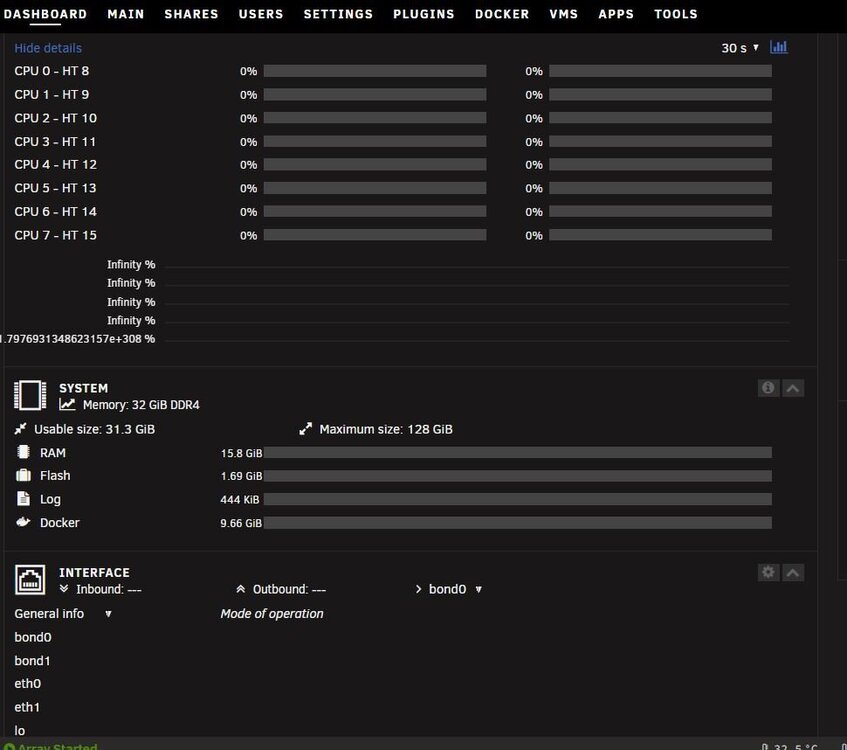
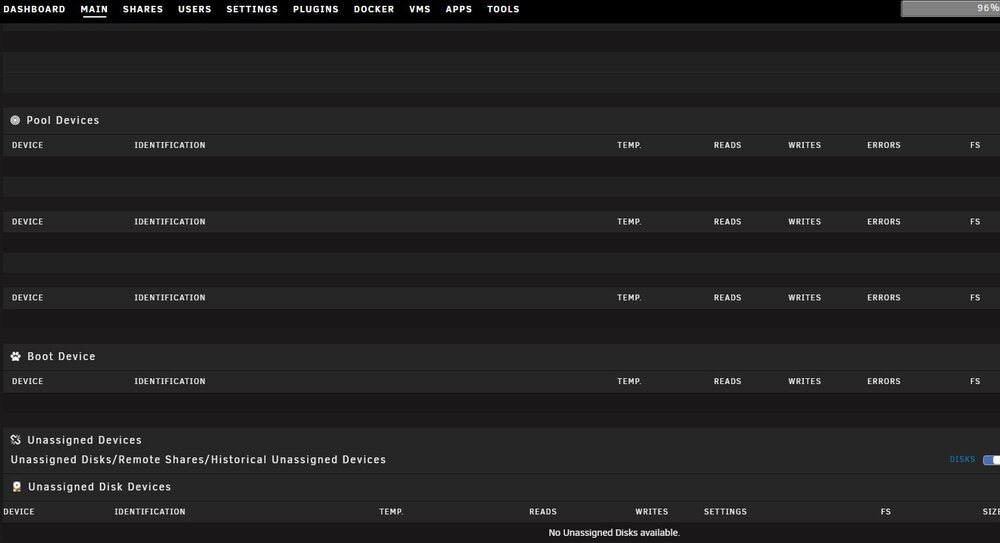
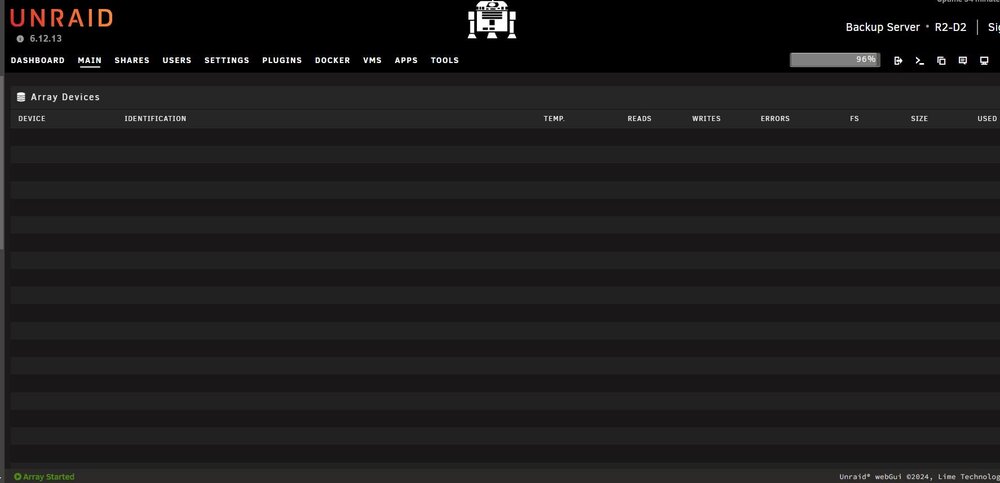
It boots into safe mode and I can see the drives and dashboard stats no problem, but flipping it back to normal mode they disappear again. Safe mode was the only way it would allow me to run diags, so I'm thinking either the USB itself is dying (which doesn't make a ton of sense given that the server is running fine otherwise) or something in the config is corrupt. I pulled the USB and put it into another pc and it opens fine, no issues. I'm going to swap out the config and will report back. Using a different pc and browser didn't do the trick. That would've been too easy, haha.
-
I lost power the other day and now one of my servers is not showing any disks in the array or pools (see screenshots attached) outside of safe mode. The latter was the only way I could pull diags as well. Based on that I'm guessing it's a plugin misbehaving or maybe the config or something else got trashed in the power loss. Any thoughts on what could be causing it or how to fix it? Server is otherwise functioning normally. Diags and syslog also attached. Thank you! r2-d2-diagnostics-20241115-0921.zip r2-d2-syslog-20241115-1421.zip
-
I was able to more evenly split up the disks across the PSU rails and moved a fan hub connection over to a third rail. I also eliminated one of the splitters entirely. It completed the parity rebuild, so I'm guessing the issue was a bad splitter or maybe too many splitters. Hopefully it doesn't pop up again but if it does I'll let you know. Thanks for the help!
-
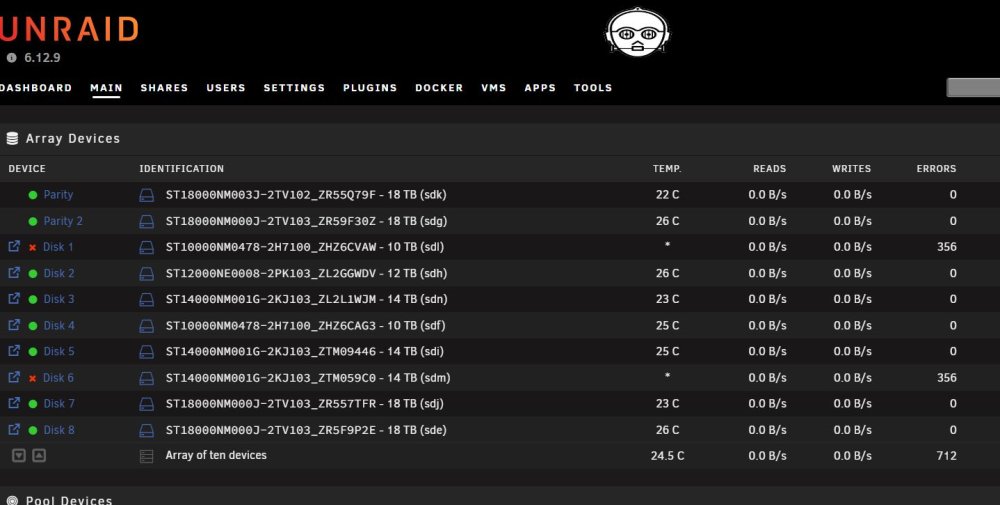
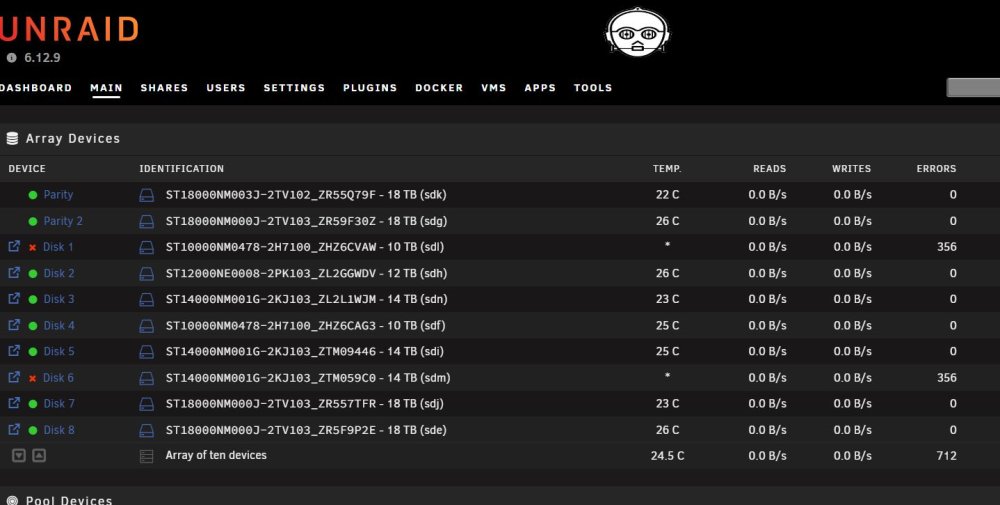
I have an issue where disks keep disabling, but unclear why. Same two disks in last two days with the same amount of errors each time. I'm guessing it's a HBA, SAS expander or cabling issue, but don't see any immediately apparent errors in the logs other than the read errors and the disabling events themselves. That said, I also don't know enough about the logs to find the cluprit. Thanks in advance for any help! Diags and screenshot of disks attached. c-3po-diagnostics-20240403-0755.zip
-
Similar issue on one of my servers that I can't sort out. Thought it might be an HBA/SAS expander overheating issue, but not seeing anything glaring to that effect in the logs. Added another fan blowing on both cards to see if that helps (since it helped a different server having the same issue (R2-D2)). For this server (C-3PO), the same two disks dropped out twice and with the same amount of errors both times, so thinking its also a power issue or HBA/SAS/connections-related and not disks failing but anything is possible. Any help is much appreciated. Thank you! Diags and screenshot of disks attached. c-3po-diagnostics-20240403-0755.zip
-
Nah, I was just commenting on how it helped me realize the likely issue. I was appreciating the find.
-
Been having the same issue. Different disks dropping out randomly. Some days apart, other weeks apart. Have two disks disabled now. Found this thread. Been driving me mental for the last 3-4 months. I moved the HBA up a slot to open up airflow and put an extra fan blowing directly toward it. Hoping it was an overheating issue like others have faced - it was a little cramped in its former slot and pretty hot to the touch. Rebuilding both disks now.
-
Connect used to be called My Servers, so check out this video - maybe it'll help, and if not, I'll try to help.
-
I ended up sorting it out a moment ago. My issue was because I was accessing it remotely via WAN, but when I popped into the vm on that machine and used the local IP to access the GUI and log in that way it worked immediately. Maybe I can help you through it. Or, on YouTube, check out SpaceInvaderOne's video on how to get it going. That's probably your best bet, actually, b/c you can see step by step how to do it and he talks about common issues and how to get around them. Don't give up on Unraid. It really is amazing. It's why I have 3 licenses now where I was hesitant to buy even 1 at first.
-
What was the resolution to this issue, if any? I have 3 Unraid servers and one them is having this same issue. The other two connected without a problem.
-
I prefer Seagate Exos drives. They're somehow cheaper than Iron Wolf and WD Reds, with a longer warranty and faster speeds. Have dozens of them in all my servers and they run great. And super cheap on ServerPartDeals.com or Amazon. I'm not a fan of shucking drives when new NAS optimized drives are relatively cheap these days, but that's an option, too. FYI - new and factory recertified drives are great but I stay away from refurbished on ServerParts and Amazon. Those are hit-or-miss.
-
3 total #1 is HTPC #2 is local backup #3 is remote backup at family member's house
-
So... I figured it out, and it's the worst kind of stupidity on my part. Started having trouble with reboots not moving past BIOS again. Figured it had to be mechanical, because BIOS was flashed to latest update. CMOS cleared, new CMOS battery. New USB drive w/fresh boot files from Unraid, etc., etc., I even went through and removed all SATA cables and the NVMe thinking I could reconnect one by one and replace as needed. No change despite nothing connected. Then I realized, I still had a wired keyboard attached sitting behind the computer. Legacy vm hardware. Turns out, the sea of wires back there was squashing the delete key on that keyboard, which is one of Asrock's BIOS entry keys. So stupid. Pulled the keyboard out from back there.. system booted right up past BIOS. I should've known because it would never give me the boot menu even when I was smashing F11 (Asrock's boot menu key). I knew it had to do with THAT part, but couldn't figure it out and was pulling my hair out. It always ignored my F11 input and went straight to the BIOS. SOLVED = my stupidity (smh).
-
Thanks for the input. It definitely could've been that because I pushed down on all connectors while troubleshooting, but I think it ended up being a flash config file corruption issue. I did a full reformat of the USB, wrote fresh files via the USB creator, and then tossed my original config in there, and it booted right up. Either way, working now. Thanks again!
-
I've been running 3 Unraid servers without any major issues for a few years. This morning I added a data drive to one server (which I've done countless times before), but after turning server back on it keeps getting stuck at system BIOS. Other than drives, this system has the exact same basic hardware as one of the other two servers which is restarting normally on command - Ryzen 7 3700x, Asrock B550M pro4, 32gb gskill. The USB flash for system at issue is operating normally as far as I can tell (confirmed on another PC) and is the first boot option in the BIOS. Confirmed repeatedly. Other than adding a SATA cable for the new drive and connecting to power, no other hardware changes were made. I'm able to use boot override from BIOS to select the USB flash and it will reach the Unraid GUI and operate normally from there but I've never had to do that before - and that's a major problem for remote restarts. Prior to today this server had been running without a restart for about 60ish days, to the extent something changed that would make that info relevant. Any ideas what's going on? Let me know what info/screenshots are needed to assist and I'll post. Thank you!!
-
Same issue on both my servers. Glad it's being worked on!