SentientNut
Members
-
Joined
-
Last visited
-
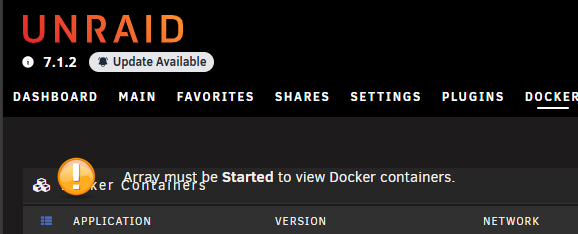
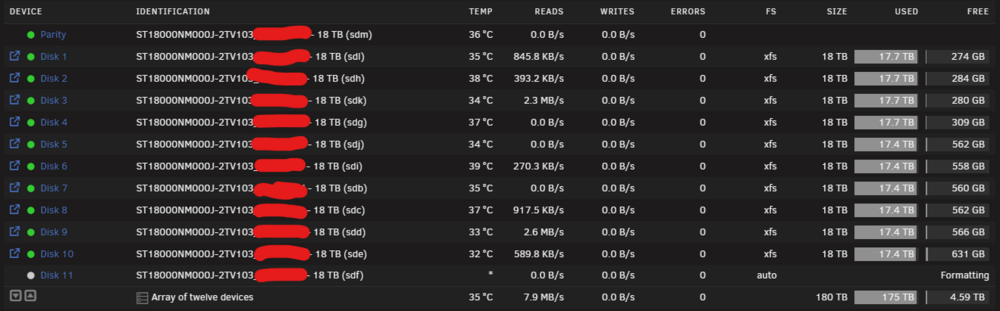
Just wanted to say, this is still an issue to this day if anyone comes across this. If you have a running pre-clear and trying to add a drive to the array at the same time you will be unable to format the drive.

-
Alright, finally got around to dealing with this...I just restarted my UDM Pro...problem solved. A reminder to try the simple things I guess.
-
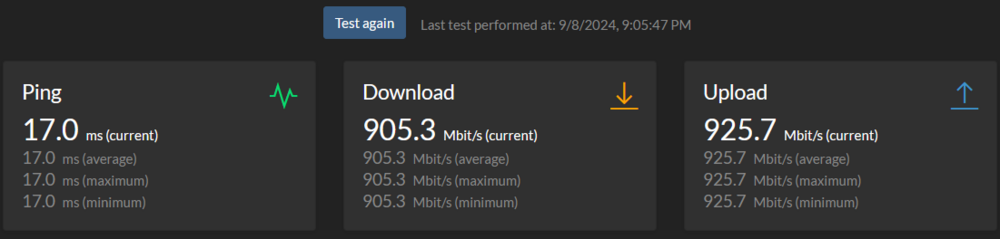
Turns out this isn't an Unraid problem and it's likely something else because I have the same slow downloading from GitHub on my own PC and other devices at on the network as well. If I find something that helps, I guess I will still update this thread.
-
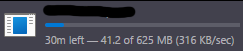
When I pull an app down from community applications the pull takes forever. I know I am not the only one that has seen this issue, and I looked at a lot of threads where people seem to resolve this by making sure their docker image is on their SSDs. Mine is on my cache pool SSDs, which is two 4TB Seagate FireCuda 530s. Here is the latest speed test from SpeedTest Tracker. I installed this just to make sure I wasn't going crazy. I've also confirmed that none of my appdata or system data was on my array. Not sure what else I should be looking for. Any help is appreciated! yeetunraid-diagnostics-20240908-2115.zip

-
I would follow this and provide it here. I would also search this topic for webgui as I think others have had this issue.
-
I beautified that JSON from PIA. Makes it much easier to look at if anyone needs to find what they need. pia server list.json
-
Yes, here is the entire line: Endpoint = ca-ontario.privacy.network:1337
-
I switched to WireGuard. Such a huge improvement in loading times already. It used to take a few minutes to start with OpenVPN. Here is all I had to do. 1. Stopped the container. 2. Changed to WireGuard from OpenVPN. 3. Started the container and waited for it to load the UI (less than 30 seconds) 4. Stopped the container. 5. Navigate to appdata\binhex-qbittorrentvpn\wireguard\ (config\wireguard\) and opened wg0.conf. I changed the default (nl-amsterdam.privacy.network) to what I wanted from the server list. (Thank you RonneBlaze) I am using ca-ontario.privacy.network. 6. Started the container on the latest version. I tested with TorGuard and IPLeak and verified it was using the VPN in my chosen location.
-
Yup, we just gotta sit tight until our lord and savior fixes it 😂
-
After doing some googling, it could be a combination as someone is having the same error with openssl. https://github.com/openssl/openssl/discussions/24301 I did try changing my OPVPN files too and I don't think they have changed. It's the first option "OPENVPN CONFIGURATION FILES (DEFAULT)" https://helpdesk.privateinternetaccess.com/kb/articles/where-can-i-find-your-ovpn-files
-
My container won't start. I am using PIA. I tried updating the OPVPN files from PIA, but that did not help. OpenSSL: error:068000E9:asn1 encoding routines::utctime is too short: OpenSSL: error:0688010A:asn1 encoding routines::nested asn1 error:Field=revocationDate, Type=X509_REVOKED OpenSSL: error:0688010A:asn1 encoding routines::nested asn1 error:Field=revoked, Type=X509_CRL_INFO OpenSSL: error:0688010A:asn1 encoding routines::nested asn1 error:Field=crl, Type=X509_CRL I went back to binhex/arch-qbittorrentvpn:4.6.4-1-01 to resolve this, so I know this is must only be an issue with 4.6.4-1-02 or my appdata somewhere. Edit: Added redacted supervisord.log and Command Execution Edit 2: I wrote out the error messages in case someone tries searching this topic or google to find what the error means. Here is my Command execution. docker run -d --name='binhex-qbittorrentvpn' --net='bridge' --privileged=true -e TZ="America/Chicago" -e HOST_OS="Unraid" -e HOST_HOSTNAME="YeetUnraid" -e HOST_CONTAINERNAME="binhex-qbittorrentvpn" -e 'VPN_ENABLED'='yes' -e 'VPN_USER'='REMOVED FOR SECURITY' -e 'VPN_PASS'='REMOVED FOR SECURITY' -e 'VPN _PROV'='pia' -e 'VPN_CLIENT'='openvpn' -e 'VPN_OPTIONS'='' -e 'STRICT_PORT_FORWARD'='yes' -e 'ENABLE_PRIVOXY'='yes' -e 'WEBUI_PORT'='8080' -e 'LAN_NETWORK'='192.168.1.0/24' -e 'NAME_SERVERS'='84.200.69.80,37.235.1.174,1.1.1.1,37.235.1.177,84.200.70.40,1.0.0.1' -e 'VPN_INPUT_PORTS'='' -e 'VPN_OUTPUT_PORTS'='' -e 'DEBUG'='true' -e 'UMASK'='000' -e 'PUID'='99' -e 'PGID'='100' -l net.unraid.docker.managed=dockerman -l net.unraid.docker.webui='http://[IP]:[PORT:8080]/' -l net.unraid.docker.icon='https://raw.githubusercontent.com/binhex/docker-templates/master/binhex/images/qbittorrent-icon.png' -p '6881:6881/tcp' -p '6881:6881/udp' -p '8585:8080/tcp' -p '8118:8118/tcp' -v '/mnt/user/Seeding Torrents/':'/data':'rw' -v '/mnt/user/Seeding Torrents/':'/seeding':'rw' -v '/mnt/user/appdata/binhex-qbittorrentvpn':'/config':'rw' --sysctl="net.ipv4.conf.all.src_valid_mark=1" 'binhex/arch-qbittorrentvpn' 9a258e96adc3c32057ccd9972e8dab39a8b33185c6f4038dd68e0bce61bcdee8 yeetunraid-diagnostics-20240430-1657.zip supervisord.log

-
I'm not entirely sure either since I didn't have to do it. I would follow the part under "Recovering a Corrupt DB (UI) (Windows)" if you can copy the files from your server to a Windows computer.
-
You may have to follow this guide to fix the database after the v4 upgrade. I personally did not have to do this, but I read the patch notes this morning and was prepared to just in case. https://wiki.servarr.com/useful-tools#recovering-a-corrupt-db
-
This is very strange. The same thing happened to me after upgrading to 6.12.3. Changing the user password was the same solution.
-
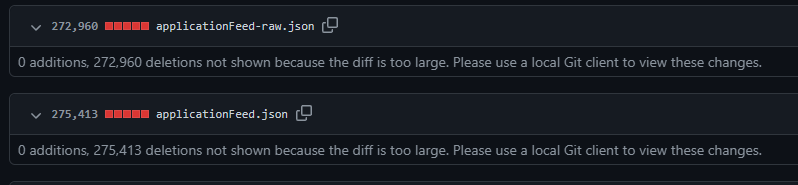
@Squid I made a reddit post to see what others were seeing and someone made this comment about the applicationfeed json file being wiped.