






CajunCoding
Members
-
Joined
-
Last visited
Everything posted by CajunCoding
-
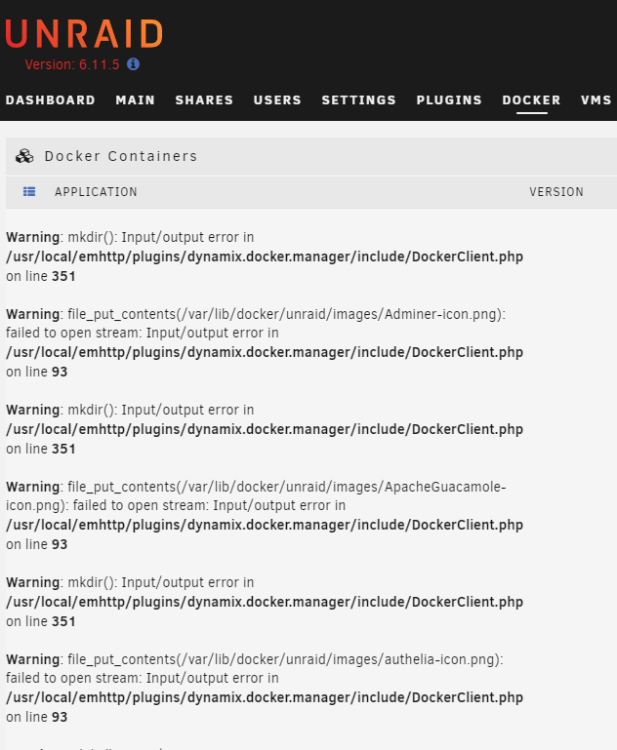
Welp the downgrade did not go well now I'm stuck with a slew of `DockerClient.php` errors on my Docker Page... And if I try to disable and then re-enable the Docker service I'm greeted with a "Docker Service failed to start" error requiring a reboot . . .
-
Yes I have been having what appear to be the same problems... but I can't even get a couple days, maybe several hours. Every morning though my sever is dead in the water again, usually noticeable by non-responsive Docker containers (espeically `HomeAssistant` which automates many things), but also when my wife can't access media because Shares are unreachable. I run headless so I don't have a monitor connected and have had to resort to hard-resets to get it back up and running. The other night I actually had to restart it 5-6 times, and though the UI was responsive most of those times, each time something different wonky was happening with Docker -- sometimes Docker Service wouldn't start, sometimes it would look like it started but ALL Containers said `Not Available', one time I tried to update a container and it looked like it worked but then Docker Service died and failed to re-start. It's been extremely frustrating & annoying . . . I do have some diagnostics (attaching), but I'm reverting to `6.11.5` to see if stability will return! unraid-diagnostics-20230627-2238.zip
-
I had this very same issue this evening trying to use File Integrity plugin.... can anyone provide additional details/resolution on this error? Allowed memory size of 134217728 bytes exhausted (tried to allocate 505585896 bytes) in /usr/local/emhttp/plugins/dynamix.file.integrity/include/ProgressInfo.php
-
Ok, thanks for the feedback. Yeah if it doesn't work then C'est la vie . . . it's not that hard for me to periodically run a file scan via rsync to gather files, and then encode them via Handbrake. But if I get some time I may experiment with a fork . . . (learning curve though on how to install plugin manually, etc.). Wish it was something that was configurable.
-
Hey @Josh am I able to configure Unmanic to re-encode existing h265 files that are larger than a size specified? I have many files encoded already as h265 but their size is still very large 40-60+GB… and I did some proof-of-concept re-encodes using Handbrake (eg. h265, CPU encoding, 10-bit, 2160p, RF22), and the file size was dramatically smaller 15-22gb with excellent quality (for my standards). Is this possible to do or will there be a plug-in to provide this kind of flexibility? Maybe it could just be a setting to allow re-encoding on an existing plugin?
-
Worth sharing one more thing to simplify complications later on. You can set the trusted_proxies value in the HomeAssistant configuration to the Docker IP Range! This way if you ever have to change (or re-install SWAG; like I just had to do) you won't have a broken HomeAssistant instance (with no recollection of having worked all this very specific IP stuff out some time back).... http: use_x_forwarded_for: true trusted_proxies: - 172.X.0.0/12 # The IP Range for SWAG docker IP address



