Rutj87
Members
-
Joined
-
Last visited
-
Will show updated logs once have a connection working. Assume though everyone would have that issue with the base configuration then with template config? Also, @yayitazale if was restarting wouldn't that show in logs?
-
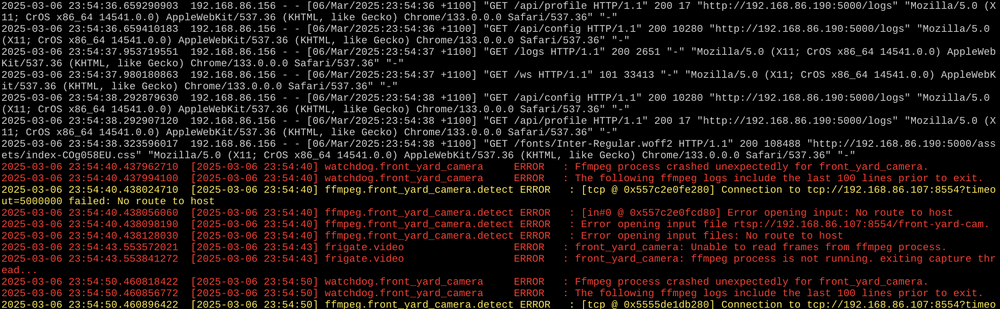
Thanks @yayitazale appreciate that the camera feed isn’t working in this screenshot but as mentioned can’t get the UI to be responsive or even access to the configuration editor without refreshing screen 10 times. I’m more keen to see if anything anomalous in the white nginx logs. thoughts? When I try and load a screen in the UI I just get black shell and the page details don’t actually load without refreshing multiple times. when I have reverted to 0.14.1, nginx logs flow very to above
-
Hi Team, I have had Frigate running with no issues for months until the latest release. Have read the changelog doc's but still couldn't get it back up and running. Have removed and started from scratch with base config file from Frigate. However when accessing WEBUI, I have to constantly refresh the page to get it to load any info. Have tried different devices and same issue. Anyone got any suggestions as I am at a loss as to how to solve.
-
Thanks - here is the debug log ab.debug.log
-
Nope all unique to LibrePhotos
-
Hi Team, Getting an error when trying to backup one of my containers - any suggestions? Thanks

-
@ThierryLC Did you get this running using Macinabox with unraid? I have created Ventura img but still getting stuck in the same boot loop. Are you able to share your OpenCore file? @ghost82 I know you have tried to help before - any new suggestions? Haven't given up hope of getting Monterey or Ventura to run on Ryzen 5600G
-
Thanks - how did you create Ventura img for install. I have had an attempt and adjusted to img but doesn't display any option on boot loader?
-
Thanks @ThierryLC. Did you get passed the initial apple loading bar for Monterey? For Ventura, did you do anything other than use Ventura image?
-
Has anyone had luck using Ryzen 5600G with Monterey? I am able to get BigSur up and running but when try and install Monterey, get stuck in boot loop after apple progress bar gets to 10%. Any and all help would be appreciated.
-
Have tried with and without. Any other information I can share to help narrow down root cause? Could it be possible permission issue between the containers?
-
Target IP accessible and no errors returned.
-
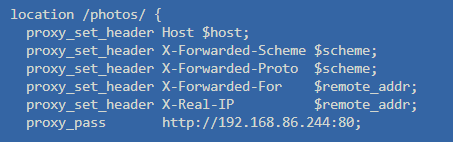
No just this config currently:
-
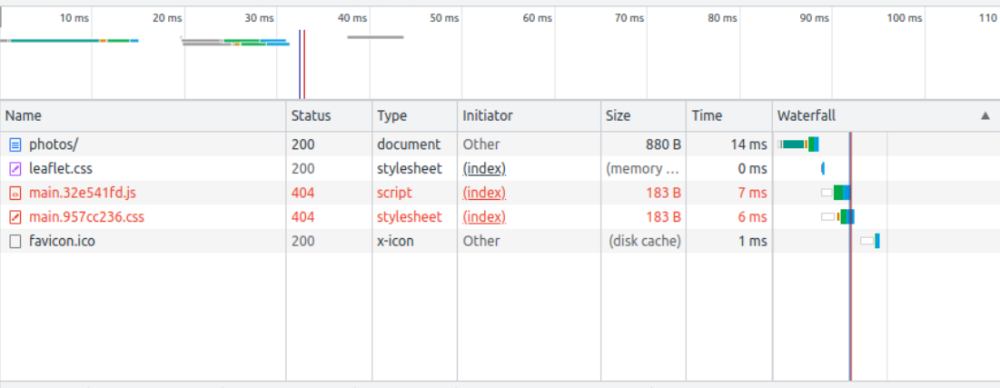
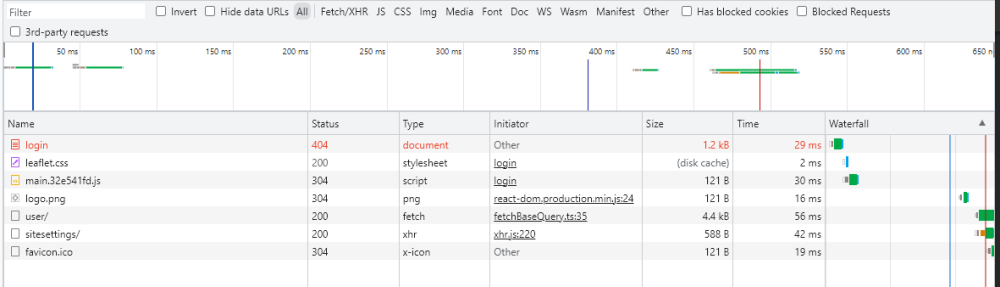
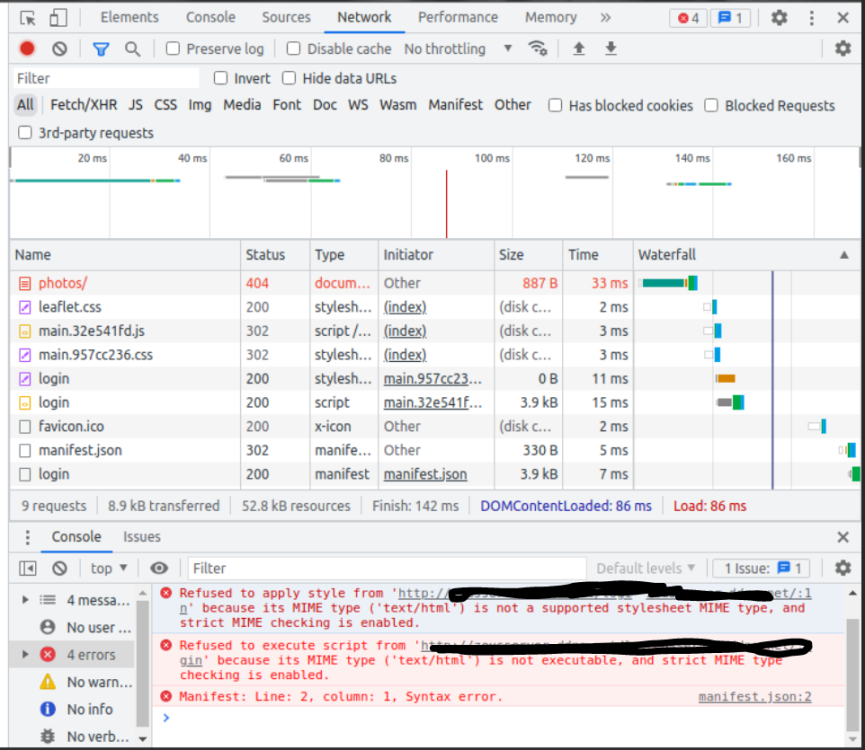
@mgutt - it seems its now reading from base url correctly but giving style error. Is this something with the config of NPM and the mime types enabled?
-
Apologies, hopefully right this time. 1st image is trying to run via custom location and 2nd is normal loading directly with target ip