





bobalot
Members
-
Joined
-
Last visited
-
Thanks for that advice. I thought it was less activity before but maybe my memory was wrong and didn't notice until recently.
-
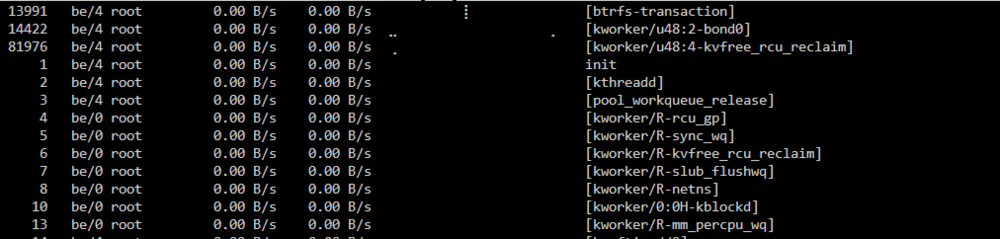
Hi, I have constant writes to cache (<500B/s every 2-5s). When I turn off all my dockers, this drops to 0. I systematically checked every docker and isolated to radarr, sonarr and overserr. When I stop these, the frequency drops down a fair bit but it still happens. I used iotop and noticed the activity linked to the writes were kworker events: kworker/R-kvfree_rcu_reclaim kworker/u48:1-btrfs-endio-write kworker/u48:5-btrfs-endio-meta kworker/u48:1-events_power_efficient kworker/u48:2-bond0 What is this? I'm assuming I have done something wrong. tower-diagnostics-20260613-1117.zip

-
This program doesn't seem to be available in community applications?
-
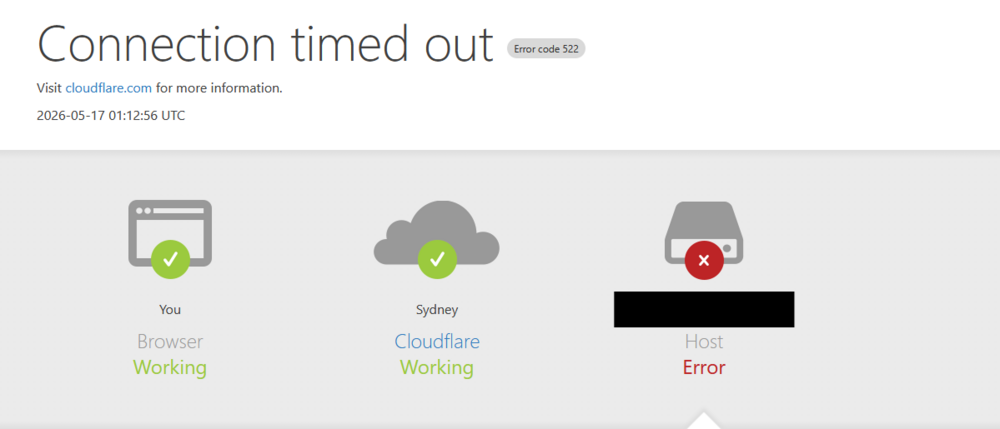
I have cloudflare forward to Nginx Proxy Manager which then points to Wordpress. I have had no issues for years and then it stopped connecting and times out. I checked the logs and keep getting errors about the ServerName which I'm assuming is the problem. AH00558: apache2: Could not reliably determine the server's fully qualified domain name, using 172.18.0.14. Set the 'ServerName' directive globally to suppress this messageI have checked the domain name in wp_options in the MariaDB database. It is the correct domain. I cannot work out how to fix this. Does anybody have any ideas?
-
I'm a ding dong. I paused the dockers. When I stop them all the effect goes away. I slowly turned them on one by one but having great difficulty pinning down which one it is. When I find one which seems to be causing the writes, I stop it but the writing continues, which makes me think it is one of the other dockers I have running (that didn't appear to be doing before). I recently upgraded to Unraid 7.3.0. Could this be related?
-
Hi all, Not sure when this started but I just noticed constant writes to my cache every 2-5s of small amounts of data. I cannot work out what is causing it. I turned off all my dockers and it still happens. I haven't installed any new plugins recently. Possibly an update is causing it? Is there a way to interrogate what is going on? Diagnostics attached. tower-diagnostics-20260516-1522.zip
-
I got the same issue. I haven't changed anything. It had been working fine for years. I'm assuming an update has caused this. How did you end up fixing this? EDIT: I have checked wp_options in the linked MariaDB database and it has the correct URL.
-
I'm confused. I have overseerr and jellyseerr. I installed this and set it up for Plex. Can I also set it up for Jellyfin (at the same time off the same docker)?
-
That seems to have fixed the problem. Thanks heaps.
-
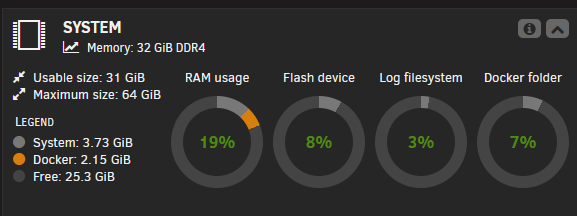
Pretty sure that is unmanic. Increased the limit to 4gb. Hopefully that should be sufficient.
-
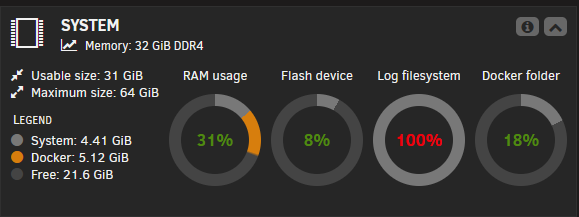
Hi all, Still a noob at this. I have had Log system at 100% for a while now. Trying to work out what is causing it to fill up. I have not changed it from 128MB. Diagnostics file attached. I think it might be to do with my cache (which I recently replaced). Where would I start to work out what the issue is? Cheers Bobalot tower-diagnostics-20260214-1508.zip
-
I managed to fix some of them by changing the WebUI from http://[IP]:[PORT] to the hard coded address (192.168.1.4:XXXX). It must have been that plugin. Had to go to work. When I get back from work, I'll remove it all together and see what happens. Most of the dockers are accessible now. A few not working. Not really sure why that plugin is causing and issue if it didn't before my old SSD failed.
-
Weird. I thought I have VMs turned off. Thanks. I have turned it off.
-
That hasn't worked in Foldierview2 for a while (before the SSD failure, plugin needs the dev to update this bug) but I did try that in the apps menu for the dockers that were installed (selecting the docker and clicking webui) and it didn't work. Been checking some other dockers, this issue seems to be limited to anything on the custom docker.
-
I just type in my IP on the network and the port. It's from another computer on the network. I just noticed that I can access my unmanic docker (which isn't on a custom network - not sure if that is relevant).



