





alexbn71
Members
-
Joined
-
Last visited
Everything posted by alexbn71
-
UHPPOTE Desk – web app to manage UHPPOTE UT0311-L0x access controllers (1/2/4-door Wiegand boards), replacing the Windows "Access Control" software (N3000). [inserisci qui lo screenshot della dashboard] Links Project and source code: https://github.com/alexbn71/UHPPOTE-Desk Docker image: ghcr.io/alexbn71/uhppote-desk Installation guide (Unraid section included): https://github.com/alexbn71/UHPPOTE-Desk/blob/main/docs/DOCKER.md User manual (PDF): https://github.com/alexbn71/UHPPOTE-Desk/releases/latest Bug reports and feature requests: https://github.com/alexbn71/UHPPOTE-Desk/issues Features Controller discovery and configuration, doors, time profiles, scheduled tasks, interlock, anti-passback, keypads People, cards and permissions with automatic sync to the controllers Live monitor with photos, event history, attendance reports, anomaly detection Home Assistant integration over MQTT (auto discovery), webhooks, Telegram/email/ntfy/Gotify notifications Mobile PWA with hold-to-open or fingerprint/Face ID English, Italian, Spanish, French, German Before you install – important Network type must be host (already set in the template): the controllers are discovered with UDP broadcast and send their events over UDP, which does not work through bridge networking. Fill in Event destination (UHPPOTE_LISTENER_PUBLIC): the IP of your Unraid server and port 60001, e.g. 192.168.1.10:60001. Without it, events arrive only through periodic polling. Set Discovery broadcast (UHPPOTE_BROADCAST) to the broadcast address of the controllers' subnet, e.g. 192.168.1.255:60000. On Unraid the generic 255.255.255.255 may leave through the wrong interface (bonds, bridges, VMs). Check that the Web port (default 8080) is not already used by another container. First start Set Admin password in the template, or leave it empty: a temporary password is printed in the container log and must be changed at first login. Open the web UI, go to Controllers → Search network, add your controller. Image tags :1 – stable releases (recommended) :latest – development version, follows the main branch Asking for help Please include: UHPPOTE Desk version (System page) and image tag Controller model and firmware (Diagnostics tab) The container log (Docker → uhppote-desk icon → Logs), with passwords removed
-
Is it possible that it won't be fixed or investigated by unraid team?
-
Same issue here
-
Hi, I know that "socat" was present in Nerdtools some years ago... can be added again? Thank you Alex
-
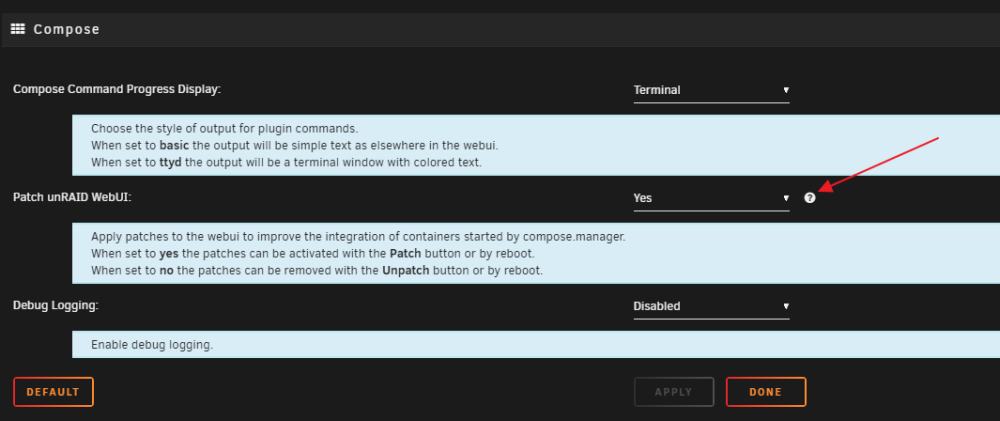
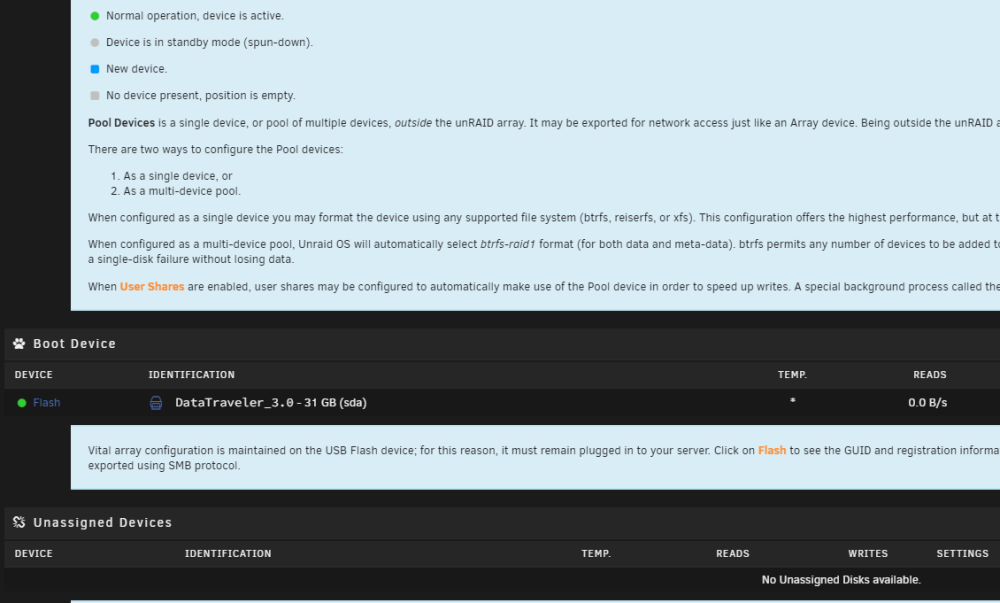
I think there is a bug when activating the help on compose settings, here: If you keep this activated and moves around the GUI all tooltips are activated and if you turn it off one of these they are still active returning to the same page. You have to turn off "?" on compose settings to bring it back to normal GUI behaviour.
-
a screenshot of where this setting is?
-
how is this patch applied?
-
I have the last version (2022.10.15) but the update link is still there, even after a real stack update it hasn't disappeared.

-
Fast, free, self-hosted Artificial Intelligence Server for any platform, any language CodeProject.AI Server is a locally installed, self-hosted, fast, free and Open Source Artificial Intelligence server for any platform, any language. No off-device or out of network data transfer, no messing around with dependencies, and able to be used from any platform, any language. Runs as a Windows Service or a Docker container. Docker Image: https://hub.docker.com/r/codeproject/ai-server
-
Me too
-
I've found another even poorer video card "ASUS EAH 5450". After 10 days without a GPU and no issue on my NAS I've installed this "new" card... let's see what happens
-
GTX650... 10 years ago? I'm sorry for the latest disaster 😔 It happened to me with multiple reboot that something broke. Luckily I stopped the loop after 3 or 4 restarts and the damage had been slight
-
So it should be a combination of factors unless there are hundreds of people out there with the same problem ... isn't that right?
-
My currently MB doesn't have an integrated graphics. I have it on a new MB+CPU+RAM that I prepered as last chance to resolve this issue
-
I do not agree. The concept behind docker makes it a universal system in itself. I don't see why docker should run smoothly on a Raspberry Pi or any other hardware/linux distribution (and windows) and not on Unraid. I've never had issue like this with Docker on other linux systems. ...and I also want to remind you that I only kept the docker service active without any of my apps active and the problem occurred anyway. This should rule out any of them as guilty, right?
-
@2Piececombo have you ever suspected that docker might play a role with this issue? In some of my tests (not sure a 100%) I tried to stop docker service and the issue did not arise in this case. however, I have not done tests that lasted many days. I've also tried with docker service up and running and all docker apps stopped and it happened again
-
I haven't tried it yet. I keep that in mind, thanks
-
@itimpi unfortunately this is the usual answer 🙂 among other things, in some ways it is also correct if it is really related to the GPU ... but why does it happen? it doesn't seem to be really an hardware problem. My CPU runs constanty at 5/15% of load with peeks of maximum 30% during monthly parity checks or activity like this the rest of the time it runs a handful of docker apps. The power consumption is 45/65W at the socket with a PSU of 750W it is far from being a problem. also i am wondering, but really any problem causing a system crash would be logged? Is there anything that can escape this logging system but still caused by a software issue (interacting with a piece of hardware)? is it really impossible? 🤔
-
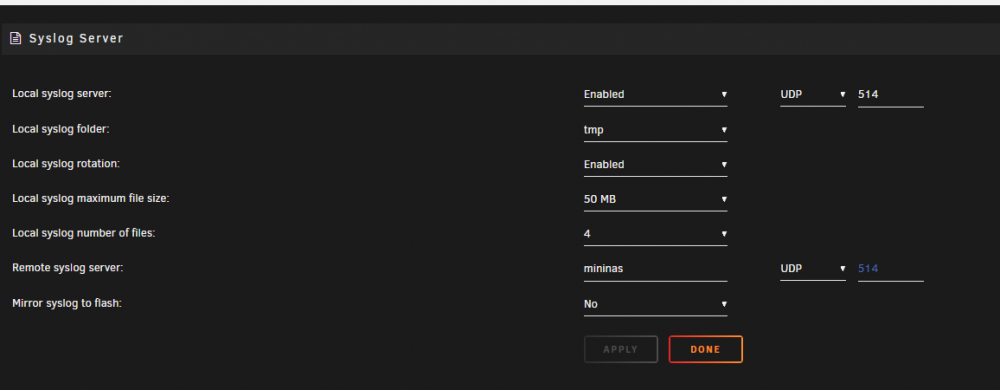
I've already enabled syslog server but I have never found anything interesting about my problem. I've tried also to mirror syslog to flash suspecting that something was not written in time by the syslog server. The problem is that when the reboot occurs nothing is logged in the instant immediately before this event....
-
Here my diagnostics... mininas-diagnostics-20220819-0821.zip
-
The only thing that bothers me is that my current motherboard has no integrated GPU and so in the end I would have to replace it with the one I bought recently .... or use it without GPU and in case of problems install it temporarily every time.... what the hell is wrong with GPUs and Unraid? 🤔
-
And yours? crashed again since 6 August?
-
I'm close to the milestone of 24 hours without a GPU... I'll keep you updated Update: 3 days passed
-
I don't rememebr... a very very cheap GPU. Anyway I'll take it out today since the reboot happened again yesterday 🙁 I think no... my server reboot because I've configured the BIOS to restart on power failure... (and generic failure?) It's stay unpowered only if a regular shutdown is invoked. In the next few hours I will try to remove the GPU Edit: removed! it's a GTX650
-
I have a similar issue since two month. I am quite new to unraid, my experience is only a few months starting from 6.9 to the current 6.11.0-rc3. During this time I've configured unraid constantly so it's quite difficult to me to understand what's changed in my setup that causing these reboots. The only suspicion I had was docker. I've noticed that with docker service up and running (also with docker apps stopped) the issue was more frequent. Sometimes reboot 3 / 4 times in a hour... sometimes it stay up 24 hours.. sometimes days before rebooting. I found several posts regarding a possible problem with docker macvlan/ipvlan ... but the various solutions did not bring improvements. I don't know if it's a sign but after the last update to 6.11.0-rc3 no reboots since 5 days, now. I even bought myself a new motherboard / cpu / ram ready for a replacement as often the answer in the forum is that it is a hardware problem. I'm just waiting for the next reboot before proceeding with replacing most of the hardware. I'm glad there is also a possible culprit in the GPU .... since I don't have an integrated video card, I have a small GPU installed... could i remove it to see if it's the culprit? 🙂 PS:I conclude by saying that I am quite frustrated with this situation as I approached unraid to leave QNAP forever... but my old NAS is still here due to this unraid instability


