





Wizard_
Members
-
Joined
-
Last visited
-
For my setup, upgrading to Unraid 7.2.5 by uninstalling and then reinstalling the SR-IOV plugin not only failed to get SR-IOV working (the system log reports: “kernel: i915 0000:00:02.0: driver does not support SR-IOV configuration via sysfs”), but also broke my macvlan Docker setup, preventing it from obtaining a stable, suffix-fixed IPv6 address.
-
Same 7.2.5 issue
-
I haven’t used this plugin yet (I’m currently using Appdata Backup + VM Backup + Duplicati), but I really like its modern interface. I have a few questions about whether to use it: I saw someone on the forum mention that this plugin doesn’t seem to support selectively backing up specific directories of a container. Is it possible to back up only the contents under /mnt/user/appdata? Does it support periodically backing up specified folders (unrelated to Docker or virtual machines) to another directory without constantly waking up the destination disk from sleep?
-
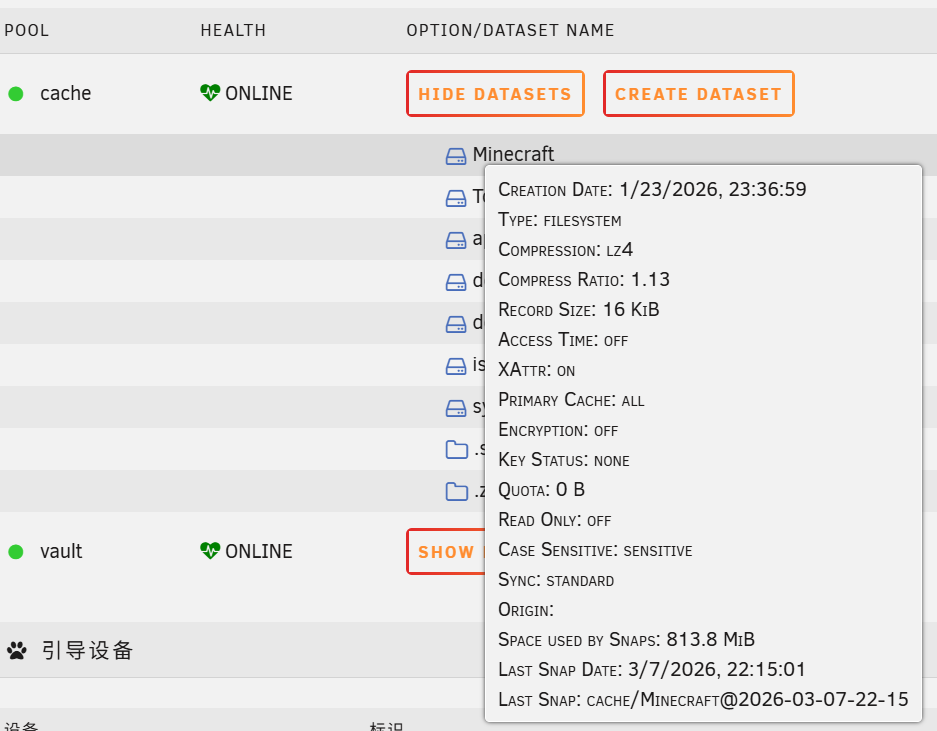
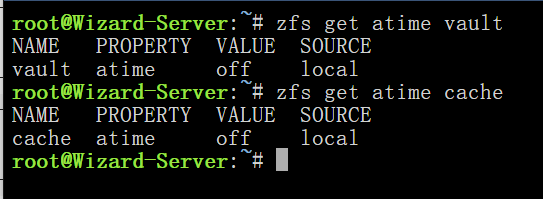
After several days of observation, it can be confirmed that the issue is still related to atime. To avoid disk wake-ups caused by atime, all datasets must have atime manually set to off. Inheriting the pool’s setting will still cause wake-ups, even if the pool itself is configured with atime=off.
-
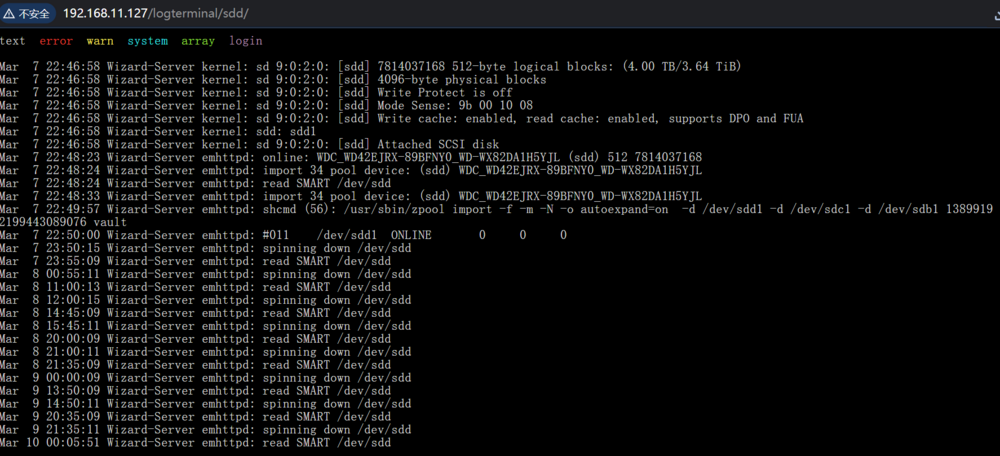
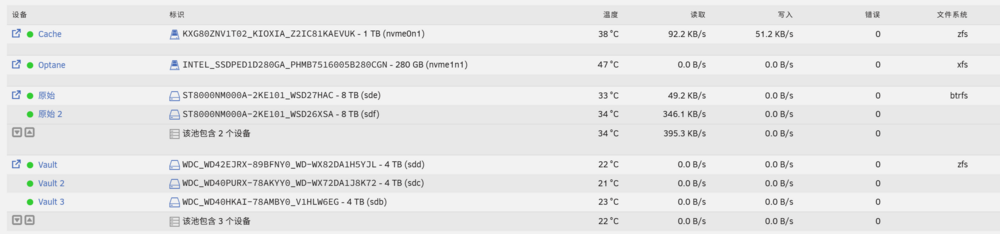
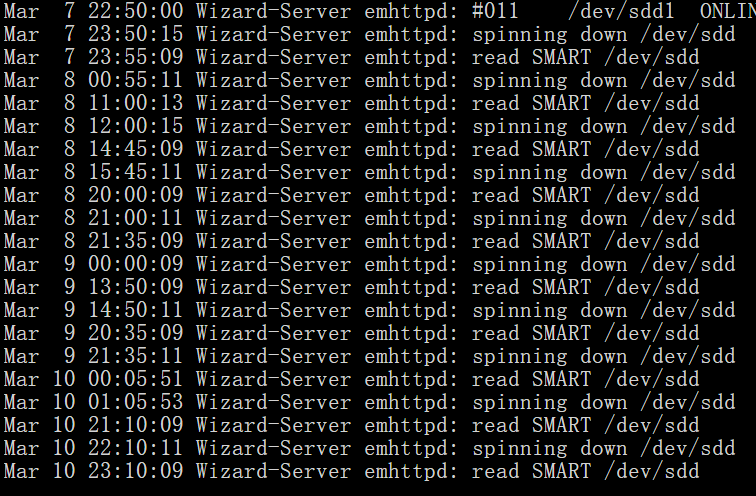
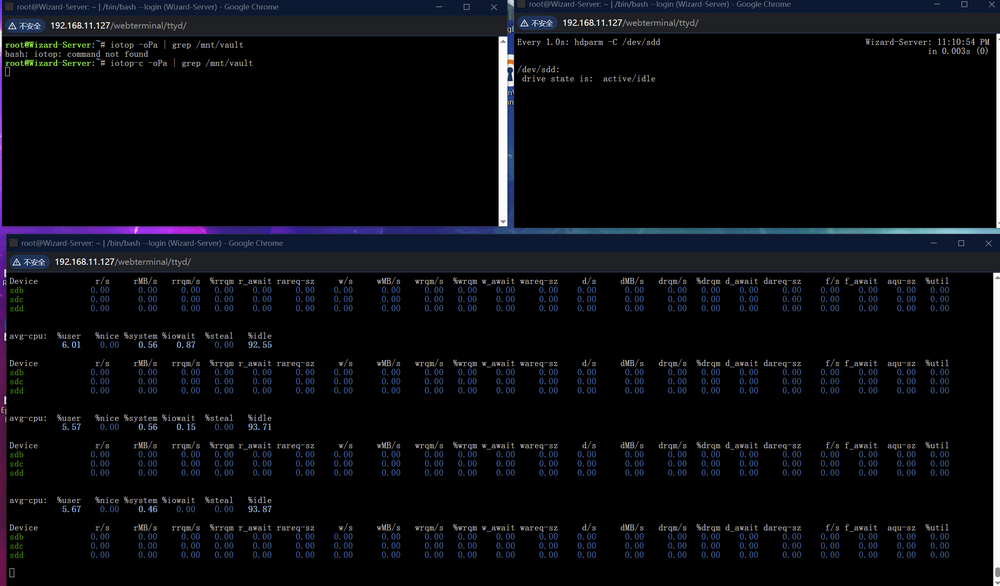
I previously used the solution JorgeB provided at https://forums.unraid.net/bug-reports/stable-releases/v700-v723-there-is-a-bug-that-keeps-waking-up-most-of-my-hdds-everyday-at-the-same-time-r4228/ and it worked as expected at the time. - Later, I added a single SSD (Kioxia XG8), formatted it as ZFS, and disabled atime for both all datasets and the vdev itself. I expected this change would not affect anything on other devices, but the HDDs that were previously working normally started being woken up periodically again. This time they are even woken up multiple times per day instead of just once. I also use a script that periodically creates ZFS snapshots (see attachment), but it only applies to the newly added single‑disk SSD ZFS device. I have already checked the script with AI, and it should not affect the HDD array. Unraid version has been updated to v7.2.4. - Both pools are set to atime off. I have already removed the ZFS Master plugin and the ZFS automatic snapshot script, but the issue still has not been resolved. The File Activity plugin does not show any records. Considering that there is only about a 2‑second gap between the disk wake‑up and spin‑down events (along with a one‑hour spin‑down delay), it is unlikely that the wake‑ups are caused by file read or write operations. - Do anyone have any suggestions on how to improve or troubleshoot this situation? wizard-server-diagnostics-20260310-0008.zip zfs-snapshot.sh
-
I ran into the exact same problem. Did you end up resolving it?
-
Meet exactly same problem but at (14:20:46 GMT+8) completely at a loss, i've uninstalled zfs master plugin, but still with Snapshot plugin installed(take snapshots for btrfs drivers)
-
What I mean is that I’m not looking to release a separate “Chinese version” of the plugin, since that would look odd in Community Applications (multiple versions of the same plugin) and would be harder to maintain. Instead, is there a way for the plugin to automatically switch its language based on the language selected in the Unraid web interface? From what I know, plugins like Dynamix File Manager(before unraid7), Recycle Bin, and Community Applications already support this behavior.
-
Thanks for the update. I just tried version 1.3.1, and it works exactly as expected. Whether I use the Dynamix System AutoFan Plugin or no fan control plugin at all, my CPU fan speed cannot be changed and stays fixed at 700 rpm (BIOS settings have no effect, and I couldn’t find an option to ignore OS control either — this might be because I’m using a cheap Maxsun motherboard). Also, if possible, I would like to translate this plugin into Chinese so that it can be shared in the Chinese community. But I’m not sure how to do this — could you advise?
-
This plugin makes the Dynamix System AutoFan Plugin look like Windows 95. Really looking forward to seeing the fan speed control feature based on CPU Temp.
-
Agreed, I'm also unsure why Dynamix File Manager doesn't integrate compression and decompression into the web UI.
-
Unraid7.1-beta1 with linux kernel6.12.19 have been released, anyone have same issue on that version?
-
Linux kernel 6.12 have been confirmed as LTS and zfs 2.2.7 have been released a week age with the support of 6.12, maybe we are good to go now?
-
linux发布今年的lts内核 openzfs支持上面的内核 以上两件事同时满足了,再等一两周应该就来了。
-
smb不适合直接外网使用,建议换个协议


