





squirrellydw
Members
-
Joined
-
Last visited
-
No I didn't but my I know my dockers aren't running so something is messed up. I will try that when I get home. Any other ideas?
-
@itimpi Yeah, I tried powering it off and back on and still nothing. All the data drives say missing and not listed in the drop down. No idea what happened, it was working fine last night and I didn't change anything.
-
I also can't pick any disks from the drop down menu. No idea what happened
-
I woke up today and found my server had all disks missing. Attached is diagnostics file. Any idea what happened? And how I can restore it, I have a flash backup but I never restored it before. diagnostics-20250316-1012.zip
-
Will this save all the settings for dockers and plugins also
-
yeah I know it has nothing to do with the boot issue, just trying to get to 7.0.
-
Or could I delete everything in the LOG and PREVIOUS Folders to clean up some space?
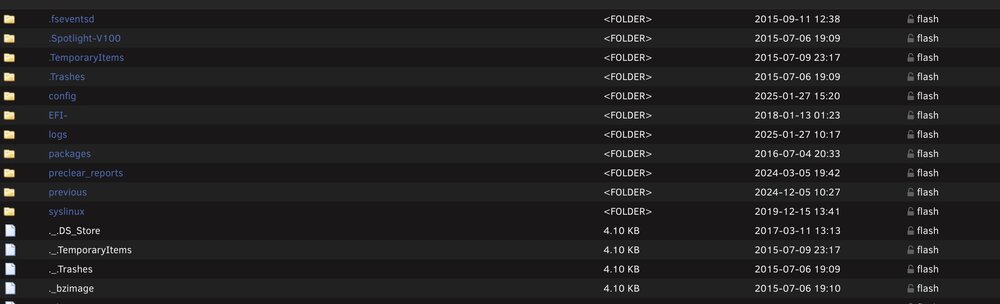
-
ok maybe I'm doing something wrong because I still can't get it to boot. I make the drive with the creator tool then I run the Make Bootable file for Mac since that's the computer I'm using and then eject the drive and install it in my server. When it asks for the admin password I assume it for my Mac and not Unraid correct? The old drive boots up fine but the new one isn't. Any idea?
-
you think the problem is using a USB 3 in a USB 2 port? I never even thought of that. I did just order a new Samsung Bar 64gig but it's also USB 3. I will also double check my BIOS settings
-
Port and memory are fine, the old flash drive works fine and boots right up. I've tried two different newer USB sticks and both give me the same same issue. Any recommendation for a USB stick? The old one is 2gigs and 15 years old, the new ones I've tried are both 32gig and USB 3
-
So I can't seem to get the new drive to boot. it either says "No boot drive detected" or I can get it to where I can pick to launch Unraid and it counts down 5 seconds but it seems to get stuck in a boot cycle and won't boot, just keeps counting down 5 seconds then repeats.
-
Creator didn't work so trying to do it manually
-
Thank, this mentions downloading the release I want but I have a backup. Can I use that? Can I just copy the contents of the old flash drive to the new one?
-
I'm trying to replace my flash drive since my old one is now to small, it's 2 gig and 15years old and I can't update it anymore. My new one is a 32gig Kingston. I've tried the USB creator but it keeps tell me it's not bootable. I ran the make bootable script from my Mac but still not working. Any idea what the issue might be other than I'm doing something wrong
-
Does this mean I need a bigger flash drive? Anything I can do to get extra space from the one I have? My flash drive is 2gig and about 15 years old boot device shows 596295680 free but upgrade needs 698368584 plugin: run failed: '/bin/bash' returned 1 Executing hook script: post_plugin_checks

