





maikki
Members
-
Joined
-
Last visited
-
Hoi tommek83 Das freut mich hats bei dir auch funktioniert. Das kann ich dir nicht sagen. Ich sichere es jeweils zusätzlich noch selber. Ich konnte mir jeweils nicht erklären warum die Datenbank immer "kaputt" ging. Mir ist das jedoch seit ich Plex vor dem updaten manuell stoppe und danach wieder starte nicht mehr passiert. Gruss mAik
-
Hi tommek83 Das Problem hatte ich auch schon. Ich habe dann jeweils die aktuelle Datenbank umbenannt und eine ältere wieder aktiviert. Danach funktionierte alles wieder.. Plex stoppen, dann im Verzeichnis Appdata/Plex-Media-ServerLibrary/Application Support/Plex Media Server/Plug-in Support/Databases die Neuste com.plexapp.plugins.library.db umbennen in z.B com.plexapp.plugins.library.dbold danach eine älter DB umbenenne z.B com.plexapp.plugins.library.db-2023-09-21 in com.plexapp.plugins.library.db Plex starten und einen Suchlauf der Medien durchführen. Gruss mAik
-
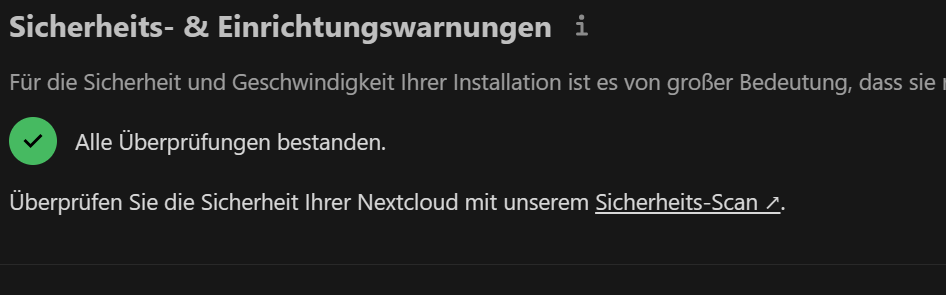
Try a rescan in the adminsetting.. I run the command, stop the container and make a rescan. now is anything okay.. I
-
Okay, thanks this fix the cronjob.. greez maik
-
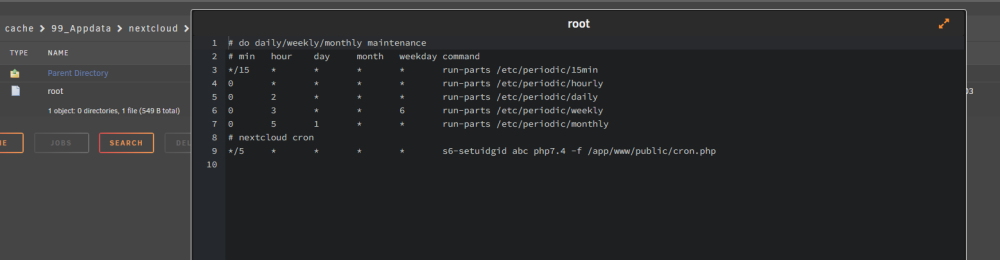
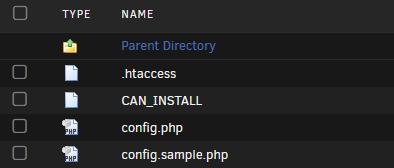
Thx for help.. I deletet the file and restart the cotainer.. The file was new create but the issue is the same. (Uptime Container 10min) s6-applyuidgid: fatal: unable to exec php7.4: No such file or directory s6-applyuidgid: fatal: unable to exec php7.4: No such file or directory s6-applyuidgid: fatal: unable to exec php7.4: No such file or directory s6-applyuidgid: fatal: unable to exec php7.4: No such file or directory s6-applyuidgid: fatal: unable to exec php7.4: No such file or directory s6-applyuidgid: fatal: unable to exec php7.4: No such file or directory s6-applyuidgid: fatal: unable to exec php7.4: No such file or directory s6-applyuidgid: fatal: unable to exec php7.4: No such file or directory s6-applyuidgid: fatal: unable to exec php7.4: No such file or directory s6-applyuidgid: fatal: unable to exec php7.4: No such file or directory s6-applyuidgid: fatal: unable to exec php7.4: No such file or directory s6-applyuidgid: fatal: unable to exec php7.4: No such file or directory s6-applyuidgid: fatal: unable to exec php7.4: No such file or directory s6-applyuidgid: fatal: unable to exec php7.4: No such file or directory s6-applyuidgid: fatal: unable to exec php7.4: No such file or directory s6-applyuidgid: fatal: unable to exec php7.4: No such file or directory s6-applyuidgid: fatal: unable to exec php7.4: No such file or directory s6-applyuidgid: fatal: unable to exec php7.4: No such file or directory s6-applyuidgid: fatal: unable to exec php7.4: No such file or directory s6-applyuidgid: fatal: unable to exec php7.4: No such file or directory s6-applyuidgid: fatal: unable to exec php7.4: No such file or directory s6-applyuidgid: fatal: unable to exec php7.4: No such file or directory s6-applyuidgid: fatal: unable to exec php7.4: No such file or directory s6-applyuidgid: fatal: unable to exec php7.4: No such file or directory s6-applyuidgid: fatal: unable to exec php7.4: No such file or directory s6-applyuidgid: fatal: unable to exec php7.4: No such file or directory s6-applyuidgid: fatal: unable to exec php7.4: No such file or directory s6-applyuidgid: fatal: unable to exec php7.4: No such file or directory s6-applyuidgid: fatal: unable to exec php7.4: No such file or directory s6-applyuidgid: fatal: unable to exec php7.4: No such file or directory s6-applyuidgid: fatal: unable to exec php7.4: No such file or directory s6-applyuidgid: fatal: unable to exec php7.4: No such file or directory s6-applyuidgid: fatal: unable to exec php7.4: No such file or directory cp: not replacing '/config/crontabs/root' s6-applyuidgid: fatal: unable to exec php7.4: No such file or directory s6-applyuidgid: fatal: unable to exec php7.4: No such file or directory s6-applyuidgid: fatal: unable to exec php7.4: No such file or directory s6-applyuidgid: fatal: unable to exec php7.4: No such file or directory s6-applyuidgid: fatal: unable to exec php7.4: No such file or directory s6-applyuidgid: fatal: unable to exec php7.4: No such file or directory [migrations] started [migrations] 01-nginx-site-confs-default: skipped [migrations] 02-default-location: skipped [migrations] done usermod: no changes ─────────────────────────────────────── ██╗ ███████╗██╗ ██████╗ ██║ ██╔════╝██║██╔═══██╗ ██║ ███████╗██║██║ ██║ ██║ ╚════██║██║██║ ██║ ███████╗███████║██║╚██████╔╝ ╚══════╝╚══════╝╚═╝ ╚═════╝ Brought to you by linuxserver.io ─────────────────────────────────────── To support LSIO projects visit: https://www.linuxserver.io/donate/ ─────────────────────────────────────── GID/UID ─────────────────────────────────────── User UID: 99 User GID: 100 ─────────────────────────────────────── using keys found in /config/keys # do daily/weekly/monthly maintenance # min hour day month weekday command */15 * * * * run-parts /etc/periodic/15min 0 * * * * run-parts /etc/periodic/hourly 0 2 * * * run-parts /etc/periodic/daily 0 3 * * 6 run-parts /etc/periodic/weekly 0 5 1 * * run-parts /etc/periodic/monthly # nextcloud cron */5 * * * * s6-setuidgid abc php7.4 -f /app/www/public/cron.php **** The following active confs have different version dates than the samples that are shipped. **** **** This may be due to user customization or an update to the samples. **** **** You should compare the following files to the samples in the same folder and update them. **** **** Use the link at the top of the file to view the changelog. **** ┌────────────┬────────────┬────────────────────────────────────────────────────────────────────────┐ │ old date │ new date │ path │ ├────────────┼────────────┼────────────────────────────────────────────────────────────────────────┤ │ 2021-10-24 │ 2023-04-13 │ /config/nginx/nginx.conf │ │ │ 2023-06-23 │ /config/nginx/site-confs/default.conf │ └────────────┴────────────┴────────────────────────────────────────────────────────────────────────┘ [custom-init] No custom files found, skipping... [ls.io-init] done. s6-applyuidgid: fatal: unable to exec php7.4: No such file or directory

-
Hi I have still another issue. The cronjob doesn't work anymore. The file is not more available. How i can fix this? Thank and greez mAik


-
Es ist Update des SNMP Plugin gekommen. Das hat bei mir das Problem bis jetzt gelöst.
-
@kubed_zero Thanks for the fix. I have installed an now is all good.
-
Hi I have the same problem. See Topic.. https://forums.unraid.net/topic/137589-log-wird-innheralb-von-2-woche-vollgeschrieben/ Greez mAik
-
Danke das hilft mir doch schon weiter.. Ja klar, verstehe mich nicht falsch. Ich gebe nicht Unraid die Schuld. Es muss ja durch irgend was von mir konfiguriertes sein. Gruss mAik
-
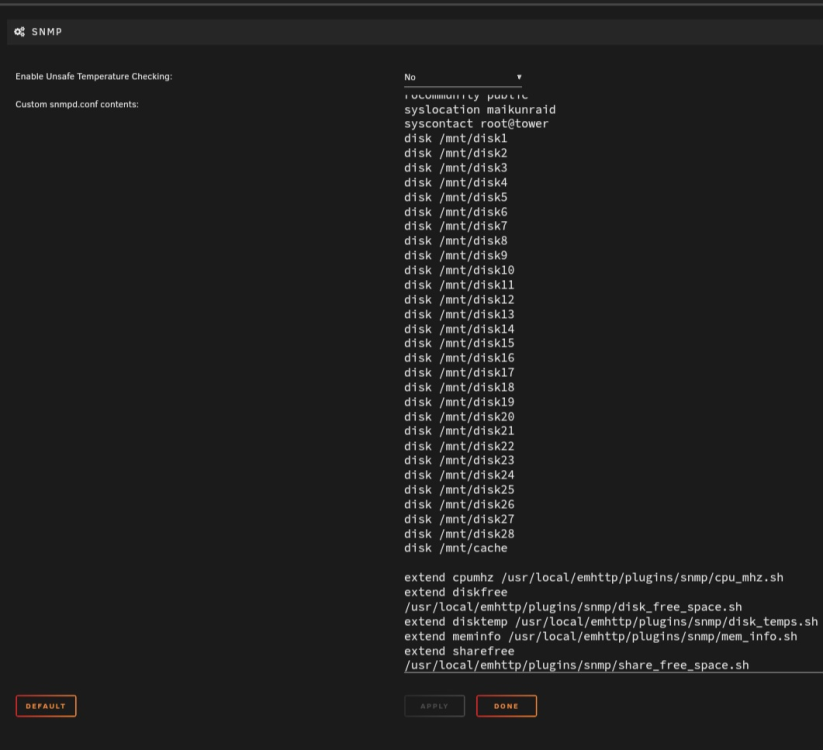
@mgutt ja das sehe ich eben genau so.. Deshalb denke ich auch nicht das es vom Container kommt sondern von Unraid selber. Ja wie oben geschrieben lch habe das snmp plugin installiert.. Das aber auch schon länger..
-
ja ich hab das snmp plugin installiert.. Diese LogFile ist mir bis vor kurzem auch noch nie aufgefallen.. Deshalb ist es ja so komisch.. Ja villeicht kann mir jemand anderes ja noch einen Tipp geben.. Danke für deine Mühe.. Gruss mAik
-
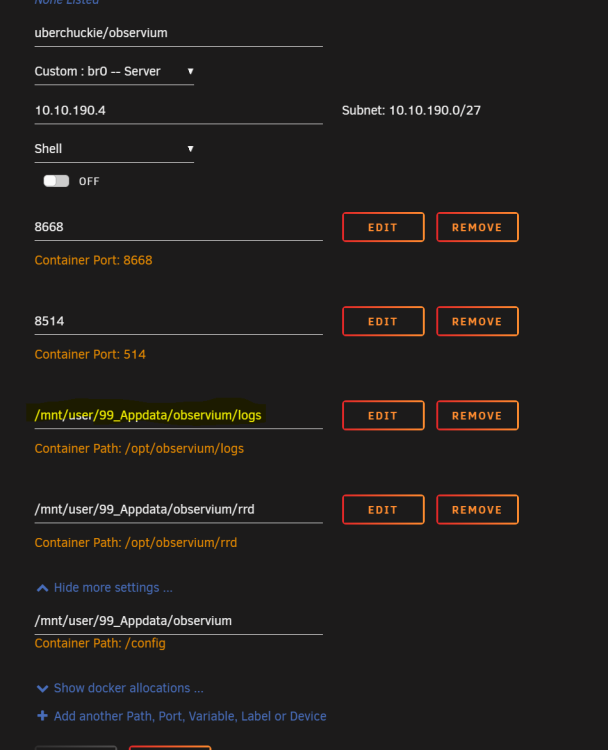
Das ist eben genau die Frage, von wo kommt das File.. Im Observium habe ich seit Monaten nichts mehr umgestellt. Klar es gab mal Updates. Bin mir aber leider nicht sicher ab wann das gekommen ist. Bei Observium im Container ist auch für die Logs ein anderer Pfad angegeben. Deshalb habe ich auch die Befürchtung das es nicht von Observium selber kommt.

-
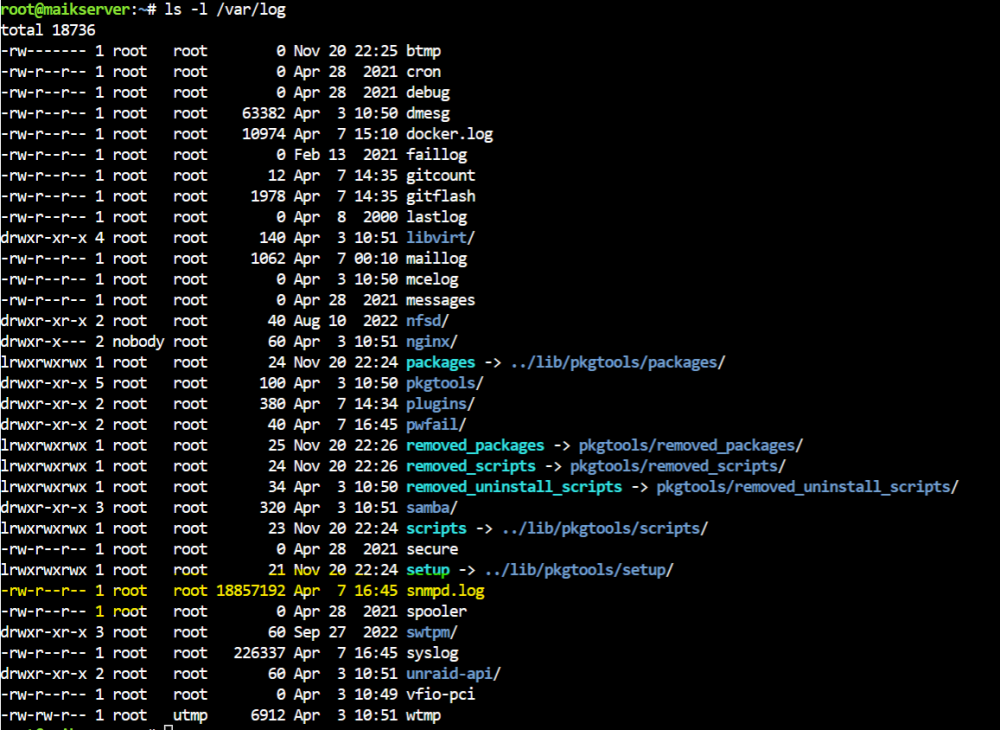
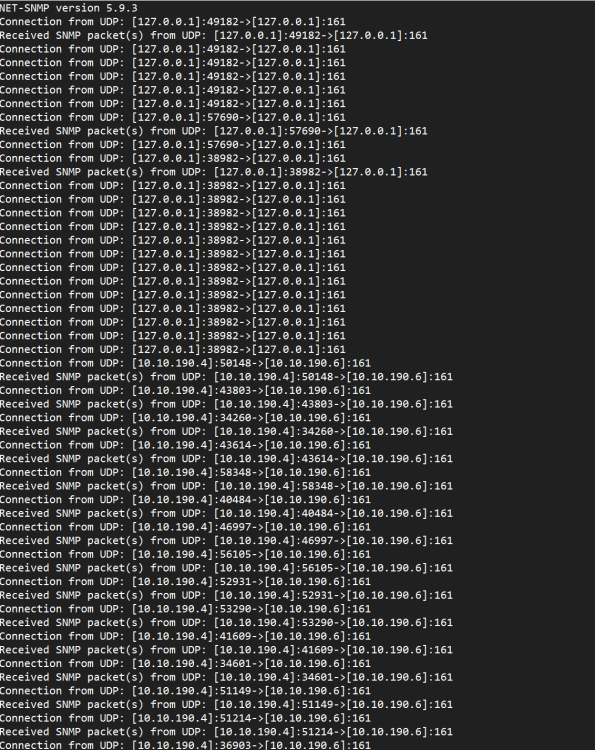
Hallo zusammen Mein Log vom Unraidserver wird durch die Datei snmpd.log vollgeschrieben. Wie finde ich heraus von wo das dieses File geschrieben wird? Ich kann es zwar alle 2 Wochen löschen, aber ich möchte die Ursache dafür herausfinden. Was benötigt ihr noch für Daten? Hinter der IP Adresse: 10.10.190.4 verbirgt sich mein Observium Hinter der IP Adresse: 10.10.190.6 ist mein Unraidserver Danke und Gruss mAik
-
Hallo cz13 Das hat perfekt funktioniert. Vielen Dank.. Gruss mAik





