





rocketeer55
Members
-
Joined
-
Last visited
Everything posted by rocketeer55
-
I am having the same issue after upgrading. Letting it sit for a couple of minutes and then reloading the page just shows the same message. After several hours the scan has not completed. I will not be upgrading to 6.13 immediately after release. I can provide diagnostics or logs if they will help make this plugin work again on 6.12.6.
-
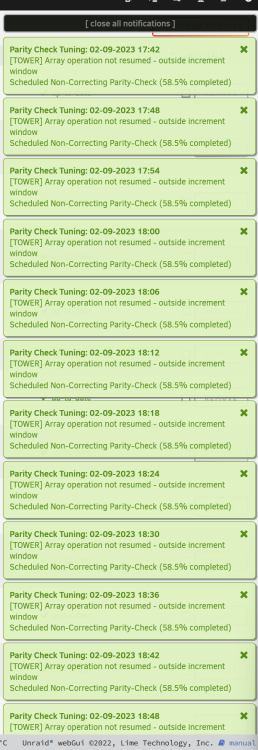
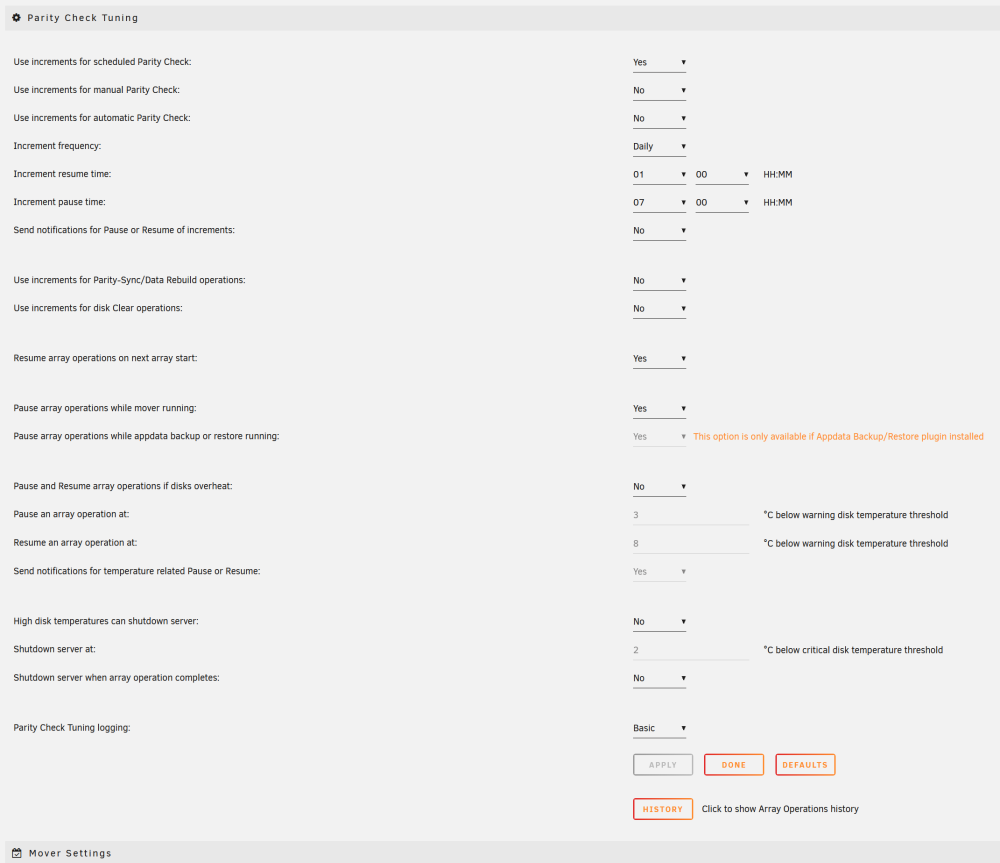
I just updated to the latest version of this plugin and now am being spammed with notifications every six minutes - "Array operation not resumed - outside increment window". I have tried turning off "Send notifications for Pause or Resume of increments" but I am still receiving notifications every 6 minutes. My scheduled parity check is in-progress, but currently outside the increment window (the notification is accurate), but I would like a way to turn this off if possible, and only display notifications for when it is being resumed and when it is being paused. Attached are screenshots displaying the above.
-
I have been experiencing the same issue. There's another thread here with some other users experiencing the same error, not necessarily caused by Time Machine: I reset my smb extras configuration to default, and the errors went away, but now periodic Time Machine backups are not working (even created a brand new Time Machine share). For now I have had to turn off time machine until this is fixed


