





chis34
Members
-
Joined
-
Last visited
Everything posted by chis34
-
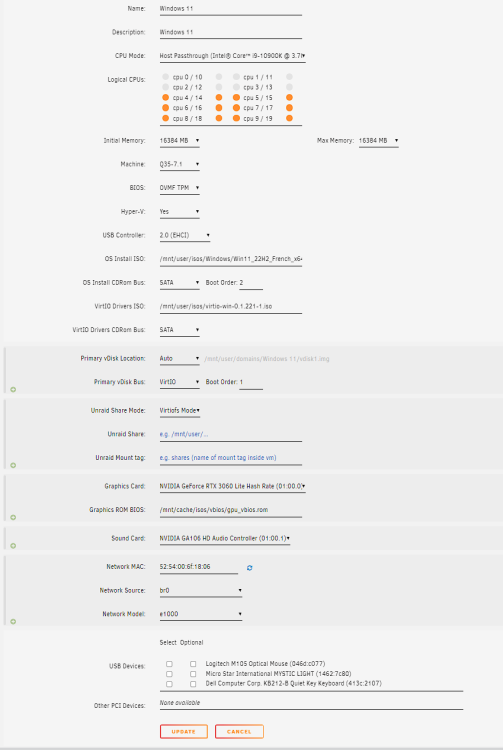
I tried this parameter however i cannot see the card on the peripherals list under Windows. i have to say i did not put the graphics ROM Bios as Vm option. Should i have to do this ? Do i need to delete the header as my graphic card is nvidia ?
-
The graphic card and sound are correctly bind to VFIO. However when on my Windows VM i install the Nvidia drivers, he says he does not find any compatible graphic card so he refuses to install the drivers. I have checked the peripheral list and the graphics card NVIDIA RTX 3060 is not in the list. ============================================================================================================================================= Loading config from /boot/config/vfio-pci.cfg BIND=0000:01:00.0|10de:2504 0000:01:00.1|10de:228e --- Processing 0000:01:00.0 10de:2504 Vendor:Device 10de:2504 found at 0000:01:00.0 IOMMU group members (sans bridges): /sys/bus/pci/devices/0000:01:00.0/iommu_group/devices/0000:01:00.0 /sys/bus/pci/devices/0000:01:00.0/iommu_group/devices/0000:01:00.1 Binding... Successfully bound the device 10de:2504 at 0000:01:00.0 to vfio-pci --- Processing 0000:01:00.1 10de:228e Vendor:Device 10de:228e found at 0000:01:00.1 IOMMU group members (sans bridges): /sys/bus/pci/devices/0000:01:00.1/iommu_group/devices/0000:01:00.0 /sys/bus/pci/devices/0000:01:00.1/iommu_group/devices/0000:01:00.1 Binding... 0000:01:00.0 already bound to vfio-pci 0000:01:00.1 already bound to vfio-pci Successfully bound the device 10de:228e at 0000:01:00.1 to vfio-pci --- vfio-pci binding complete Devices listed in /sys/bus/pci/drivers/vfio-pci: lrwxrwxrwx 1 root root 0 Oct 19 20:05 0000:01:00.0 -> ../../../../devices/pci0000:00/0000:00:01.0/0000:01:00.0 lrwxrwxrwx 1 root root 0 Oct 19 20:05 0000:01:00.1 -> ../../../../devices/pci0000:00/0000:00:01.0/0000:01:00.1
-
Hi Guys, Just progressing i'm almost done. Installed Windows 11, access with VNC on virtual GC perfect. Then i tried to passthgrough my graphic card making changes to the setting. I boot with no problem but VM stucked at half of drivers Nvidia installation with a beautiful message : qemu-system-x86_64: vfio_region_write(0000:01:00.0:region1+0x34190, 0x0,1) failed: Device or resource busy It seems the graphic card is already used by the host OS i think but how could i solve this problem ?
-
I tried selecting "e1000" driver and i confirm it works, i have internet on the installation process.
-
Thanks JorgeB, it worked !
-
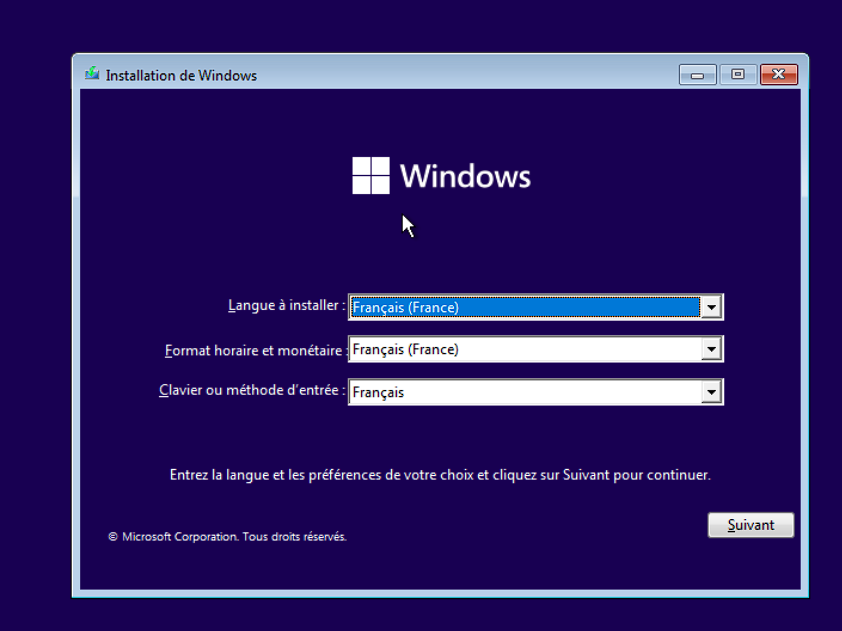
Last question : how do i enable the network so that it is accessible on the VM. I'm stucked on the installation process as Windows is expecting a network connection ....
-
it works !!
-
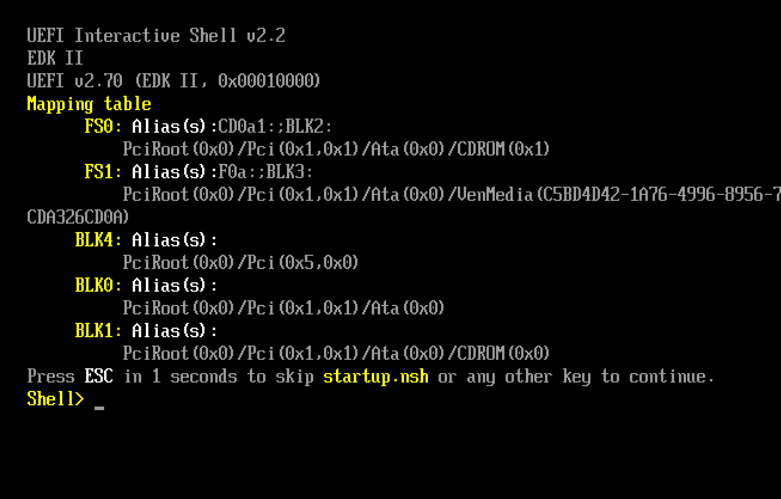
I created a new VM with Windows 11 with TPM avec i440fx. It displays on VNC "press any key to boot" then no time to press that it jumps to this screen attached.
-
Ok did recreate the VM on Linux and now it works. I have changed the Bios (CSM) and the machine Type i440fx. Thanks a lot for your help and your time ich777 !
-
Point 1 : Unable to change it, i have this message when i click on the apply button. XML error: The device at PCI address 0000:00:02.3 cannot be plugged into the PCI controller with index='0'. It requires a controller that accepts a pcie-root-port. Point 2 : Yes i did but no changes Point 3 : I did change the BIos to Legacy, reboot Unraid but same result.
-
I have used OVMF for the Ubuntu VM.
-
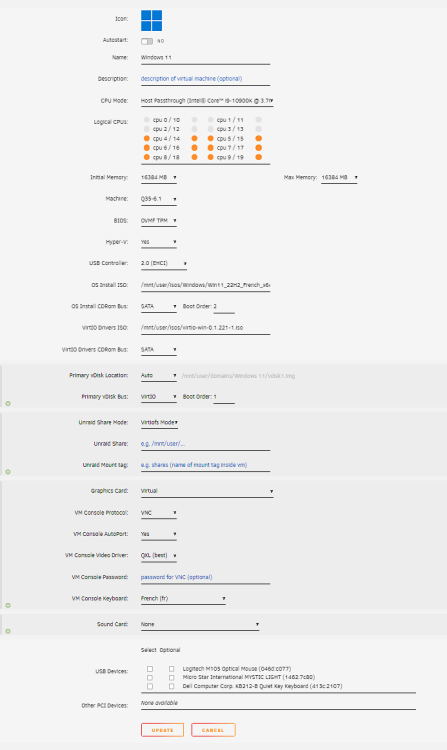
Hello, I have followed those videos : https://www.youtube.com/watch?v=SNHVuY3JJ94 https://www.youtube.com/watch?v=EIlWOjkDQwU The only difference in first one is that i have used an .iso of Windows 11 downloaded from the Microsoft webSite. But it has nothing to do with the problem. I also need to say that i encounter as well this problem with an Ubuntu VM... and all of VMs... Here is the diagnostic. tower-diagnostics-20221019-1220.zip
-
I also have this problem on Unraid 6.11.1 . Any update on this ?
-
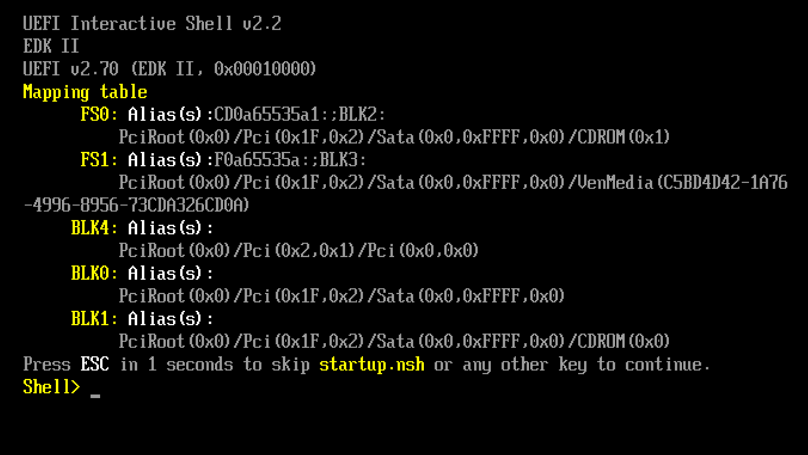
Hello everyone, I'm a new user of Unraid. I've have installed new server and created a VM with Windows 11. I have followed SpaceinvadersOne tutorial to do this. I have a problem. My VM starts but it does not boot at all. Under VNC i can't see the boot screen (VNC screen attached) and on Unraid it seems no IP is affected to my VM. Looking at VM Manager, i can see these errors on the LIBVIRT Log : 2022-10-18 21:40:50.120+0000: 4292: info : libvirt version: 8.7.0 2022-10-18 21:40:50.120+0000: 4292: info : hostname: Tower 2022-10-18 21:40:50.120+0000: 4292: error : qemuDomainAgentAvailable:8411 : Guest agent is not responding: QEMU guest agent is not connected 2022-10-18 21:41:57.923+0000: 4295: error : qemuDomainAgentAvailable:8411 : Guest agent is not responding: QEMU guest agent is not connected 2022-10-18 21:42:32.177+0000: 4294: error : qemuDomainAgentAvailable:8411 : Guest agent is not responding: QEMU guest agent is not connected 2022-10-18 22:00:17.039+0000: 4295: error : qemuDomainAgentAvailable:8411 : Guest agent is not responding: QEMU guest agent is not connected Anyone ca help me or have an idea how to solve this problem ?
-
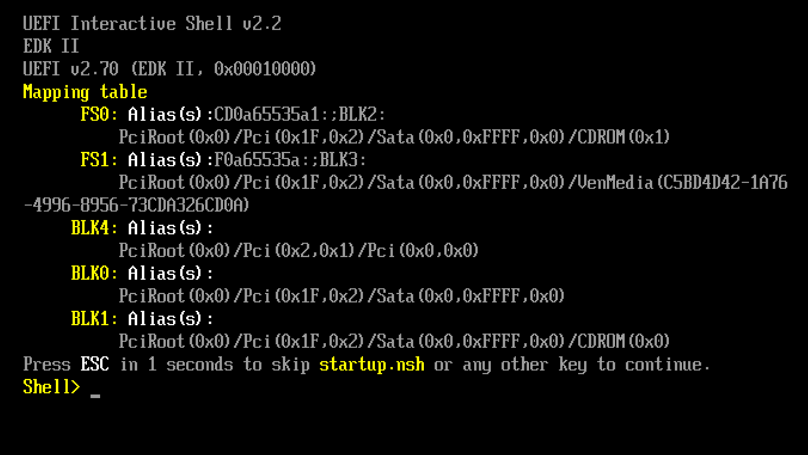
Bonjour, Je suis nouveau sur Unraid. J'ai installé un tout nouveau serveur et commencé à regarder comment créer une VM avec Windows 11. J'ai suivi les tutoriels de superbokl et spaceinvaders one. Je rencontre un problème, ma VM ne boote pas et sous VNC je n'arrive pas à l'écran d'installation. En regardant dans le paramétrage de VM Manager, je constate ces erreurs dans LIBVIRT Log : 2022-10-18 21:40:50.120+0000: 4292: info : libvirt version: 8.7.0 2022-10-18 21:40:50.120+0000: 4292: info : hostname: Tower 2022-10-18 21:40:50.120+0000: 4292: error : qemuDomainAgentAvailable:8411 : Guest agent is not responding: QEMU guest agent is not connected 2022-10-18 21:41:57.923+0000: 4295: error : qemuDomainAgentAvailable:8411 : Guest agent is not responding: QEMU guest agent is not connected 2022-10-18 21:42:32.177+0000: 4294: error : qemuDomainAgentAvailable:8411 : Guest agent is not responding: QEMU guest agent is not connected 2022-10-18 22:00:17.039+0000: 4295: error : qemuDomainAgentAvailable:8411 : Guest agent is not responding: QEMU guest agent is not connected D'après ma compréhension, l'agent QEMU ne démarre pas et il n'y a donc pas d'IP attribuée à ma VM. Quelqu'un aurait-il une idée pour résoudre ce problème ?
-
Bonjour chat noir, Et oui c’est ce que je me dis aussi j’ai rien trouvé sur le web de bien interessant ….
-
Bonjour, Savez vous s’il existe une API REST disponible permettent de requêter un serveur Unraid ? L’idée est de pouvoir par exemple récupérer des statistiques sur le serveur / les disques … Cordialement.
-
Super merci hot22shoot.
-
Merci hot22shot pour ce retour d'expérience. Je suis entrain de me monter un serveur NAS avec Unraid et je compte comme toi configurer une VM avec Windows 11 en passthrough. Du coup te serait-il possible de décrire succinctement comment tu as configuré ton disque NVME en passthrough directement sur la VM ? Merci pour ton retour.




