






Green Dragon
Members
-
Joined
-
Last visited
Everything posted by Green Dragon
-
HAHAHAHA! three words WORKED! OOF! Thanks!
-
Nope! No joy... (thanks for the suggestion tho)
-
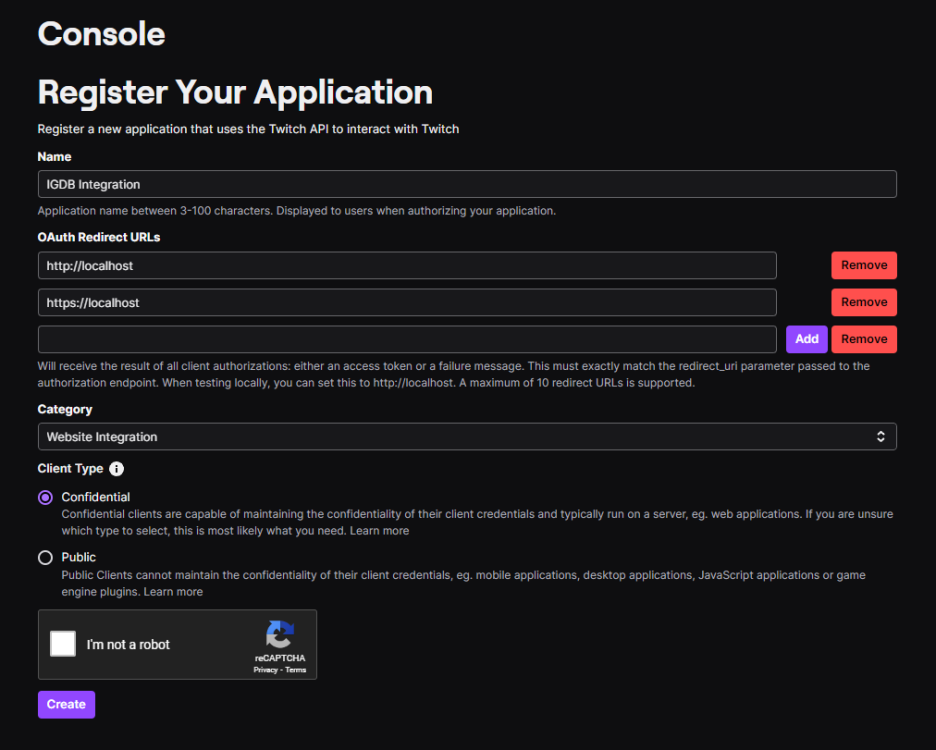
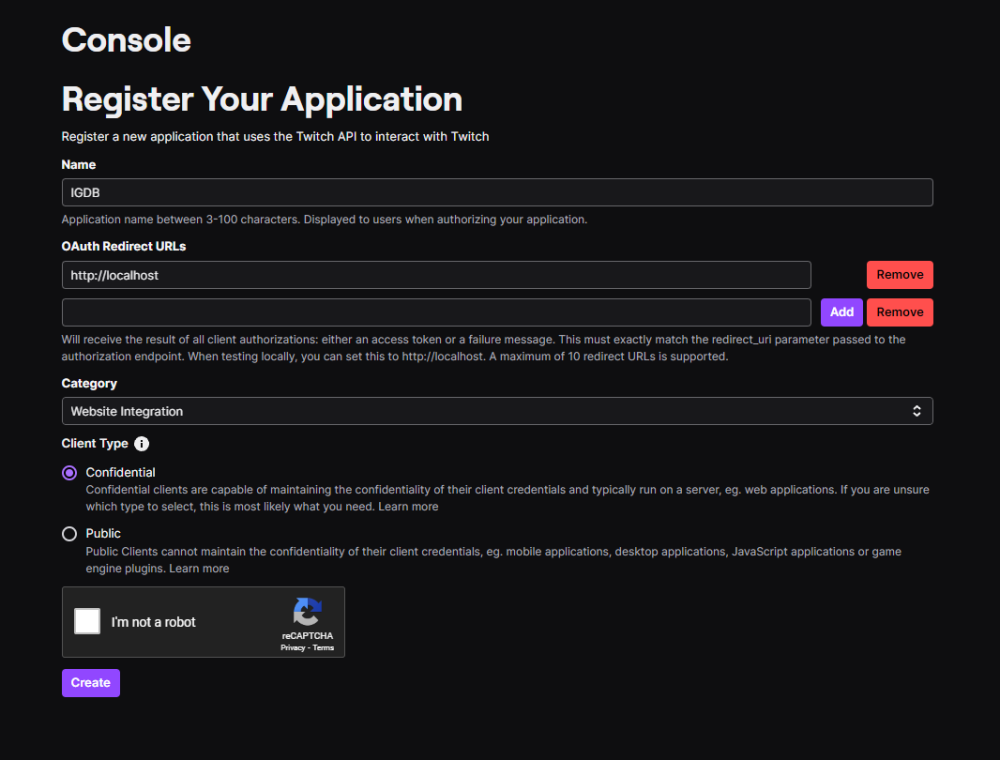
I am unable to register an application on twitch. Entered all data, clicked 'Create' and ...nothing Tried multiple browsers. Tried incognito. Still, no joy... Thoughts? Suggestions?
-
I have the latest version of CA Mover Tuning installed (2023.08.22) and still I see this error on boot. No other problems, just an entry on the boot screen. Must I simply remove and reinstall to remove the error? Thanks!
-
Thanks for the suggestion! That thread seems to suggest that I add 'pcie_aspm=off' to the boot options. However, I already have several options set there over the years. Im not very good with the config syntax. Can you help me determine the proper placement of the suggested 'pcie_aspm=off'? Here is what my config section looks like today: label Unraid OS menu default kernel /bzimage append initrd=/bzroot pci=noaer append initrd=/bzroot nvme_core.default_ps_max_latency_us=0 label Unraid OS GUI Mode Thanks!!
-
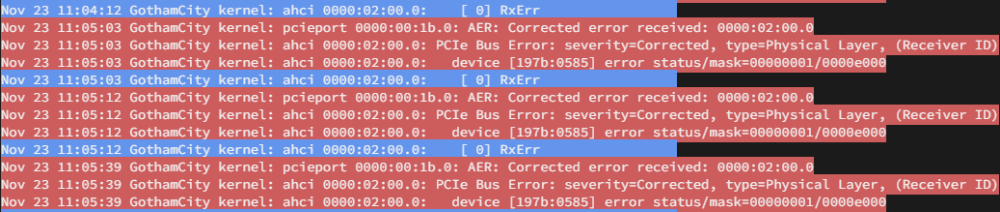
Ive been receiving alot of these syslog errors since installing a JMB585 NVMe M.2 5 Sata Adapter. Ive done some searching but unable to find this specific error so will need assistance from someone far more experienced than I. I am including a system diagnostics export. Thanks for looking. gothamcity-diagnostics-20231123-1140.zip
-
So, you still run VM Backup?
-
All back to normal now. Thanks! BTW: I was told that the author of this plugin is no longer supporting it. Is this true? What alternative is out there? Thanks again!
-
I restored the VM from the previous day using the script. Looked to go well but failed to start with "internal error: Failed to reserve port 5700". Checking the restore xml it looks to be the display port. Im not sure how to troubleshoot or work around that error.
-
This morning I found that one of my VMs will not start following a backup failure. Im using the 'VM Backup' plugin by JTok. Previous days backups look complete but this mornings backup (.zst) of that vm is not there (only the .xml exists). I did not take a screenshot of the backup failure error and cannot now access the vm backup log. I get an 'undefined' error when trying. Probably because libvert will not start. Restarting VM Manager results in a Libvert error: "2023-10-31 13:44:08.174+0000: 24168: error : virQEMUFileOpenAs:11390 : Failed to open file '/mnt/user/domains/W2K3_the_rock_bbs/vdisk1.snap': No such file or directory" Libvert can only be started via a complete shutdown and restart of UnRaid. '/mnt/user/domains/W2K3_the_rock_bbs/vdisk1.img' exists '/mnt/user/domains/W2K3_the_rock_bbs/vdisk1.snap' does not. Is this a backup tmp file? Not only do i need to fix, id like to understand what went wrong. This system has been working flawlessly for a very log time and I don't see any other failures in the system.
-
Thanks I shall do that.
-
This morning I found that one of my VMs will not start following a backup failure. Im using the 'VM Backup' plugin by JTok. Previous days backups look complete but this mornings backup (.zst) of that vm is not there (only the .xml exists). I did not take a screenshot of the backup failure error and cannot now access the vm backup log. I get an 'undefined' error when trying. Probably because libvert will not start. Restarting VM Manager results in a Libvert error: "2023-10-31 13:44:08.174+0000: 24168: error : virQEMUFileOpenAs:11390 : Failed to open file '/mnt/user/domains/W2K3_the_rock_bbs/vdisk1.snap': No such file or directory" Libvert can only be started via a complete shutdown and restart of UnRaid. '/mnt/user/domains/W2K3_the_rock_bbs/vdisk1.img' exists '/mnt/user/domains/W2K3_the_rock_bbs/vdisk1.snap' does not. Is this a backup tmp file? Not only do i need to fix, id like to understand what went wrong. This system has been working flawlessly for a very log time and I don't see any other failures in the system.
-
Question: Why this line: 2023-10-11 10:33:41.655184 [info] VPN remote server(s) defined as 'ip,' Mine contains addresses for my DNS servers (perhaps youre just being cautious and edited for security)?
-
After upgrading to 6.12.4 my docker containers cannot communicate between networks. I have been running radarr and sonarr on a custom (macvlan) and qbittorrent docker on the default bridge networks for years with no network related problems. Shortly after upgrading to 6.12.4 I found that the dockers on different networks can no longer communicate. I tested pinging across all dockers (I have many others) and indeed nothing on the custom 'br0' network can ping anything on the default bridge network and vice-versa. I checked the relevant docker network configs and do not find anything to indicate why this would now be a problem. Of course, I have restarted everything (dockers, unraid, switch, router) and still no joy. Any sage advice would be very much appreciated! (diags attached) gothamcity-diagnostics-20230928-2206.zip
-
Well now today I am able to login to the webui and seeding is working fine but none of the other dockers pointing to this one (sonarr, radarr, etc) are able to connect. As indicated before, QBitTorrentVPN is on the default (ip) bridge network while the other dockers are on a custom (macvlan) network. All work fine otherwise. Essentially, nothing is able to connect to QBitTorrentVPN since the last UnRaid and QBitTorrentVPN updates. One of those updates 'fixed' something which has sporatically 'broken' QBitTorrentVPN. Ill work more on this after work tonight... <sigh>
-
Thanks @binhex for everything you do for the community! This docker has always worked great for me using the default (ip) bridge network and does so even today. However, I recently found that when I try to move it to my custom (macvlan) network which all of my other media management dockers (sonarr, radarr, lidarr, sabnzbd, etc) are on the media management dockers all time out trying to connect to qbittorrentvpn and I cannot access the qbittorrentvpn docker webui. Essentially, nothing is able to connect to it. Here are my networks: default unraid bridge (ip) network address: 172.16.1.100/24 bridge (macvlan) network address: 172.16.1.168/24 (qbtvpn address. each docker has its own static address) Attached is the supervisord.log that is generated when the docker is using the custom (macvlan) network (address .168) that does not work... Thoughts? 168.supervisord.log
-
That worked! Thanks @zspearmint!
-
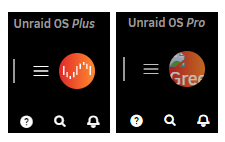
Hiya! Im not sure if this goes here or general support but here is my question: I have two unraid servers. On one the Connect dropdown icon in the upper right corner is standard unraid logo, the other is a weird representation of my unraid account name (see image) My OCD cannot ignore the goofy icon on the right. Any thoughts on why this is happening and perhaps even how to fix it? Thanks!
-
DOH! Sometimes I just forget to check the fuel level... <sigh> Thank You!
-
I recently installed a GTX1650 to add nvenc support to my test rig. The i7-6700k CPU has onboard graphics. Before installing the 1650, Ispci -Dmm | grep -E 'Display|VGA' properly reported: 0000:00:02.0 "VGA compatible controller" "Intel Corporation" "Xeon E3-1200 v3/4th Gen Core Processor Integrated Graphics Controller" -r06 -p00 "ASUSTeK Computer Inc." "Xeon E3-1200 v3/4th Gen Core Processor Integrated Graphics Controller" After installing the 1650 Ispci -Dmm | grep -E 'Display|VGA' now reports: 0000:01:00.0 "VGA compatible controller" "NVIDIA Corporation" "TU116 [GeForce GTX 1650]" -ra1 -p00 "Gigabyte Technology Co., Ltd" "TU116 [GeForce GTX 1650]" GPU Statistics now only lists the 1650. Thoughts as to why the Intel GPU is no longer seen?? Thanks!
-
Perfect! Thanks!
-
Hiya! I am finding conflicting results from the following question, 'Is the flash drive used for booting the UnRaid OS included in the total drive count for licensing?' EXAMPLE: If I have the flash drive for booting the OS along with one parity drive and five data drives do I need a Basic (6 drives) or Plus (7 drives) license? Thanks!
-
Tried all of your suggestions and no joy. Still stops at random points in the boot process. Thanks for the suggestions!
-
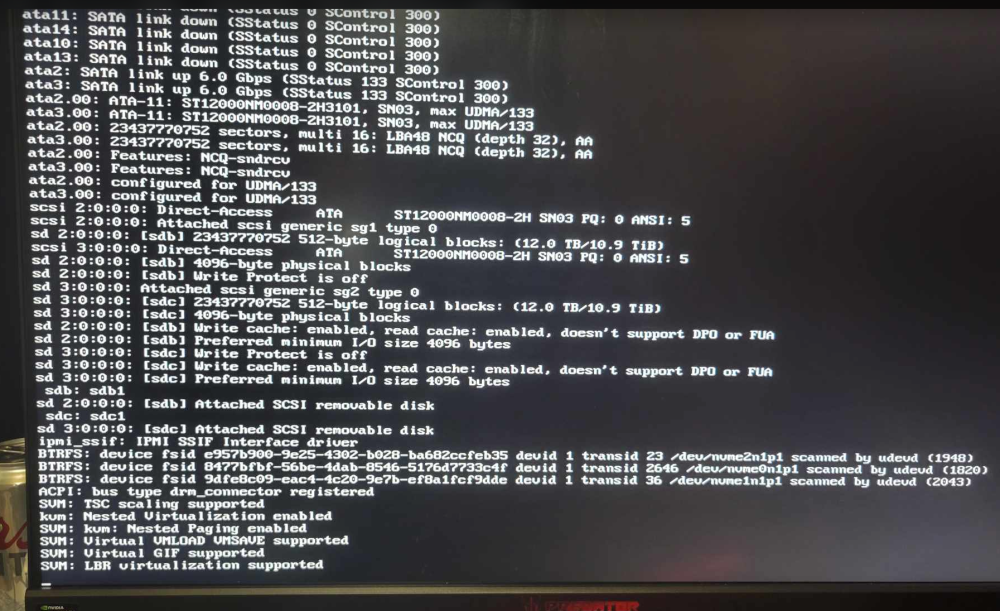
I recently built a new unraid server for my son on my network (dhcp). All worked perfectly! He took the server to his house, connected all and fired it up. The boot process stops and will not progress any farther. Thoughts? Thanks in advance!
-
No. Not this one, not ANY!!!



