





Damienc
Members
-
Joined
-
Last visited
Everything posted by Damienc
-
Hello all, I seem to have found myself in a situation where my folder mappings do not want to work as they should and I am sure the answer is simple and stupid and staring me right in the face but I cannot seem to figure it out. I have rebuilt my server due to a hardware issue and have spent the last few days copying data back to my main server from my backup server. Today I have installed Radarr and Sonarr, which was easy, got them installed to my "App's" pool using 2x Intel Optane drives, have added the "data" folder to them as well as Qbit and Sabnzbd. Here is where thinks break though. I have Sabnzbd set to " Host Path for /data: /mnt/user/data/" Then in Sabnzbd I set the folders to "/data/usenet/incomplete" and "/data/usenet/complete" I then have Qbit set to "Host Path for /data: /mnt/user/data/torrents" With those mappings, Sonarr doesn't give me a "Remote Path" warning and is auto importing the files. Sonarr and Raddar both have mappings of "Host Path for /data: /mnt/user/data/" Radarr though is completely different, it's just giving me a headache. Radarr is giving me an error message saying "You are using docker; download client SABnzbd places downloads in /data/usenet/complete/complete but this directory does not appear to exist inside the container. Review your remote path mappings and container volume settings." I just cannot figure out why it's saying "usenet/complete/complete" when that path doesn't exist, Sonarr is working with the same settings. Anyone got any ideas?
-
This has just helped me, thank you. I made a mistake and basically ended up going round in circles trying to get Nextcloud installed, it just constantly remembered the wrong settings and would not do a "Fresh Install" of it and instead kept using the wrong information. I finally found this post, and this worked so I could start it again from scratch. Time to bookmark this incase I need it again in the future.
-
This helped me with mine, loading the dashboard etc for Unraid was really slow, like 20 seconds to load the Dashboard tab, 30 seconds or more to load the Plugins tab, it's now down to less than 10 seconds to load the plugins tab, I have no idea if the number of plugins affects it but I have 16 installed currently.
-
So an update. I finished moving some files around and the speeds were still slow. This morning, I was moving some files and I have no idea why but I was getting 150MBp/s when moving the files instead of 50MBp/s. @JorgeB I would like to say thank you for trying to resolve the issue.
-
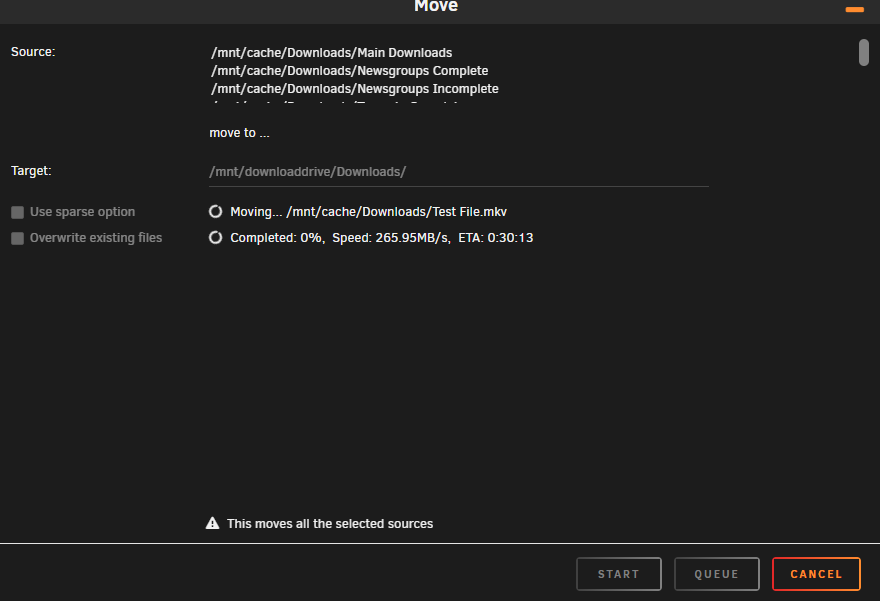
First can I just say thank you for the help offered so far, it looks like it's leading to the right direction to resolve the issue. So I think I may have made a boo boo slightly 😥 Ok so the Cache Drive is a 2TB NVME Samsung Drive, I have the "Mover" set to move all the files from the "Downloads" share from the Cache to the Array when it reaches about 90% full or something like that, and recently I clicked "Move" without thinking, so everything was moved off including the "Test" file I was using to test the "Cache to Array" speed, so it was effectively "Copying" the file from the "Array" to the "Array" which given the drop in speeds on these drives when they get as full as they are, may explain why the speed was so slow for that. When copying from 1 NVME Drive "Damiens Storage" to the "Main Array" it was topping out at around 98MBp/s currently which again would probably match up with the speed of the drives when they are this full as they are all around 80%+ full. Currently I am messing with the drives and copying from the Samsung Cache drive to a temp drive (Lexmark) NVME, I am getting the below speeds I am going to do some more rearranging of disks, and once that is done I will come back to this thread.
-
I will look at it when I finish work in 4 hours.
-
Turbo Write is enabled.
-
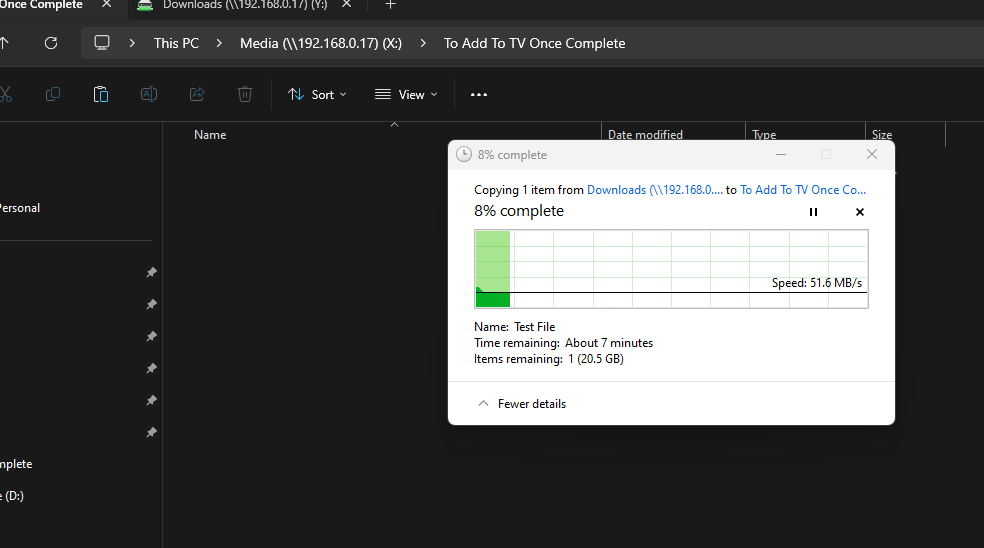
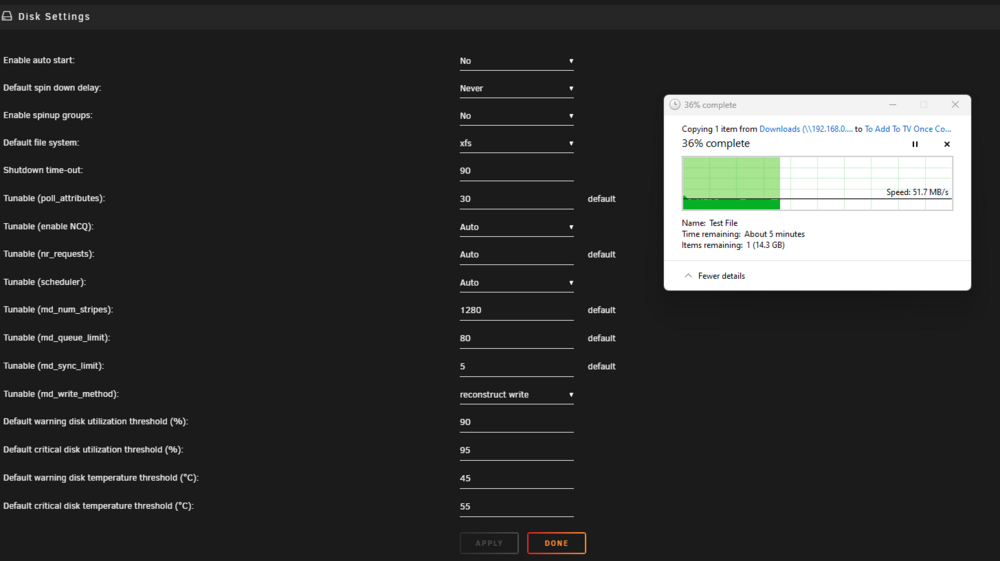
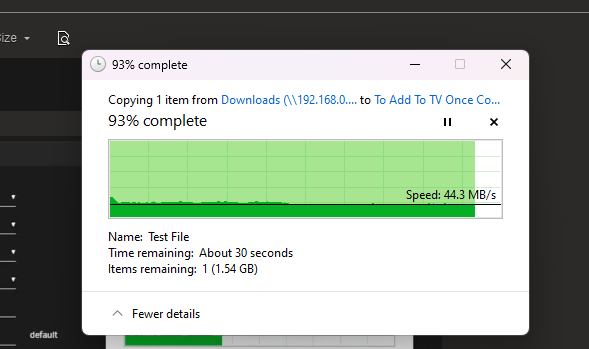
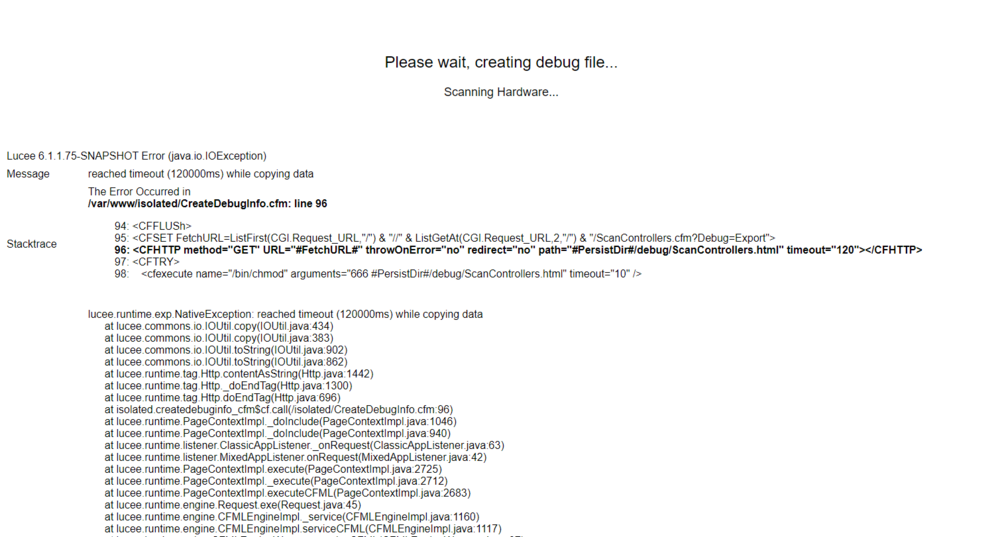
So I ran the Disk Speed. I then did the "Disk Bencmark" and it kept giving "Speed Gap" errors and eventually "failed" but I tried to get a "debug file" but it won't create one and instead give this I am running the "Disk Benchmark" again but with "speed gap disabled". What I don't understand is, the drives are clearly capable of much higher speeds than I am receiving and higher than I was getting on the Intel setup.
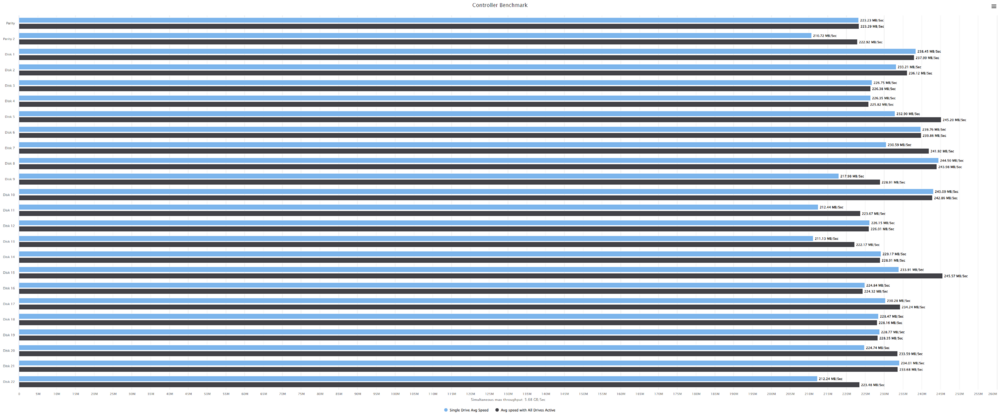
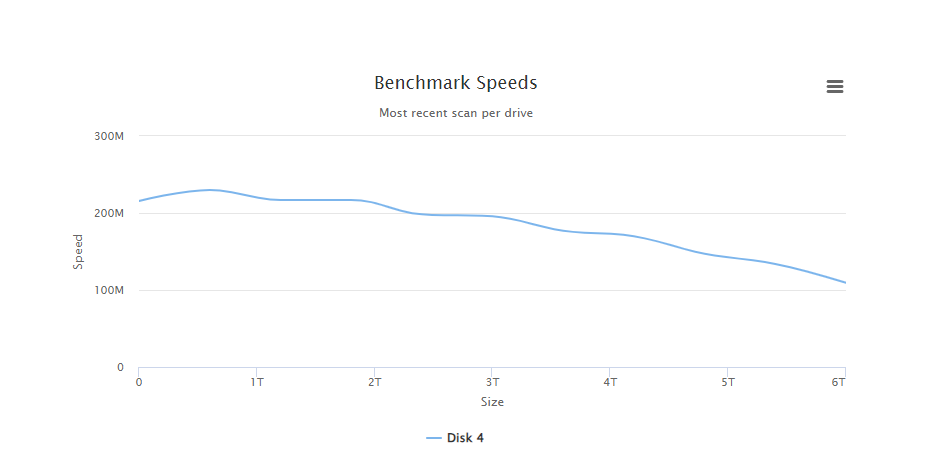
 I ran the "Disk Benchmark" thing as well, did it on "Disk 4" and I forgot I clicked "Move Now" because I want to move the stuff of the Cache Disk as I want to drop it back to 1 drive and use the 2nd one for something else as it's not helping the write speeds to the main array.
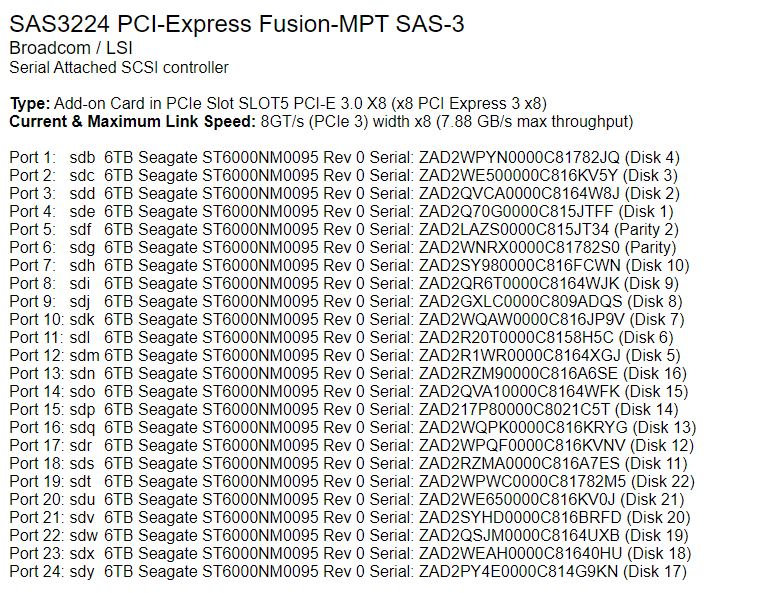
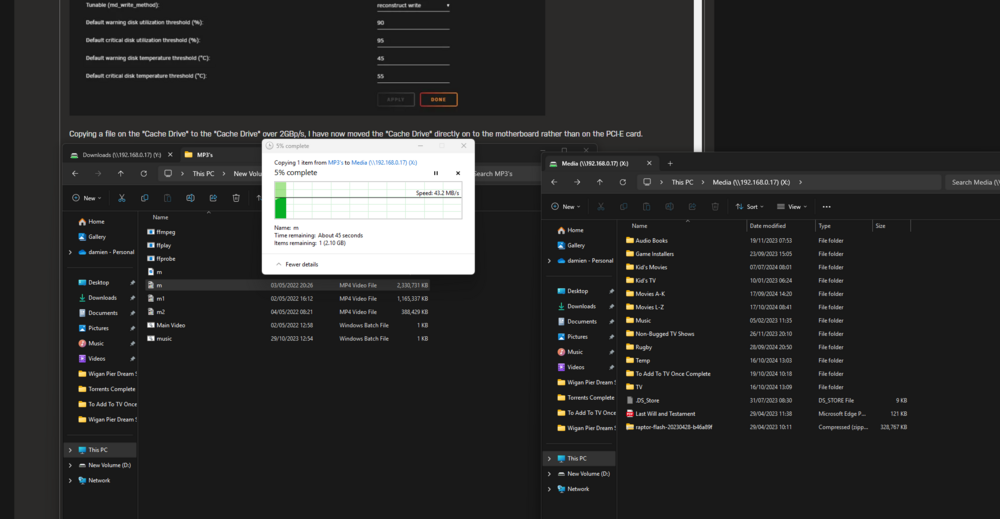
 Ok so both Parity drives are now swapped out to the same Seagate drives, so all 24 in the array are now the "ST6000NM0095" model drives. Turbo Write is enabled, I have just flashed the latest firmware and bios to the HBA and I am still at reduced speeds. I added another drive to the cache incase that would help, honestly just trying anything I think might help regardless of how stupid it is, but nothing seems to be helping, I am still limited on data transfer speeds on this AMD Epyc build compared to the Dual Intel xeon board with less PCI-E lanes. I don't know if they will help but I have attached the latest Diagnostics. Up to now, I have tried Updating Bios on the motherboard Checking Write Cache and enabling it on the SAS Drives Enabled Turbo Write Swapped out the HBA to an older slower one which gave the same speeds Swapped the HBA to Backplane cables Took the heatsink of the HBA and repasted it, I also have 2 fans pointed directly at the HBA and PCI-E NVME card, 2x Noctua fans 1 of which is the Industrial 2000rpm ones running at full speed. I have tried different PCI-E slots. I have done a "New Config". The flash drive is no longer accessible on the network, I needed to copy the flashing software etc to it to try to flash it using the console, in the end I just pulled the Unraid drive from the server and used Freedos. Thank you all so far 🙂 raptor-diagnostics-20241021-1700.zipSwapped the first parity drive, 2nd drive is being swapped, which will be finished in about 24 hours. Will post back once completeThanks for the info, I am just cleaning the Server didn't realise the drive caddies were abit dusty, also repasted the HBA the old stuff on it was like chalk. I am going to be doing the Parity Sync though first as I am swapping out the HGST drive with the "Elements in grown defect list 2", so will see what speed that runs at."Turbo Write" is now enabled, that is the "Settings / Disk Settings / tunable (md_write_method)" is set to "reconstruct write" and the Turbo Write Plugin is enabled. Still low write speeds on the main array, I am seriously considering going back to the Intel setup at this point, the problem with that is I cannot run 2 extra NVME SSD's as the board doesn't support Bifurcation. Copying a file on the "Cache Drive" to the "Cache Drive" over 2GBp/s, I have now moved the "Cache Drive" directly on to the motherboard rather than on the PCI-E card. Copying from my PC directly to the Array is still limited One thing I am going to do is swap out the parity drives for 2 more of the seagate drives as one of the parity drives is showing "Elements in grown defect list 2" Maybe it's just pure bad luck that swapping to the new board etc has shown that drive to be "Unstable", will find out soon though. raptor-diagnostics-20241019-0926.zip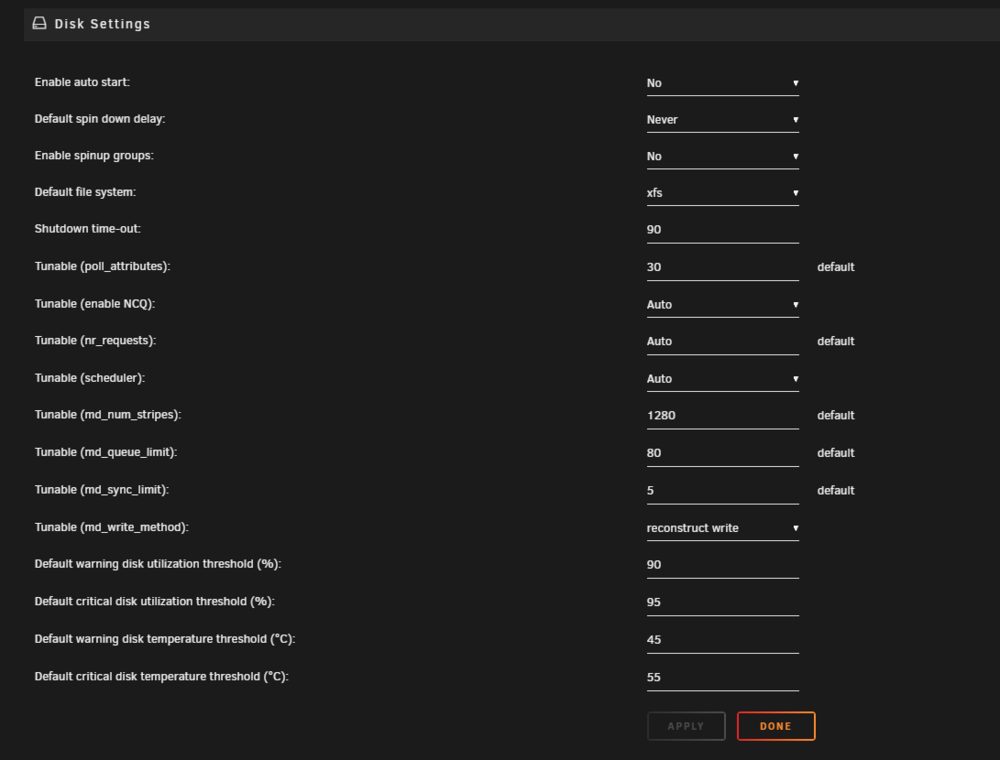
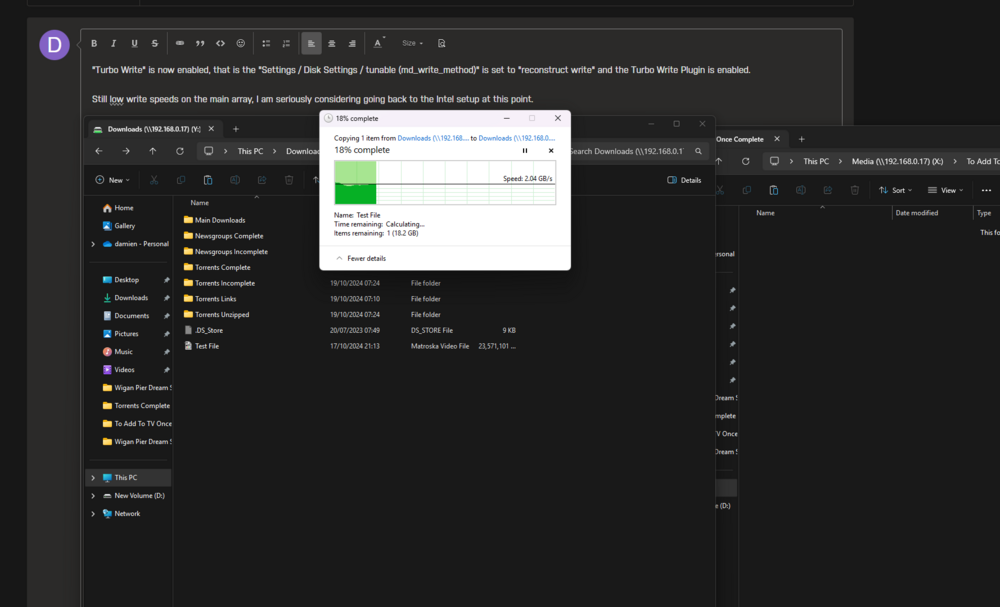
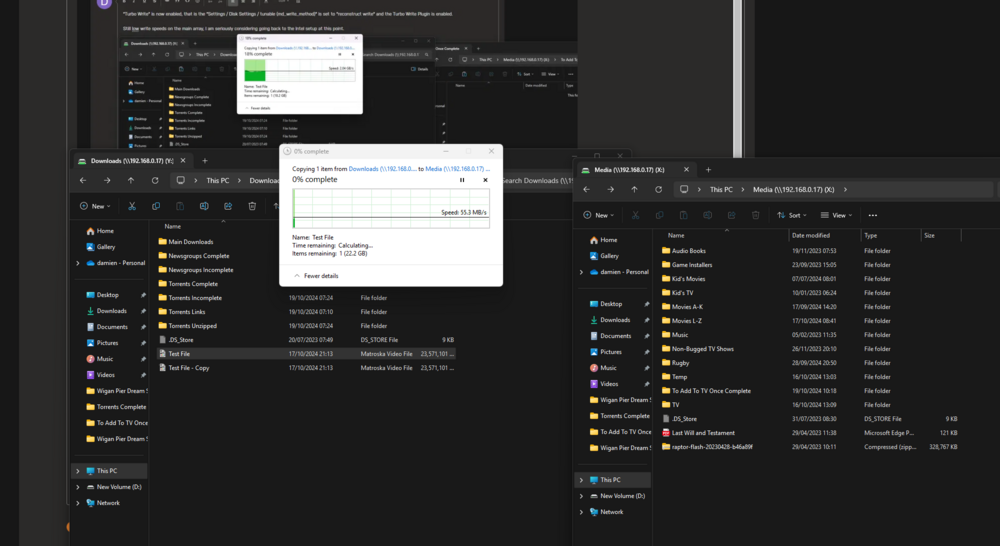
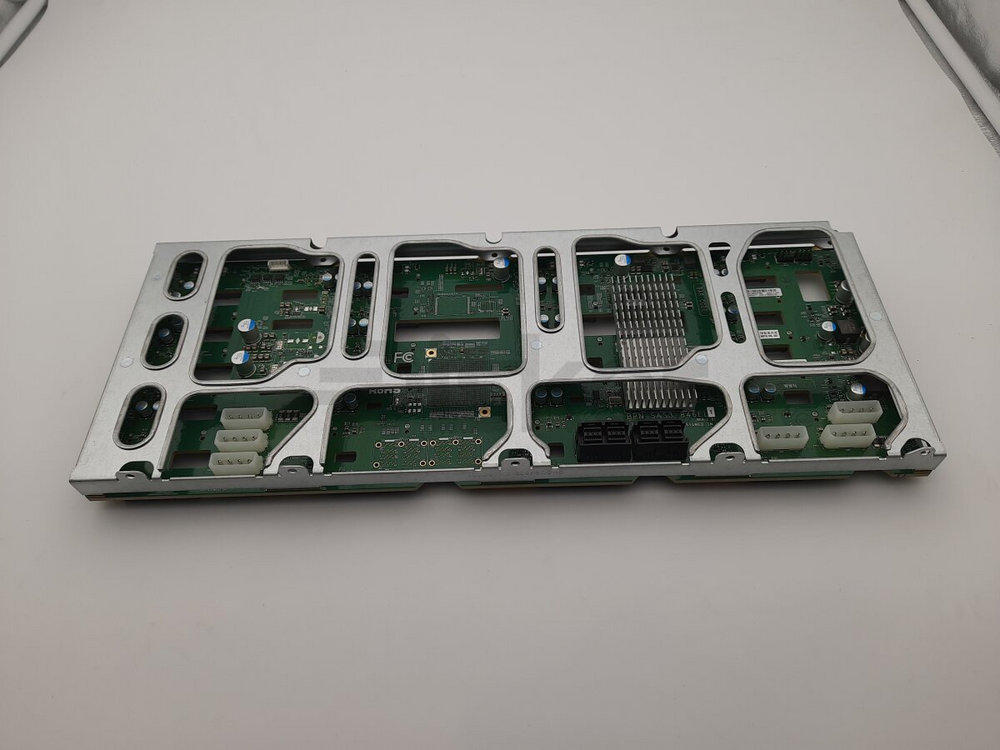
 I am just swapping back to the 9305 HBA as I just tried the 9201. Will check and report back.So the Parity check has finished and has made no difference unfortunately. Data copying from Cache Drive to Array is still topping out at 45MBp/s, copying from 1 NVME to another NVME is topping out at 98MBp/s within the server. Copying from my pc to the main array on the same network is still limited. Copying to an NVME from my pc maxes out the network The NVME that is called "Damiens Storage" is on the PCI-E 4x NVME Slot Card, just like the Cache NVME Drive is and that also maxes out the network when copying from my pc directly to that drive. So basically my gaming pc to the NVME's, maxes out the network, my pc to the array limited to 45MBp/s, NVME to NVME in internally within the server 98MBp/s limit, NVME in the server to the main array 45MBp/s limit. I have ordered some new SFF 8643 to SFF 8643 cables incase they need changing, which I will change tomorrow morning (8am UK Time) as they were delivered an hour ago, I do have another HBA Card but it's a "OEM LSI 9201-16i 6Gbps 16-lane SAS HBA P19 IT Mode" off Ebay, and that thing gave me the same speeds I am seeing now on the main array, which is why I upgraded it to the current "LSI Broadcom Original 9305-16i IT-Mode 4x SFF-8643 12G SAS HBA", so I really don't want to go back to that HBA. The Chassis is a Supermicro CSE-846BE1C-R920B and the backplane is the Supermicro BPN-SAS3-846EL1 if that helps. Up to date Diagnostics attached raptor-diagnostics-20241018-2000.zip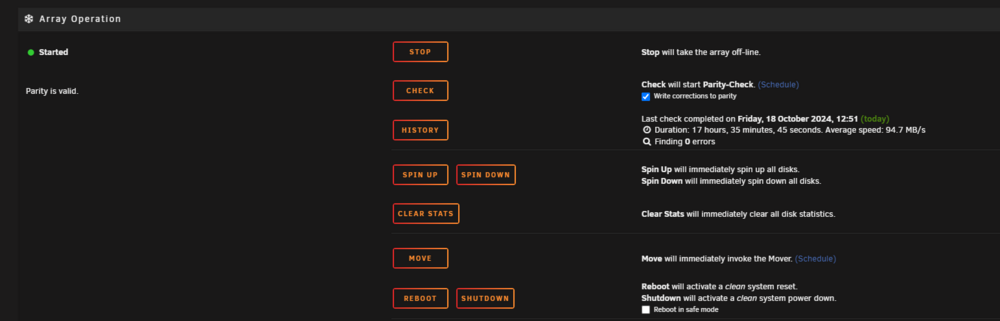
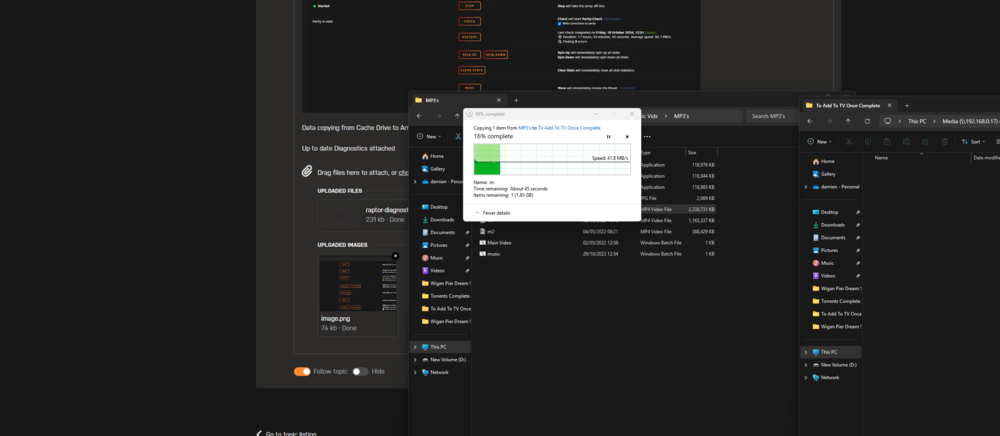
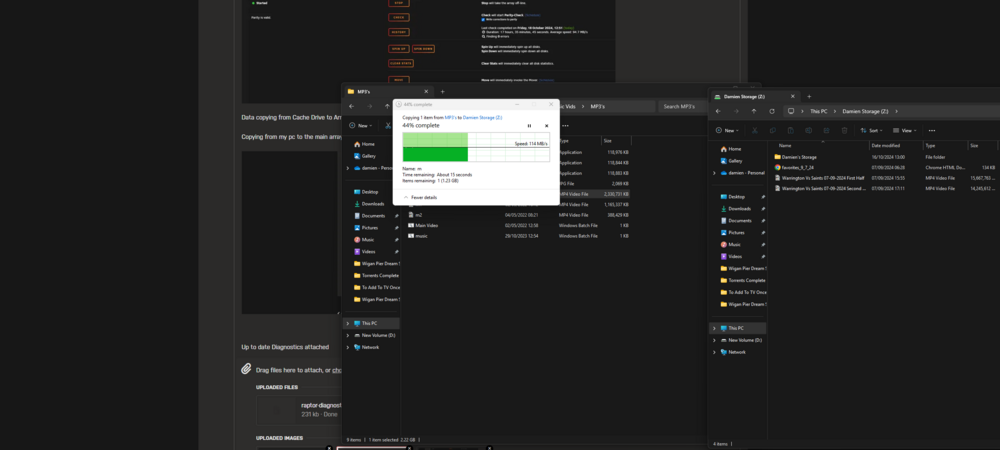
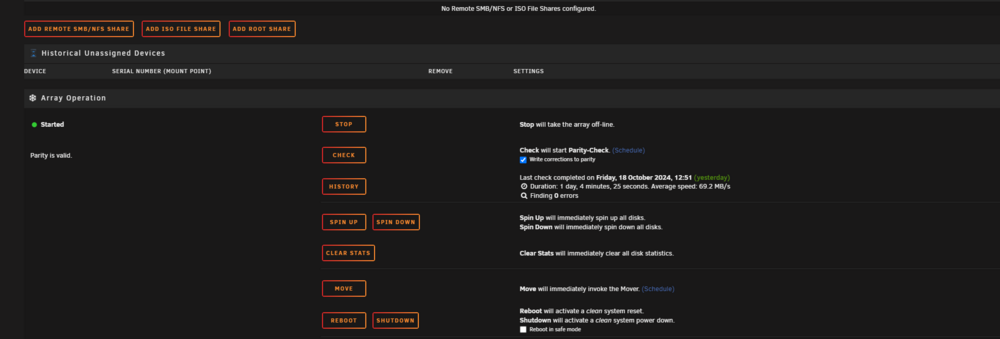 Thank you. I will try it again once this has finished.Even before the current Parity check, it was slow.Hello all, I have been running an Unraid Server for a little while now, I pieced it together from purchases on Ebay etc. It was/is a Supermicro CSE 846 with a SAS 12G Backplane, at the moment I couldn't tell you which one but can add later if needed. A Supermicro Dual Intel Xeon Motherboard with 2x Intel E5 V2 2670's or 2660's and 96Gb DDR3 1066Mhz. An LSI 9305-16I HBA (IT Mode) (Backplane only has 4x SFF 8643 connectors) nVidia Quadro P2000 (for plex but will be swapped for an A2000 at some point) Couple of NVME SSD's, 1 for the Main Array Cache (Samsung 970 Evo Plus), 1 for Plex (Crucial P3 Plus), 1 for general fast storage for myself and my dad to save stuff to (Crucial P3 Plus). Main Array is made up of 2x HGST 6TB SAS 12G Drives (HUS726060AL5210) for Parity Drives and 22x Seagate 6TB SAS 12G Drives (ST6000NM0095). Performance wise it wasn't too bad, other than a few issues with Plex but that is down to codecs etc, but the power usage was high and I wanted to drop it whilst "Upgrading" to a newer platform, as it turns out 1x Epyc CPU = same power usage as 2x Intel Xeons 🤣 but more cores and threads. Hit up Ebay and grabbed a Bundle with a Epyc 7551p, Supermicro motherboard, 64Gb DDR4 2133Mhz and a 4 slot PCI-E NVME card as the board only has 1x NVME Slot. I have built it all up, updated to the 6.12.13 version of Unraid and everything is working but my write speeds to the main array have plummeted. Previously if I moved/copied a file from the "Download" folder which is on the "Cache" drive to the main "Array", I would get somewhere between 120MBp/s to 160MBp/s and if I went from the "Array" to the "Cache" it would be over 200Mbp/s sometimes up to 300Mbp/s. Transferring from my pc to the main array would top out at 110MBp/s as I am only on 1G Networking at the moment. Now with everything the same other than the Motherboard, CPU and Ram, 2 additional NVME Drives, my write speeds from the "Cache" to the main array have plummeted to 60MBp/s or less, typically around 40MBp/s and my network transfers have also plummeted to 40Mbp/s, copying from the main array to the cache drive also caps out at around 40MBp/s to 60MBp/s and copying from the Cache drive to one of the other NVME drives caps out at 100MBp/s. I am at a loss and have so far tried: I have tried different PCI-E slots, I have done a "New Config" so it's currently doing Parity at the moment at a whopping 67MBp/s which it usually does at around 100MBp/s (this has been running for almost 13 hours and has done 53.3%) I have checked the "Write Cache" which was disabled but is now enabled and it made no difference I have removed the CA Mover Plugin because it was giving me an issue on reboot, saying the folder "was not there" but I have put it back on now. I have added the "Turbo Write" it made no difference. I have changed the "Write mode" to "Reconstruct Write" it made no difference and is now back on "Auto" after the new Config setting. I am not sure what else to try to be honest, I don't want to go back to the Intel Setup but if it means getting the speed back in the array and the server being usable again, then I might have to, unless you wonderful people know of anything I am missing 😁 raptor-diagnostics-20241018-0758.zipThat is working now. Now time to rebuild my Plex Database. Thank You!Sorry I cannot figure out how to do it, I don't seem to have that directory that I can find. I don't normally mess around with that type of stuffroot@Raptor:~# cat /var/state/unassigned.devices/share_names.json { "\/dev\/nvme1n1p1p": "Bill Damien Storage", "\/dev\/nvme2n1p1p": "Plex2" }root@Raptor:~#That is weird then because I have no duplicate names, I have a "Plex" Unassigned drive and a Share drive which 2 of us in the house use for storing normal files that we don't store on the main array. It won't mount even if I change the names of the Mounts, for instance I change "Plex" to "Plex2" and it still gives the same messages: "Device '/dev/nvme2n1' failed to mount. Check the syslog for details." & Feb 10 11:18:58 Raptor unassigned.devices: Error: Device '/dev/nvme2n1p1' mount point 'Plex' - name is reserved, used in the array or a pool, or by an unassigned device. Feb 10 11:18:58 Raptor unassigned.devices: Disk with serial 'CT2000P3PSSD8_2331E8650B4E', mountpoint 'Plex' cannot be mounted. Feb 10 11:18:58 Raptor unassigned.devices: Running device script: 'Plex.sh' with action 'ERROR_MOUNT'. Feb 10 11:19:08 Raptor unassigned.devices: Error: Device '/dev/nvme2n1p1' mount point 'Plex2' - name is reserved, used in the array or a pool, or by an unassigned device. Feb 10 11:19:08 Raptor unassigned.devices: Disk with serial 'CT2000P3PSSD8_2331E8650B4E', mountpoint 'Plex2' cannot be mounted. Feb 10 11:19:08 Raptor unassigned.devices: Running device script: 'Plex.sh' with action 'ERROR_MOUNT'. Feb 10 11:19:16 Raptor unassigned.devices: Error: Device '/dev/nvme2n1p1' mount point 'Plex2' - name is reserved, used in the array or a pool, or by an unassigned device. Feb 10 11:19:16 Raptor unassigned.devices: Disk with serial 'CT2000P3PSSD8_2331E8650B4E', mountpoint 'Plex2' cannot be mounted. Feb 10 11:19:16 Raptor unassigned.devices: Running device script: 'Plex.sh' with action 'ERROR_MOUNT'. b 10 11:21:16 Raptor unassigned.devices: Error: Device '/dev/nvme2n1p1' mount point 'Plex2' - name is reserved, used in the array or a pool, or by an unassigned device. Feb 10 11:21:16 Raptor unassigned.devices: Disk with serial 'CT2000P3PSSD8_2331E8650B4E', mountpoint 'Plex2' cannot be mounted. Feb 10 11:21:26 Raptor unassigned.devices: Error: Device '/dev/nvme2n1p1' mount point 'Plex2' - name is reserved, used in the array or a pool, or by an unassigned device. Feb 10 11:21:26 Raptor unassigned.devices: Disk with serial 'CT2000P3PSSD8_2331E8650B4E', mountpoint 'Plex2' cannot be mounted. Feb 10 11:21:26 Raptor unassigned.devices: Running device script: 'Plex2.sh' with action 'ERROR_MOUNT'. Feb 10 11:21:38 Raptor unassigned.devices: Error: Device '/dev/nvme2n1p1' mount point 'Plex2' - name is reserved, used in the array or a pool, or by an unassigned device. Feb 10 11:21:38 Raptor unassigned.devices: Disk with serial 'CT2000P3PSSD8_2331E8650B4E', mountpoint 'Plex2' cannot be mounted. Feb 10 11:21:38 Raptor unassigned.devices: Running device script: 'Plex2.sh' with action 'ERROR_MOUNT'. Unless I have a different issue or am missing something.Welp I should have looked here before trying to wipe my drives, hopefully if the plugin is broken for NVME drives it may not have actually done anything with the drives. Nothing major on them really but will have some very unhappy young family members who cannot watch Plex.License has been sorted thanks @Kilrah



