spl147
Members
-
Joined
-
Last visited
Everything posted by spl147
-
yes i am testing on 7
-
here are the 2 files if you wish to test the changes: inline help text: /usr/local/emhttp/plugins/ipmi/ipmifans.page IPMIFans.page fans settings spundown settings: /usr/local/emhttp/plugins/ipmi/include/ipmi_helpers.php ipmi_helpers.php
-
i made them locally on my own machine, i have submitted a pull request for them to be added to the next release
-
i have already made that change:
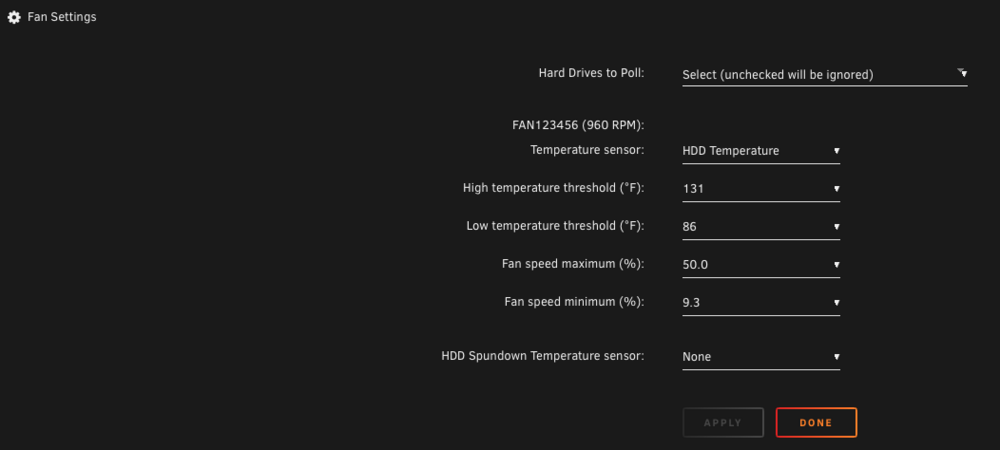
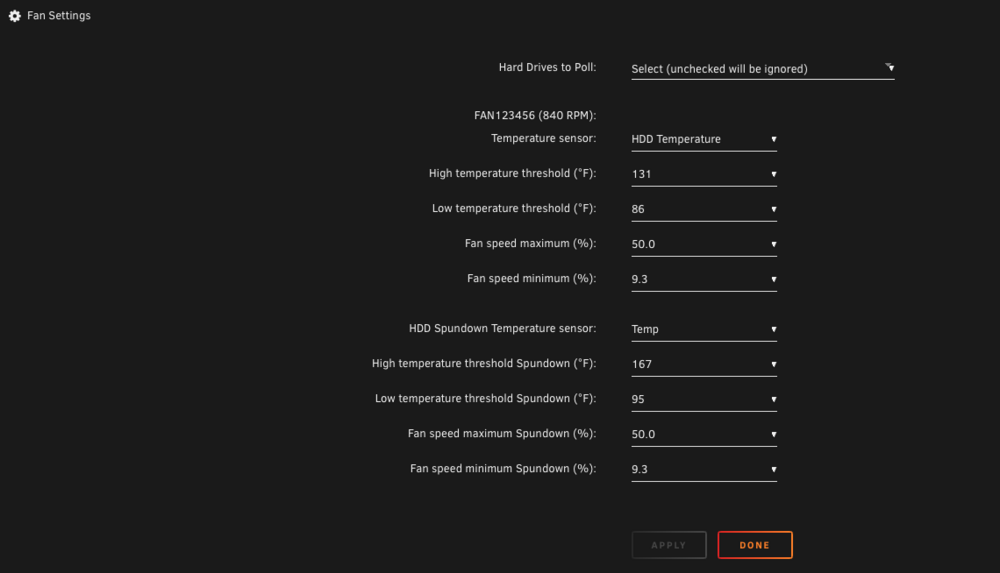
-
i added additional in line help text as well:
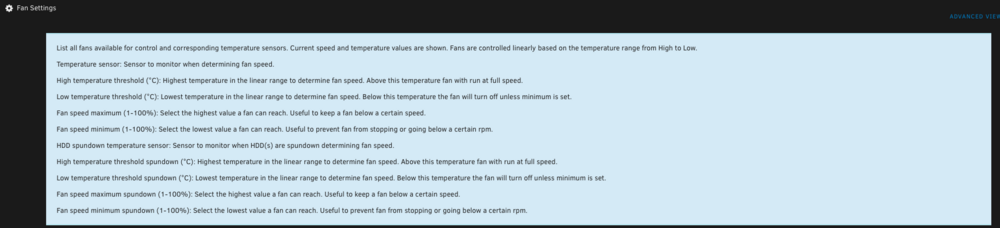
-
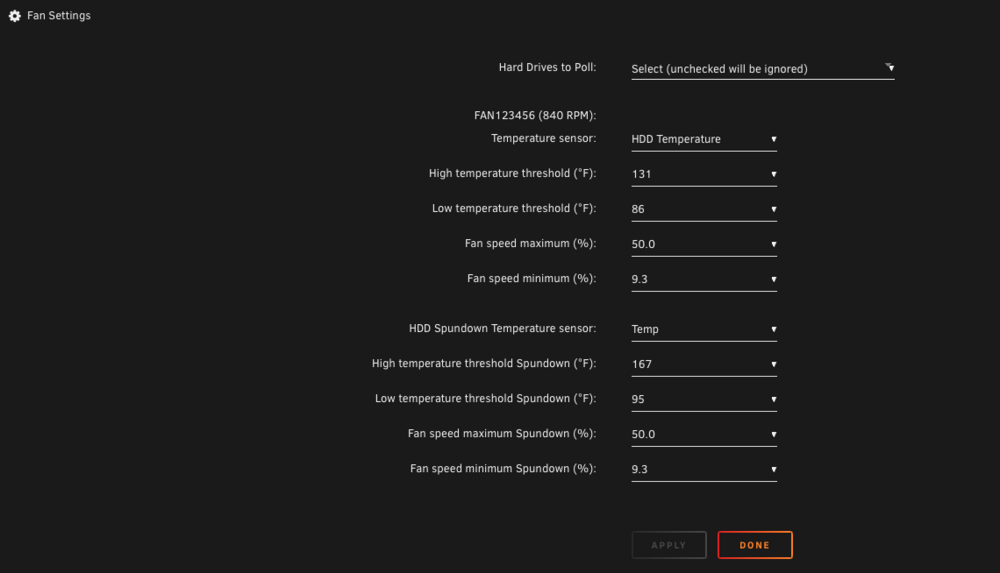
did you look at the labeling changes i made?
-
@Edival76 and @xrichnj What do you think? @SimonFi would also like to request the ability to set a temperature in which the cpu temp scale would take over if hdd's are spun up. IE: Hdd's are spinning but temp is 94F, cpu is stressed and running at 145F but fanspeed is using the lower hdd scale, so cpu does not cool properly so if hdds are spinning and cpu reaches X cpu scale kicks in, if cpu temp drops to X and HDDs are still spinning HDD scale kicks in. and label it Override
-
@SimonFcan you update freeipmi? v 1.6.6 is from 2020, the current version is 1.6.15. https://www.gnu.org/software/freeipmi/ https://slackers.it/repository/slackware64-current/freeipmi/freeipmi-1.6.15-x86_64-1cf.txz i have installed it and can confirm it is working as expected
-
You will need to use override because the board is not reporting as a supermicro board
-
the main issue with using that script vs using the ipmi plugin is that the script does not monitor HDD's and the ipmi plugin can do both
-
just goto chatgpt and tell it to update the script to use freeipmi instead of ipmitool
-
is this the script you are using? https://gist.github.com/kaysond/35f63c32a0a11daa9e0a53a9c200c1a4
-
so just update the script to use freeipmi instead of ipmitools?
-
DOOD, you do not need ipmitools! use the plugin from this thread!
-
as we have said. the IPMI plugin talked about here DOES NOT use ipmitools, if you are talking about the old school poweredge quiet script. that is not what we are refering to. remove it and the script you have loading above. install the ipmi plugin from here and it will work! i am running the same board different chassis and it works fine! @xrichnj is running the same exact server as you and his works fine!
-
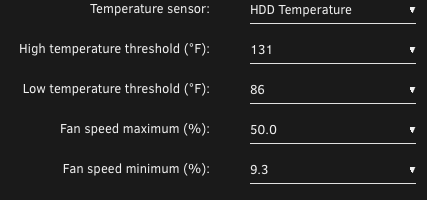
it works fine on you board! under settings network connection: no fan control: change values to suit
-
here are the changes i proposed: // temperature sensor Spundown echo '<dl class="fanctrl-settings">', '<dt><dl><dd>HDD Spundown Temperature sensor:</dd></dl></dt><dd>', '<select', $disabled, ' name="', $temphdd, '" class="fanctrl-temp fanctrl-settings">', '<option value="0">None</option>', get_temp_options($fancfg[$temphdd]), '</select></dd></dl>'; // Check if the Spundown vales should be shown if ($fancfg[$temphdd] != 0) { // high temperature threshold Spundown echo '<dl class="fanctrl-settings">', '<dt><dl><dd>High temperature threshold Spundown (°', $display_unit, '):</dd></dl></dt>', '<dd><select name="', $temphio, '" class="', $tempid, ' fanctrl-settings">', get_temp_range('HI', $fancfg[$temphio], $display_unit), '</select></dd></dl>'; // low temperature threshold Spundown echo '<dl class="fanctrl-settings">', '<dt><dl><dd>Low temperature threshold Spundown (°', $display_unit, '):</dd></dl></dt>', '<dd><select name="', $temploo, '" class="', $tempid, ' fanctrl-settings">', get_temp_range('LO', $fancfg[$temploo], $display_unit), '</select></dd></dl>'; // fan control maximum speed Spundown echo '<dl class="fanctrl-settings">', '<dt><dl><dd>Fan speed maximum Spundown (%):</dd></dl></dt><dd>', '<select name="', $fanmaxo, '" class="', $tempid, ' fanctrl-settings">', get_minmax_options('HI', $fancfg[$fanmaxo]), '</select></dd></dl>'; // fan control minimum speed Spundown echo '<dl class="fanctrl-settings">', '<dt><dl><dd>Fan speed minimum Spundown (%):</dd></dl></dt><dd>', '<select name="', $fanmino, '" class="', $tempid, ' fanctrl-settings">', get_minmax_options('LO', $fancfg[$fanmino]), '</select></dd></dl> '; }like this: Also only show the spundown threshold vales if the spundown sensor is not none.
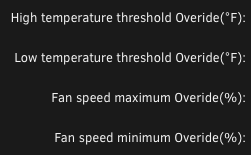
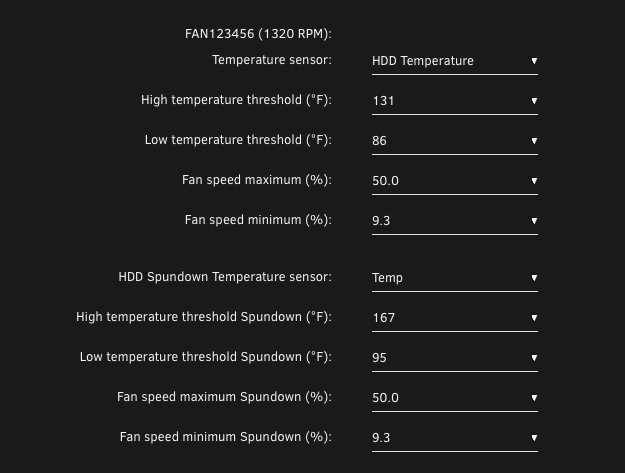 also perhaps move the spundown sensor down to the spun down settingsoverride should be spundown
 right, then under that it lists HDD spundown temp sensor, i use temp (CPU2) so when my hdds spindown it will monitor cpu. my chassis has 1 single 92mm fan with a shroud that pulls air in through the front hotswap hdd bays over both cpus and out the back. thats why there are 2 sensors to choose and 2 sets of high and low thresholds. 1 when hdds are spining and 1 when they are not
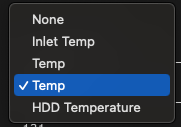 override fields are used when the hdd's are spundown (if you selected a sensor in the hdd spundown field) i think override should be spundown. it's confusingagreed the dual cpu monitoring could use refinement, given the fact that functionality was just added recently. (i am the one that requested it) it has room to grow. the author is quite easy to work with. the fan curve is based on percent of high and low temp threshold vs fan rpm min and max. if you fan speed is set to narrow or your cpu high and low are set to narrow, then yes 1 degree will hake the fan change alot. here is mine: i monitor the cpu2,