






ezek1el3000
Members
-
Joined
-
Last visited
Everything posted by ezek1el3000
-
The uptime from each docker container. Would be neat if it was inside the advanced context menu. df.bmp
-
I got a quick question: where do i find the uptime after installing the plugin? the colum is empty. Enabling the "Nuke Switch" doesn't help either.
-
nvidia_smi_log.txt
-
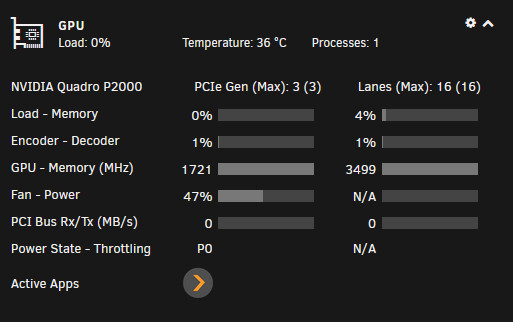
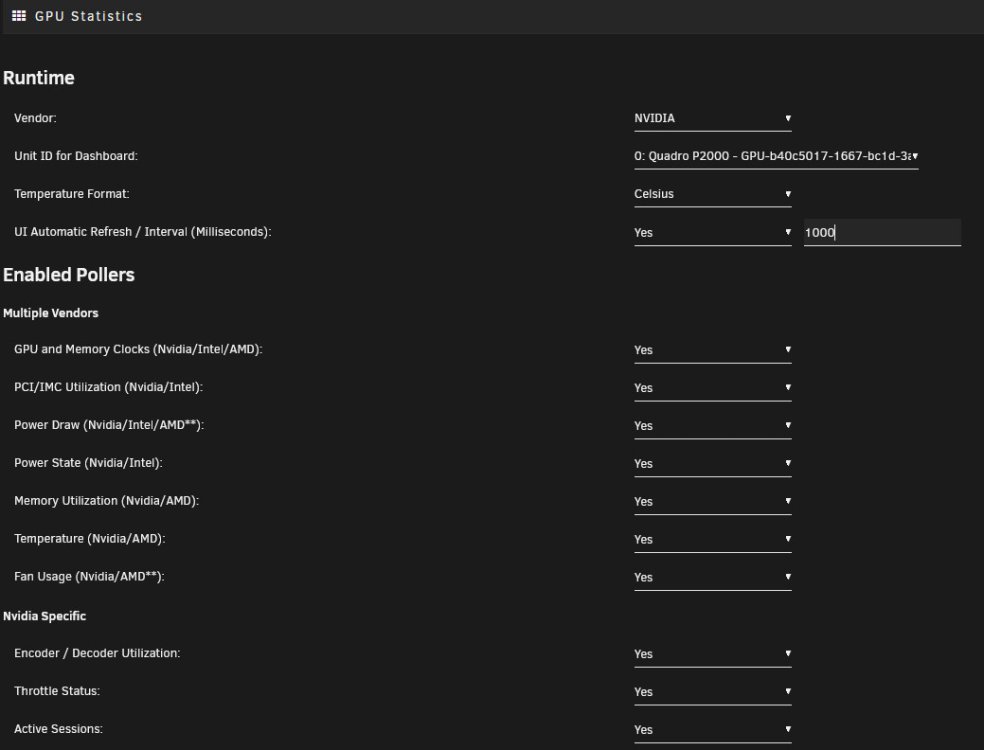
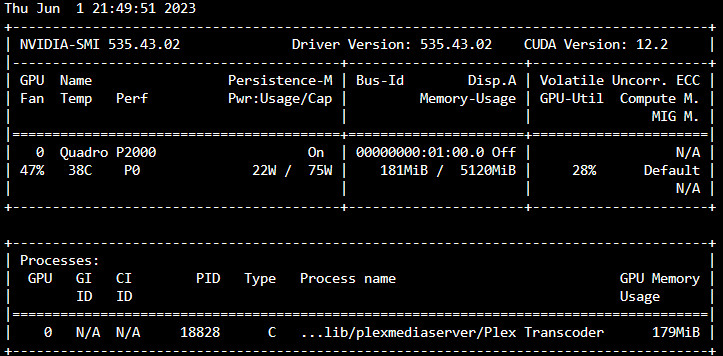
Recently Power and Throttling wont show up. I only got N/A - The GPU is a nVidia P2000. Unraid 6.11.5. Any idea why it's not displayed? I recently updated my bios and while i was at it i updated my Intel Management Engine Firmware. Everything works just fine except this. diagnostics-20230601-2049.zip
-
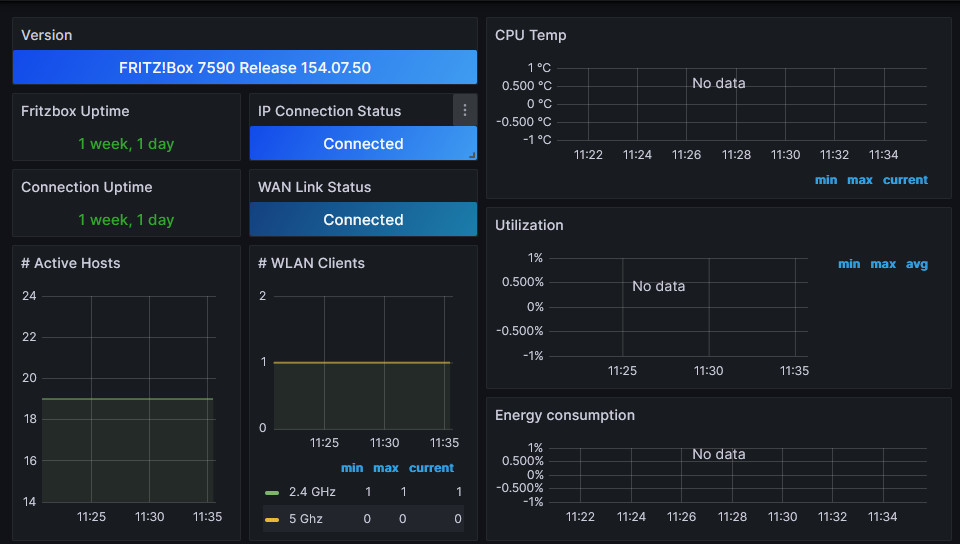
I got everything working except the Cpu, util. and energy metrics. Any idea why they dont show up? Fritzbox 7590 7.50 metrics.txt
-
The script works flawlessly. Thank you. Is the plex "on deck" feature still planned?
-
Interesting, i'm running a P2000.
-
If you want to keep the GPU Statistics Plugin but want to avoid log overflow set "UI Automatic Refresh / Interval (Milliseconds)" to 10000 or so. That way you can keep the nice statistics on you dashboard and avoid the log overflow. In case you don't mind the occasionally ACPI error in your syslog.
-
I removed the GPU Statistics Plugin by b3rs3rk and the error doesn't pop up anymore in my syslog. Syslog got spammed while i was on the Dashboard. On every other Tab, no errors. So I thought if PEG1 is mentioned in the error message then it should have something to do with the GPU.
-
I did not. I am currently deleting the syslog.1 and .2 every day via Userscripts. Latest Bios Update did not fix the error. Hopefully v6.12 and a new kernel fix things. But what I have read it is a hardware / bios problem which can actually only be solved by the manufacturer.
-
It takes about 20 seconds to open the Apps tab. I know it wasn't fast but this seem like something is wrong. But what could it be? Any help would be much appreciated. Everything else is fast as always. fileserver-diagnostics-20230410-1129.zip
-
New kernel? How often does that happen? Is it ok to delete the syslog.1 and .2 with a script occasionally? Or would it break things?
-
My syslog gets flooded with the following error: Mar 11 07:35:06 Fileserver kernel: ACPI Error: AE_ALREADY_EXISTS, CreateBufferField failure (20220331/dswload2-477) Mar 11 07:35:06 Fileserver kernel: ACPI Error: Aborting method \_SB.PC00.PEG1.PEGP._DSM due to previous error (AE_ALREADY_EXISTS) (20220331/psparse-529) Mar 11 07:35:06 Fileserver kernel: ACPI BIOS Error (bug): Failure creating named object [\_SB.PC00.PEG1.PEGP._DSM.USRG], AE_ALREADY_EXISTS (20220331/dsfield-184) Mar 11 07:35:06 Fileserver kernel: ACPI Error: AE_ALREADY_EXISTS, CreateBufferField failure (20220331/dswload2-477) Mar 11 07:35:06 Fileserver kernel: ACPI Error: Aborting method \_SB.PC00.PEG1.PEGP._DSM due to previous error (AE_ALREADY_EXISTS) (20220331/psparse-529) Mar 11 07:35:06 Fileserver kernel: ACPI BIOS Error (bug): Failure creating named object [\_SB.PC00.PEG1.PEGP._DSM.USRG], AE_ALREADY_EXISTS (20220331/dsfield-184) Mar 11 07:35:06 Fileserver kernel: ACPI Error: AE_ALREADY_EXISTS, CreateBufferField failure (20220331/dswload2-477) Mar 11 07:35:06 Fileserver kernel: ACPI Error: Aborting method \_SB.PC00.PEG1.PEGP._DSM due to previous error (AE_ALREADY_EXISTS) (20220331/psparse-529) Mar 11 07:35:06 Fileserver kernel: ACPI BIOS Error (bug): Failure creating named object [\_SB.PC00.PEG1.PEGP._DSM.USRG], AE_ALREADY_EXISTS (20220331/dsfield-184) i get rid of syslog.1 and syslog.2 if they get to big and FixCommonProblems nags about it. But this can't be the way to handle this?! Bios is already the latest installed. Any advice would be much appreciated. diagnostics-20230311-0735.zip



