





Simone Valmacco
Members
-
Joined
-
Last visited
Everything posted by Simone Valmacco
-
Hi all! I have an Unraid server up and running on my home network. I'm now dealing with some space issue on my iPhone. I'm using PhotoSync to transfer my photo/video to a shared folder. Now I'm looking for a way to also backup the Whatsapp data on my nas to bypass the iCloud 5GB limitation. There's a way to do that? Thank you very much! Best regards Simone
-
Thank you, I've setup the DNS as 8.8.8.8 and checked the Tailscale plugin. Now seems to works just fine. Anything else I have to check? Thank you again!!
-
And also all the shares reappers. But I want to know what happened..
-
After a reboot the diagnostics takes only few seconds to download... unraid-diagnostics-20231123-1830.zip
-
Hi, thank you for your reply. it is normal that the diagnostics file take so long to make and download? it is running for an hour and it hasn't finish yet..
-
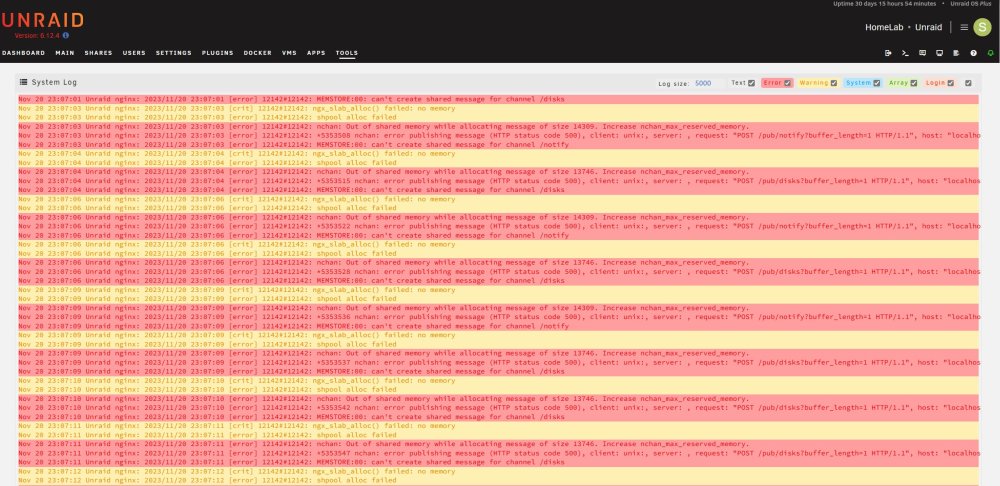
Dear all, I have my Unraid server up and running for few month now with few SMB shares. Today I've check the shared folders in Windows and I found that all folders are empty. In the Unraid dashboard it says that there are no shares present although I see the right drives capacity ( they were at about 50% capacity) What can it be? I am a bit worried about my files... I send you a screeshot of the log. There's definetely something wrong...
-
Hi, Today I've installed in my server an Intel X710DA2 10Gb network card. I haven't plug any cable into the card yet but I see that the power raysed by 5-6W There's a way to reduce the power from that board? Or this is the best I can have. Thank you! P.S. running Powertop now I see that my system only goes into C3, before it goes to C6/C7...
-
Hi all! I've seen on my Unraid server that the schedule for the parity-check starts the operation but something pause it after some hours. What can cause a parity check pause? Thank you very much! Best regards Simone
-
Thank you very much! My drives now are 14TB each, I'll configure to run parity check once a month and I'll have a look at the plugin you told me :)
-
Hi, I'm barely new to Unraid.. How often do I have to check the parity for best performance? Thank you very much! Best regards Simone
-
Hi @dsmith44, there's a way to have a status banner in the dashboard as the built in Wireguard VPN do? Thank you very much! Simone
-
I've tried Tailscale and it seems to works fine!🙂
-
I've enabled UPnP on my Ubiquity router, I also have a string like that in my Tunnel config: I've then setup my phone using the QR code as shown in the guide but I'm unable to run a ping test for the Peer address... I don't know what I'm doing wrong... I'm also not having the handshake Some other info; my internet connection is a PPoE FFTH. I've removed the provider router and go straight from the GPON ONT to the Ubiquity USG. In Ubiquity software I've add a port forwarding rule for port 51820 to the UnRaid server IP. So for me everything seems to be right...
-
now I'm unable to check if wireguard is working properly... I've setup my tunnel in Unraid and on my smartphone. I'm unsure if the port forwarding on my Ubiquity router is working fine.. Do you have a way to test if port 51820 is really open?
-
Thanks for the replies! While I read the WireGuard guide can you suggest me a good way to secure my server for remote access? Thank you!
-
Hi all, I’m barely new to Unraid. I’ve already setup my server with SMB share to access my files from Windows PC. I’m now looking for a way to access to my files when I’m outside from my home network. How can I do that? My goal is to be able to access to a specific share from all over the world from a Pc, and maybe setup a simple backup for my iPhone photos… Any help will be appreciated. thank you very much Simone
-
Thank you, Now I see all of the HDD in standby mode. To fix this "problem" the only solution is to add a second cache drive? Or there's a way to store a safety copy of the data on the main pool?
-
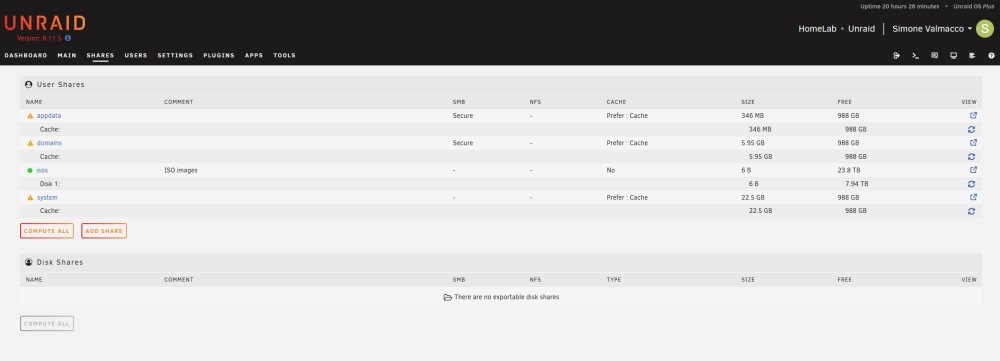
I send you what I have on Shares. I think that everything is on cache but I have the parity protect error...
-
Hi All, I'm building a new server using Unraid. The motherboard has a standard 1G NIC, I'll add a 10G X710 NIC to connect to my main pc. I have a 10G switch between my NAS and my PC. How do I setup the 10G card as secondary so when my desktop is off I can either put in standby the 10G card on my NAS? Thank you!
-
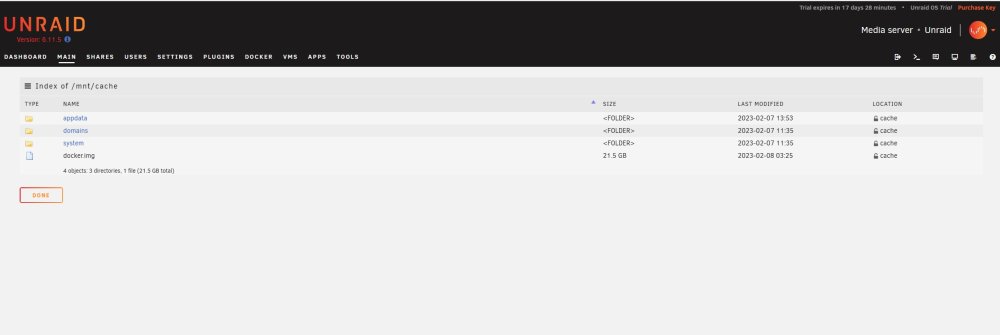
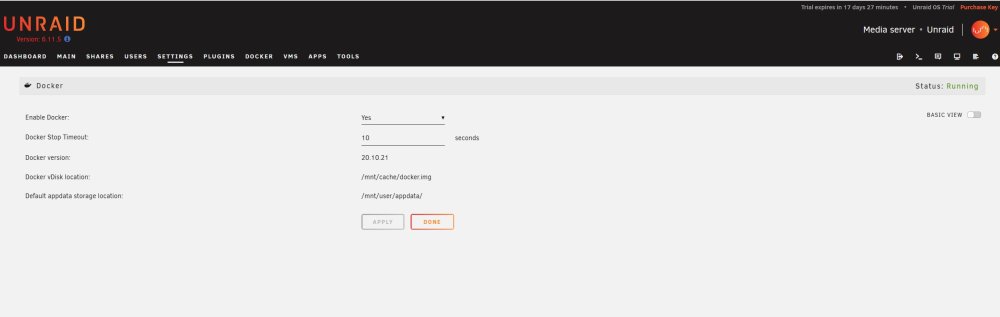
Thank you for your reply... I send you an image of what I have on my cache disk and in my Docker config. Don't know if I have to change also the default appdata storage location...
-
Hi All!, I'm barely new to Unraid, I'm trying to run a docker container entirely on the cache NvMe drive to be able to spin down all of the hard drives. I've already set the appdata share to cache only. Do I have to configure anything else? because when I open the webUI of the docker the hard drives wake up... Thank you! best regards Simone
-
Thank you, in every case Sata is usually more efficient than NvMe right?
-
Do you have any recommended SSD to use as cache drive? I was looking at Intel P3605 or P3700 PCI SSD or standard Sata SSD...
-
Thank you, I didn't see that the card I've found was an ML2 Lenovo card 🤦♂️ Do tou have any advice for which card to use? P.S. Does anyone use a card based on this chip? 57810S-PB00.fm (cisco.com) I've found this card which is pretty cheap: 10Gb SFP+ PCI-E Network Card NIC, with Broadcom BCM57810S Chip, Dual SFP+ Port, PCI Express X8, Support Windows Server /Linux/VMware : Amazon.it: Informatica Thank you!
-
Thank you very much! What do you think about the 10Gb Nic?




