





PetabyteLDA
Members
-
Joined
-
Last visited
Everything posted by PetabyteLDA
-
Hi Comet424, I'm not using this plugin to wake other PC in the network, but to make UnRAID wakable by other PCs. But after checking your post, I think I was wrong. I don't need the plugin for that, only the line in the Go file, right? Regards.
-
Does this package allow you to wake up UnRAID or allow you to wake up other computers?
-
+1
-
Problem solved in this thread.
-
Try to do an iperf3 test first.
-
Hi JorgeB, I've tried several times pressing CTRL+F5 at the VNC window but the error persisted. But when I cleared the browser's cookies as advised, everything started working! Thanks for your support!!
-
Sonic, My issue is a different from yours. I can access VM Manager in Settings and see all my VMs. The problem is I cannot connect to any VM thru VNC. Did you tried pressing CTRL+F5? I did get this issue just after I updated UnRAID to the latest version a while ago. But when I pressed CTRL+F5, the settings showed up. Maybe "Fix Common Problems" can help you identify the issue. Did you tried it? @trurl, here is the Diagnostics. zoidnas-diagnostics-20241102-1624.zip
-
Yes, I confirm. The Libvirt log is empty. I've created a new VM and started it and the Libvirt log is empty. But I still can't connect thru VNC to the previous VM and the new VM. What else should I do?
-
Hi JorgeB, I've done exactly what you ask for. I've started the VM and tried to connect to, but the issue persists. Here is the diags.zoidnas-diagnostics-20241102-1310.zip
-
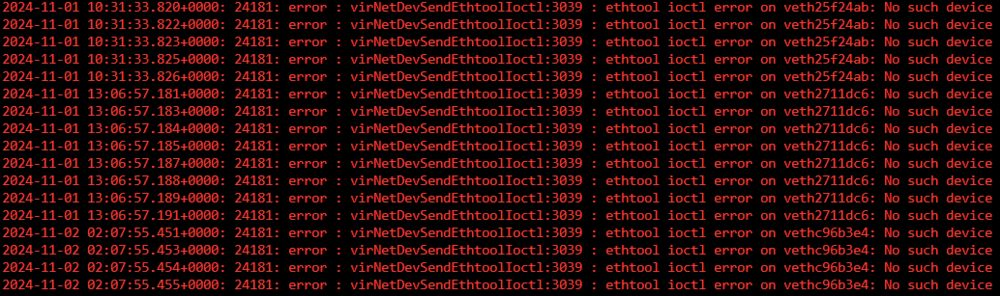
Hi UnRAID Experts, After installing a 10Gb NIC card and a Graphics Card into my UnRAID PC I can't connect using VNC to any of my VMs. I've tried to install several Linux distros but none seems to work. The VM says it has started but VNC can't connect. When accessing the LibVirt logs (in Settings -> VM Manager), I get the following messages: There are no files named vfio.cfg in /boot/config. I already tried to change the network settings, but nothing seams to work. I already rebuilt the libvrt image, still the same issue. What's wrong? Can anyone help me discover what is the problem? Thanks in advance! Regards from Portugal! zoidnas-diagnostics-20241102-1233.zip
-
Hi, This issue persists. Can anyone help me? I still can't run any VM on UnRAID. Regards
-
Is this normal?

-
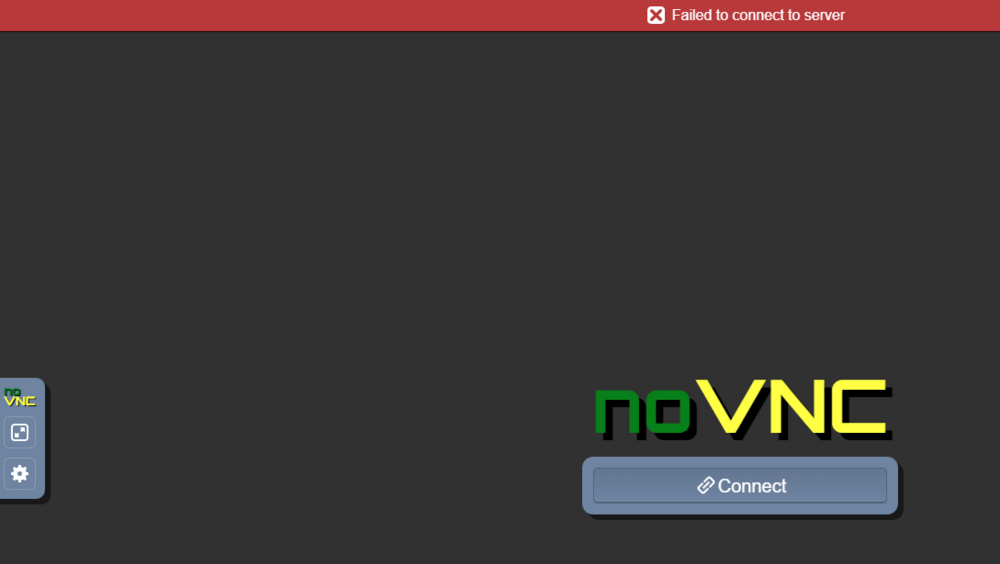
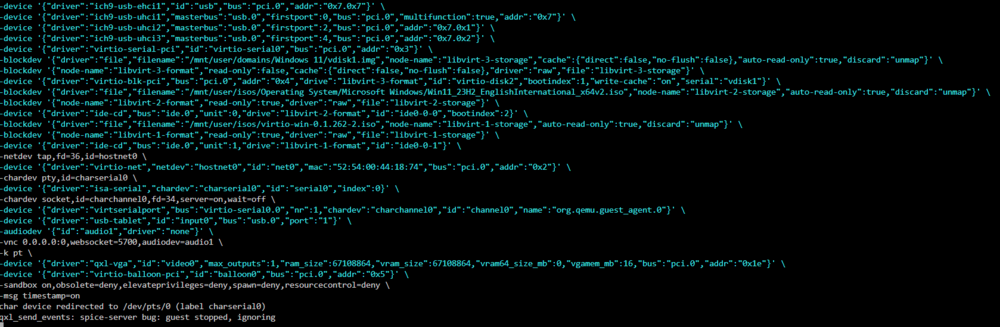
Hi Simon, I've already backed up all my VM's and deleted them all in UnRAID to start from fresh. Then I've moved the libvirt.img as indicated. Started VM Manager again. It created a new image file for libvirt. And I've tried to create several VMs (Windows and Linux). But all of them doesn't connect with VNC. This is the Windows VM log: I just don't know what else to do! All this happened since I've installed a 10Gb NIC and a RTX 3090 graphics card. All docker containers are working fine, only the VMs are not working. Thanks for all your help.
-
I still can't run any VM. Can anyone else help me with this issue? Regards.
-
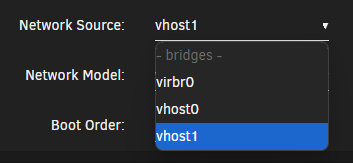
Hi Simon, I've tried both vhost0 and vhost1. None seems to work. Here are the Libvirt logs: 2024-10-12 11:32:22.578+0000: 2567: error : virNetDevSendEthtoolIoctl:3039 : ethtool ioctl error on veth24efe9a: No such device 2024-10-12 11:32:22.580+0000: 2567: error : virNetDevSendEthtoolIoctl:3039 : ethtool ioctl error on veth24efe9a: No such device 2024-10-12 11:32:22.581+0000: 2567: error : virNetDevSendEthtoolIoctl:3039 : ethtool ioctl error on veth24efe9a: No such device 2024-10-12 11:32:22.582+0000: 2567: error : virNetDevSendEthtoolIoctl:3039 : ethtool ioctl error on veth24efe9a: No such device 2024-10-12 11:32:22.584+0000: 2567: error : virNetDevSendEthtoolIoctl:3039 : ethtool ioctl error on veth24efe9a: No such device 2024-10-12 11:32:22.585+0000: 2567: error : virNetDevSendEthtoolIoctl:3039 : ethtool ioctl error on veth24efe9a: No such device 2024-10-12 11:32:22.587+0000: 2567: error : virNetDevSendEthtoolIoctl:3039 : ethtool ioctl error on veth24efe9a: No such device 2024-10-12 11:32:22.596+0000: 2567: error : virNetDevSendEthtoolIoctl:3039 : ethtool ioctl error on veth24efe9a: No such device Any other suggestion?
-
There are no files named vfio.cfg in /boot/config. Sorry, but I'm still a noob in UnRAID... See attached file for diagnostics. diagnostics-20241012-0059.zip
-
Hi UnRAID Experts, I don't know what changed but suddenly all my VMs and even new VMs won't boot after installing a 10Gb NIC card and a Graphics Card into my UnRAID PC. I've tried to install several Linux distros but none seems to work. The VM says it has started but VNC can't connect. When accessing the LibVirt logs (in Settings -> VM Manager), I get the following messages: 2024-10-11 14:20:06.216+0000: 16843: error : virNetDevSendEthtoolIoctl:3039 : ethtool ioctl error on vethdbfc709: No such device 2024-10-11 14:20:06.218+0000: 16843: error : virNetDevSendEthtoolIoctl:3039 : ethtool ioctl error on vethdbfc709: No such device 2024-10-11 14:20:06.219+0000: 16843: error : virNetDevSendEthtoolIoctl:3039 : ethtool ioctl error on vethdbfc709: No such device 2024-10-11 14:20:06.221+0000: 16843: error : virNetDevSendEthtoolIoctl:3039 : ethtool ioctl error on vethdbfc709: No such device 2024-10-11 14:20:06.223+0000: 16843: error : virNetDevSendEthtoolIoctl:3039 : ethtool ioctl error on vethdbfc709: No such device 2024-10-11 20:35:09.481+0000: 16740: warning : virProcessGetStatInfo:1755 : cannot parse process status data What's wrong? Can anyone help me discover what is the problem?
-
Hi Itimpi, First of all, I would like to say my sincere thanks to you and this wonderful UnRAID community. All containers were recovered with the original configuration as well as the folder configuration. The only thing that was not recovered was the timing configuration to start the container automatically and the indication whether or not the container should be started automatically. All easy to recover. Considering this experience, I think it would be important to add an alert in the Docker settings to warn the user that when changing from vDisk to Directory (or vice-versa), all containers will be eliminated... Once again, thanks Itimpi!! [SOLVED]
-
OK, just started the recovery. Fingers crossed!
-
Previous APPs is working. But this is the only way to recover all my containers? Previously, my Docker was organized in several folders and custom icons, and all the customization. Do I need to do everything again?
-
No, there are no containers writing to the vDisk. I've just added several new containers (large ones). But OK, I will keep the vDisk configuration. But to recover everything, Is recommended to restore one by one from Previous APPS or a USB Restore will do the trick? Regards,
-
Does a restore for my USB drive will recover all my containers?
-
Hi, I've lost all my docker containers! Here what I did. After having many issues regarding the Docker vdisk size, and after checking someone saying in a blog that using a Directory instead a vDisk is the way to go, I've changed the configuration to use the directory instead of the vDisk. But when I started Docker, all my containers have disappeared! I've tried to stop again the docker engine and restore the old configuration using the vDisk, but all containers are gone! What do I need to do to recover all my containers?? Do I need to recreate all containers again?? Even my Docker Folders are gone! Please help! ATT: All data in APPDATA is still there. And I have several backups of all APPDATA information. The only problem is to restore all containers. Regards,
-
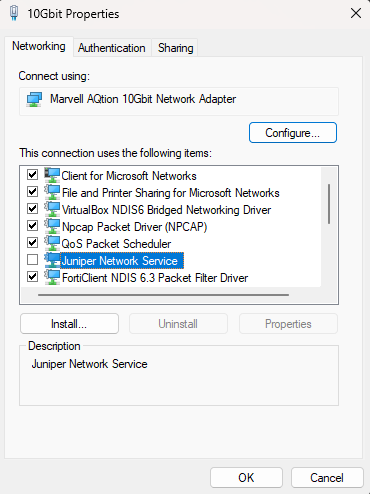
I've solved this issue. The problem was within Windows 11 configuration of the NIC. If you use VPNs, make sure you don't have the "Juniper Network Service" active. Disabling it, make the network connection speed normal again. Now I can get 9.25Gbit in both directions.
-
Yeah, I've already tried it. It only increases from 9.30Gbit to 9.45Gbit and make no difference to the 6.50Gbit. Anything else?



