





rainmanjam
Members
-
Joined
-
Last visited
Everything posted by rainmanjam
-
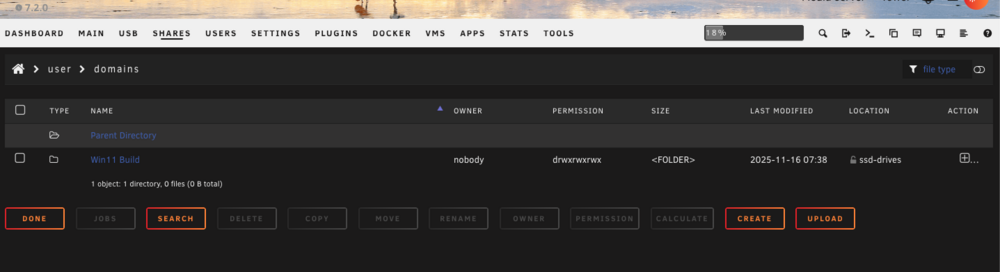
I've attached the before an after reboot Diag. The folder and img remains but I can't add it back. Anyone have any ideas? Thanks in advance. tower-diagnostics-20251116-0827.zip tower-diagnostics-20251116-0817.zip
-
Thanks. Just confirmed my previous findings and run of show. I'll let you know how it goes.
-
My current config is attached. This is what I'm migrating to: Mobo: EVGA X299 Dark New(ish) CPU: Intel® Core™ i9-10980XE CPU @ 3.00GHz (same) Controller: LSI 9300-16i 16-Port 12Gb/s SAS Controller Drive: Same but will add Four 8TB (Maybe larger) Migrating Pool from SSD SATA to NVME Case: from FD Node 804 to Josnbo N5 Is there anything I should be looking out for during the migration process? tower-diagnostics-20250707-0626.zip
-
Thanks for pointing me in the right direction. Check out my setup and diag now. I'll setup the backups for Appdata in a bit. tower-diagnostics-20250214-2258.zip
-
Thanks. Checking it out now.
-
Yes. I have the new 4TB SSDs ready to install. I just need a migration path to make sure I don't lose any data in the process.
-
Fair enough but I need a way to upgrade the cache drives from 240GB pair to a pair of 4TB gracefully. I can take it offline. I was trying to use the fastlane pool as a cache for the array for moving files back and forth. I wanted to have the Cache Drive in RAID 0. Oops on the backups. I'll install that plugin. Any other suggestions?
-
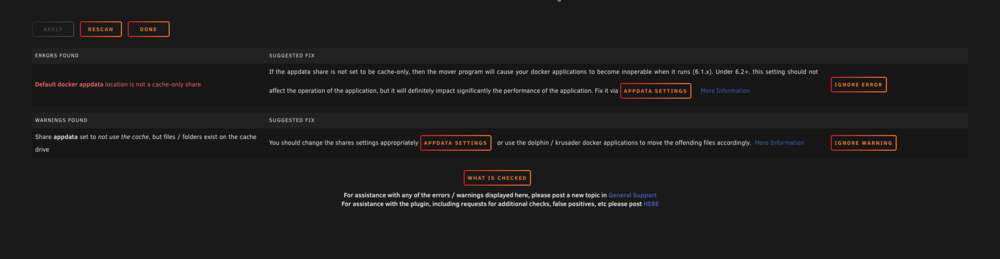
I need some help moving files from my cache to the array. tower-diagnostics-20250205-1025.zip
-
@itimpi What settings should I have to help clear out the cache drive for the public share? I've bumped up the size to 500GB but nothing is moving.
-
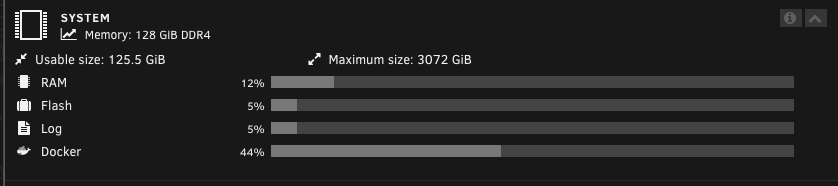
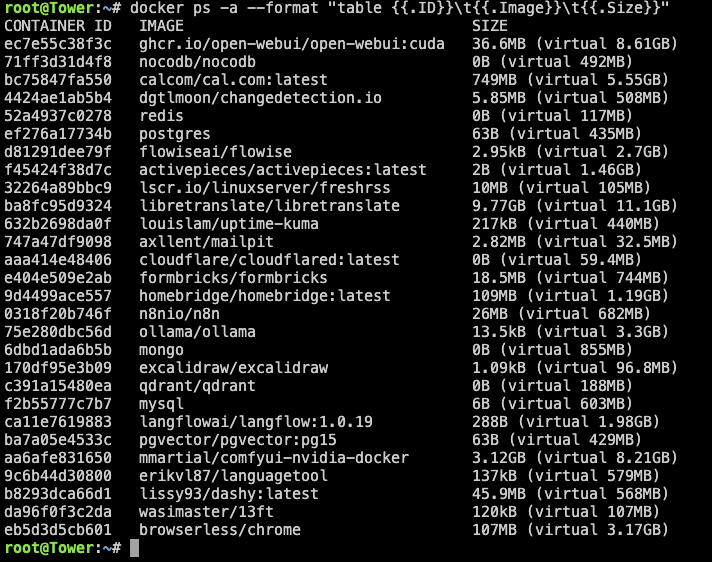
@itimpiIt was 70GB before. The docker images I run are fairly large to begin with. For example, libretranslate is running a 8Gb image for translation: https://hub.docker.com/layers/libretranslate/libretranslate/latest-cuda/images/sha256-fca9c7ca2a7d5fdc7270408ab952a77a44101b4b381f59c4453a3aff25fe2f64
-
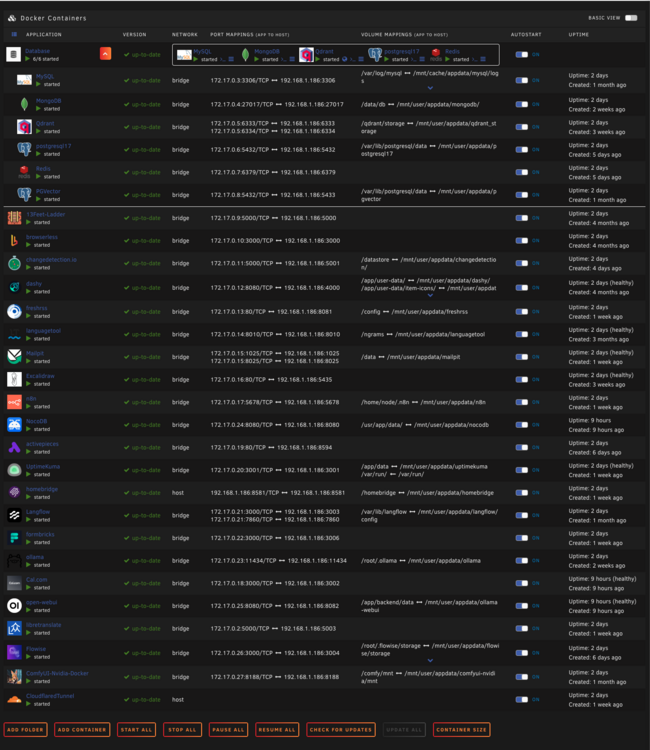
@itimpi 20GB Was running low for my docket.img file: Thanks.
-
I think I have all the setting set correctly but I could be wrong. tower-diagnostics-20241231-1359.zip
-
How can I fix this?
-
Am I missing something? tower-diagnostics-20240522-0637.zip

-
When I was hands on and watched it happen, the power just cut out and restarted the server The power supply was fine. The power CABLE doesn't meet the specs for it. https://www.evga.com/support/faq/FAQdetails.aspx?faqid=59690 Waiting on a 12 AWG cable to arrive. Sometimes you just need to get your eyes on it to figure out what's going on.
-
No display connected so I can't see what's going on. I can connect one up. I tailed the syslog via SSH but nothing stands out before crashing. I have a 1200w power supply.
-
I'm having an issue where, consistently, when I use Nvidia drivers to do anything like LLM or even aHshcat for testing, Unraid crashes and I have to restart. root@Tower:~# nvidia-smi -l Wed Mar 6 11:26:35 2024 +-----------------------------------------------------------------------------------------+ | NVIDIA-SMI 550.40.07 Driver Version: 550.40.07 CUDA Version: 12.4 | |-----------------------------------------+------------------------+----------------------+ | GPU Name Persistence-M | Bus-Id Disp.A | Volatile Uncorr. ECC | | Fan Temp Perf Pwr:Usage/Cap | Memory-Usage | GPU-Util Compute M. | | | | MIG M. | |=========================================+========================+======================| | 0 NVIDIA GeForce RTX 3090 Off | 00000000:65:00.0 Off | N/A | | 0% 62C P0 119W / 420W | 0MiB / 24576MiB | 0% Default | | | | N/A | +-----------------------------------------+------------------------+----------------------+ tower-diagnostics-20240306-1128.zip
-
Ok. I figured it out. using "--runtime=nvidia" in the "Extra Parameters:" container options throws an egg in the soup and causes crashes. Removing it stabilized everything.
-
I think this is an issue between docker/unraid/nvidia because I've been running the hashcat docker container and it crashes there as well.
-
It's the craziest thing. If anyone can help me find the issue, it would be appreciated. tower-diagnostics-20240303-1249.zip
-
I installed Ollama and Open-WebUI and get random crashes using them together in Docker. In my AppData folder, folders are split between Array and Flatlane pools. the Fastlane. Is there a way to safely move folders into the array for redundancy? Thanks. tower-diagnostics-20240303-1249.zip

-
If I can move everything off the cache portion to somewhere else, that would help a lot.
-
The initial idea was to use either cache or Fastlane as a caching read/write drive for data transfers. I'm just trying to get some advice on the best setup for the array of disks I currently have to make it faster for transfers and have stability with my VM/Docker services.
-
@trurlPer request tower-diagnostics-20240201-1741.zip
-
Thanks @trurl. I deleted Tabby from the appdata folder and that freed up space to get it back up and running. Docker and Libvirt were tested and are working fine. I brought it back down to 20G. I didn't know what adjusting the space would do bringing on a large docker instance. Fixed. Any advice on space adjustments?



