





allenchou1994
Members
-
Joined
-
Last visited
Everything posted by allenchou1994
-
我用Dynamix Factory Reset重启之后还是原来的样子 没有重置系统
-
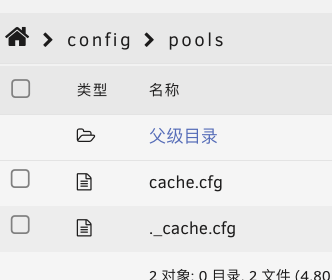
what about the pool folder, i only saw cache.cfg, no array assignment
-
could you tell me where is the super.dat? and i checked my pool folder, there is only cachs assignment no array info
-
i am using unraid 7.0.0, tried to reset my unraid server with the Dynamix Factory Reset plugin. i selected yes for"Keep Array and Pool assignments". while after i clicked FACTORY RESET and reboot my server, nothing changed. is there any other way to reset my sever with data and array preserved?
-
我用山特的也是这种线没问题的啊
-
i am using unraid 7.0.0, tried to reset my unraid server with the Dynamix Factory Reset plugin. i selected yes for"Keep Array and Pool assignments". while after i clicked FACTORY RESET and reboot my server, nothing changed. is there any other way to reset my sever with data and array preserved?
-
i installed Dynamix Factory Reset plugin and used it, but after reboot nothing changed
-
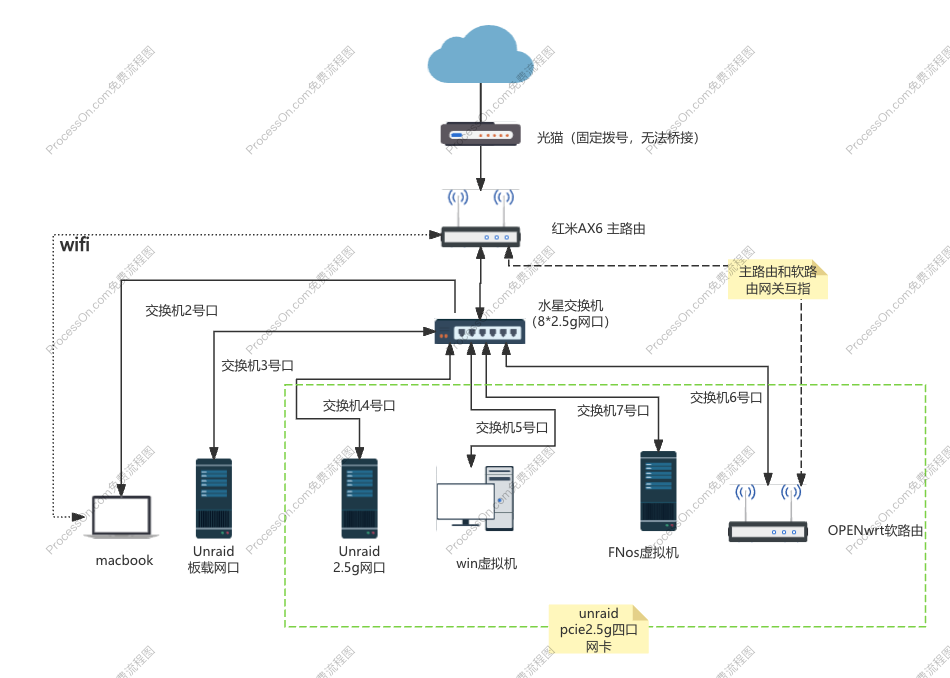
我的网络设置是这样的 主路由为小米ax6,负责ddns和dmz把旁路由转发,请问该如何设置openwrt的防火墙才能实现端口转发
-
应该是usb线连接的吧, ups应该带一根usb方口到扁口的线
-
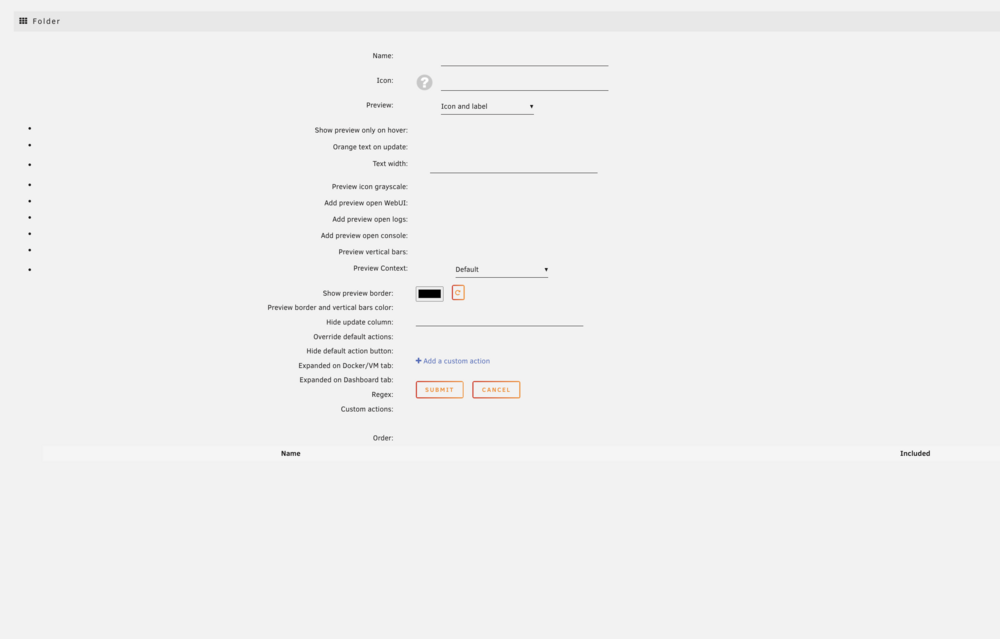
when i tried to add a folder, there is no docker in the list. i treid reinstalled this plugin but does not work.
-
docker and vm can be stopped without any problem, while after stop docker and vm services the array stop still stuck
-
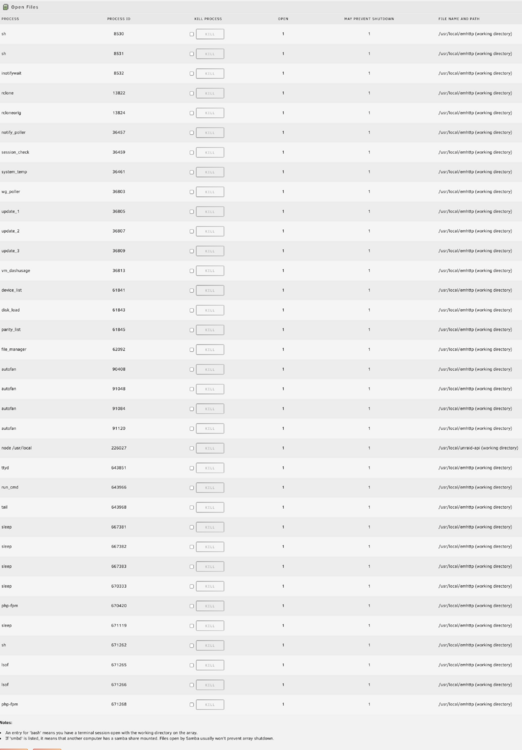
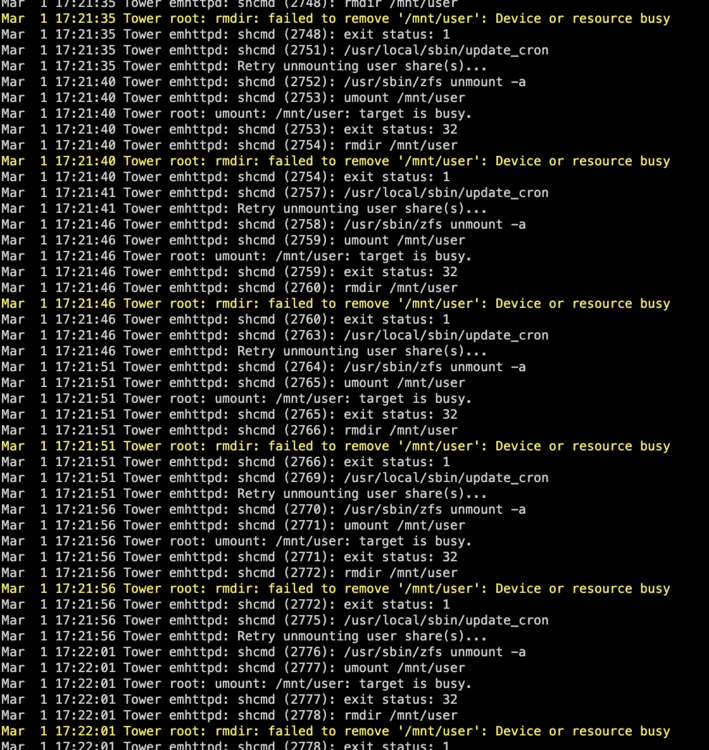
i installed this but durring the stop array process, there is no matching between OFP process and system log stucking
-
i don't knnow why this happen, i am noting using zfs i installed 'Dynamix Stop Shell' but it didn't help i am using unraid7.0 while this problem happend from 6.12
-
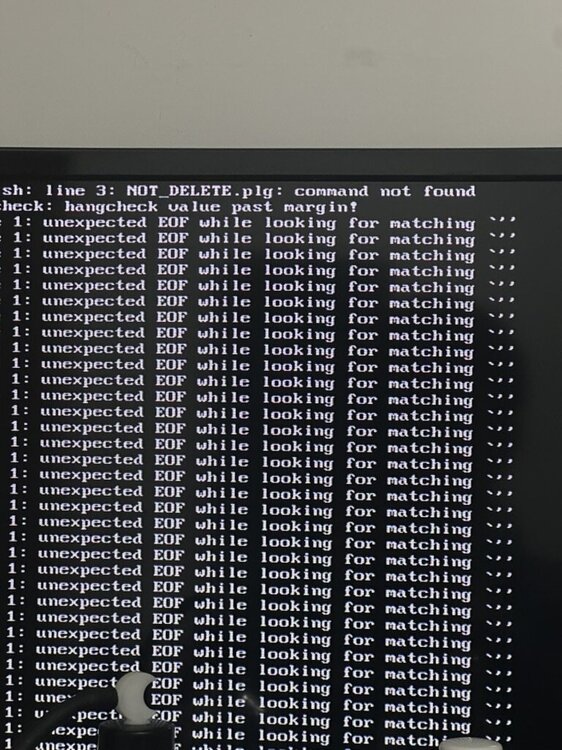
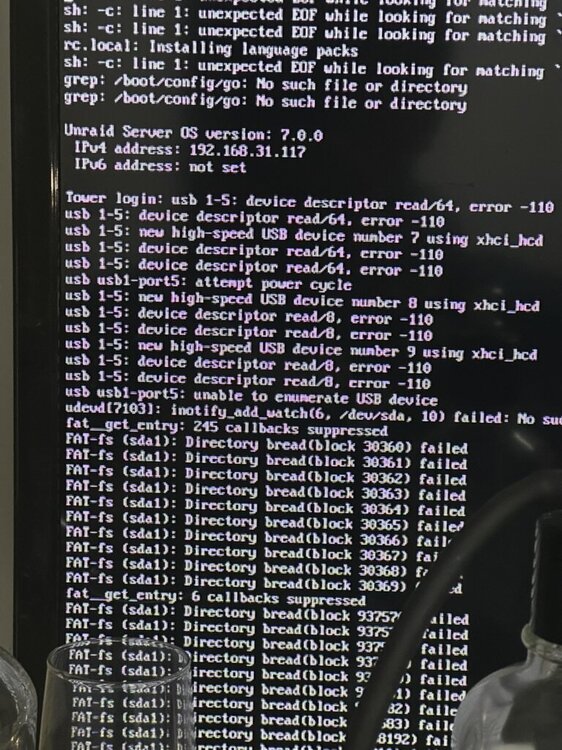
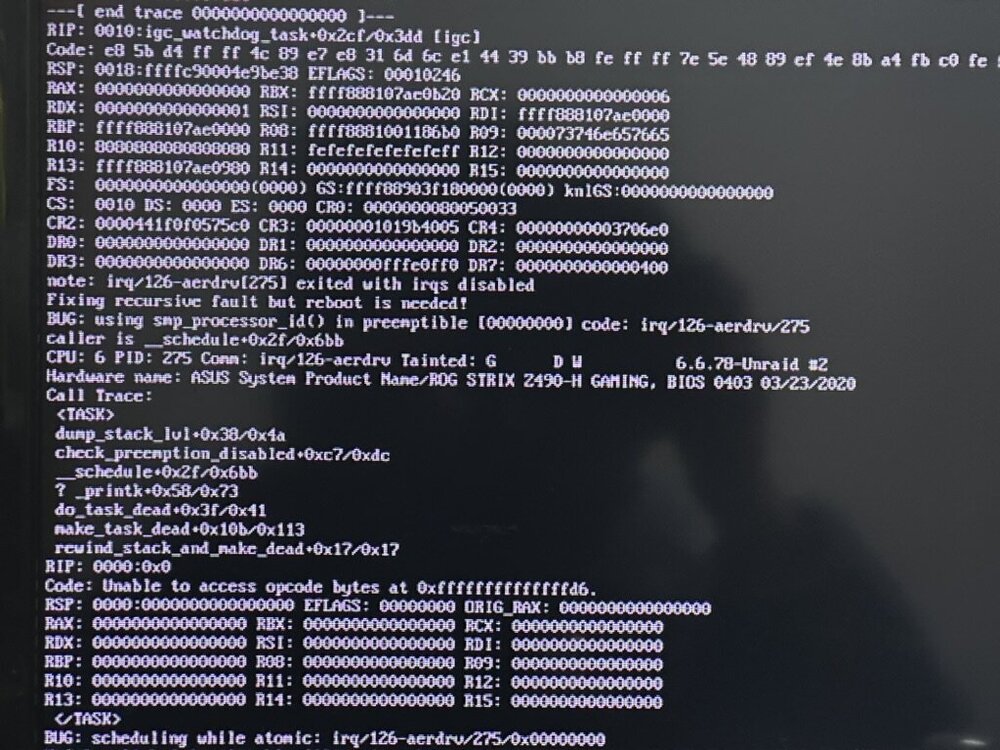
updated form i5-10660k withi asrock b460 pro to qtb1 (i9-10900es) with rog z490h no other hardware changed but i can't reach to gui or webui now. i can see the boot options and select but gui mode weither safe or not, would stuck in black screen. normal os mode, weither safe or not, web ui ip could show but can't reach. and codes will still show a lot after webui ip showed. i have tried delete network config and vfio config, bit didn't help 1E5682CA-1022-4D35-A302-BC9BCA614756.heic
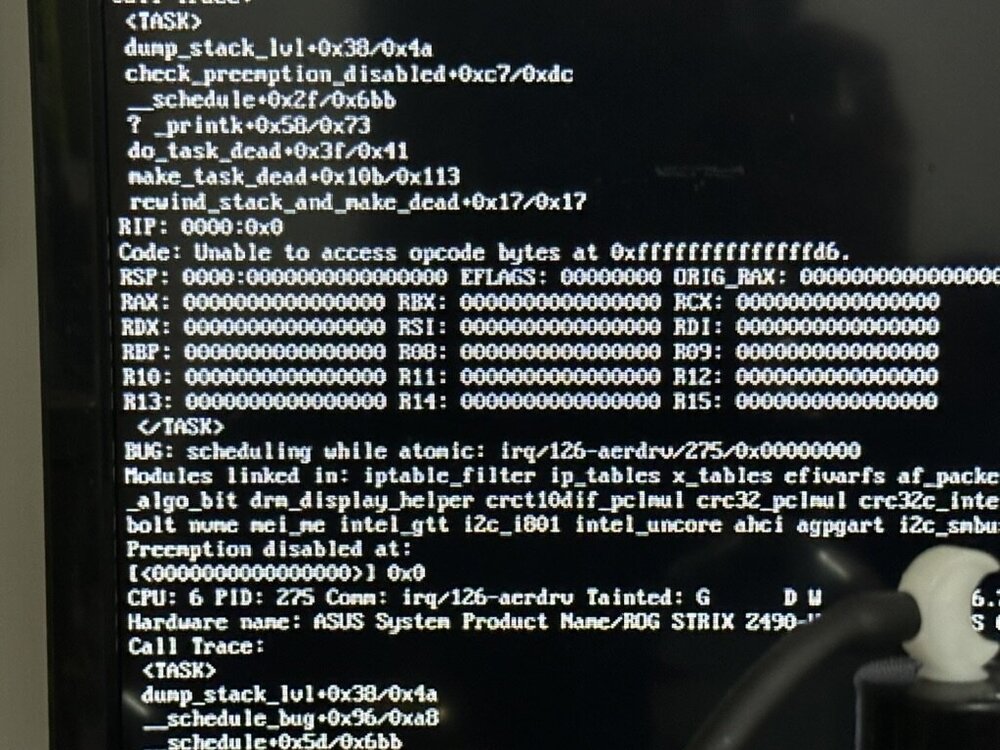
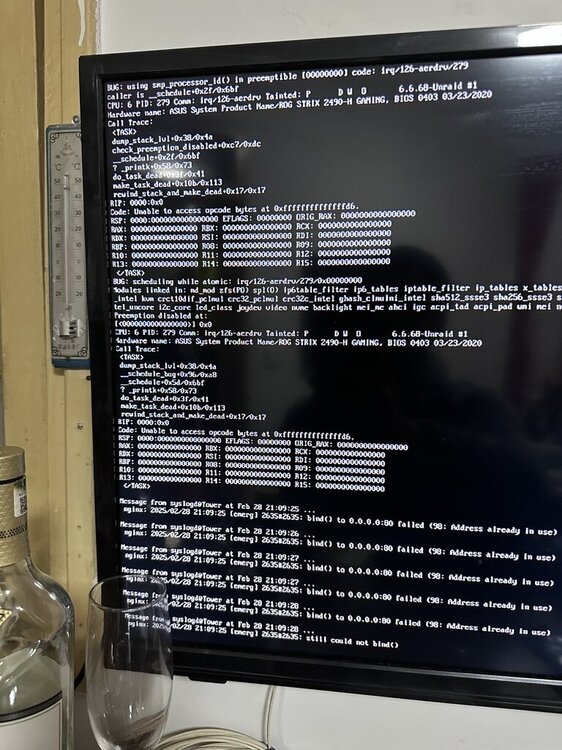
-
从华擎b460m pro ac主板搭配i5 10600k升级到rog z490h搭配十代i9es版 其他硬盘和缓存都没换 网卡也没换 u盘删掉netconfig和voifconfig后也make boot了 启动unraid 内存检查也没有问题 可以选择不同的启动模式 但是gui模式会卡黑屏 普通os模式最后出现ip了还会继续跑代码 而且ip也连不上 路由器后台看得到ip 但就是打不开 u盘里的ssl也删了
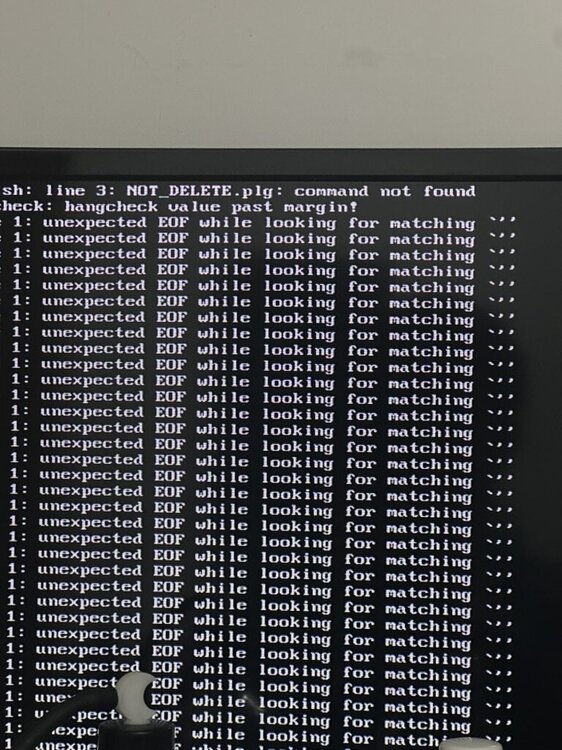
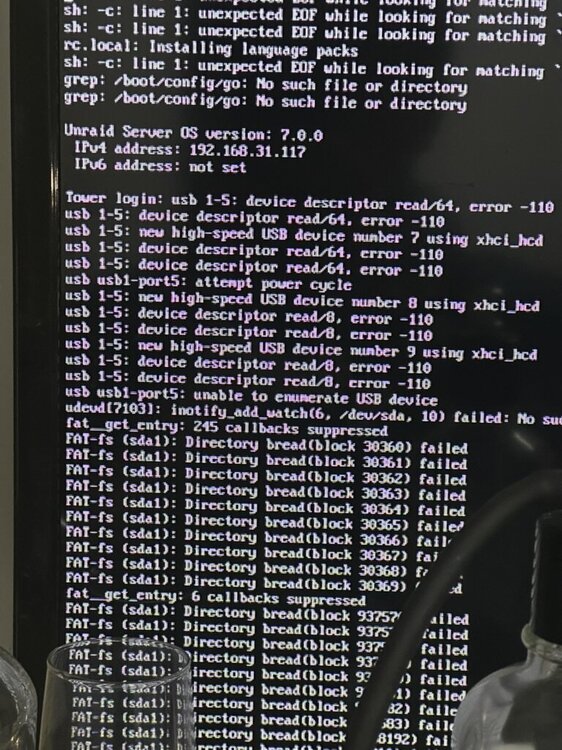
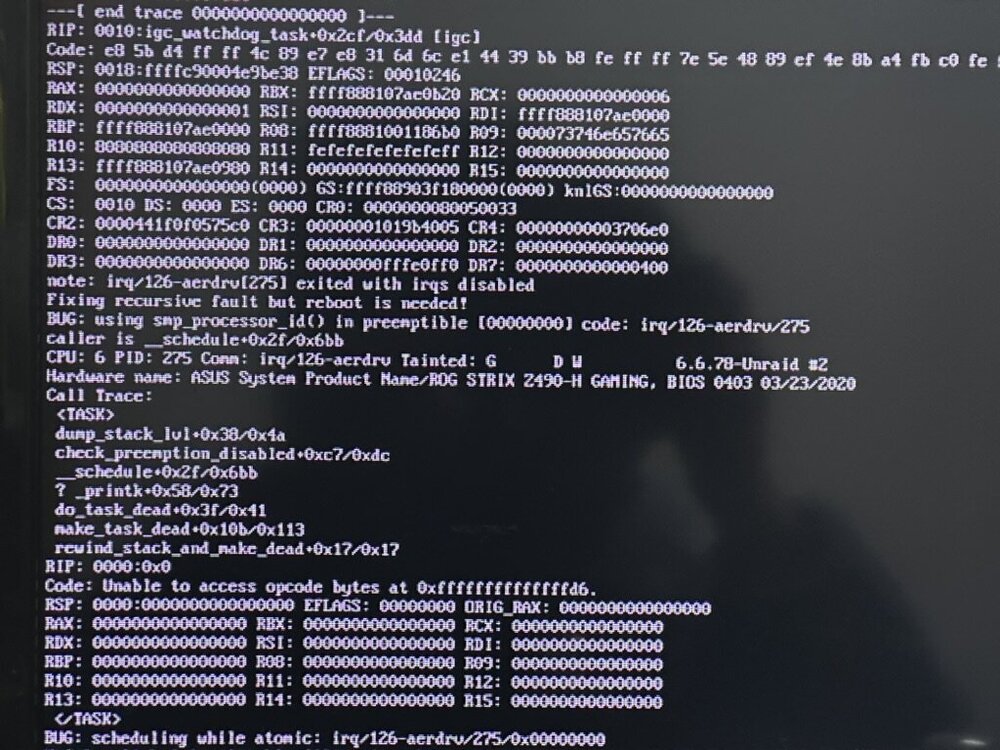
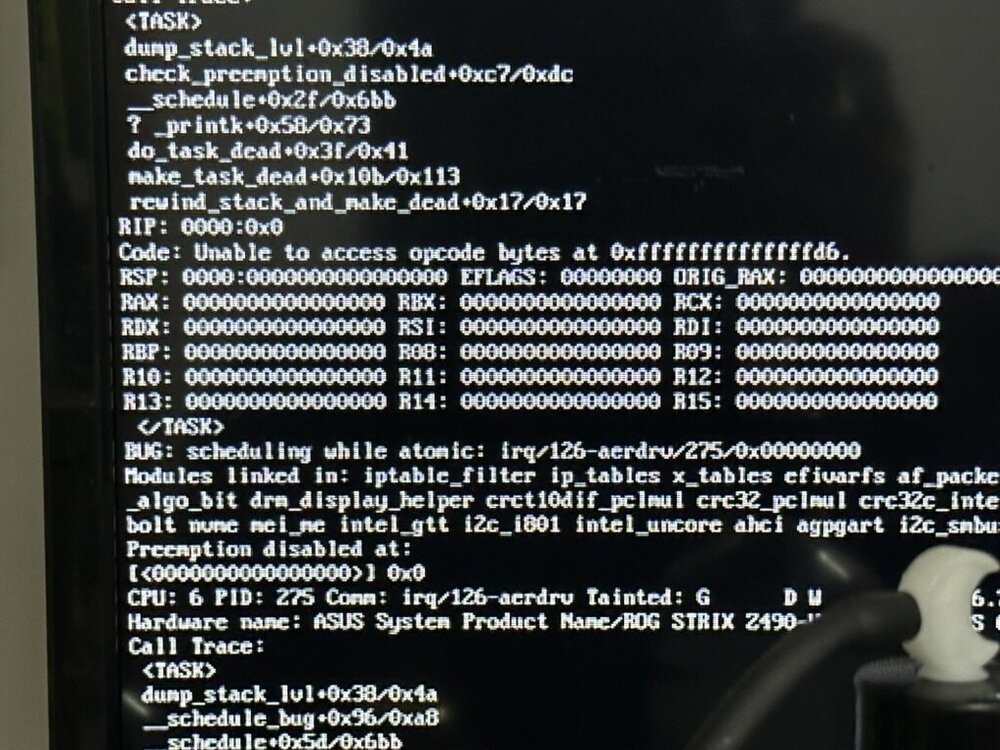
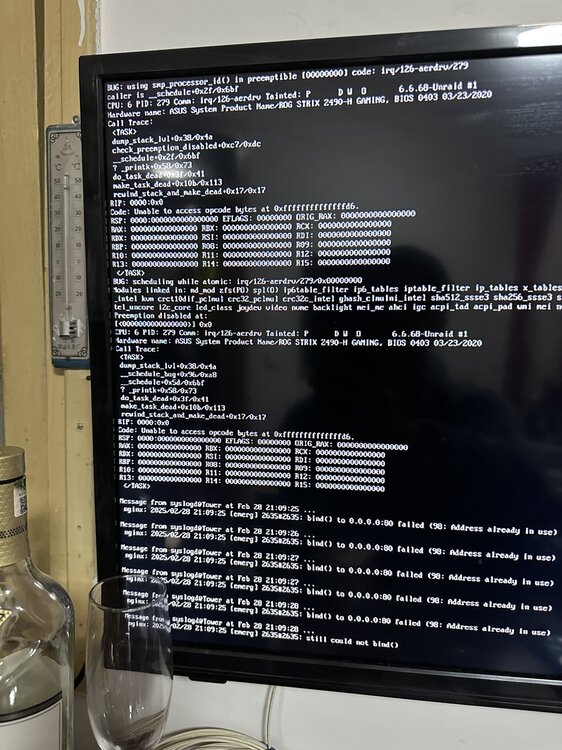
-
did you solve this problem now? i am suffering from it
-
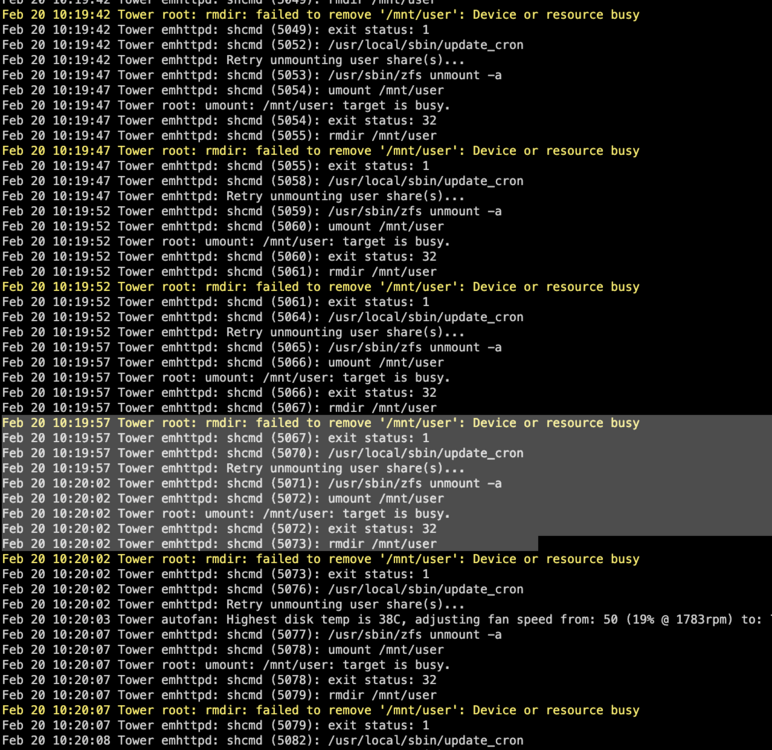
装了这个插件 但没有效果, 不挂载阵列正常重启, 挂载阵列重启关机的话还是卡在卸载共享
-
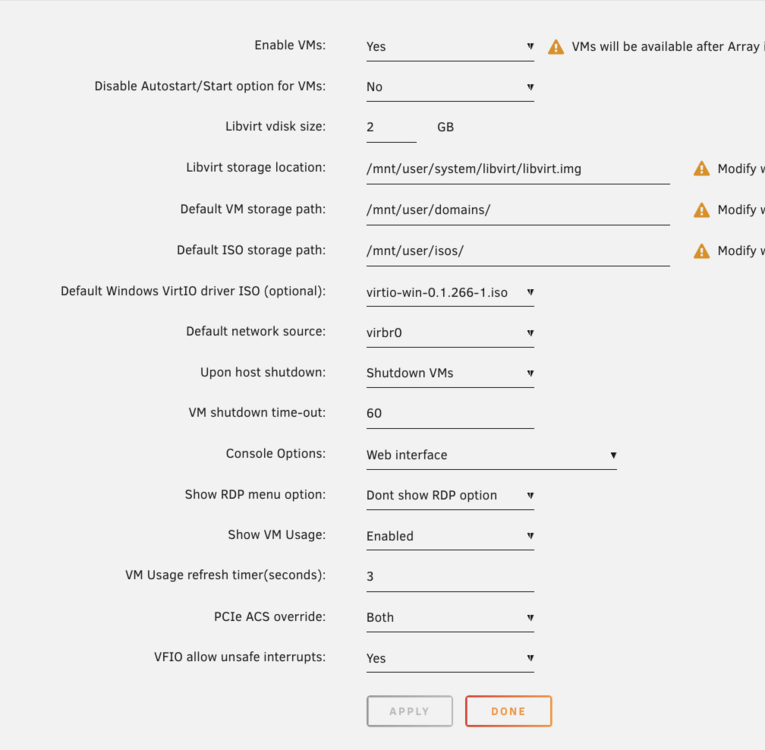
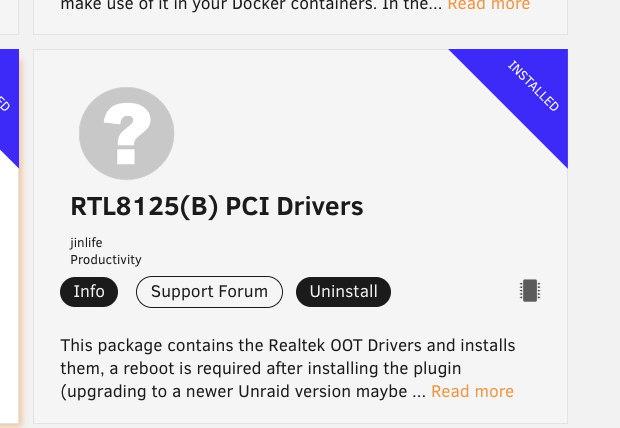
i installed this plugin , and tried all PCIe ACS override methods, but still they are in the same immo group i just upgraded to unraid 7.0
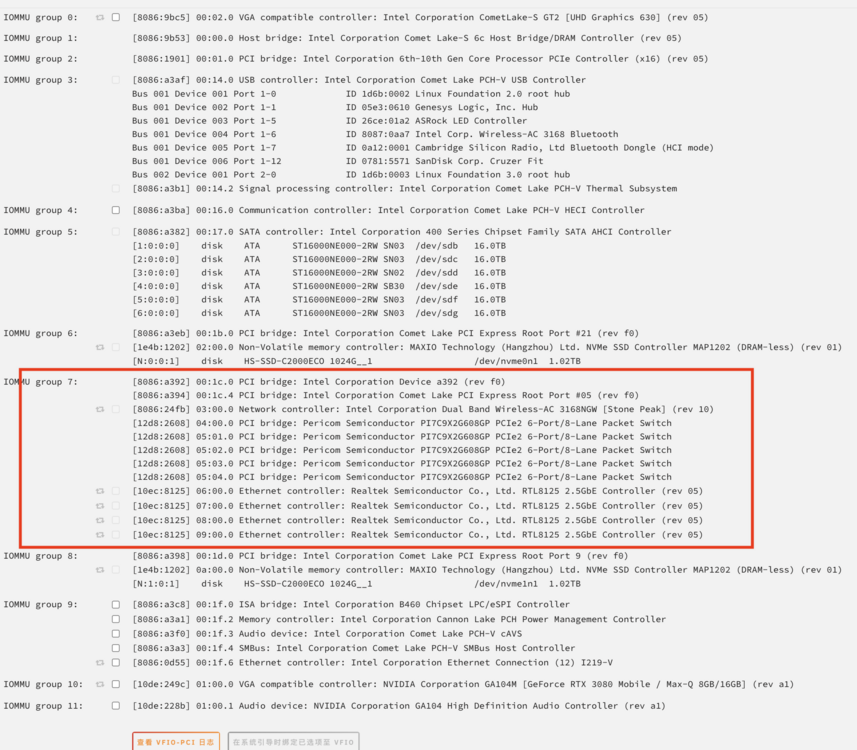
-
不挂载磁盘的话重启速度很快 但是挂载磁盘后再关机或重启都会在卸载共享上卡很久
-
感谢大佬分享! 但是我进行到第二步 /etc/davfs2/secrets后 root@Tower:~# /etc/davfs2/secrets bash: /etc/davfs2/secrets: Permission denied 请问这该怎么解决
-
<?xml version='1.0' encoding='UTF-8'?> <domain type='kvm'> <name>Windows 11</name> <uuid>9a44afc1-035b-8d39-0b47-5483ce3cf9ca</uuid> <metadata> <vmtemplate xmlns="unraid" name="Windows 11" icon="windows11.png" os="windowstpm"/> </metadata> <memory unit='KiB'>16777216</memory> <currentMemory unit='KiB'>16777216</currentMemory> <memoryBacking> <nosharepages/> </memoryBacking> <vcpu placement='static'>12</vcpu> <cputune> <vcpupin vcpu='0' cpuset='0'/> <vcpupin vcpu='1' cpuset='6'/> <vcpupin vcpu='2' cpuset='1'/> <vcpupin vcpu='3' cpuset='7'/> <vcpupin vcpu='4' cpuset='2'/> <vcpupin vcpu='5' cpuset='8'/> <vcpupin vcpu='6' cpuset='3'/> <vcpupin vcpu='7' cpuset='9'/> <vcpupin vcpu='8' cpuset='4'/> <vcpupin vcpu='9' cpuset='10'/> <vcpupin vcpu='10' cpuset='5'/> <vcpupin vcpu='11' cpuset='11'/> </cputune> <resource> <partition>/machine</partition> </resource> <os> <type arch='x86_64' machine='pc-i440fx-7.1'>hvm</type> <loader readonly='yes' type='pflash'>/usr/share/qemu/ovmf-x64/OVMF_CODE-pure-efi-tpm.fd</loader> <nvram>/etc/libvirt/qemu/nvram/9a44afc1-035b-8d39-0b47-5483ce3cf9ca_VARS-pure-efi-tpm.fd</nvram> </os> <features> <acpi/> <apic/> </features> <cpu mode='host-passthrough' check='none' migratable='on'> <topology sockets='1' dies='1' cores='6' threads='2'/> <cache mode='passthrough'/> </cpu> <clock offset='localtime'> <timer name='rtc' tickpolicy='catchup'/> <timer name='pit' tickpolicy='delay'/> <timer name='hpet' present='no'/> <timer name='hypervclock' present='yes'/> </clock> <on_poweroff>destroy</on_poweroff> <on_reboot>restart</on_reboot> <on_crash>restart</on_crash> <devices> <emulator>/usr/local/sbin/qemu</emulator> <disk type='file' device='disk'> <driver name='qemu' type='raw' cache='writeback'/> <source file='/mnt/user/domains/Windows 11/vdisk1.img'/> <target dev='hdc' bus='virtio'/> <boot order='1'/> <address type='pci' domain='0x0000' bus='0x00' slot='0x04' function='0x0'/> </disk> <disk type='file' device='disk'> <driver name='qemu' type='raw' cache='writeback'/> <source file='/mnt/user/domains/Windows 11/vdisk2.img'/> <target dev='hdd' bus='virtio'/> <address type='pci' domain='0x0000' bus='0x00' slot='0x05' function='0x0'/> </disk> <disk type='file' device='cdrom'> <driver name='qemu' type='raw'/> <source file='/mnt/user/isos/zh-cn_windows_11_business_editions_version_22h2_updated_may_2023_x64_dvd_76248ab3.iso'/> <target dev='hda' bus='ide'/> <readonly/> <boot order='2'/> <address type='drive' controller='0' bus='0' target='0' unit='0'/> </disk> <disk type='file' device='cdrom'> <driver name='qemu' type='raw'/> <source file='/mnt/user/isos/virtio-win-0.1.229-1.iso'/> <target dev='hdb' bus='ide'/> <readonly/> <address type='drive' controller='0' bus='0' target='0' unit='1'/> </disk> <controller type='usb' index='0' model='qemu-xhci' ports='15'> <address type='pci' domain='0x0000' bus='0x00' slot='0x07' function='0x0'/> </controller> <controller type='virtio-serial' index='0'> <address type='pci' domain='0x0000' bus='0x00' slot='0x02' function='0x0'/> </controller> <controller type='pci' index='0' model='pci-root'/> <controller type='sata' index='0'> <address type='pci' domain='0x0000' bus='0x00' slot='0x03' function='0x0'/> </controller> <controller type='ide' index='0'> <address type='pci' domain='0x0000' bus='0x00' slot='0x01' function='0x1'/> </controller> <serial type='pty'> <target type='isa-serial' port='0'> <model name='isa-serial'/> </target> </serial> <console type='pty'> <target type='serial' port='0'/> </console> <channel type='unix'> <target type='virtio' name='org.qemu.guest_agent.0'/> <address type='virtio-serial' controller='0' bus='0' port='1'/> </channel> <input type='mouse' bus='ps2'/> <input type='keyboard' bus='ps2'/> <tpm model='tpm-tis'> <backend type='emulator' version='2.0' persistent_state='yes'/> </tpm> <audio id='1' type='none'/> <hostdev mode='subsystem' type='pci' managed='yes'> <driver name='vfio'/> <source> <address domain='0x0000' bus='0x01' slot='0x00' function='0x0'/> </source> <address type='pci' domain='0x0000' bus='0x00' slot='0x06' function='0x0'/> </hostdev> <hostdev mode='subsystem' type='pci' managed='yes'> <driver name='vfio'/> <source> <address domain='0x0000' bus='0x01' slot='0x00' function='0x1'/> </source> <address type='pci' domain='0x0000' bus='0x00' slot='0x08' function='0x0'/> </hostdev> <hostdev mode='subsystem' type='pci' managed='yes'> <driver name='vfio'/> <source> <address domain='0x0000' bus='0x04' slot='0x00' function='0x1'/> </source> <address type='pci' domain='0x0000' bus='0x00' slot='0x09' function='0x0'/> </hostdev> <hostdev mode='subsystem' type='usb' managed='no'> <source startupPolicy='optional'> <vendor id='0x046d'/> <product id='0xc52b'/> </source> <address type='usb' bus='0' port='1'/> </hostdev> <memballoon model='none'/> </devices> <seclabel type='dynamic' model='dac' relabel='yes'/> </domain>
-
求助各位大佬 我的系统版本是unraid 6.11.5 正版系统 cpu是10500es不显版 win11虚拟机装的是win11专业版 使用cpu直通 12个核心都给win11 开机cpu占用100%,过一段时间也是50%以上 使用模拟模式的话cpu占用就很正常 占用率十几左右 主板为华擎B460m pro/ac 主板bios的虚拟化也开机了 unraid系统里的虚拟化也支持 我这边主要是win11想用来打游戏 cpu使用模拟模式的话n卡的驱动不支持优化 请问各位大佬该怎么解决


