





Rkpaxam
Members
-
Joined
-
Last visited
-
Well thats my working theory anyway i have yet to see if im correct. Its odd as its been fine for months and months so i suspect its somthing on the backend of AGH
-
Ok so i think i found the issue, whilst my unraid is whitlisted in my AGH instance it seems to be having issues randomly so i have gone back to the data harvesters that are google and all is well.
-
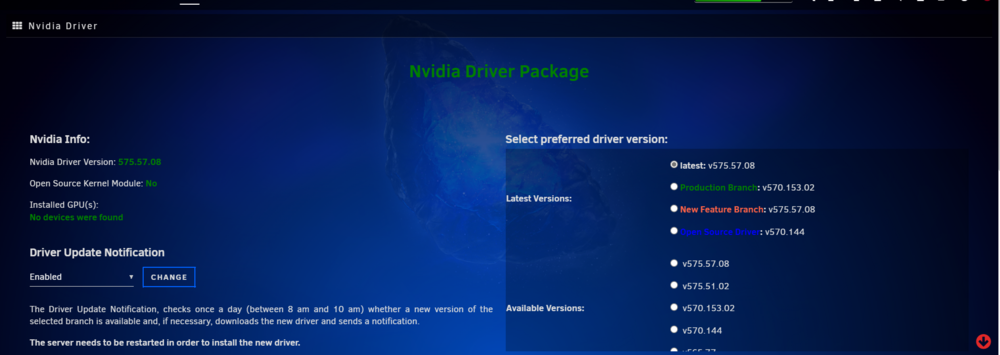
I've just selected a driver and told it not to auto update and I will manually do it as I want to. I personally can't see it being my USB or isp setup as this issue only started with 7.0. The fact it is multiple people with the same issue would lead me to think either unraid, plugin or hardware issue with the newer kernel
-
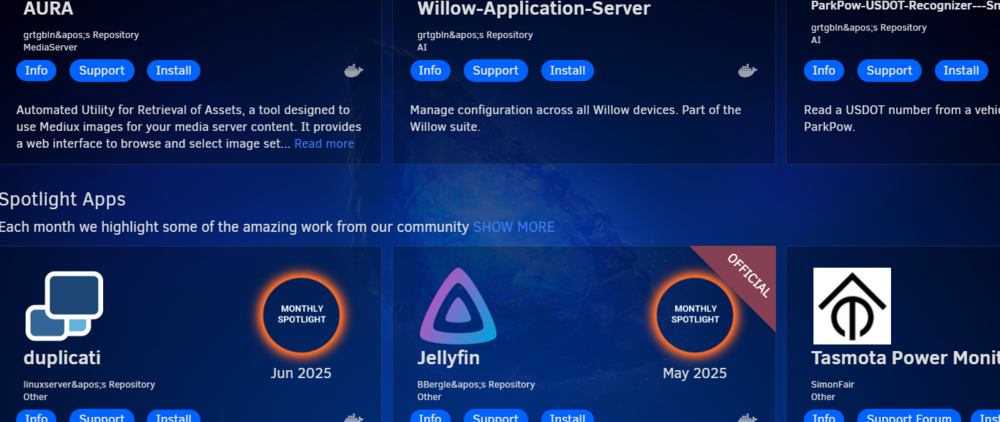
PSB where the repository are showing apos at the end, then if you try to get into the repository its blank?
-
Im using Opensene router with crowdsec & Geoblock and TP link (TP link does not interact with unraid server on the network) with some AGH instances (however the server is on a bypass from these due to reasons). but never had this issue before the upgrade to 7.0 and have no other issues with Github downloads. And as I can still download the file manually I cant believe those are related to my issue at least. No issues with the USB plenty of space and no other failings. For now I have stuck it on a specific driver so it shouldn't try to update. As it's only transcoding I can't see being a few drivers being being an issue.
-
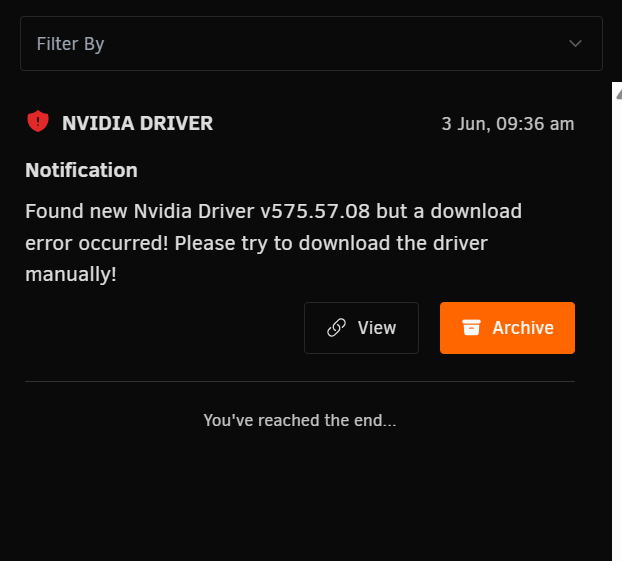
Sorry its took a few days for it to come back up Please find attached. As before due to this happening the GPU is now not recconised and I will have to change to another driver and reboot to get it to work. tower-diagnostics-20250603-1021.zip
-
Hi Since upgrading to 7.0 now 7.1.2 i keep getting an error saying its failed to download the updated driver, it then borks the GPU and the whole system needs to be rebooted for the GPU to be recognised I have uninstalled and reinstalled the plugin, change from production to Nvidia Driver currently installed v575.57.08. I then have to manually select a different branch for it to force a download and reboot. Any ideas what the issue is?
-
Container is disabled i have tried file manager container get error 000 no connection and direct from windows drag and drop which just flags an error
-
Im trying to move from Romms to Appdata > Romm > Libary and whatever console folder at the time. Bare in mind this has had to be restarted so not sure if there are any logs tower-diagnostics-20250521-1056.zip
-
Hi i have been trying to move some files from share a to share b. I go into share select all the files I want to move, click move, select the new share I get a popup like its started and .... nothing. I left it running all night last night incase it was just not showing but nothing happened, however, if I go back in and try to do it again I get the "job in progress" stopping me. The only way to stop it is to reboot the server as even stopping and starting still shows the "in progress" On an unrelated note since updating to 7.1.2 I keep getting orphaned containers after updating.
-
Vendor command returned unparseable data. on top plugin change to .7 1.3 but only seems to happen when transcoding?
-
now getting Vendor command returned unparseable data. on top plugin change to .7 1.3 but only seems to happen when transcoding?
-
Hi So im trying to log in Via my plugged in monitor that shows the terminal I type the use in as root then my password but its saying its incorrect. But I use these details fine for the web GUI? After a failed attempt the screen freezes and I have to reboot?
-
I have reached out to them but the Unraid version is supported by a third party. Hence why I'm asking if somone on here who is using it wouldn't mind sharing as Unraid is not the standard setup.
-
Hi Im trying to setup Checkrr but I'm not the best and I'm really struggling with the Yaml Files, I currently use the great dev Binhex Sonarr & Radarr instance. Does anyone have a completed template for the Yaml File Minus there API keys (OBV) so I can butcher it for my use, I really struggle when I cant see what its meant to look like. All Media is in MNT/USER/DATA within unraid Mappings within sonarr and radar are default

