





nukecat
Members
-
Joined
-
Last visited
Everything posted by nukecat
-
THANK YOU!
-
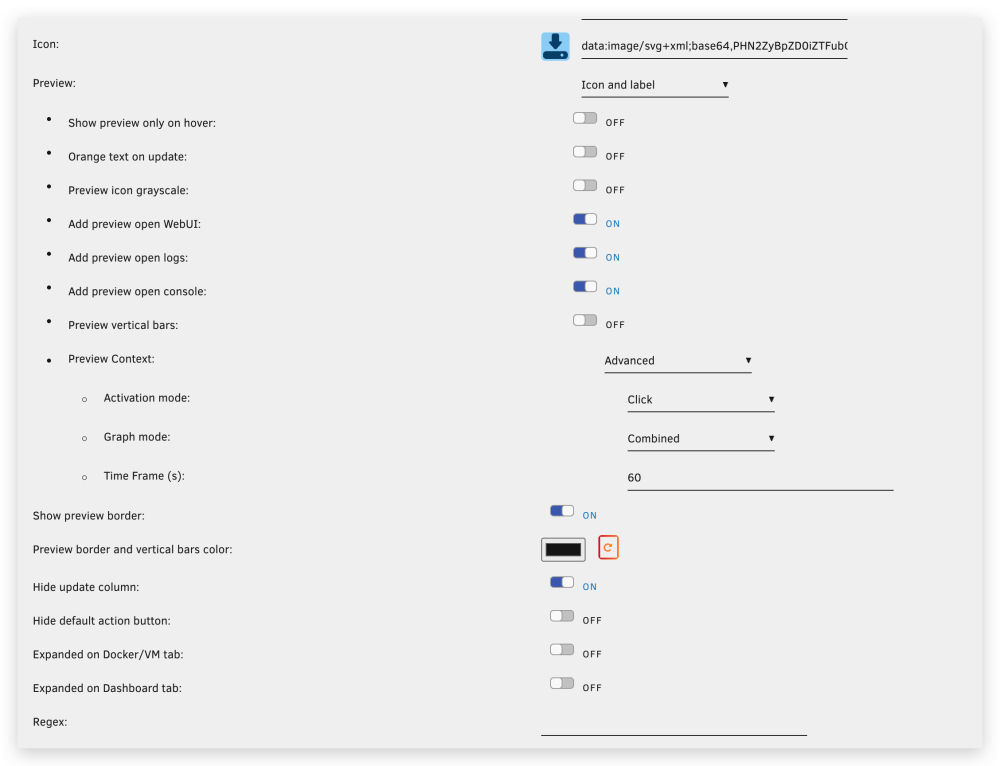
Wow,That was a fast reply:)Thanks for your work,this is a very userful plugin! And I think I found another setting dosent work as expected. [Preview Context -> Activation mode -> Hover] seems doesnt work ,I set it to Hover and no preview window pop up when I move mouse pointer over the docker icon,and even if I click the icon,no window shows up. Only if I set Activation mode to Click,then I can click the icon and get preview window. Sorry for my english,and thank you for reading my mumble:P

-
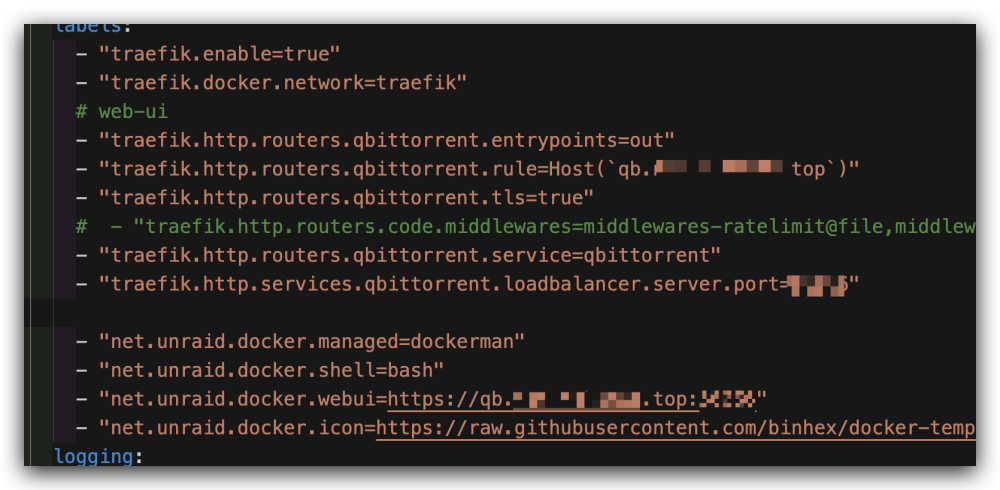
no webui button and I use docker compose to deploy my containers,here's part of my compose file
-
I use br0(macvlan) as aria2 and qbittorrent's primary nic and they both fail to start after reboot. Error msg says network not found. Im assuming unriad create a new docker network with the same name 'br0'? These never happen on 6.12.0-6.12.3. Is there any way to fix it or I'll have to wait for future OS releasae(hope it will be fixed...)?
-
unfortunately,no.
-
对头,校验盘和校验盘的顺序不能变,数据盘随便
-
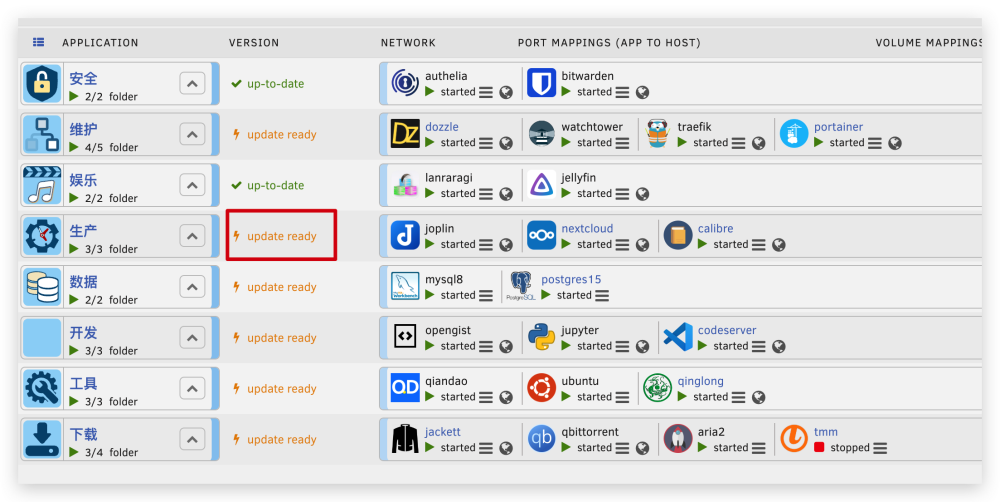
Im a software developer,I know I can use stable tag instead of THE DEFAULT LATEST TAG to avoid upgrade check. I chose to use the latest tag on purpose(not on all service/containers,just some of them), to keep the service up to date , and let watchtower upgrade those containers for me quietly. Just want to know if there is a way to disable unraid's container upgrade check which in my case , is unusable since I use docker compose instead of unraid's templates. When using docker compose in unraid , the update button dosent work ,it just simply fail during process.Therefore the 「⚡️ update ready」hint is useless and annoying.And even if I manually upgrade by 「docker compose pull && docker compose up -d」or watchtower already upgrade those 「update ready」containers , the 「⚡️ update ready」sign wouldnt disappear! Please dont argue with me about what tag I should use anymore. ------------------------------------------------------------ 我是一名程序员,说不上精通,但是平常经常使用docker,我也知道默认情况下docker会使用latest作为镜像的tag。 我是特意使用latest作为tag的,因为我需要一部分服务永远保持最新,为此我也部署了watchtower来静默更新容器。 我只是想知道有没有办法屏蔽unraid的容器更新检查。 我在unraid里安装了docker compose 插件(我工作中还有以前使用其他系统的时候,我更习惯用docker compose ),在unraid中使用docker compose来部署的容器,虽然在webui中能够提示容器更新,但是点击更新按钮会报错,容器也不会被正确更新,所以「⚡️ update ready」这个提示对我来说并没有用处,毫无意义还多少有点碍眼。
-
sorry for my english. i mean i need to keep some service(container) up to date and have to use 「latest」 tag.
-
had to kill nginx and start it again endurance-diagnostics-20230719-2046.zip
-
Thx,But some container still need to user latest tag
-
I too facing this similar issue,webui no response,syslog full of nginx errors. But everything else runs ok,containers work fine,qbittorrent still seeding ,ssh service sitll works etc. The 'diagnostics' commnad did not work though just hang there forever. I manage to restart nginx service by first 'kill -9 ${nginx_pid}' and start it again. Here is my diagnostics. endurance-diagnostics-20230709-1417.zip
-
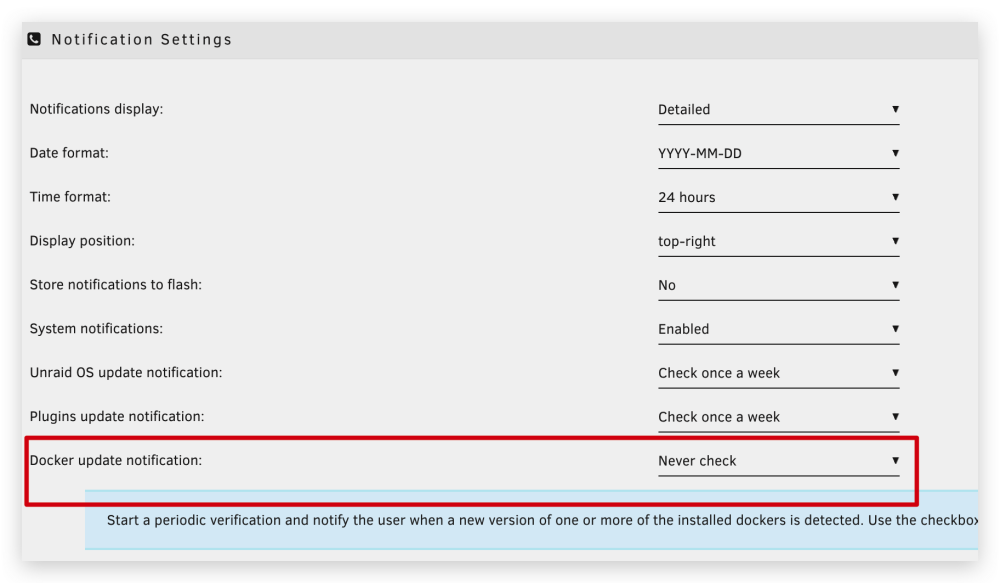
I use docker compose to deploy my containers,so unraid's buildin container update function dosen't work my containers. And I already disabled 'Docker update notification' as below
-
endurance-diagnostics-20230623-1337.zip here is my diagnostics
-
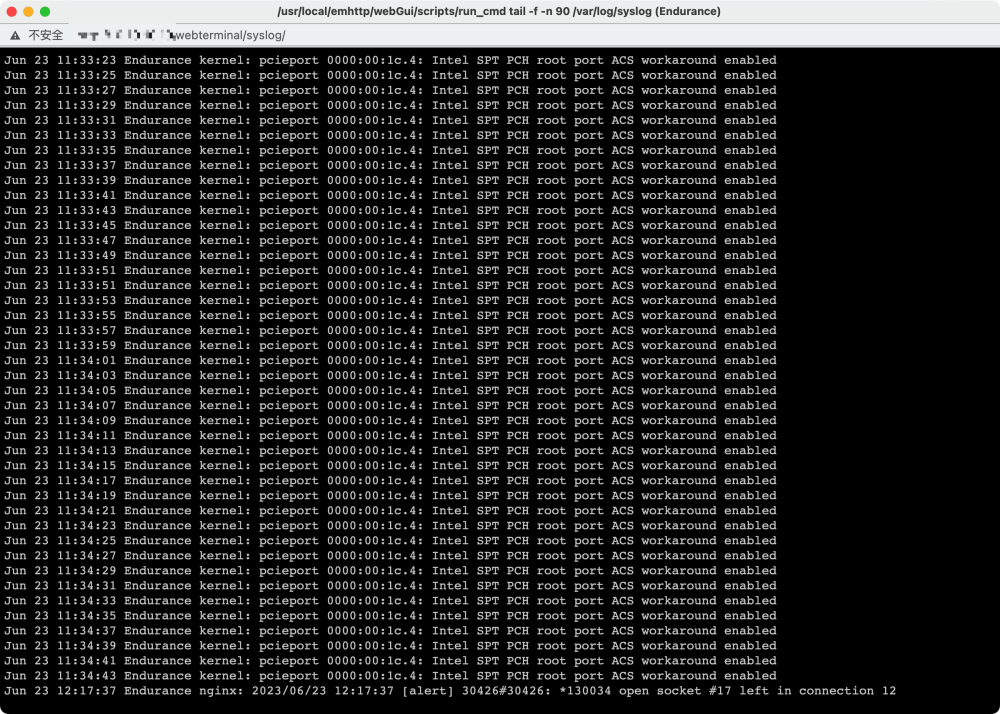
im new to unraid and recently build my first unraid server. i noticed that syslog have a lot "kernel: pcieport 0000:00:1c.4: Intel SPT PCH root port ACS workaround enabled" kind message, is this something i shoud care about and deal with? or just let it be? THX
-
Thx,worked!
-
unable to install plugin neither via webui or cli os version:6.12.0-rc2. Installing info via cli: SNAIL ~ # plugin install https://raw.githubusercontent.com/Squidly271/user.scripts/master/plugins/user.scripts.plg plugin: installing: user.scripts.plg Executing hook script: pre_plugin_checks plugin: downloading: user.scripts.plg plugin: downloading: user.scripts.plg ... done Executing hook script: pre_plugin_checks plugin: downloading: user.scripts-2023.03.04-x86_64-1.txz ... done +============================================================================== | Installing new package /boot/config/plugins/user.scripts/user.scripts-2023.03.04-x86_64-1.txz +============================================================================== Verifying package user.scripts-2023.03.04-x86_64-1.txz. Installing package user.scripts-2023.03.04-x86_64-1.txz: PACKAGE DESCRIPTION: Package user.scripts-2023.03.04-x86_64-1.txz installed. plugin: run failed: /usr/bin/php Executing hook script: post_plugin_checks SNAIL ~ # syslog during installation: Mar 27 02:57:32 SNAIL root: plugin: creating: /boot/config/plugins/user.scripts/user.scripts-2023.03.04-x86_64-1.txz - downloading from URL https://raw.githubusercontent.com/Squidly271/user.scripts/master/archive/user.scripts-2023.03.04-x86_64-1.txz Mar 27 02:57:34 SNAIL root: plugin: checking: /boot/config/plugins/user.scripts/user.scripts-2023.03.04-x86_64-1.txz - MD5 Mar 27 02:57:34 SNAIL root: plugin: running: upgradepkg --install-new /boot/config/plugins/user.scripts/user.scripts-2023.03.04-x86_64-1.txz Mar 27 02:57:36 SNAIL root: plugin: running: anonymous diagnostics: snail-diagnostics-20230327-0258.zip
-
above is my SMTP Settings. I do get notification emails,but the content of email is not quite right.No actural subject presented.





