





Joshwaaa
Members
-
Joined
-
Last visited
Everything posted by Joshwaaa
-
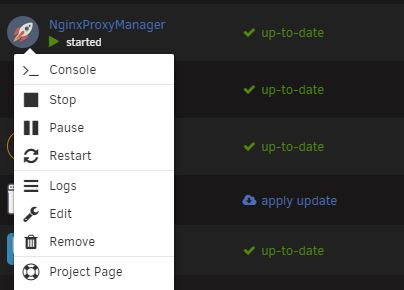
I finally updated unRAID to the latest version and now nginx doesn't have a web ui? How do I get that back?
-
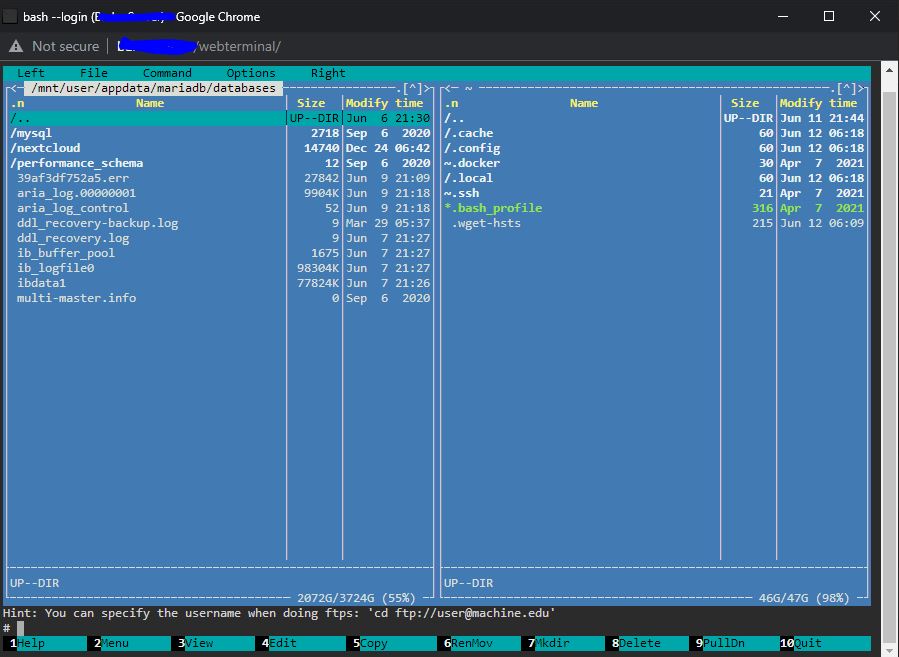
I created a cache pool but pulled a disc out of order which deleted my dockers. I then mistakenly re-added them from apps thus downloading the latest version. I should have immediately done docker system df -v or docker inspect mariadb and got my exact version I last used. Should have done the same with nextcloud. I have tried pulling from the repositories, tried deleting images and templates. Nothing has worked. I am trying now to just preserve the nextcloud database in mariadb. I'd like to start fresh but preserve the data that is still in the old mariadb. I have 3 questions: Could or should I copy this nextcloud folder somewhere and delete everything else? Is there any other place to delete files that may contain files that could corrupt a new download? If I am able to copy and then move the nextcloud database back into mariadb will it preserve the users and their data I setup? I had 2 other users using it. Thanks!
-
@guyola I posted the same thing on June 6. No one has responded to it at all. I hope you find help. I'm going to start over but preserve anything I can. Hope you find help!
-
@mgutt I know I was trying to downgrade to get into a non-functioning database so I was using an old repo pull. Then I just deleted mariadb altogether and the image to start fresh. When I went to reinstall it on the apps page it had the old repo and password prefilled making me think there's some remnants around.
-
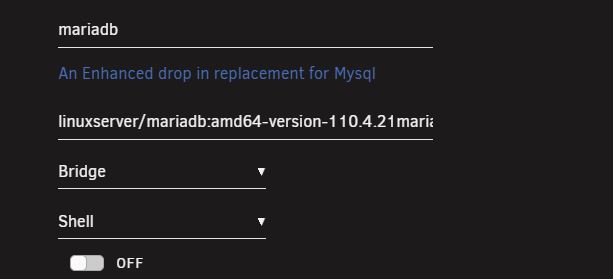
I am starting over with Mariadb but after I've removed the docker and the image the "add container" page seems to be keeping some old settings including remembering the old pull I did from the repository. How do I make sure that everything is properly deleted before I reinstall it? Also I want to start fresh with Nextcloud but preserve the database specifically for Nextcloud. So second question should I use something like krusader or a file manager to move it out and move it back in after reinstall?
-
I suppose the next step is to physically remove the drive?
-
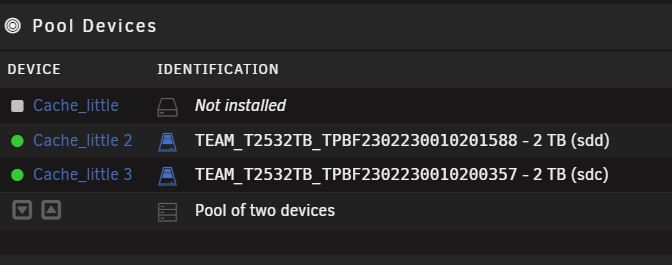
@itimpi OK thanks I tried that but now I have this. Can I delete the unassigned? I tried to reduce the slots but 3 is the lowest it will allow.
-
@itimpi This is what I get when I stop the array. If I unassign the drive I can't change the slot number and I can't restart the array.
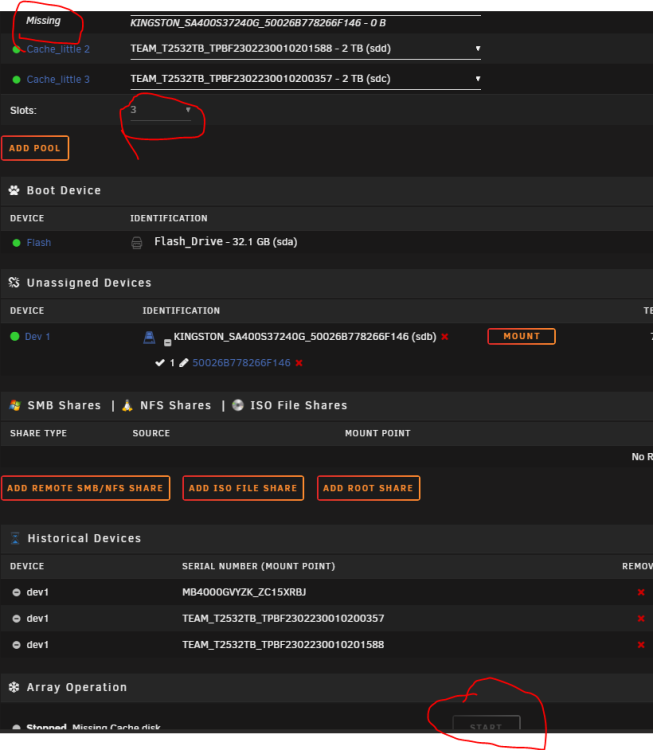
-
barkerserver-diagnostics-20230609-2110.zip
-
It is a BTRFS cache pool.
-
I have a cache pool. I'd like to remove the smallest drive. I already went to the FAQs "How do I remove a device from a btrfs or zfs pool?" to save anyone the trouble of telling me to go to the FAQs but I get the message "The page you are trying to access is not available for your account." So how do I remove a drive from my cache pool? Thanks
-
@CHBMB I am continually getting the same error cat: /var/run/mysqld/mysqld.pid: No such file or directory 230606 18:23:41 mysqld_safe Logging to '/config/databases/66cb7795ae82.err'. 230606 18:23:41 mysqld_safe Starting mariadbd daemon with databases from /config/databases Caught SIGTERM signal! I can't seem to find any info on the .err I see you told someone that if they reinstalled mariadb that their nextcloud files should be intact? I just want to make sure before I go that route. Will the data from different accounts all be preserved?
-
I am continually getting this error in the log in mariadb cat: /var/run/mysqld/mysqld.pid: No such file or directory 230606 18:04:03 mysqld_safe Logging to '/config/databases/66cb7795ae82.err'. 230606 18:04:03 mysqld_safe Starting mariadbd daemon with databases from /config/databases Caught SIGTERM signal! Anyone know what this is or how to fix it? Every search I do turns up nothing at all.
-
Hi everyone. I made a HUGE mess of things. I'm in healthcare but I was hosting a cloud for my family so I'm messing with things way out of my lane. My intention was to create a cache pool upgrading from a 250gb to TWO 2tb SSDs and move my nexcloud to it for faster reads outside of my LAN. I screwed that process up and I'll have to get back to that. For whatever reason all my dockers disappeared and it took my parity offline on my array. I had to remove it and re-add it last night and it rebuilt that just fine. Now I'm in the process of rebuilding my nextcloud but I ran into the error in this forum. Also I'm stuck in maintenance mode. How do I get out of maintenance mode? Also I did the update mentioned above and before it started it said I was on 25.0.2. If I choose a tag from a past version I then get an "Internal server error." If anyone could point me in the right direction I'd really appreciate it!
