





neighboring-ferryman2976
Members
-
Joined
-
Last visited
Everything posted by neighboring-ferryman2976
-
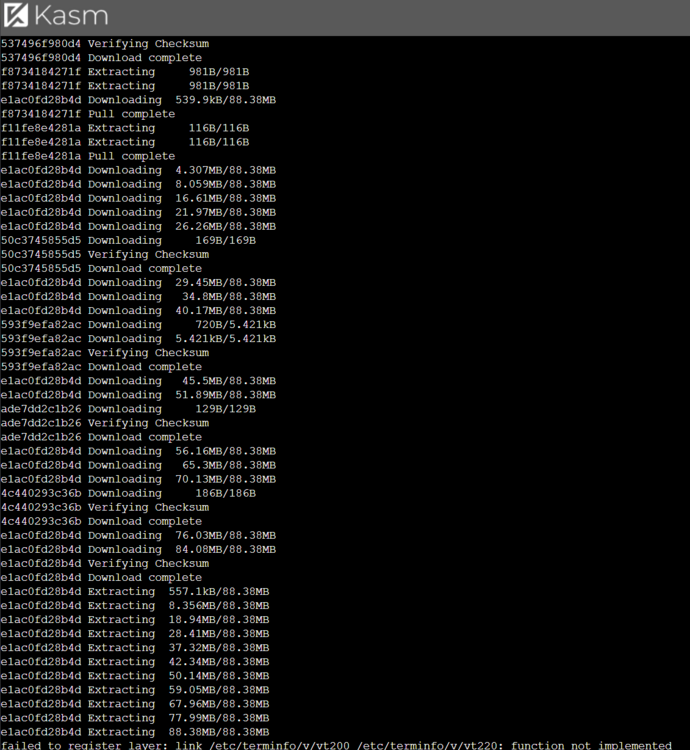
Have similar errors, Ive installed it, it boots up, asks for my Admin and User password to save. Then it goes initiating and crashes with an error Tried like 4-5 different version images, im unaware what kasm is not receiving.
-
sorry, no, i got errors on first steps due to p1, and completed only the last. Yes it mounted, and i copied all the data. Thank you! What are my moves when i get new nvme drive. I eject the old one, insert the new one i add it as cache disk and copy all the files. my all dockers should start as usual?
-
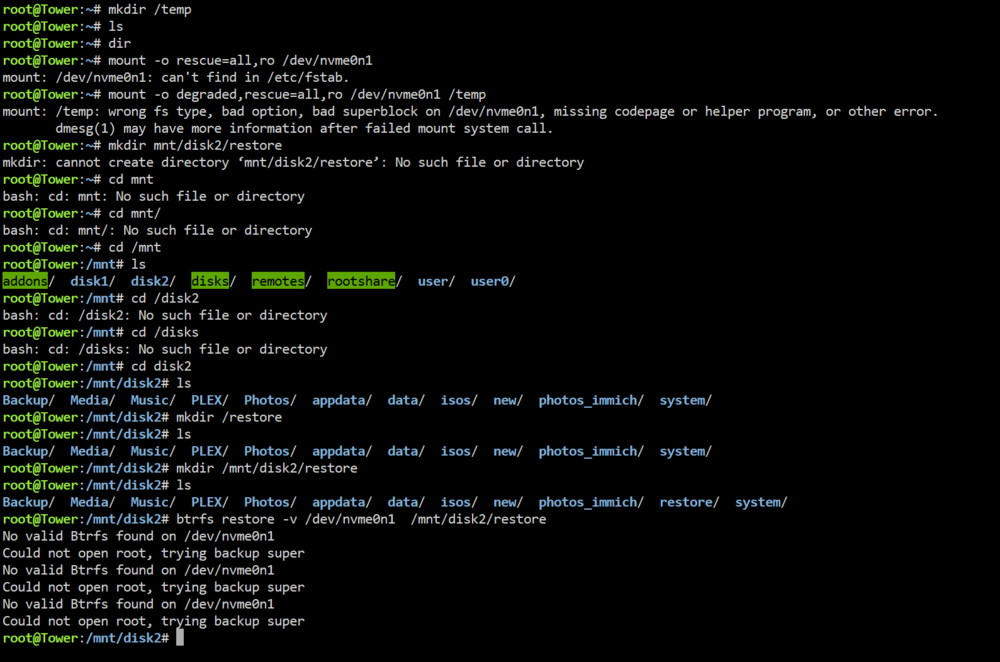
Thanks for the investigation. I would never thought that was the failed SSD, it has been less than a year installed, and it's a Samsung, and no real hard work for it has been seen. I've gone through some steps but didn't succeed, here is my Terminal LOG. Update: I've specified the wrong disk. I got a list of all btrfs drives by command: btrfs fi show and the correct command was btrfs restore -vi /dev/nvme0n1p1 /mnt/disk2/restore It was p1 that i was missing. Restore in process, i get some errors like is it normal? it is because of failed disk sectors? Can i try to repair it BTRFS check --repair (dangerous to use)? Or it will be in failed SMART mode forever? What are my option to get the Unraid working as before? i ordered a new nvme drive. Add it to the pool cache, copy files i recovered and its good to go? or its more complex issue
-
Sure here it is! tower-diagnostics-20240510-2043.zip
-
Hello. Im having the exact same situation, and on the command btrfs rescue zero-log /dev/nvme0n1p1 i get this output root@Tower:~# btrfs rescue zero-log /dev/nvme0n1p1 Clearing log on /dev/nvme0n1p1, previous log_root 824766611456, level 0 ERROR: failed to write super block for devid 1: flush error: No data available ERROR: failed to write dev supers: No data available WARNING: fsync on device 1 failed: No data available

-
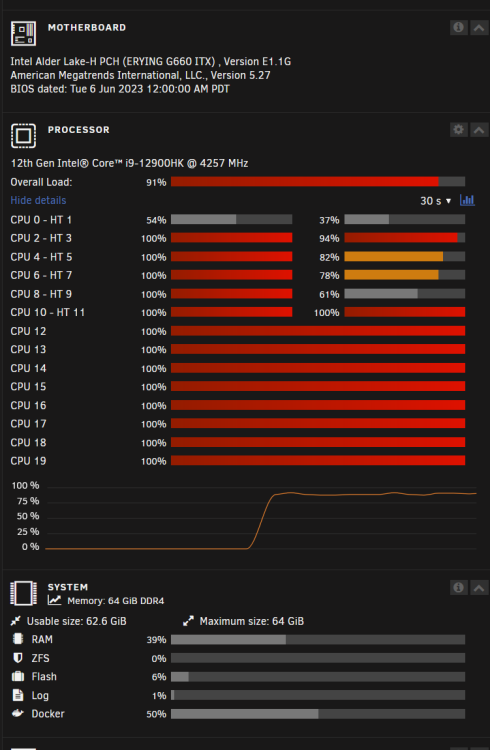
Can anyone look please, tried xmrig docker on a i9-12900hk (erying board) and got very poor Hash (1700) , used MSR script and got increase to 2200-2500, but my CPU should juice it to 10-13k my xmrig log is uploaded. What am i doing wrong? logx.txt
-
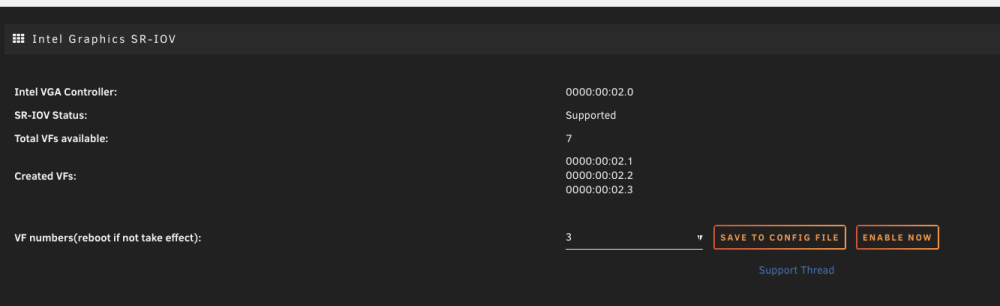
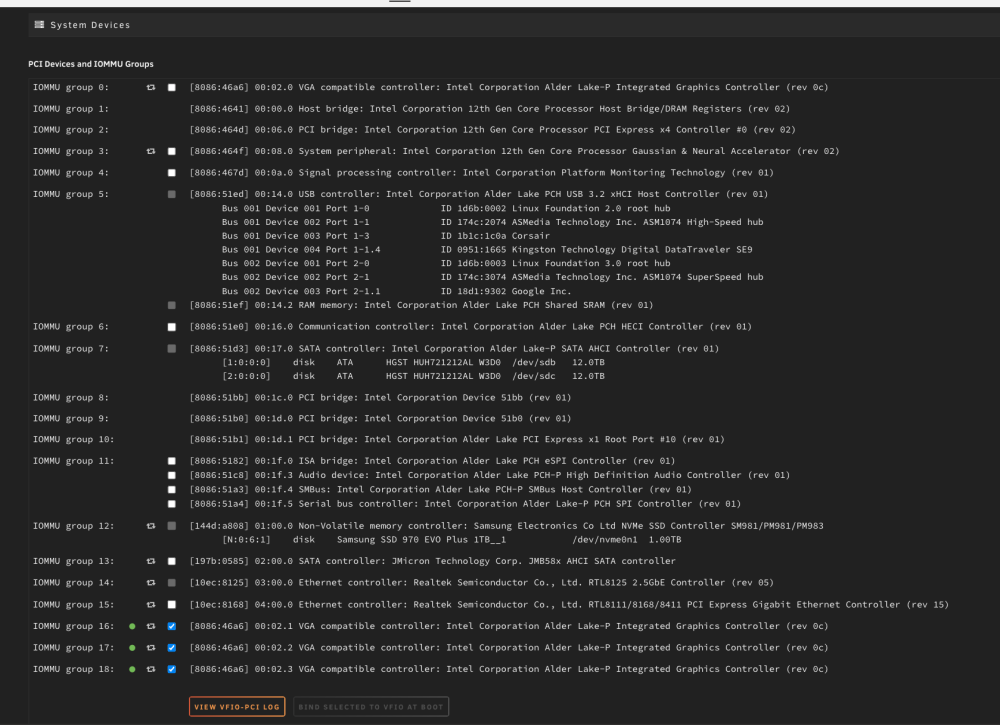
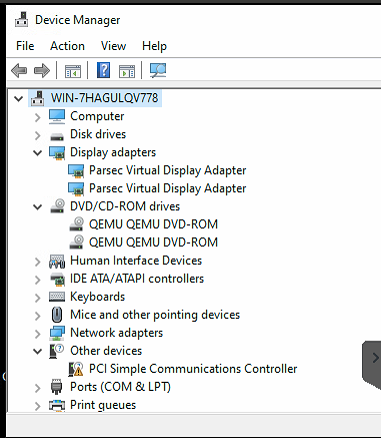
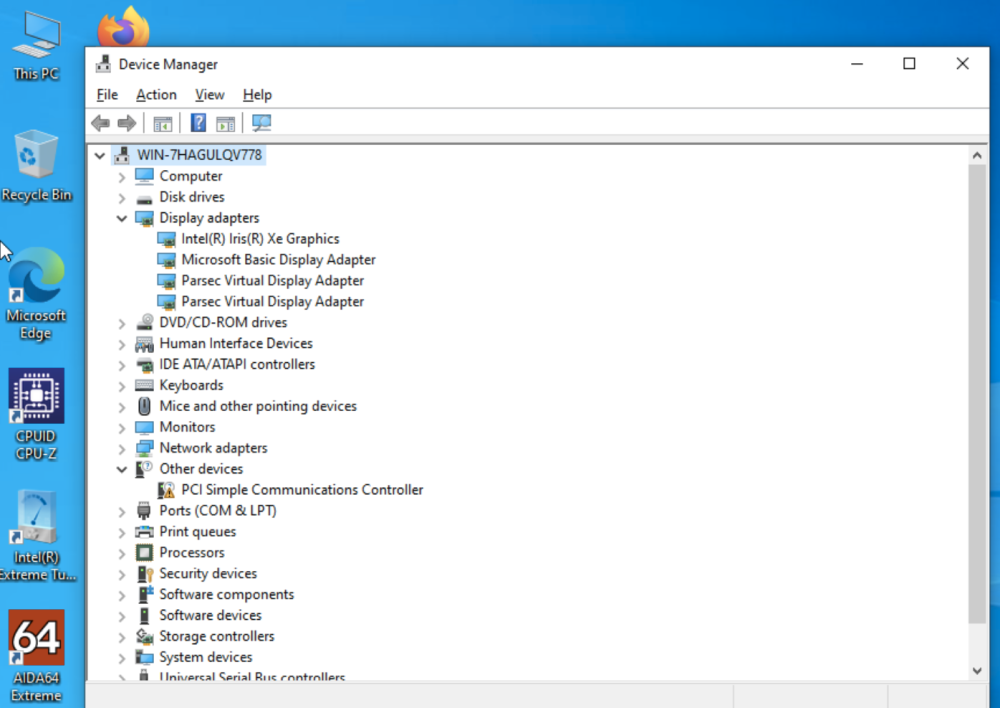
Maybe someone can provide some help. So that is what i achived on my Erying i9-12900HK mobile CPU on a Mini ITX board with Intel Iris XE graphics. So i installed SR-IoV, and made 3 VFs Then i got 3 VGA cards in Hardware and pushed them to VFIO Made a reboot certanly, and after i tried all 3 cards in WIN10 VM. If i set them as primary cards i get no drivers except Parsec If i set VNC as primary and Intel 2, 3, 4 cards as Secondary, i have them installed in device manager, but the card just doesnt work (parsec says it is software decoding, any gpu test are 0) I tried without SR_IOV by pushing just the card to VHFO and i get device manager with error43 Im really tired fighting but it just doesnt work, maybe the community can help me solve out
-
Hey man in which section? I have same problem with i9-12900hk with 0 available do you have old style bios or newer one with Erying logo?
-
Any help
-
Hey all! Im using Erying 12900HK Mobo with Intel Graphics on Unraid. It works pretty damn fine, now im trying to passthrough Intel GPU to a WIN10 VM with no luck. unraid version is now 6.12.4 (o updated to latest and had previous version , just in case it could do anything) Thats what i did. So i made a VM, VNC as primary gpu, Adler Lake as 2nd GPU, all booting up. Intel driver scan asked for drivers and installed display drivers. No matter what i do i have no hdmi output. windows device manager gives error 43 Windows LOG gives: **2023-09-16T13:01:02.337415Z qemu-system-x86\_64: -device {"driver":"vfio-pci","host":"0000:00:02.0","id":"hostdev0","bus":"pci.0","addr":"0x2"}: IGD device 0000:00:02.0 has no ROM, legacy mode disabled** **2023-09-16T13:01:04.472681Z qemu-system-x86\_64: vfio-pci: Cannot read device rom at 0000:00:02.0** **Device option ROM contents are probably invalid (check dmesg).** **Skip option ROM probe with rombar=0, or load from file with romfile=** Maybe it is asking for BIOS? But as i know iGPUs dont have Bioses ​ 1. I have binded VFIO: \[8086:46a6\] 00:02.0 VGA compatible controller: Intel Corporation Alder Lake-P Integrated Graphics Controller (rev 0c) 2. Reboot, tried VM - no luck. 3. Installed Intel SR-IOV, it recognises \*\*Intel VGA Controller:**0000:00:02.0**SR-IOV Status:**Supported**Total VFs available:\*\*7 if i tick 1 or 2 or 3, it processes but the number in **Created VFs: is always 0 my VM part of config for GPU is: **<hostdev mode='subsystem' type='pci' managed='yes'>** **<driver name='vfio'/>** **<source>** **<address domain='0x0000' bus='0x00' slot='0x02' function='0x0'/>** **</source>** **<address type='pci' domain='0x0000' bus='0x00' slot='0x02' function='0x0'/>** **</hostdev>** **<hostdev mode='subsystem' type='usb' managed='no'>** I have no more idea how to make it spin
-
yes i do friend
-
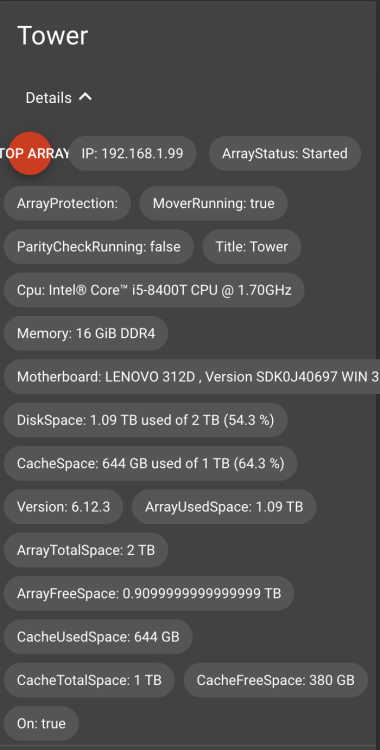
Hey bro, Do you have any idea why the mqtt is not grouping and no data about free and used space etc?
-
Hey all, Im using latest Unraid and wanted to install latest 6.12 version of UnraidAPI-RE the continer is not starting and i keep getting these. updated: The fix for me is change appdata folder from previous installation i just renamed it asa unraidapi2 BTW: No grouping and No device specs in mqqt WARN mode option is deprecated. You can safely remove it from nuxt.config WARN No .env file found in /app. /app/utils/Unraid.ts:275 console.log(e.response.data) ^ TypeError: Cannot read properties of undefined (reading 'data') at /app/utils/Unraid.ts:275:30 at processTicksAndRejections (node:internal/process/task_queues:96:5) at async /app/utils/Unraid.ts:225:6 npm notice npm notice New major version of npm available! 8.19.4 -> 9.8.1 npm notice Changelog: <https://github.com/npm/cli/releases/tag/v9.8.1> npm notice Run `npm install -g [email protected]` to update! npm notice WARN mode option is deprecated. You can safely remove it from nuxt.config WARN No .env file found in /app. /app/utils/Unraid.ts:275 console.log(e.response.data) ^ TypeError: Cannot read properties of undefined (reading 'data') at /app/utils/Unraid.ts:275:30 at processTicksAndRejections (node:internal/process/task_queues:96:5) at async /app/utils/Unraid.ts:225:6 WARN mode option is deprecated. You can safely remove it from nuxt.config WARN No .env file found in /app. /app/utils/Unraid.ts:275 console.log(e.response.data) ^ TypeError: Cannot read properties of undefined (reading 'data') at /app/utils/Unraid.ts:275:30 at processTicksAndRejections (node:internal/process/task_queues:96:5) at async /app/utils/Unraid.ts:225:6 WARN mode option is deprecated. You can safely remove it from nuxt.config WARN No .env file found in /app. /app/utils/Unraid.ts:275 console.log(e.response.data) ^ TypeError: Cannot read properties of undefined (reading 'data') at /app/utils/Unraid.ts:275:30 at processTicksAndRejections (node:internal/process/task_queues:96:5) at async /app/utils/Unraid.ts:225:6 > [email protected] start > cross-env NUXT_HOST=0.0.0.0 NODE_ENV=production node server/index.js Connected to mqtt broker > [email protected] start > cross-env NUXT_HOST=0.0.0.0 NODE_ENV=production node server/index.js Connected to mqtt broker > [email protected] start > cross-env NUXT_HOST=0.0.0.0 NODE_ENV=production node server/index.js READY Server listening on http://0.0.0.0:80 Connected to mqtt broker > [email protected] start > cross-env NUXT_HOST=0.0.0.0 NODE_ENV=production node server/index.js READY Server listening on http://0.0.0.0:80 Connected to mqtt broker ** Press ANY KEY to close this window **


