





xman111
Members
-
Joined
-
Last visited
Everything posted by xman111
-
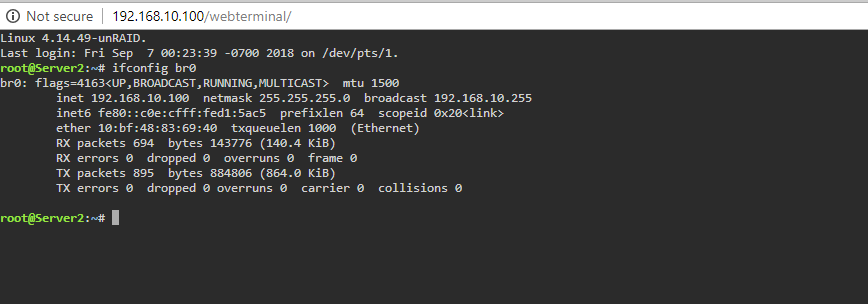
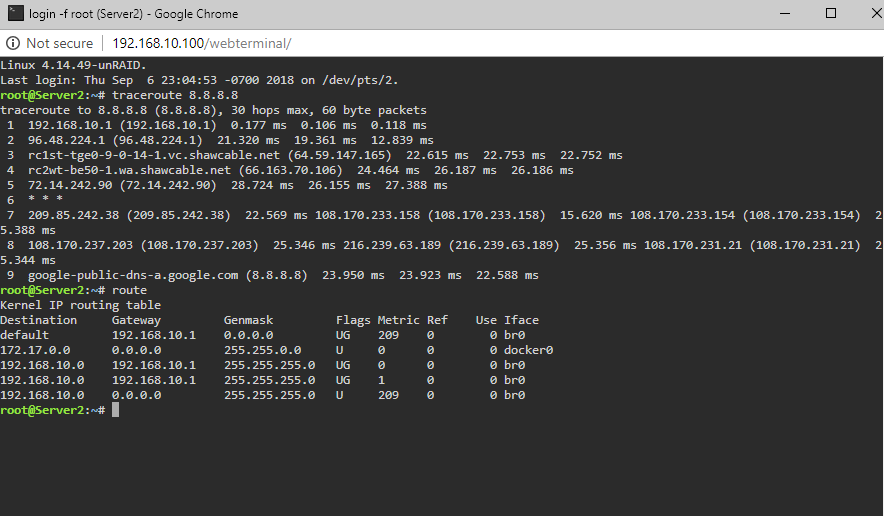
here ya go. this is without the extra line in the routing table. so right now, can ping 8.8.8.8 but not www.google.com
-
i just checked pfsense and saw server 2, was I think the same computer but the other network card in it. When i thought i might have a flakey intel network card. I removed it and rebooted pfsense, still not connecting.. maybe reboot unraid?
-
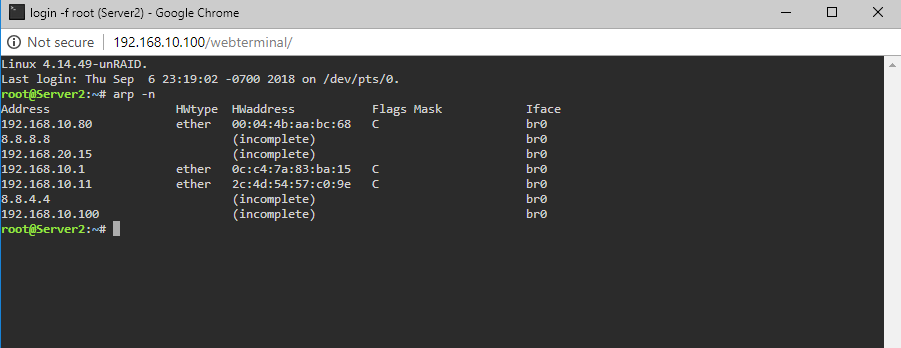
I will have a look for that setting.. Here is the server arp..
-
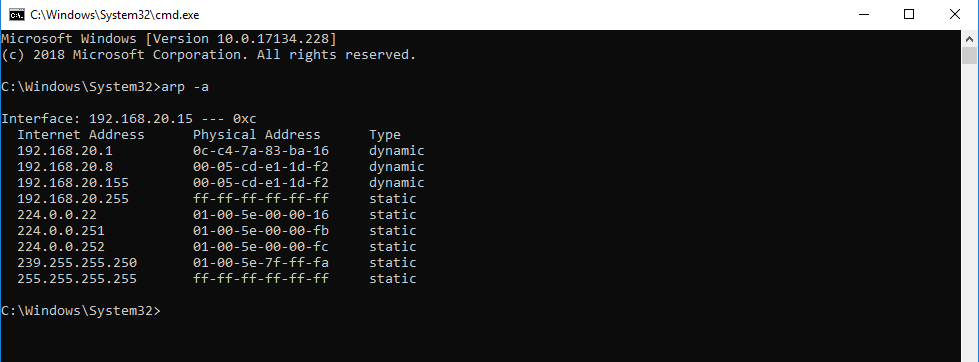
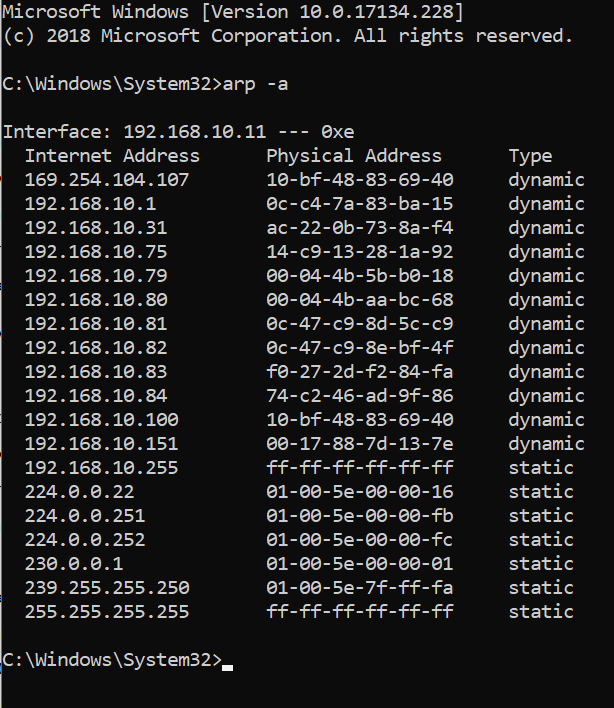
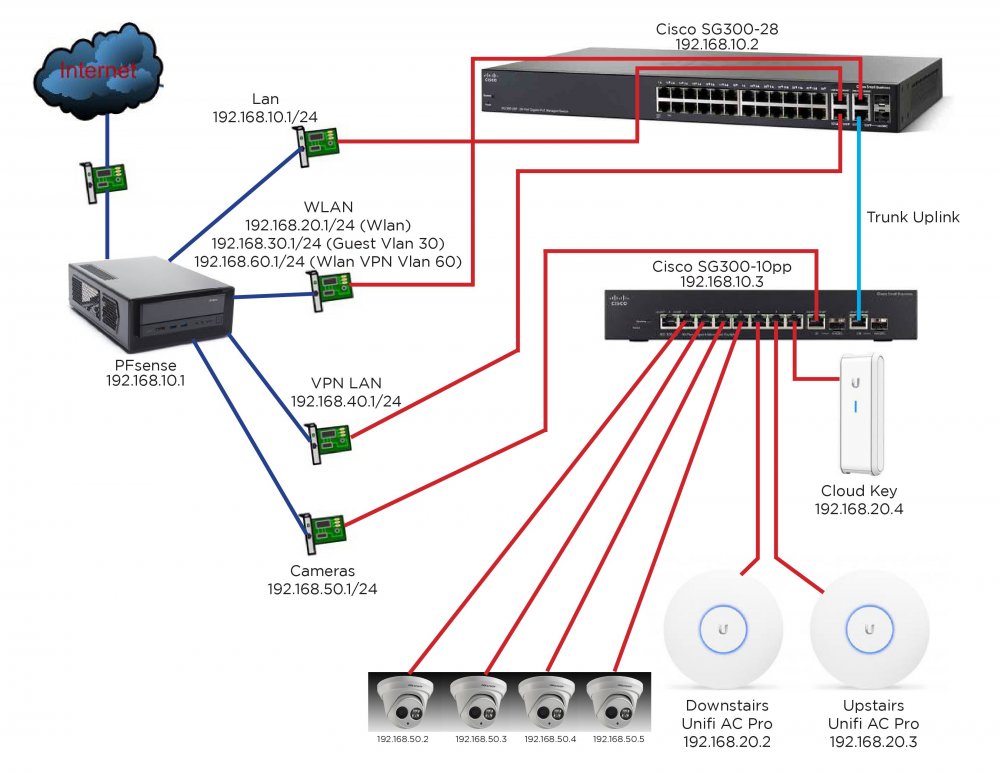
hey man, thanks for responding.. my lan is separate from my wlan, wlan is in VLAN 20. Basically I have an single ethernet cable connected directly to PFsense that brings all the networks up to my SG300-10 in my bedroom. I have both the server and my desktop connected to that switch (just for testing). Normally the server is in a different room and connected directly to my main SG300-28 switch. Here is the arp command from the laptop. Botom one is from desktop.
-
and from unraid..
-
it looks like as soon as i put that route into unraid, it lets unraid resolve www.google.com but then i seem to lose connectivity from the desktop to unraid but can still reach unraid from my laptop. Unraid can always get a ping back from 8.8.8.8 but can't resolve names unless i put that route in. edit... that isn't true, i rebooted unraid and desktop can still not connect..
-
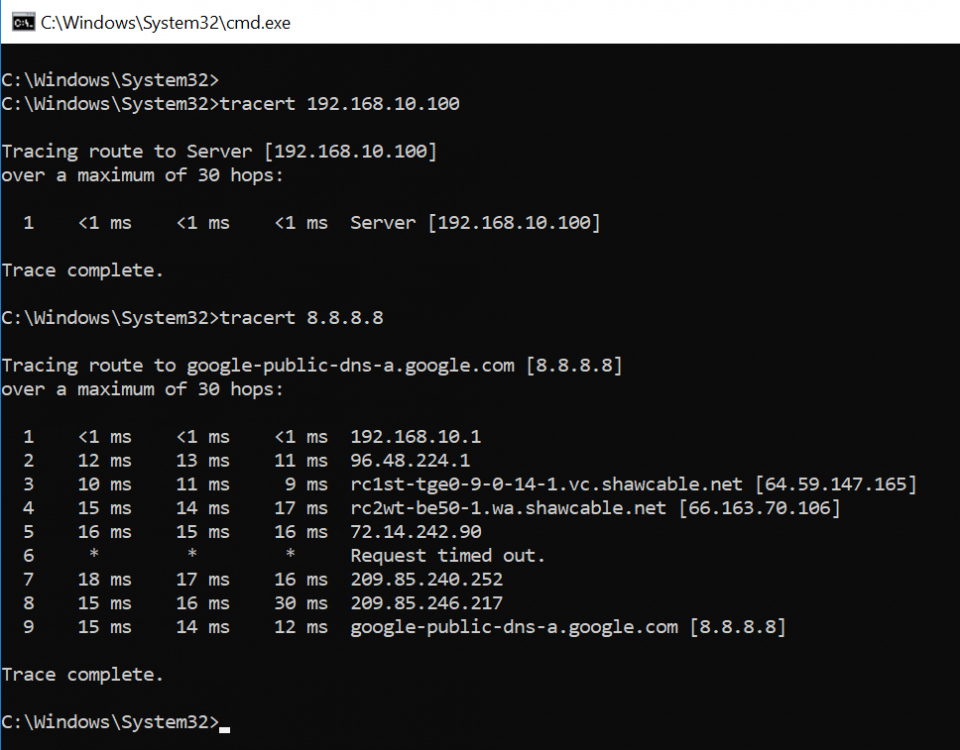
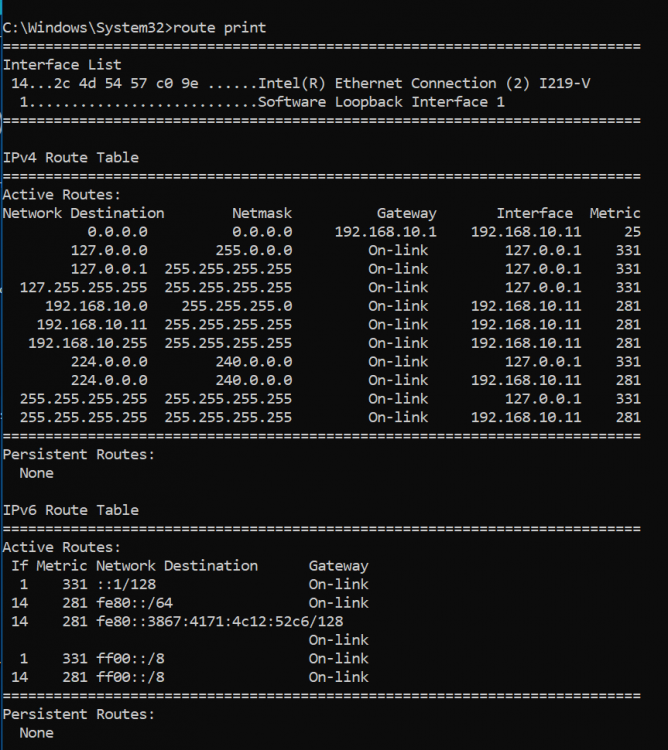
from desktop..
-
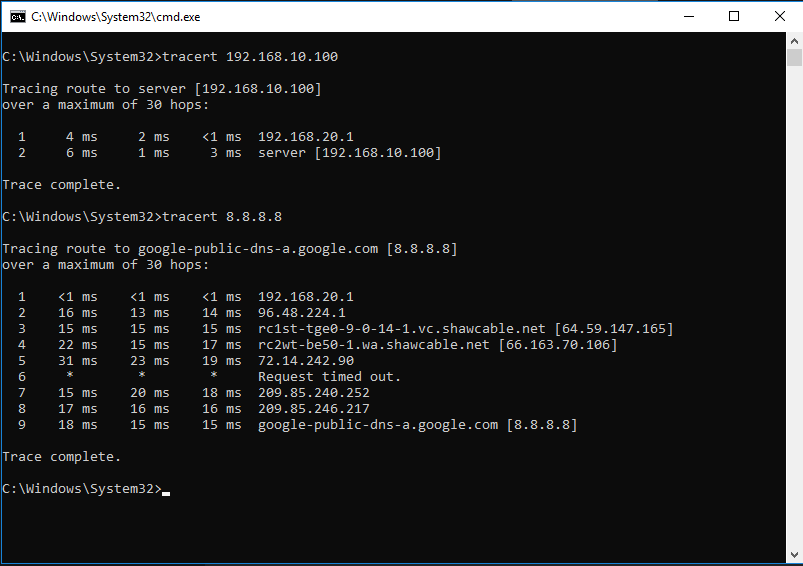
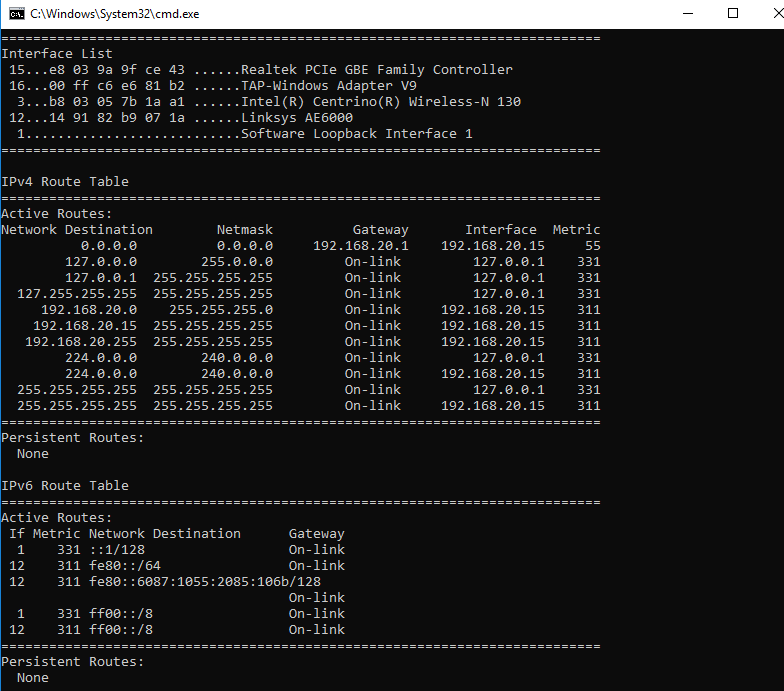
thanks for your help dude, i am totally dead ended here.. here are both from laptop.
-
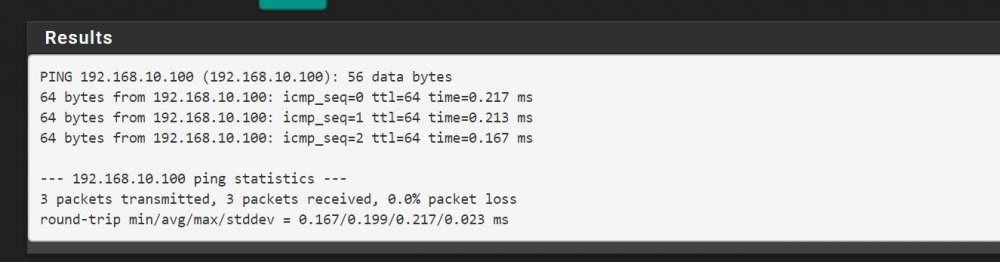
here is pfsense to Unraid. then log into unraid and ping back to pfsense? or my desktop? just logged into unraid and it can ping pfsense and also my desktop computer. So basically the problem is I cannot log into the web gui on the same subnet and unraid doesn't get internet unless i enter that route manually AFTER it is booted.
-
yes I used that guide. As for the DNS under >services >dhcp server >lan I enter my dns in there, i think it is basically an override.. I use GetFlix which is a monthly service that gets my kids US Netflix from Canada. It seems to work because any computer i plug into the lan, i can go onto GetFlix's website and it verifies you are using their DNS so you can use their unblocking services. It's probably something stupid. Would like to try ken-ji's stuff but was a little confused. I have been working on this all week. I have all my computer parts on order and still have to figure out how to run Windows VM to record all my cameras with Blue Iris and get plex going for all my media. Windows is a hell of a lot easier.
-
ken-ji, i was a little confused on the exact commands you want me to do. sorry, i am pretty good with networking but had a little help setting it all up. also these two computers (desktop and server) are attached to a SG300-10 in my bedroom. Port 10 is a trunk port that brings in all my Vlans into my room so i can assign each port to whatever vlan i want. All the ports are tagged VLAN 10 untaged (which is my lan network) except one, which is tagged 40 which is my VPN, so if i want to connect to AirVPN, i just plug the computer into port 2 instead of port 1.
-
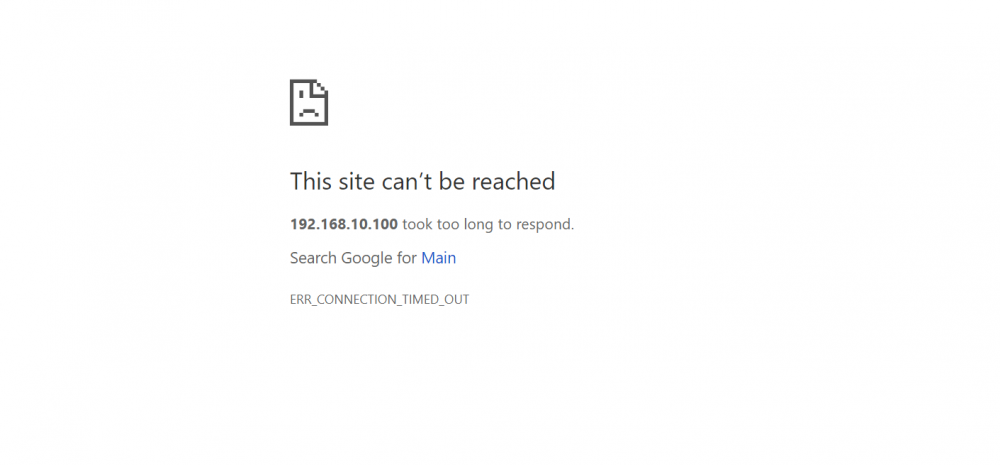
right now I am trying to connect to unraid from my computer right beside it, on the same subnet and Cisco switch and get this. But i hop on my laptop on my wireless subnet at 192.168.20.15 and it connects right away. Hope there is a network guru here
-
1 last thing while I am thinking about it. Sometimes when i try to connect to the webgui it says connection denied but if i go on my laptop on a different subnet it can connect. My home computer and server are both connected right beside each other on a Cisco switch in my bedroom, server is 192.168.10.100 and my PC is 192.168.10.11. From what i understand, since they are on the same subnet, pfsense shouldn't even be involved.
-
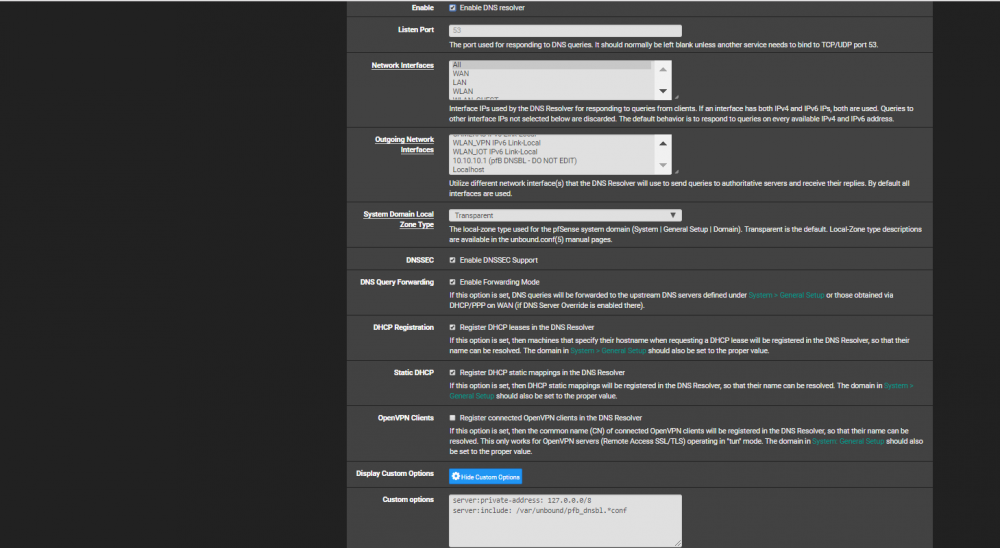
here is my DNS page.. i did notice something in there about pfblocker but it is turned off, could that be an issue?
-
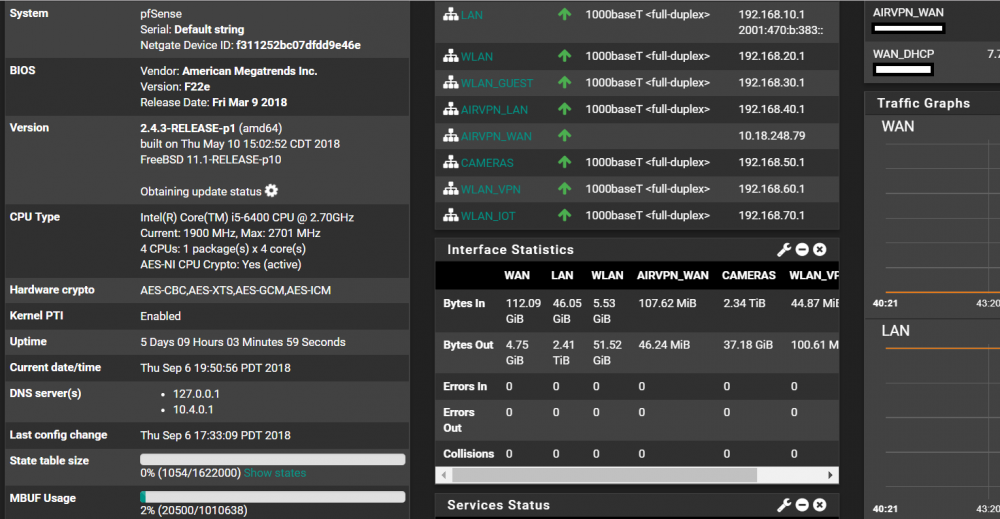
here is my pfsense page. Have a kick ass computer for it too, i5, 16gb, ssd, still no worky
-
thanks so much guys for even trying to help me. It is very frustrating. I just bought a i5-8500, z370 motherboard, and LSI serial card all for unraid, just want to get this working. Here is a bit of an older diagram of my network. Everything was installed new when we built our house a year ago. It is a little complicated but works awesome. Not sure if it is a pfsense issue or unraid as all my other machines work great.
-
added the line, it makes the change on boot, but still no internet. it shouldn't be this difficult. if i go in after it is booted and enter the same line in routing, it works, even though it is in there twice.
-
thanks squid, will try that.
-
this is what was posted in another thread, can you help Squid? There's no way other than: * to put the route commands inside go file * use the user scripts plugin and add a script with the route commands to run on array startup FWIW the route command you want is like /sbin/ip route a 192.168.3.0/24 via 192.168.2.4
-
hey guys, must have typed something wrong, now it says orphaned container or image? im going to take my kids for a walk, they aren't too happy i've been working on this all night.. thanks for all the help.
-
thanks guys.. i have Key1: Key2: and Key3: and no worries hoopster!
-
hey guys a little progress.. i was using an Intel server NIC in the machine. Pulled the NIC and turned on the Realtek one in the bios and Plex installed. Couple issues and questions. -can't find where to add the media mount to add all my movies.. i think it would be \mnt\user\media but don't know where to put it. -any reasons why the Intel card wouldn't work? I transferred over about 750 gb of data on it and the card is fine. maybe a setting somewhere? thanks for your help guys.
-
ya, just installed via the apps tab..
-
I changed it because it keep looking for tower on the other computer. I was just trying to distinguish my latest efforts.
-
-------------------------------------_ ()| | ___ _ __| | / __| | | / \| | \__ \ | | | () ||_| |___/ |_| \__/Brought to you by linuxserver.ioWe gratefully accept donations at:https://www.linuxserver.io/donate/-------------------------------------GID/UID-------------------------------------User uid: 99User gid: 100-------------------------------------[cont-init.d] 10-adduser: exited 0.[cont-init.d] 30-dbus: executing...[cont-init.d] 30-dbus: exited 0.[cont-init.d] 40-chown-files: executing...[cont-init.d] 40-chown-files: exited 0.[cont-init.d] 50-plex-update: executing...###################################################### Login via the webui at http://<ip>:32400/web ## and restart the docker, because there was no ## preference file found, possibly first startup. ######################################################[cont-init.d] 50-plex-update: exited 0.[cont-init.d] done.[services.d] starting servicesStarting Plex Media Server.Starting dbus-daemon[services.d] done.dbus[268]: [system] org.freedesktop.DBus.Error.AccessDenied: Failed to set fd limit to 65536: Operation not permittedStarting Avahi daemonFound user 'avahi' (UID 106) and group 'avahi' (GID 107).Successfully dropped root privileges.avahi-daemon 0.6.32-rc starting up.No service file found in /etc/avahi/services.*** WARNING: Detected another IPv4 mDNS stack running on this host. This makes mDNS unreliable and is thus not recommended. ****** WARNING: Detected another IPv6 mDNS stack running on this host. This makes mDNS unreliable and is thus not recommended. ***Joining mDNS multicast group on interface virbr0.IPv4 with address 192.168.122.1.New relevant interface virbr0.IPv4 for mDNS.Joining mDNS multicast group on interface docker0.IPv4 with address 172.17.0.1.New relevant interface docker0.IPv4 for mDNS.Joining mDNS multicast group on interface br0.IPv6 with address fe80::802c:beff:fe0a:352f.New relevant interface br0.IPv6 for mDNS.Joining mDNS multicast group on interface br0.IPv4 with address 192.168.10.100.New relevant interface br0.IPv4 for mDNS.Joining mDNS multicast group on interface eth0.IPv6 with address fe80::6a05:caff:fe10:41a5.New relevant interface eth0.IPv6 for mDNS.Network interface enumeration completed.Registering new address record for 192.168.122.1 on virbr0.IPv4.Registering new address record for 172.17.0.1 on docker0.IPv4.Registering new address record for fe80::802c:beff:fe0a:352f on br0.*.Registering new address record for 192.168.10.100 on br0.IPv4.Registering new address record for fe80::6a05:caff:fe10:41a5 on eth0.*.Server startup complete. Host name is Server2.local. Local service cookie is 1637359688.Error in command line:the argument for option '--serverUuid' should follow immediately after the equal signCrash Uploader options (all are required):--directory arg Directory to scan for crash reports--serverUuid arg UUID of the server that crashed--userId arg User that owns this product--platform arg Platform string--url arg URL to upload to--help show help message--version arg Version of the productWithdrawing address record for 192.168.10.100 on br0.Leaving mDNS multicast group on interface br0.IPv4 with address 192.168.10.100.Interface br0.IPv4 no longer relevant for mDNS.Joining mDNS multicast group on interface br0.IPv4 with address 192.168.10.100.New relevant interface br0.IPv4 for mDNS.Registering new address record for 192.168.10.100 on br0.IPv4.Withdrawing address record for 192.168.10.100 on br0.Leaving mDNS multicast group on interface br0.IPv4 with address 192.168.10.100.Interface br0.IPv4 no longer relevant for mDNS.Joining mDNS multicast group on interface br0.IPv4 with address 192.168.10.100.New relevant interface br0.IPv4 for mDNS.Registering new address record for 192.168.10.100 on br0.IPv4.


